
1. Uvod
The NVAHVA A68 Translation Earbuds are designed to provide a seamless audio experience with advanced real-time translation capabilities. These earbuds feature an invisible, lightweight design for comfort, especially for side sleepers, and support various translation modes, meeting recording, and call translation. This manual will guide you through the setup, operation, and maintenance of your device.
2. Vsebina paketa
Prosimo, preverite, ali so v vašem paketu priloženi vsi spodaj navedeni artikli:
- 2 x ušesne čepke
- 1 x etui za polnjenje
- 1 x polnilni kabel Type-C
- 3 x Pairs of Eartips (S/M/L)
- 1 x uporabniški priročnik
- 1 x App Code Card
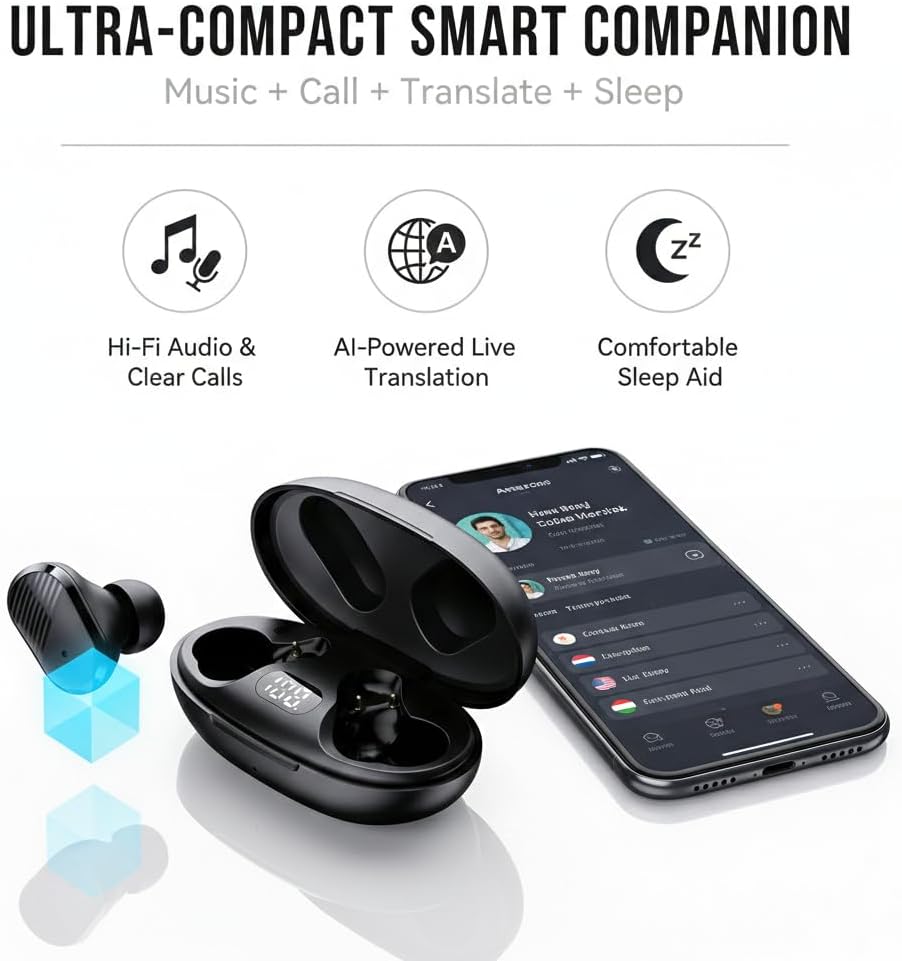
Image: NVAHVA A68 Earbuds, charging case, and accessories.
3. Izdelek je končanview
The NVAHVA A68 earbuds are designed for versatility, offering high-fidelity audio, AI-powered translation, and a comfortable fit for extended wear, including during sleep.

Slika: Konecview of the NVAHVA A68 as an ultra-compact smart companion.
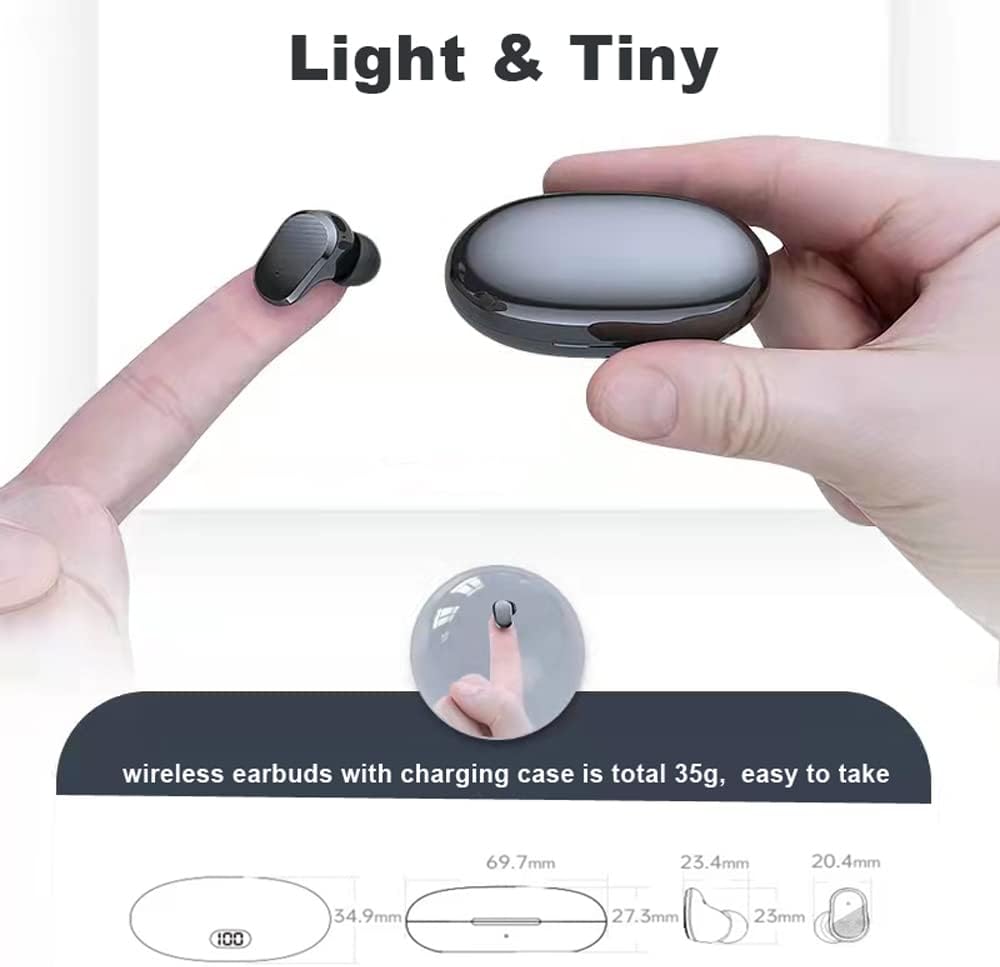
Image: The lightweight and compact design of the earbuds and charging case.
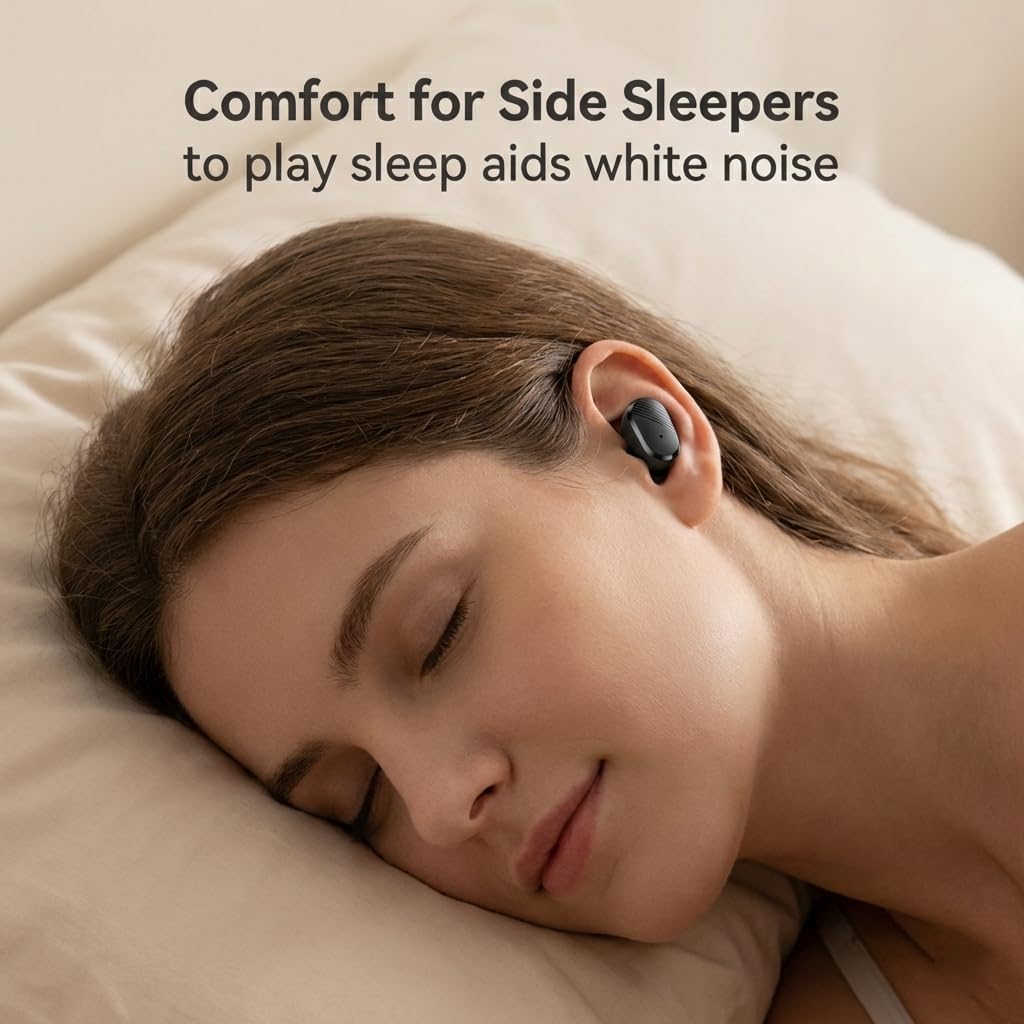
Image: Earbuds designed for comfort, even for side sleepers.
Video: Prekoračitevview of the NVAHVA A68 Invisible Wireless Earbuds, showcasing their small size and features.
4. Navodila za namestitev
4.1 Polnjenje slušalk in etuija
Before first use, fully charge the earbuds and charging case. Connect the provided Type-C charging cable to the charging case and a USB power source. The digital display on the case will indicate the charging status. A full charge takes approximately 2 hours. The earbuds provide 4-6 hours of continuous use, with the charging case extending total usage to 20-24 hours.
4.2 Prenos in namestitev aplikacije
To utilize the full translation features, download the companion application:
- Open a QR code scanning function on your smartphone (e.g., your phone's browser or a dedicated QR scanner app).
- Scan the QR code found on the included App Code Card or in the physical user manual. This will direct you to the app download page.
- Select the appropriate download link for your mobile phone system (Android or Apple).
- Follow the on-screen prompts to download and install the application. You may need to grant permission for installation from external sources.
- Once installed, open the 'AI Cool' app.
Video: Step-by-step guide on downloading and installing the NVAHVA AI Translation Earbuds application.
4.3 Povezava Bluetooth
To connect your earbuds to your smartphone:
- Ensure the earbuds are charged and removed from the charging case to enter pairing mode.
- On your smartphone, go to 'Settings' and enable 'Bluetooth'.
- In the Bluetooth device list, select the NVAHVA A68 (or similar name like 'AIWA' or 'TWS') to pair.
- Open the 'AI Cool' app. On the home screen, click 'Add Device'.
- You may be prompted to enter a binding code. This code is typically found on the cover of the AI Cool user guide. If not available, contact customer support. For built-in devices, a binding code may not be required.
- Once connected, you can begin using the app's features.
5. Navodila za uporabo
5.1 Osnovni gumbi na dotik
Slušalke imajo na dotik občutljive tipke za različne funkcije:
- Predvajanje/pavza: Enkrat se dotaknite
- Sprejmi/odloži klic: Enkrat se dotaknite
- Aktiviranje glasovnega pomočnika: Hold button for approximately 2 seconds
- Zavrni klic: Hold button for approximately 2 seconds
- Naslednja / prejšnja skladba: Knock L/R earbud 3 times
- Povečanje/zmanjšanje glasnosti: Knock L/R earbud twice

Image: NVAHVA A68 Earbuds touch control functions.
5.2 Načini prevajanja
The AI Cool app offers several translation modes:
- Simul Mode (Face-to-Face): For natural conversations where both parties wear an earbud and speak simultaneously. The earbuds provide real-time interpretation.
- Speaker Mode (Earbud + Mobile): One person wears an earbud, and the other speaks into the smartphone. The app translates and plays the audio through the earbud, facilitating quick interactions.
- Listen Mode (Two Earphone Mode): Both individuals wear earbuds, and the device recognizes and translates short sentences, enabling smooth and natural conversations.

Image: Face-to-face simultaneous translation mode.

Image: Earbud + Mobile mode for two-way conversation.

Image: Two Earphone Mode for free talk translation.
5.3 AI Meeting Assistant
The built-in Meeting Recorder feature provides real-time transcription and AI summarizing, ideal for international conferences and academic settings.

Image: Meeting Recorder function for transcription and summarizing.
5.4 Call Translation
The earbuds support audio and video call translation on third-party applications like WhatsApp and Zoom, facilitating communication for remote teams and international connections. Note that this feature may require additional charges.

Image: Audio and video call translation in action.
5.5 Prevajanje brez povezave
For situations without internet access, Offline Translation packs are available for a one-time purchase ($9.99 lifetime buyout). These packs ensure translation functionality in remote areas or during travel. Supported languages include Chinese, English, German, Japanese, Korean, Hindi, Thai, Spanish, French, and Russian.
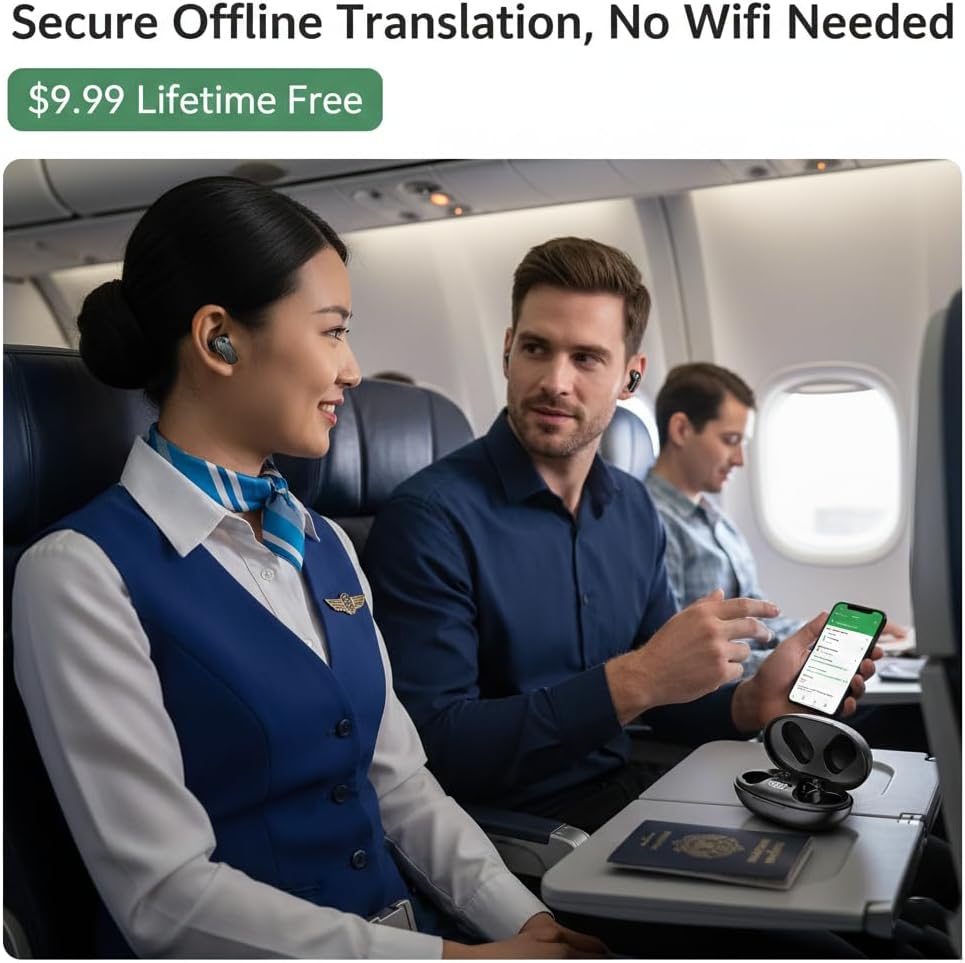
Image: Using offline translation during air travel.
6. Vzdrževanje
To ensure the longevity and optimal performance of your NVAHVA A68 earbuds:
- Čiščenje: Slušalke in polnilno ohišje redno čistite z mehko, suho krpo. Izogibajte se uporabi agresivnih kemikalij ali abrazivnih materialov.
- Ušesne konice: Clean the eartips with a damp krpo in po potrebi blagim milom. Pred ponovno namestitvijo se prepričajte, da so popolnoma suhi.
- Shranjevanje: Slušalke shranjujte v polnilnem etuiju, ko jih ne uporabljate, da jih zaščitite pred prahom in poškodbami. Hranite jih na hladnem in suhem mestu, stran od neposredne sončne svetlobe in ekstremnih temperatur.
- Vodoodpornost: Slušalke so vodoodporne. Vendar niso vodoodporne. Izogibajte se potapljanju v vodo ali izpostavljanju močnemu dežju. Če se zmočijo, jih temeljito posušite.
7. Odpravljanje težav
If you encounter issues with your NVAHVA A68 earbuds, refer to the following common solutions:
| Izdaja | Možna rešitev |
|---|---|
| Earbuds not pairing/connecting to phone |
|
| Brez zvoka ali nizke glasnosti |
|
| Translation not working or incorrect |
|
| App voice prompts are in a foreign language |
|
| Earbuds falling out or uncomfortable |
|
8. Specifikacije
| Funkcija | Podrobnost |
|---|---|
| Ime modela | A68 |
| Znamka | NVAHVA |
| Tehnologija povezljivosti | Brezžično (Bluetooth 5.3) |
| Bluetooth obseg | 10 metrov |
| Nadzor hrupa | Zvočna izolacija |
| Priključek za slušalke | USB-C (za polnilno ohišje) |
| Življenjska doba baterije (slušalke) | 5 Hours (continuous AI translation/music) |
| Skupna življenjska doba baterije (z ohišjem) | 20-24 ur |
| Čas polnjenja | 2 ur |
| Nadzorna metoda | Dotik, glas |
| Material | Akrilonitril butadien stiren (ABS) |
| Teža artikla (slušalke) | 34 Grams (total for both earbuds and case) |
| Stopnja vodoodpornosti | Vodoodporen |
| Vrsta zvočnega gonilnika | Dinamični gonilnik |
| Velikost zvočnega gonilnika | 10 milimetrov |
| Impedanca | 32 Ohmov |
| Oblika slušalke | Bud |
| Posebne lastnosti | Lightweight, Noise Isolation, Surround Sound, Sweatproof, Real-time Translation |
9. Varnostne informacije
Da preprečite poškodbe ali škodo na napravi, preberite in upoštevajte ta varnostna navodila:
- Do not expose earbuds or charging case to extreme temperatures, direct sunlight, or high humidity.
- Izogibajte se padcem, udarcem ali razstavljanju naprave.
- Hraniti izven dosega otrok in hišnih ljubljenčkov.
- Do not use the device while driving or in situations where you need to be aware of your surroundings.
- Dolgotrajna izpostavljenost glasnim zvokom lahko povzroči poškodbe sluha. Glasnost prilagodite na zmerno raven.
- Use only the provided charging cable and a certified power adapter.
10. Garancija in podpora
For warranty information, please refer to the documentation provided at the time of purchase or contact your retailer. If you require technical assistance or have questions not covered in this manual, please contact the seller or manufacturer directly for support.