
1. Uvod
Thank you for choosing the LDNIO SCW1050 WiFi Smart Plug. This manual provides essential information for the safe and efficient use of your smart plug. Please read it thoroughly before installation and operation, and retain it for future reference.
2. Izdelek je končanview
The LDNIO SCW1050 is a smart electric plug designed to integrate seamlessly into your smart home ecosystem. It features WiFi connectivity for remote control, a timing function for scheduled operations, and multiple safety protections. Its fire-resistant polycarbonate structure ensures durability and safety.
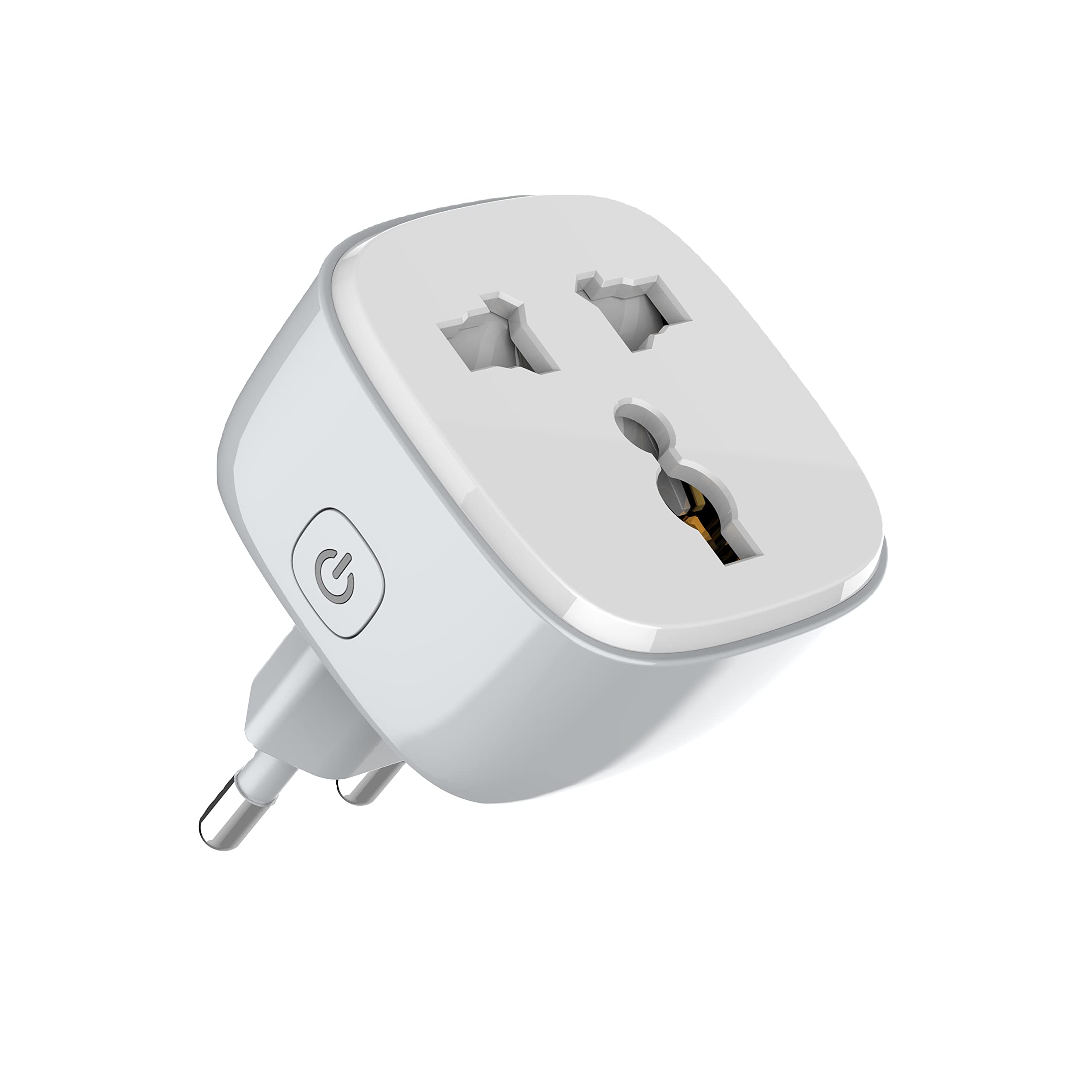
Slika 1: Spredaj view of the LDNIO SCW1050 WiFi Smart Plug.

Slika 2: Pod kotom view of the LDNIO SCW1050 WiFi Smart Plug, highlighting its compact design.
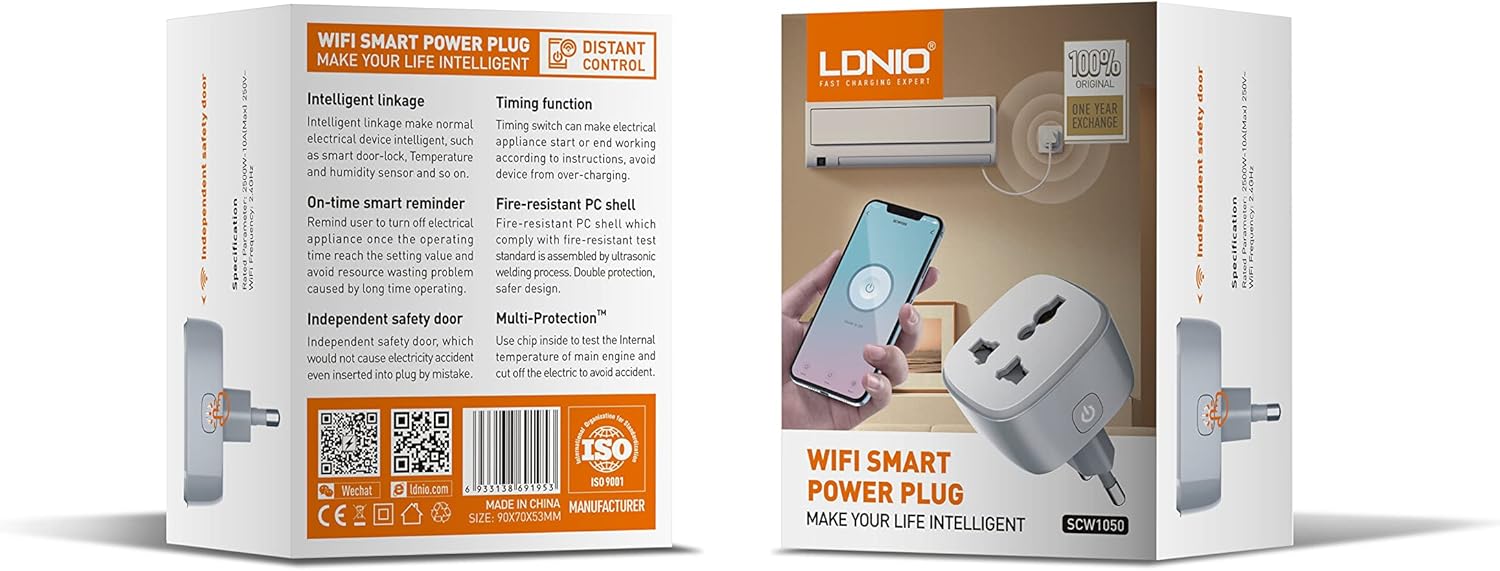
Figure 3: Product packaging illustrating key features such as intelligent linkage, timing function, on-time smart reminder, independent safety door, fire-resistant PC shell, and multi-protection. For more information, visit www.siyoteam.com.
3. Varnostne informacije
- Naprave ne razstavljajte ali spreminjajte.
- Prepričajte se, da je vtič popolnoma vstavljen v stensko vtičnico.
- Do not overload the smart plug beyond its rated capacity (2500W, 10A).
- Napravo hranite stran od vode, vlage in visokih temperatur.
- Ta izdelek je samo za uporabo v zaprtih prostorih.
- Če je naprava poškodovana, jo takoj prenehajte uporabljati in se obrnite na podporo.
4. Nastavitev
4.1 Začetna povezava
- Plug the LDNIO SCW1050 Smart Plug into a standard wall outlet.
- Ensure the indicator light on the smart plug is blinking, indicating it is in pairing mode. If not, press and hold the power button for 5-10 seconds until it blinks rapidly.
4.2 Namestitev in seznanjanje aplikacij
- Download the compatible smart home application (e.g., Tuya Smart or Smart Life app) from your mobile device's app store.
- Registrirajte se ali se prijavite v svoj račun znotraj aplikacije.
- Za začetek postopka seznanjanja se dotaknite ikone »+« ali »Dodaj napravo«.
- Na seznamu naprav izberite »Električna vtičnica« ali »Pametna vtičnica«.
- Follow the on-screen instructions to connect the smart plug to your 2.4GHz WiFi network. Ensure your phone is connected to the same 2.4GHz network during setup.
- Once successfully paired, you can rename the device and assign it to a room.

Figure 4: Remote control of the smart plug using a mobile application.
5. Navodila za uporabo
5.1 Ročno upravljanje
Pritisnite gumb za vklop na pametni vtičnici, da ročno vklopite ali izklopite priključeno napravo.
5.2 Nadzor aplikacij
- Vklop/izklop: Tap the power icon next to the device in the app to toggle power.
- Funkcija merjenja časa: Set schedules for the smart plug to turn on or off automatically at specific times. This is useful for managing lighting or other appliances.
- Pametni opomniki: Configure smart reminders within the app to receive notifications or automate actions based on usage patterns or set conditions.
- Inteligentna povezava: Connect your smart plug with other smart devices or sensors to create automated scenarios (e.g., turn on a lamp when a motion sensor is triggered).
6. Vzdrževanje
- To clean the smart plug, disconnect it from the power outlet and wipe it with a dry, soft cloth.
- Ne uporabljajte tekočih ali aerosolnih čistil.
- Redno preverjajte morebitne znake poškodb ali obrabe.
7. Odpravljanje težav
- Naprava se ne povezuje z omrežjem Wi-Fi: Ensure your WiFi network is 2.4GHz. Check that the smart plug is within range of your router. Restart the smart plug and your router, then try pairing again.
- Nadzor aplikacije ne deluje: Verify your phone has an active internet connection. Ensure the smart plug is connected to WiFi and its indicator light is solid. Update the app to the latest version.
- Appliance not turning on/off: Check if the appliance is properly plugged into the smart plug and if the appliance itself is functional. Ensure the smart plug is receiving power.
- Indicator light behavior:
- Hitro utripanje: Pripravljeno za seznanjanje.
- Počasno utripanje: Disconnected from WiFi.
- Trdno: Connected to WiFi and operating normally.
8. Specifikacije
| Funkcija | Specifikacija |
|---|---|
| Številka modela | SCW1050 |
| Nazivna moč | 2500 W |
| Nazivni tok | 10A (največ) |
| Nazivna voltage | 250 V ~ |
| Frekvenca WiFi | 2.4 GHz |
| Dimenzije izdelka | 7.62 x 5.08 x 5.08 cm |
| Teža izdelka | 70 gramov |
| Material lupine | Fire-resistant Polycarbonate |
9. Garancija in podpora
LDNIO offers a One Year Exchange warranty for this product, as indicated on the packaging. For technical support, warranty claims, or further inquiries, please visit the official LDNIO webspletno mesto na www.siyoteam.com ali se obrnite na svojega lokalnega distributerja.
You may also find additional resources and community support through the WeChat platform by scanning the QR code found on the product packaging (refer to Figure 3).