
Uvod
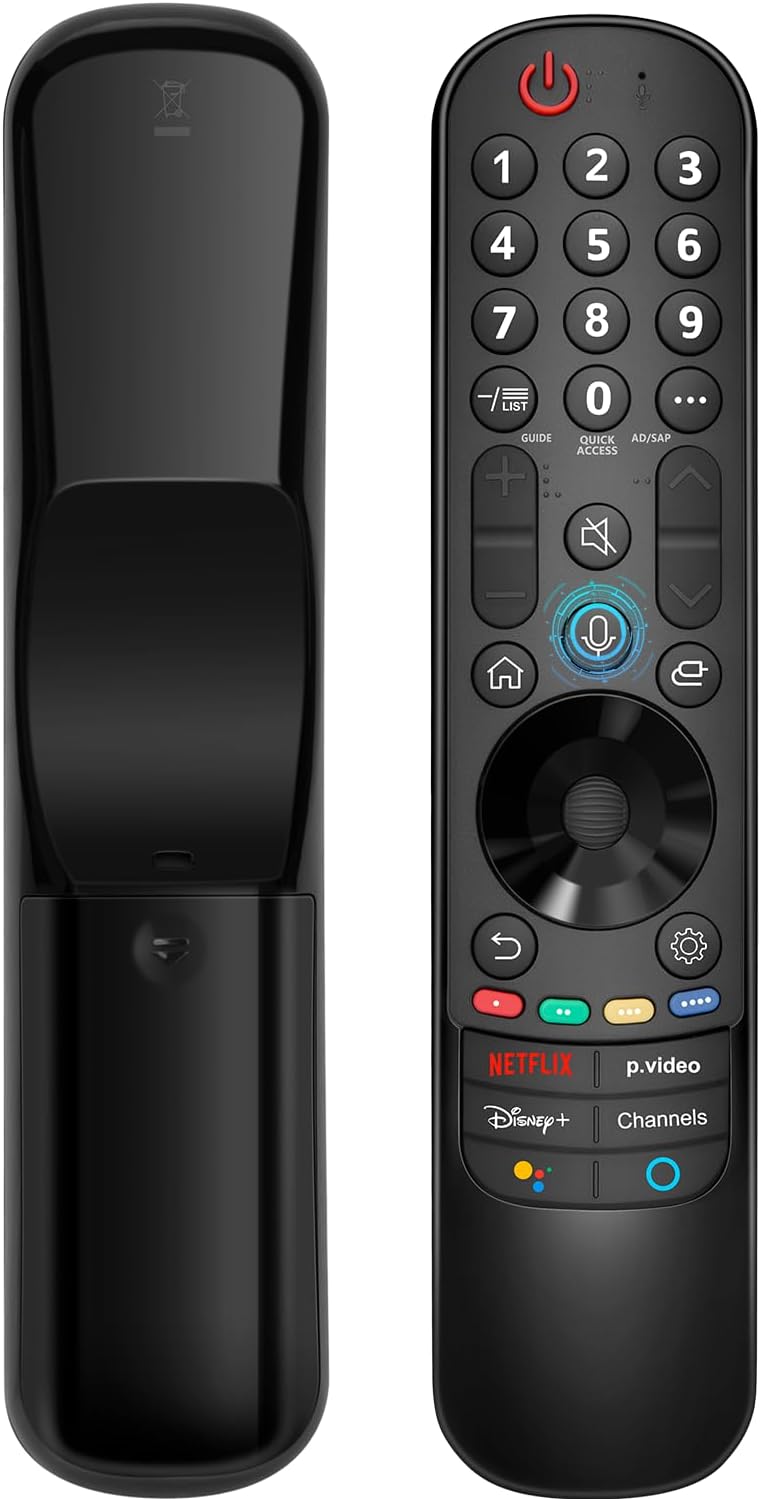
This manual provides instructions for the Angrox AN-MR21GA Magic Remote Control, designed as a replacement for compatible LG Smart TVs. This remote features pointer functionality, voice control, and dedicated shortcut buttons for enhanced navigation and user experience.
The remote is compatible with LG 2021, 2022, 2023, and 2024 OLED, QNED Mini-LED, NanoCell, and UHD TV series. It offers an ergonomic design with soft plastic buttons for comfortable use.
Združljivost
The Angrox AN-MR21GA Magic Remote Control is compatible with the following LG Smart TV series from 2021, 2022, 2023, and 2024:
- OLED TV Series: G1, G2, G3, G4, C1, C2, C3, C4, A1, A2, A3, A4 series.
- QNED Mini-LED TV Series: QNED99, QNED90 series.
- NanoCell TV Series: NANO99, NANO90, NANO85, NANO80, NANO75 series.
- UHD TV Series: UP80, UP75 series.
Specific compatible model numbers include, but are not limited to: 43NANO75UPA, 43UP7100ZUF, 43UP7560AUD, 43UP7700PUB, 43UP8000PUA, 50NANO75UPA, 50NANO77ZPA, 50NANO80UPA, 50NANO85APA, 50UP7100ZUF, 50UP7560AUD, 50UP7700PUB, 50UP8000PUA, 55NANO75UPA, 55NANO77ZPA, 55NANO80UPA, 55NANO85APA, 55NANO90UPA, 55UP7100ZUF, 55UP7560AUD, 55UP7700PUB, 55UP8000PUA, 60UP7700PUB, 60UP8000PUA, 65NANO75UPA, 65NANO77ZPA, 65NANO80UPA, 65NANO85APA, 65NANO90UPA, 65UP7100ZUF, 65UP7560AUD, 65UP7700PUA, 65UP7700PUB, 65UP8000PUA, 70UP7170ZUC, 70UP7570AUD, 70UP7770PUB, 70UP8070PUA, 75NANO75UPA, 75NANO80UPA, 75NANO85APA, 75NANO90UPA, 75QNED90UPA, 75QNED99UPA, 75UP7170ZUC, 75UP7570AUE, 75UP7770PUB, 75UP8070PUA, 82UP8770PUA, 86NANO75UPA, 86NANO85APA, 86NANO90UPA, 86NANO99UPA, 86QNED90UPA, 86QNED99UPA, 86UP8770PUA, BEJMR21GA, OLED48A1AUA, OLED48A1PUA, OLED48C1AUB, OLED48C1PUB, OLED55A1AUA, OLED55A1PUA, OLED55B1PUA, OLED55C1AUB, OLED55C1PUA, OLED55C1PUB, OLED55G1PUA, OLED65A1AUA, OLED65A1PUA, OLED65B1PUA, OLED65C1AUA, OLED65C1AUB, OLED65C1PUB, OLED65G1PUA, OLED77A1AUA, OLED77A1PUA, OLED77B1PUA, OLED77C1AUA, OLED77C1AUB, OLED77C1PUB, OLED77G1PUA, OLED83C1AUA, OLED83C1PUA, RCLLGEMR21GA, R-C-LLGEMR21GA, 43UP7670PUC, 43UP8000PUR, 50NANO75PUA, 50NANO80P, 50UP7670PUC, 50UP8000PUR, 55NANO80P, 55NANO90P, 55UP7670PUC, 55UP8000PUR, 60UP7670PUB, 60UP8000PUR.

Nastavitev in seznanjanje
The Angrox AN-MR21GA remote control is designed for easy setup without complex programming.
1. Namestitev baterije
Insert two (2) AA batteries into the remote control. Ensure correct polarity (+/-) as indicated inside the battery compartment. Batteries are not included with the remote.
2. Združevanje s televizorjem
There are two methods for pairing the remote with your LG Smart TV:
- Method 1 (Automatic Pairing):
- Vklopite pametni televizor LG.
- Insert 2*AA batteries into the remote.
- After approximately 20 seconds, point the remote control towards the TV.
- Pritisnite Kolo (V redu) gumb.
- The remote control should register automatically, and a "Pairing Complete" message will appear on the TV screen.
- Method 2 (Manual Pairing):
- Vklopite pametni televizor LG.
- Insert 2*AA batteries into the remote.
- Pritisnite in držite domov (
 ) in Nazaj () hkrati za 5 sekunde.
 - Nato pritisnite Kolo (V redu) gumb.
- A "Pairing Complete" message should appear on the TV screen.

Navodila za uporabo
Basic Navigation and Pointer Function
The remote features a pointer function that allows you to navigate the TV screen by moving the remote. The Wheel (OK) button acts as a click function, and scrolling is also supported.
Glasovni nadzor
The remote includes a voice function for issuing commands to your TV. Press and hold the voice button (microphone icon) while speaking your command. Examples include "Go back home," "Open P.Video," or "Play some music."

Gumbi za bližnjice
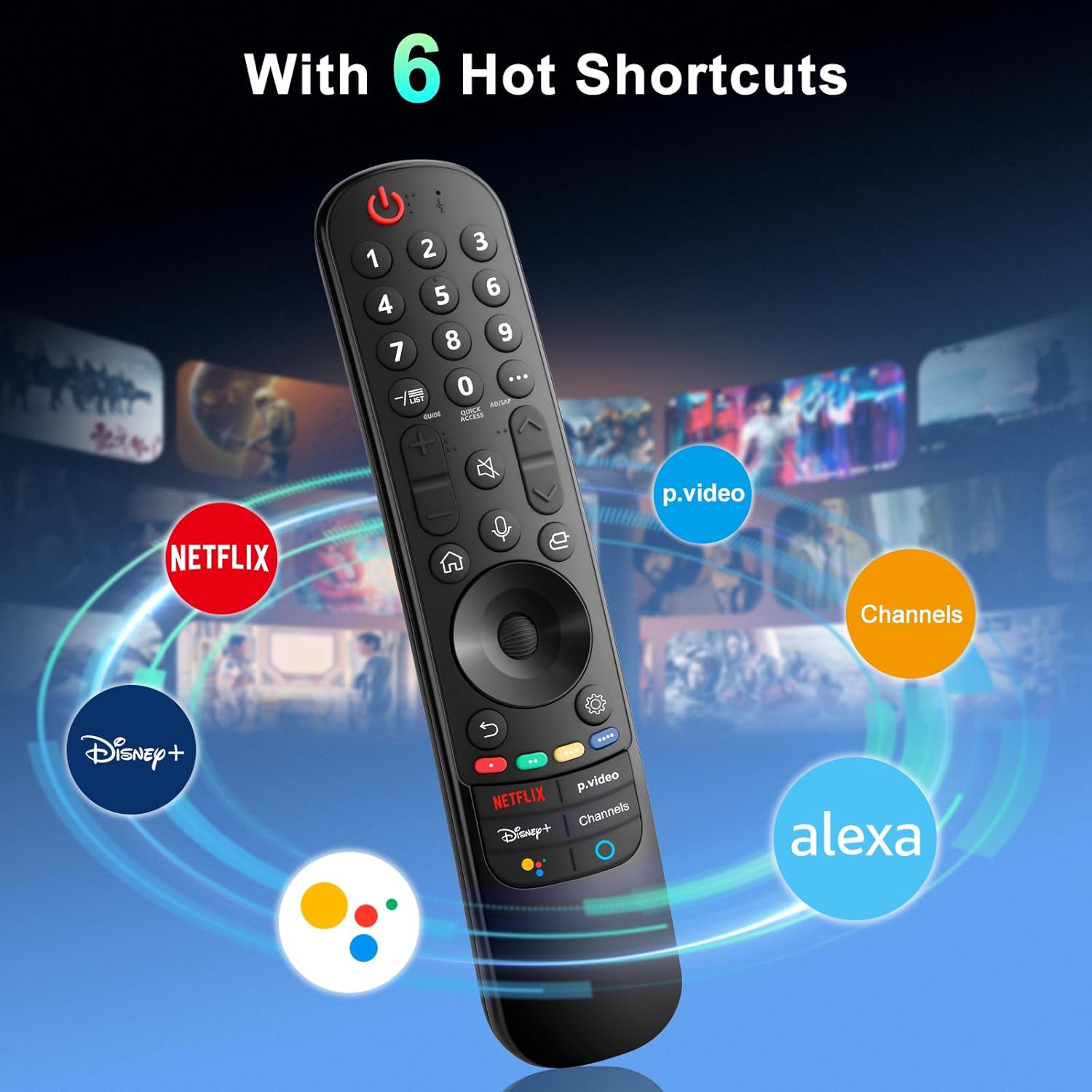
The remote provides dedicated shortcut buttons for quick access to popular streaming services and functions:
- NETFLIX: Zažene aplikacijo Netflix.
- P.Video: Launches the Prime Video application.
- Disney+: Launches the Disney+ application.
- Kanali: Accesses TV channels.
- Google Assistant: Aktivira Google Assistant za glasovne ukaze in iskanje.
- Alexa: Activates Amazon Alexa for voice commands and searches.

Podrobne funkcije gumbov
For buttons marked with a circle symbol (©), a long press (more than one second) may activate additional functions:
- 9©: Launch Quick Help.
- - / LIST©: Checking saved channels.
- GUIDE©: Launch Guide.
- 0©: Prikaže se zaslon za urejanje QUICK ACCESS.
- ...©: Display additional buttons on the remote control.
- AD/SAP©: Configures SAP.
- Volume Up/Down©: Prilagodite glasnost.
- Channel Up/Down©: Lahko spremenite kanal.
- Mute©: Select to turn off the sound from the TV.
- Accessibility©: Enter the Accessibility menu.
- Search©: Check out recommended contents. (Recommendation service may not be available depending on the countries you are in.)
- Voice Button (Microphone)©: Push and hold the button while speaking to use the voice recognition function.
- Home Button©: Prikaže začetni meni.
- Input Button©: Izbere vhodni vir.
- Settings Button©: Entering into the Home Dashboard.
- Back Button©: Premik na prejšnji korak.
- Exit Button©: Zapre meni.
- Quick Settings Button©: Vstopi v meni za hitre nastavitve.
- All Settings Button©: Enters the All Settings menu.
- Launch Record Button©: Launch Record. (Some models may not be supported.)
Odpravljanje težav
- Daljinski upravljalnik se ne odziva:
- Ensure batteries are correctly inserted and have sufficient charge. Replace with new AA batteries if necessary.
- Re-attempt the pairing process (see "Setup and Pairing" section).
- Ensure there are no obstructions between the remote and the TV's infrared receiver. This remote primarily operates via line-of-sight.
- Pointer Function Not Working:
- Prepričajte se, da je daljinski upravljalnik pravilno seznanjen.
- Try re-pairing the remote using Method 2 (holding Home and Back buttons).
- Glasovno upravljanje ne deluje:
- Ensure the remote is properly paired and the TV supports voice control.
- Confirm that the voice button is being pressed and held while speaking.
- Preverite nastavitve televizorja, da se prepričate, da je prepoznavanje glasu omogočeno.
- Buttons Feel Flimsy or Stick:
- This may indicate a manufacturing defect. Contact customer support for assistance.
Specifikacije
| Znamka | Angroks |
| Številka modela | AN-MR21GA |
| Dimenzije izdelka | 7.48 x 1.18 x 1.18 palcev (18.54 x 4.06 x 1.77 cm) |
| Teža predmeta | 3.2 unč |
| Potrebne baterije | 2 AA baterije (niso vključene) |
| Posebne lastnosti | Ergonomic design, No Programming Required, Universal compatibility (for specified LG models), Voice Search, Pointer Function |
| Največje število podprtih naprav | 1 |
| Združljive naprave | LG Smart Televisions (2021-2024 UHD, OLED, QNED, NanoCell series) |
Vzdrževanje
- Čiščenje: Za čiščenje daljinskega upravljalnika uporabljajte mehko, suho krpo. Ne uporabljajte tekočih čistil ali abrazivnih materialov.
- Zamenjava baterije: Replace batteries when the remote's performance degrades. Remove batteries if the remote will not be used for an extended period to prevent leakage.
- Shranjevanje: Daljinski upravljalnik shranjujte na hladnem in suhem mestu, stran od neposredne sončne svetlobe in ekstremnih temperatur.
- Ravnanje: Daljinski upravljalnik ne sme spustiti ali biti izpostavljen močnim udarcem, saj lahko s tem poškodujete notranje komponente.
Garancija in podpora
For warranty information or technical support, please contact the manufacturer, Angrox, directly through their official channels or the retailer where the product was purchased. Please retain your proof of purchase for warranty claims.
Manufacturer: Angror
Za dodatno pomoč lahko obiščete Angrox Store on Amazon.