
XTOOL IP616
Uporabniški priročnik za diagnostično orodje XTOOL IP616 V2.0 OBD2 skener
1. Uvod
This manual provides detailed instructions for the XTOOL IP616 V2.0 OBD2 Scanner Diagnostic Tool. It covers the device's features, setup, operation, maintenance, and troubleshooting to ensure optimal performance and accurate vehicle diagnostics. The XTOOL IP616 V2.0 is designed for comprehensive automotive system analysis, offering a wide range of diagnostic and maintenance functions.
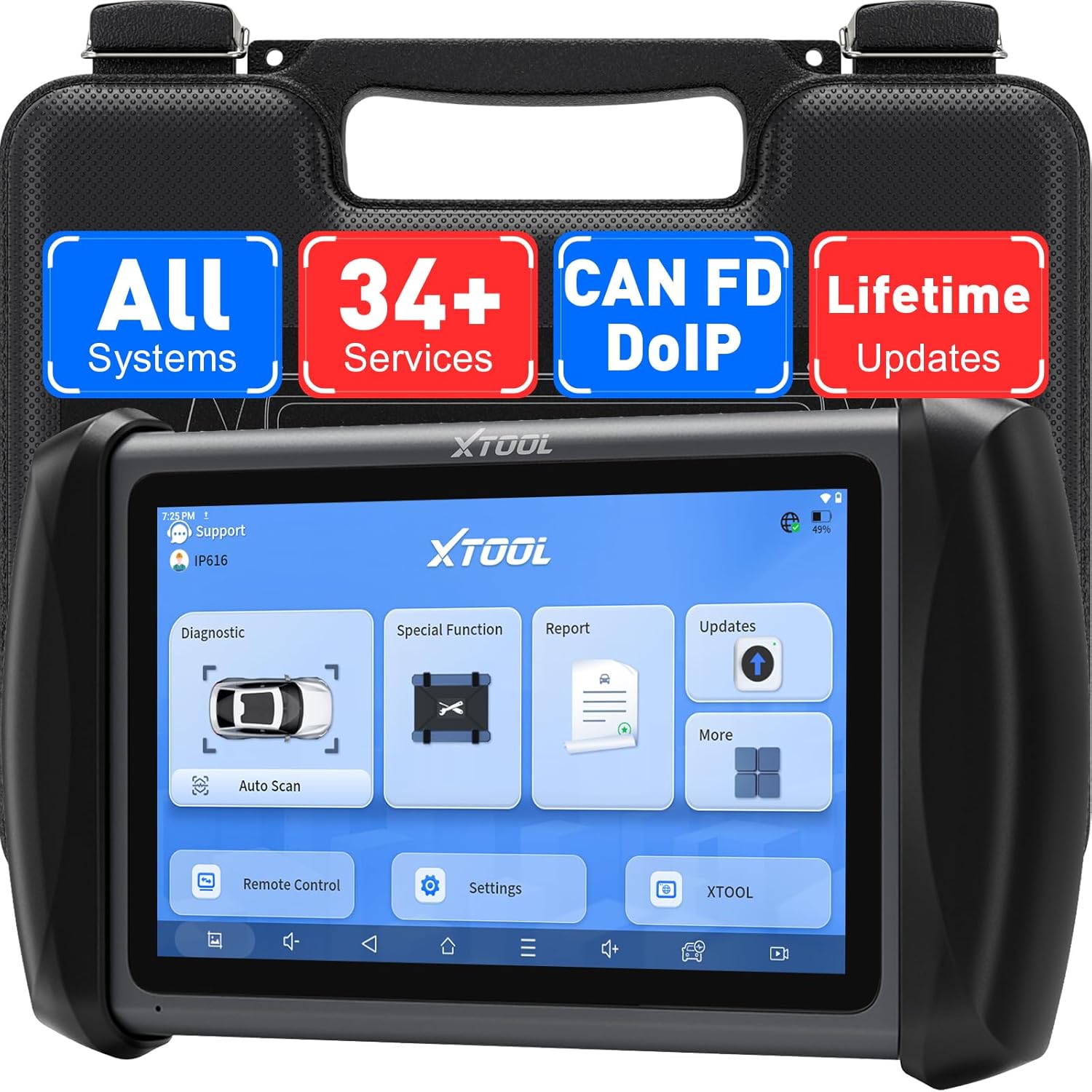
Image 1.1: The XTOOL IP616 V2.0 Diagnostic Tool, showcasing its user interface and robust design.
2. Izdelek je končanview
2.1. Kaj je v škatli
The XTOOL IP616 V2.0 package includes the following components:
- XTOOL InPlus IP616 OBD2 Scanner Diagnostic Tool
- Charger for Tablet (US Adapter, EU Adapter, EN Adapter)
- VGA to OBD II Main Cable
- USB kabel
- Pakirni seznam
- Certifikat kakovosti
- Ohišje orodja
- Uporabniški priročnik

Image 2.1: Contents of the XTOOL IP616 V2.0 package, including the diagnostic tool and accessories.
2.2. Ključne značilnosti
The XTOOL IP616 V2.0 offers a robust set of features for comprehensive vehicle diagnostics:
- Doživljenjske brezplačne posodobitve programske opreme: Ensures the tool remains current with the latest vehicle coverage and diagnostic capabilities.
- 34+ Maintenance Reset Services: Includes functions like oil reset, throttle adaptation, ABS bleeding, injector coding, tire size reset, AC relearn, and crank sensor relearn.
- Podpora za protokola CAN FD in DoIP: Compatible with newer vehicle communication protocols, including FCA AutoAuth for 2018+ Chrysler models.
- ECU Configuration: Allows activation of manufacturer-built capabilities and restoration of factory defaults.
- Full System Code Reading & Scanning: Provides dealer-grade coverage for Engine, Transmission, ABS, SRS Airbags, TPMS, HVAC, Battery, Steering, and more.
- Samodejno skeniranje VIN številke: Samodejno prepozna podatke o vozilu za hitro diagnostiko.
- 8-PID Live Data Streaming: Displays up to 8 live data streams simultaneously for real-time performance analysis.
- Široka pokritost vozil: Supports over 10,000 OBDII-equipped vehicle models from 1996 to present.
- Večjezična podpora: Operates in 23 languages, with English as the default.

Slika 2.2: Konecview of the XTOOL IP616 V2.0's primary features and capabilities.
3. Nastavitev
3.1. Začetno polnjenje
Before first use, fully charge the XTOOL IP616 V2.0. Connect the provided charger to the device's Type-C port and plug it into a power outlet. The device features a 5000mAh battery for extended operation.
3.2. Vklop
Press and hold the power button located on the side of the device until the screen illuminates. The device runs on Android 10.0 and will boot up to the main interface.
3.3. Povezava z vozilom
- Poiščite priključek OBDII vozila, običajno pod armaturno ploščo na voznikovi strani.
- Connect the VGA to OBD II Main Cable to the diagnostic tool and then to the vehicle's OBDII port.
- Vklopite kontakt vozila (motor je ugasnjen).
- The diagnostic tool will establish communication with the vehicle.
3.4. Povezava Wi-Fi
To access software updates and online resources, connect the device to a Wi-Fi network:
- V glavnem meniju tapnite »Nastavitve«.
- Select 'Wi-Fi' and choose your desired network.
- Vnesite geslo, če ste pozvani, in se povežite.
4. Navodila za uporabo
4.1. Popolna diagnostika sistema
The IP616 V2.0 can perform a comprehensive scan of all available electronic control units (ECUs) in the vehicle. This includes Engine, Transmission, ABS, SRS Airbags, TPMS, HVAC, and more.
- From the main menu, tap 'Diagnostic'.
- Select 'Auto Scan' or manually choose the vehicle make, model, and year.
- The tool will scan all systems and display any detected Diagnostic Trouble Codes (DTCs).
- You can then 'Read DTCs' for detailed descriptions or 'Clear DTCs' after repairs are completed.

Image 4.1: Full system diagnostic interface, illustrating the comprehensive scanning capabilities.
4.2. Special Functions (34+ Reset Services)
The tool provides over 34 maintenance and reset services. These functions are crucial for post-repair procedures and routine maintenance.
- Ponastavitev olja: Ponastavi sistem za preverjanje življenjske dobe olja po menjavi olja.
- Krvavitev iz ABS-a: Performs bleeding functions for the Anti-lock Braking System.
- Kodiranje injektorja: Kodira nove številke injektorjev v ECU.
- Tire Size Reset: Adjusts vehicle parameters after changing tire sizes.
- AC Relearn: Relearns AC system parameters.
- Popravilo zračnih blazin: Resets the airbag warning light after airbag system repairs.
- And many more, including EPB Reset, BMS Reset, TPMS Reset, Throttle Relearn, Headlight adjustment, etc.
Note: Compatibility of special functions varies by vehicle. Always check compatibility with your vehicle's VIN before performing any service.
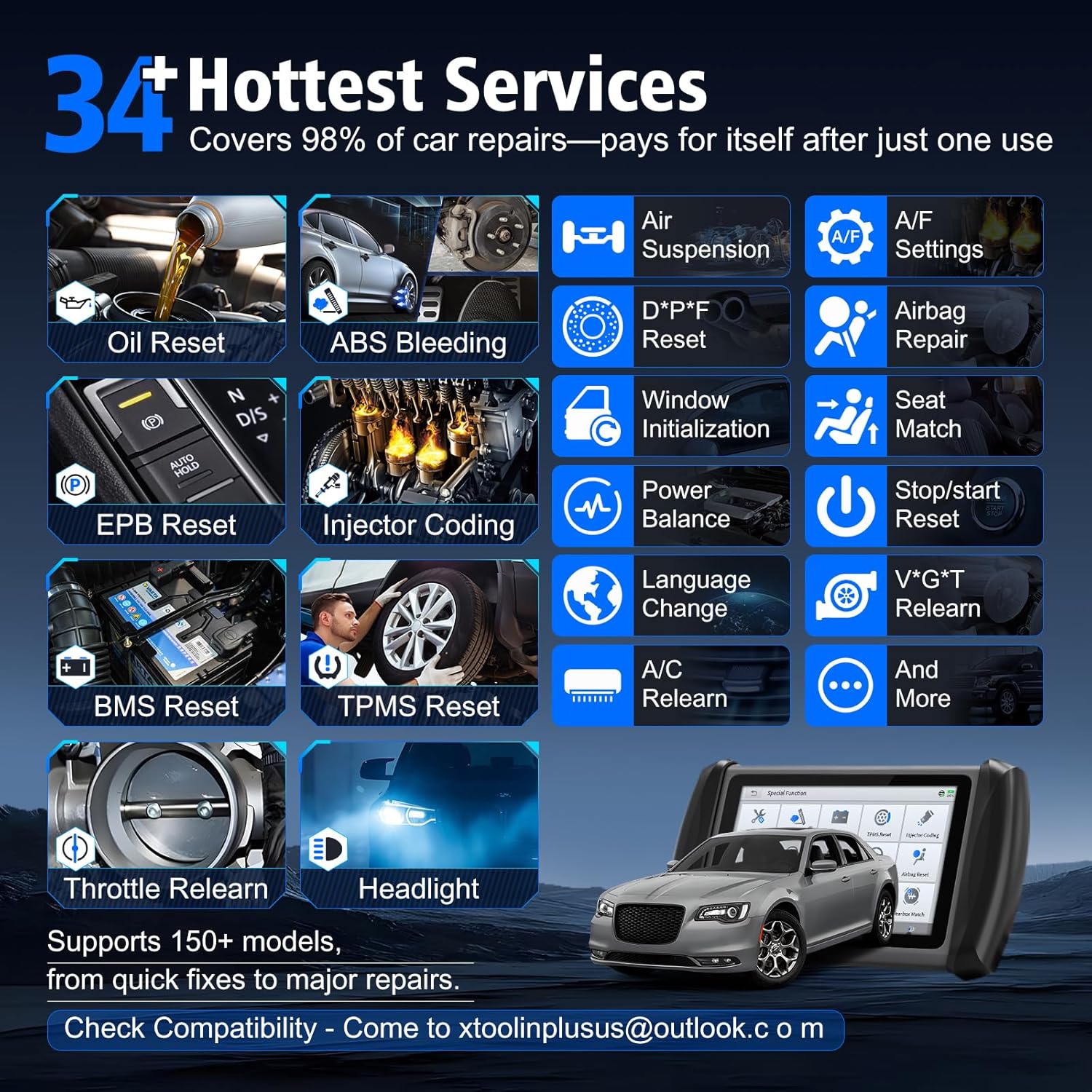
Image 4.2: A selection of the 34+ maintenance and reset services available on the IP616 V2.0.
4.3. ECU Configuration
This function allows you to activate or deactivate certain manufacturer-built features that may be disabled by default, or to restore factory settings without permanent changes to the ECU software.
- Unfold or turn off functions as needed.
- Re-flash hidden functions.
- Activate high-level hidden features.
- Optimize vehicle performance.
Note: This feature is compatible with specific vehicle brands such as Toyota, VW, Audi, BMW, Mercedes-Benz, Lexus, and more. Always verify compatibility for your specific vehicle model and year.

Image 4.3: ECU Configuration interface, detailing options for customizing vehicle features.
4.4. Live Data Streaming and Graphing
Monitor real-time data from various sensors and systems to diagnose intermittent issues or verify repairs. The IP616 V2.0 can display up to 8 PIDs (Parameter IDs) simultaneously in a graphical format.
- After a system scan, select 'Live Data'.
- Choose the parameters you wish to monitor (e.g., RPM, fuel pressure, sensor status, temperature).
- View data in numerical or graphical format. The graphing feature allows for easy analysis of data trends over time.
- Data can be recorded, played back, and exported for further analysis.

Image 4.4: Live data graphing feature, showing multiple data streams for real-time analysis.
4.5. Samodejno skeniranje VIN
The Auto VIN Scan feature automatically identifies the vehicle's make, model, and year, streamlining the diagnostic process by quickly matching the correct software.
- Connect the tool to the vehicle.
- Select 'Auto Scan' from the diagnostic menu.
- The tool will attempt to automatically detect the VIN.
- If Auto VIN fails, you can manually enter the VIN data.
4.6. Diagnostic Reports
Generate detailed diagnostic reports that include VIN-specific trouble code analysis. These reports can be saved, printed, or exported via email for sharing with mechanics or customers.

Image 4.5: Diagnostic report generation and sharing capabilities.
5. Vzdrževanje
5.1. Posodobitve programske opreme
The XTOOL IP616 V2.0 comes with lifetime free software updates. Regular updates ensure the tool has the latest vehicle coverage, new functions, and improved diagnostic capabilities.
- Prepričajte se, da je naprava povezana s stabilnim omrežjem Wi-Fi.
- From the main menu, tap 'Updates'.
- Sledite navodilom na zaslonu, da prenesete in namestite razpoložljive posodobitve.
- It is recommended to perform updates regularly to maintain optimal performance.

Image 5.1: The lifetime free update feature, highlighting continuous improvement and support.
6. Odpravljanje težav
If you encounter issues with your XTOOL IP616 V2.0, consider the following common solutions:
- Naprava se ne vklopi: Prepričajte se, da je naprava popolnoma napolnjena. Če je baterija skoraj prazna, jo priključite na polnilnik.
- Ni komunikacije z vozilom:
- Verify the OBDII cable is securely connected to both the tool and the vehicle's OBDII port.
- Prepričajte se, da je kontakt vozila v položaju VKLOP.
- Preverite, ali je akumulator vozila dovolj napolnjen.
- Poskusite se povezati z drugim vozilom, da izključite težavo, specifično za vozilo.
- Software Function Not Working:
- Ensure the software is up to date. Perform a 'One-click update' if available.
- Verify the function's compatibility with your specific vehicle model and year.
- Restart the diagnostic tool and the vehicle.
- Počasno delovanje: Close any unnecessary applications running in the background. Ensure sufficient storage space.
For persistent issues or specific technical support, please contact XTOOL customer service at xtoolinplusus@outlook.com. Provide your device's serial number (S/N) for faster assistance.
7. Specifikacije
| Funkcija | Specifikacija |
|---|---|
| Znamka | XTOOL |
| Model | IP616 |
| Operacijski sistem | Android 10.0 |
| Baterija | 1 litij-ionska baterija (priložena), 5000 mAh |
| Teža predmeta | 4.67 funtov |
| Dimenzije izdelka | 0.98 x 0.13 x 0.56 palcev |
| Povezljivost | CAN FD, DoIP, OBDII |
| Pokritost vozila | 10,000+ models, 1996 to present |
| Podprti jeziki | 23 (English, Spanish, German, French, etc.) |
| Posodobitve programske opreme | Doživljenjske brezplačne posodobitve |
8. Garancija in podpora
The XTOOL IP616 V2.0 comes with lifetime free software updates, ensuring your device remains up-to-date with the latest vehicle data and diagnostic functions. XTOOL also provides lifetime online assistance to help users with any operational or technical queries.
For support, please reach out to the XTOOL customer service team:
- E-pošta: xtoolinplusus@outlook.com
- When contacting support, please include your device's serial number (S/N) for efficient service.
Ask a question about this manual
Ask about setup, troubleshooting, compatibility, parts, safety, or missing instructions. Manuals+ will review the question and use this page’s manual context to help answer it.