
1. Uvod
Thank you for choosing the SooPii SP-U20 60W Multi-Device Charging Station. This device is designed to streamline your charging experience by providing multiple USB-A, USB-C, and AC outlets in one compact unit. Please read this manual carefully to ensure proper setup, operation, and maintenance of your charging station.
2. Značilnosti izdelka
- 6 Port Charging Station & 3 AC Outlets: Supports simultaneous charging of up to 9 electric devices with 3 AC outlets (1875W/15A), 3 USB-A ports, and 3 USB-C ports.
- 2 PD 20W Fast Charging: Two USB-C ports feature Power Delivery (PD) fast charging technology, capable of charging compatible devices up to 70% in just 30 minutes.
- Organize Your Desk: Consolidates charging for multiple devices, reducing cable clutter and promoting a tidier workspace.
- Napredne varnostne funkcije: Equipped with the Activeshield safety system, including a Dynamic Temperature Sensor and power tuner chip to protect all connected devices.
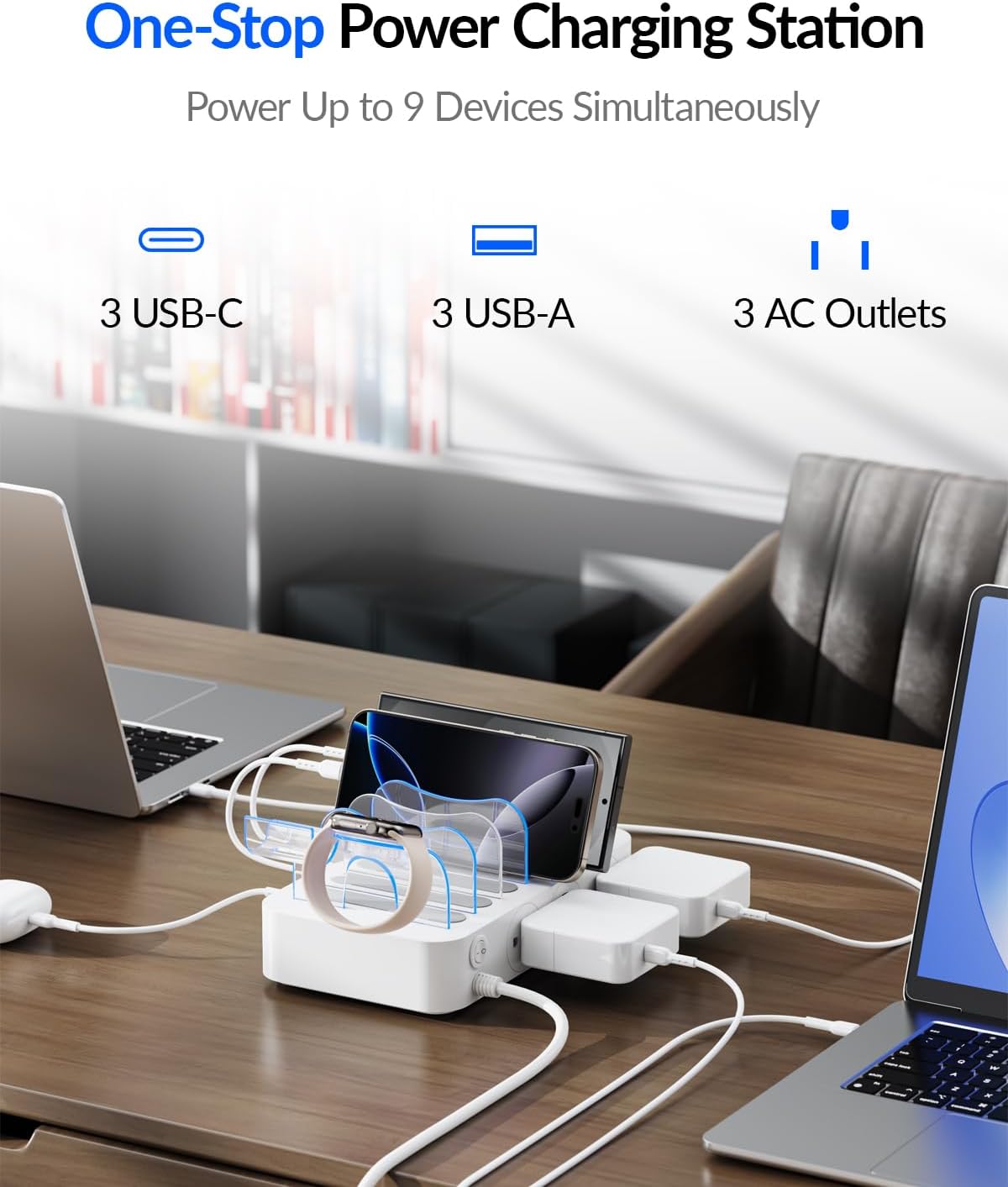
Image: The SooPii 60W Charging Station with various devices connected, illustrating its multi-port capabilities.

Image: Visual representation of the dual 20W USB-C fast charging feature, showing rapid charging times for modern devices.
3. Vsebina paketa
The following items are included in your SooPii SP-U20 Charging Station package:
- 1x SooPii PD Charging Station (Model: SP-U20)
- 7x Strong Baffles for phones and tablets
- 1x 2-In-1 Holder for iWatch Charger & Air-Pods (Note: iWatch Charger is not included)
- 6x Short Mixed Charging Cables (2 for iPhone/iPad, 1 USB-C, 3 USB-C to USB-C)
- 1x uporabniški priročnik

Slika: Eksplodirala view of the package contents, detailing the charging station, baffles, holder, and cables.
4. Navodila za nastavitev
- Razpakiraj: Previdno odstranite vse komponente iz embalaže.
- Place Baffles: Insert the strong baffles into the designated slots on the charging station to create compartments for your devices.
- Install iWatch/AirPods Holder (Optional): If desired, install the 2-in-1 holder onto the charging station. Pass your iWatch charger cable through the holder and secure it.
- Priključite napajanje: Plug the main power cord of the charging station into a standard 100-240V AC wall outlet.
- Organizirajte kable: Connect the provided short mixed charging cables to the appropriate USB-A or USB-C ports on the side of the station. Route the cables neatly through the baffles.

Image: Detailed steps for setting up the iWatch charger holder, showing cable routing and watch placement.
5. Navodila za uporabo
- Vklop/izklop: Use the master ON/OFF switch located on the side of the charging station to control power to the AC outlets.
- LED indikatorsko stikalo: The LED touch switch on the top surface controls the blue LED indicator lights within the baffles. Tap to turn on or off.
- Naprave za polnjenje:
- Vrata USB: Connect your devices using the appropriate USB-A or USB-C cables. The smart IC technology will automatically detect and deliver the optimal charging current for your device.
- AC vtičnice: Plug in any standard AC-powered devices or chargers into the 3 AC outlets.
- Postavitev naprave: Place your phones, tablets, or other devices vertically within the baffles for organized charging.

Image: Illustration of the LED touch switch for baffle lighting and the main power switch for AC outlets.

Image: A comparison showing a tidy desk with the charging station versus a messy desk with tangled cables, highlighting the organizational benefits.
6. Varnostne funkcije
The SooPii SP-U20 Charging Station incorporates advanced safety mechanisms to protect your devices and ensure safe operation:
- Activeshield Safety System: Comprehensive protection against electrical hazards.
- Dinamični senzor temperature: Actively monitors the device's temperature to prevent overheating.
- Čip za uglaševanje moči: Adjusts power output to safeguard all connected devices from overcurrent and overvoltage.
- Over-Voltage Zaščita
- Zaščita pred kratkim stikom
- Zaščita pred previsoko temperaturo
- Zaščita pred preobremenitvijo
- Prenapetostna zaščita
- Grounded Protection
- Electric-Shock Protection
- Fire-Resistance Material
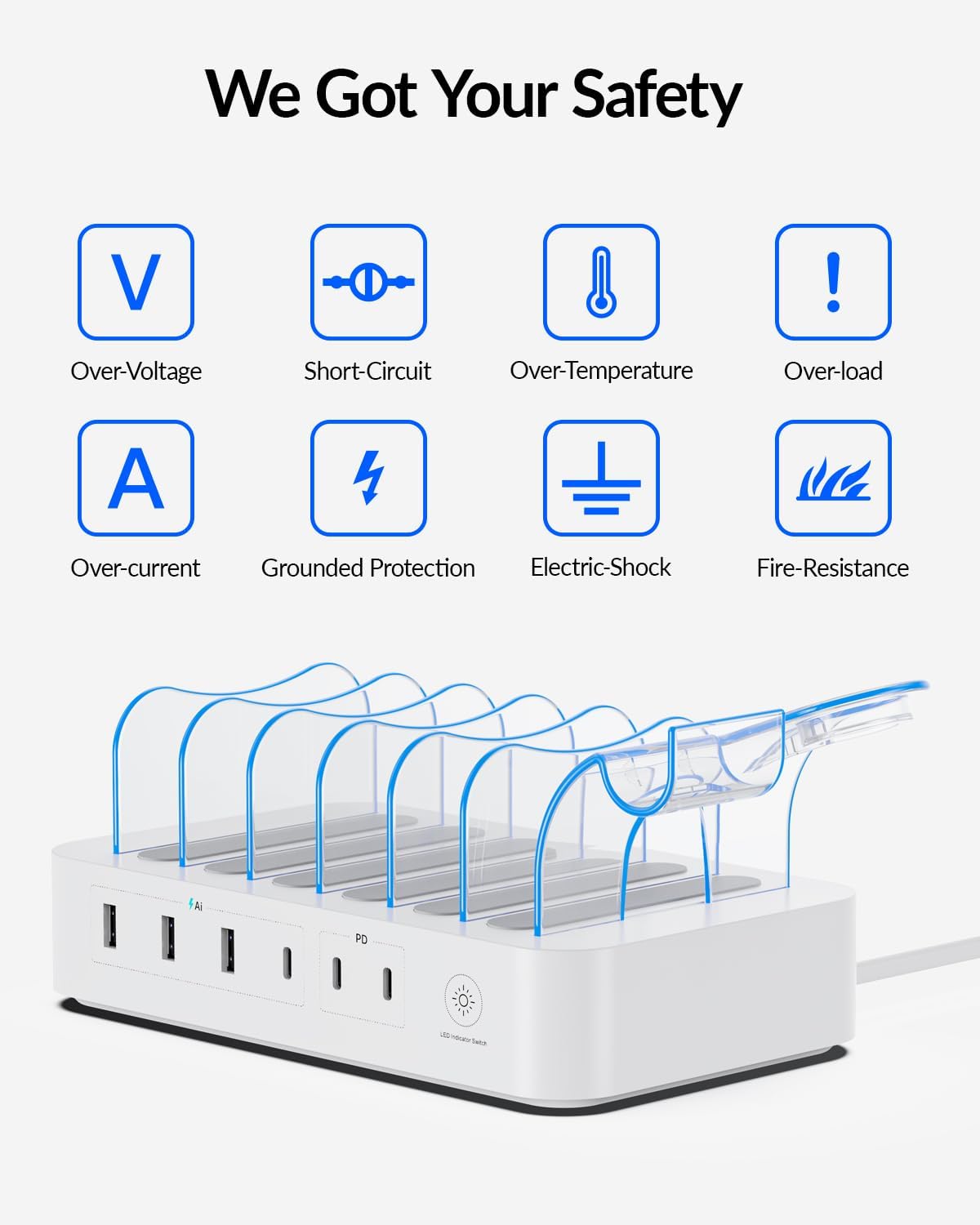
Image: A graphic illustrating the multiple layers of safety protection built into the charging station.
7. Specifikacije
| Funkcija | Specifikacija |
|---|---|
| Znamka | SOOPII |
| Številka modela | SP-U20 |
| Vhodna voltage | 100-240V~50/60Hz, 1.5A |
| Izhod AC vtičnice | 125V~60Hz 10A 1250W Max |
| Skupni izhod USB | 70W Najv |
| USB-C Output (2 ports) | 5V/3A, 9V/2.22A, 12V/1.67A, Max 20W |
| Izhod USB-A (3 vrata) | 5V/6A 30W (With Smart IC) |
| Skupno število vrat USB | 6 |
| Vrsta vtičnice | Tip A - 2-pinski (severnoameriški) |
| Material | Akrilonitril butadien stiren |
| Teža predmeta | 783.3 gramov |
| Varnostno potrdilo | UL |
8. Vzdrževanje
Za zagotovitev dolge življenjske dobe in optimalne zmogljivosti vaše polnilne postaje upoštevajte naslednja navodila za vzdrževanje:
- Čiščenje: Disconnect the power cord before cleaning. Use a soft, dry cloth to wipe the surface. Avoid liquid cleaners or abrasive materials.
- Shranjevanje: Store the charging station in a cool, dry place away from direct sunlight and extreme temperatures when not in use for extended periods.
- Upravljanje kablov: Keep cables neatly organized within the baffles to prevent tangling and damage.
9. Odpravljanje težav
If you encounter any issues with your SooPii SP-U20 Charging Station, please try the following:
- Brez napajanja: Ensure the main power cord is securely plugged into both the wall outlet and the charging station. Check if the ON/OFF switch is in the 'ON' position.
- Naprava se ne polni: Verify that the charging cable is properly connected to both the device and the charging station. Try a different cable or port to rule out a faulty cable or port.
- Počasno polnjenje: Ensure you are using the correct cable for your device and that the device supports fast charging if using a PD port.
Če težave vztrajajo, se za pomoč obrnite na podporo strankam.
10. Garancija in podpora
The SooPii SP-U20 Charging Station comes with a 24 mesecev garancije. For any questions, concerns, or warranty claims, please contact our friendly customer service team.
- E-pošta: support@soopii.com
- Amazon Message Center: Send messages to us on Amazon Message Center.
We are committed to providing reliable solutions and guidance to your satisfaction within 24 hours. Everything you buy from SooPii is safe and promised to be a nice working product!

Image: Information on SooPii's customer support and warranty details.