
Uvod
Thank you for choosing the Glorious Gaming Model O Wireless Mouse. This manual provides essential information for setting up, operating, maintaining, and troubleshooting your new gaming mouse. Designed for competitive gaming, the Model O Wireless combines a superlight honeycomb design with lag-free 2.4GHz wireless technology and customizable RGB lighting to enhance your gaming experience.
Lastnosti izdelka
- Superlight Design: Weighing only 69 grams, the honeycomb shell reduces weight while maintaining structural integrity and improving airflow.
- Lag-Free 2.4GHz Wireless: Experience ultra-low wireless latency for responsive and crisp clicks, ensuring no unexpected double-clicking.
- Podaljšana življenjska doba baterije: Up to 71 hours of playtime with RGB lighting off, allowing for prolonged gaming sessions without frequent recharging.
- Wired & Wireless Modes: Includes a flexible USB-C Ascended charging cable for continuous performance even while charging.
- Ambidextrous Shape: Ergonomically designed for comfortable use by both left and right-handed users.
- Prilagodljiva RGB osvetlitev: Personalize your mouse with various lighting effects and colors via the Glorious CORE software.
- Visoko natančen optični senzor: Equipped with a Glorious BAMF sensor, offering up to 19,000 DPI and 400 IPS tracking speed for pinpoint accuracy.
- Vzdržljiva stikala: Features switches rated for 80 million clicks, ensuring long-lasting performance.
- G-Skates Premium PTFE Mouse Feet: Provides smooth gliding across any surface with minimal friction.

Slika: Od zgoraj navzdol view of the Glorious Model O Wireless Gaming Mouse, showcasins svojim satjastim ohišjem in živahno RGB osvetlitvijo.
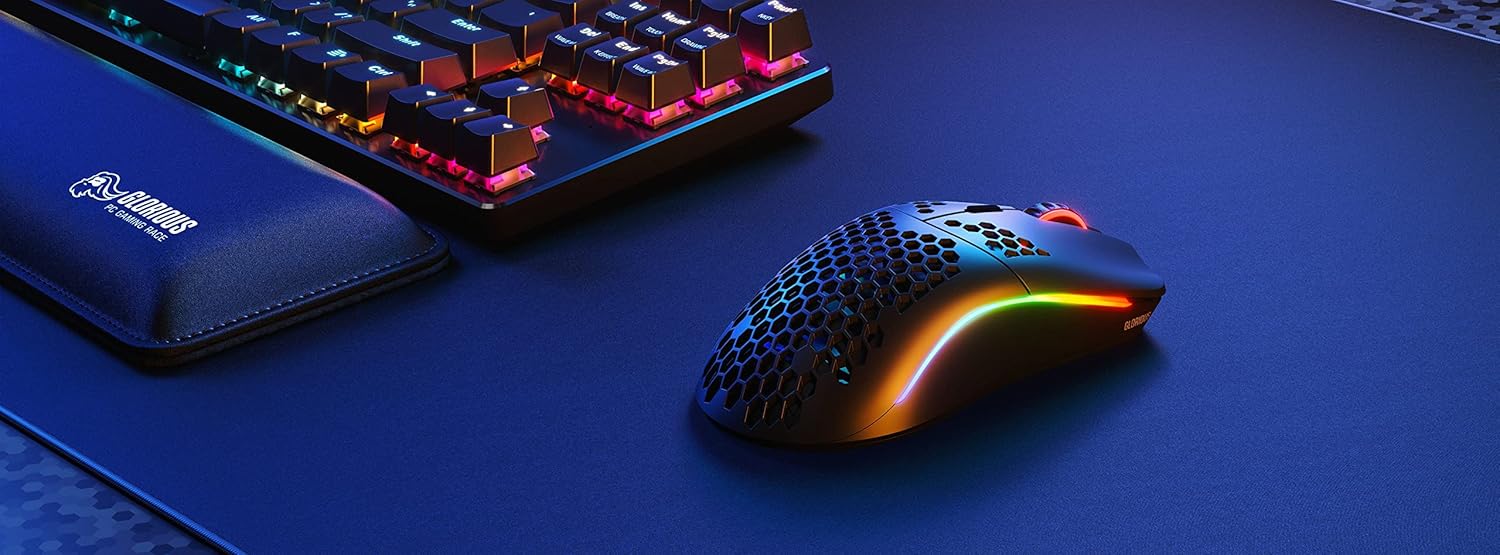
Image: Technical diagram illustrating the dimensions and key specifications of the Glorious Model O Wireless Gaming Mouse.
Nastavitev
- Razpakiranje: Carefully remove the mouse, USB-C Ascended charging cable, and wireless dongle from the packaging.
- Povežite brezžični ključek: Plug the 2.4GHz wireless USB dongle into an available USB port on your computer.
- Vklop miške: Locate the power switch on the underside of the mouse and slide it to the 'ON' position. The mouse should automatically connect to the dongle.
- Začetno bremenitev (neobvezno): For optimal performance, it is recommended to fully charge the mouse before first use. Connect the USB-C Ascended cable to the front of the mouse and the other end to a USB port on your computer or a USB charger.
- Install Glorious CORE Software: Download and install the Glorious CORE software from the official Glorious webspletno mesto (www.gloriousgaming.com/pages/glorious-core) to customize settings, RGB lighting, and button assignments.
Video: A seller demonstrates the unboxing and initial setup of the Glorious Model O Wireless mouse, highlighting its lightweight design and flexible cable.
Navodila za uporabo
The Glorious Model O Wireless mouse features 6 programmable buttons for versatile control during gaming and general use.
- Levi klik (gumb 1): Gumb za primarno dejanje.
- Desni klik (gumb 2): Gumb za sekundarno dejanje.
- Klik na drsno kolesce (gumb 3): Often used for middle-click functions or opening new tabs.
- Gumb DPI (gumb 4): Cycles through preset DPI settings. Default settings can be customized via Glorious CORE.
- Stranski gumbi (gumba 5 in 6): Typically used for forward/backward navigation in browsers or assigned to in-game actions. These are fully programmable.
For advanced customization of button functions, macros, and DPI levels, refer to the Glorious CORE software.
Prilagajanje
The Glorious Model O Wireless offers extensive customization options through the Glorious CORE software:
- RGB osvetlitev: Choose from various effects (e.g., Seamless Breathing, Glorious Mode, Single Color) and adjust brightness and speed. You can set different lighting for wired and wireless modes.
- Nastavitve DPI: Create and save multiple DPI profiles, allowing you to switch sensitivity on the fly using the dedicated DPI button.
- Dodelitev gumbov: Remap any of the 6 buttons to perform mouse functions, keyboard commands, custom macros, or multimedia controls.
- Stopnja glasovanja: Za optimalno odzivnost prilagodite hitrost anketiranja (do 1000 Hz).
- Vzletna razdalja (LOD): Fine-tune the distance at which the sensor stops tracking when the mouse is lifted.

Image: Screenshot of the Glorious CORE software, displaying options for customizing RGB lighting effects and colors for the mouse.
Vzdrževanje
- Čiščenje: Use a soft, dry cloth to wipe down the mouse. For the honeycomb shell, a can of compressed air can help remove dust and debris. Avoid using harsh chemicals or abrasive materials.
- Skrb za kabel: Handle the Ascended cable gently to prevent fraying or damage. Avoid sharp bends or excessive pulling.
- Shranjevanje: Ko miške ne uporabljate, jo shranjujte v čistem in suhem okolju, stran od ekstremnih temperatur.
Odpravljanje težav
| Izdaja | Možna rešitev |
|---|---|
| Miška se ne odziva (brezžično) | Ensure the mouse is powered on and the wireless dongle is securely plugged into a USB port. Try a different USB port. Re-pair the mouse if necessary (refer to Glorious CORE software for pairing instructions). |
| Miška se ne odziva (žična) | Prepričajte se, da je kabel USB-C varno priključen na miško in računalnik. Poskusite z drugim vhodom USB. |
| Zamik ali jecljanje | Ensure the mouse is fully charged. Reduce wireless interference by moving the dongle closer to the mouse or away from other wireless devices. Update mouse firmware via Glorious CORE. |
| RGB osvetlitev ne deluje | Check RGB settings in Glorious CORE. Ensure brightness is not set to 0. Update mouse firmware. |
| Gumbi ne delujejo pravilno | Verify button assignments in Glorious CORE. Reset to default settings if needed. Update mouse firmware. |
Specifikacije
| Funkcija | Podrobnost |
|---|---|
| Znamka | VELIKO |
| Model | Brezžični model O |
| barva | Mat črna |
| Povezljivost | 2.4 GHz brezžično, USB-C žično |
| Senzor | Glorious BAMF Optical Sensor |
| DPI | Do 19,000 |
| Tracking Speed (IPS) | 400 |
| Polling Rate | 1000 Hz (Dual Wired/Wireless) |
| Click Latency | 2.08ms (Internal Testing) |
| Teža | 69 grams (+/- 1.5g) |
| Življenjska doba baterije | Up to 71 Hours (RGB off) |
| Gumbi | 6 (programabilne) |
| Ročna orientacija | Obojepravni |
| Miške noge | G-Skates Premium PTFE |
| Združljive naprave | Windows, Mac, Linux |
Garancija in podpora
The Glorious Gaming Model O Wireless Mouse comes with a 90-dnevna omejena garancija. For warranty claims or technical support, please visit the official Glorious Gaming webspletno mesto ali se obrnite na njihovo službo za stranke. Za potrditev garancije shranite dokazilo o nakupu.
Video: A seller provides a quick overview of the Glorious Model O Wireless mouse, highlighting its features and suitability for gaming.