
Samsung SM-S908U
Samsung Galaxy S22 Ultra 5G SM-S908U User Manual
Model: SM-S908U
Uvod
Welcome to the user manual for your Samsung Galaxy S22 Ultra 5G. This guide provides essential information on setting up, operating, maintaining, and troubleshooting your device. Please read this manual carefully to ensure optimal performance and longevity of your smartphone.

Slika: spredaj view of the Samsung Galaxy S22 Ultra 5G in Burgundy, showcasing the display and the integrated S-Pen.
Nastavitev
1. Vstavljanje SIM kartice
- Poiščite pladenj za kartico SIM na strani naprave.
- Use the SIM ejector tool (usually included in the box) to open the tray.
- Place your Nano-SIM card(s) into the tray with the gold contacts facing down. This device supports Dual SIM functionality.
- Previdno vstavite pladenj nazaj v telefon.
2 Začetni vklop in nastavitev
- Pritisnite in držite tipko za vklop/stran, dokler se ne prikaže logotip Samsung.
- Sledite navodilom na zaslonu, da izberete jezik, se povežete z omrežjem Wi-Fi in nastavite svoj Google Račun.
- You will be guided through setting up security features like facial recognition.
3. S-Pen Integration
The S-Pen is integrated directly into your Galaxy S22 Ultra 5G. To use it, gently press the end of the S-Pen to release it from its slot at the bottom of the device. Reinsert it firmly until it clicks into place when not in use.

Slika: Stran view of the Samsung Galaxy S22 Ultra 5G with the S-Pen partially extended from its slot.
Upravljanje vaše naprave
Lastnosti kamere
- 8K super stabilni video: Record videos at an impressive 8K resolution with automatic focus stabilization. Access this mode within the Camera app's video settings.
- Nočni način: Capture clear and bright photos and videos in low-light conditions. The camera automatically adjusts for optimal results.
- Pokončni način: Automatically detects and focuses on subjects, blurring the background for professional-looking portraits.
- 108 MP Ločljivost: Utilize the 108-megapixel rear camera for capturing highly detailed images.
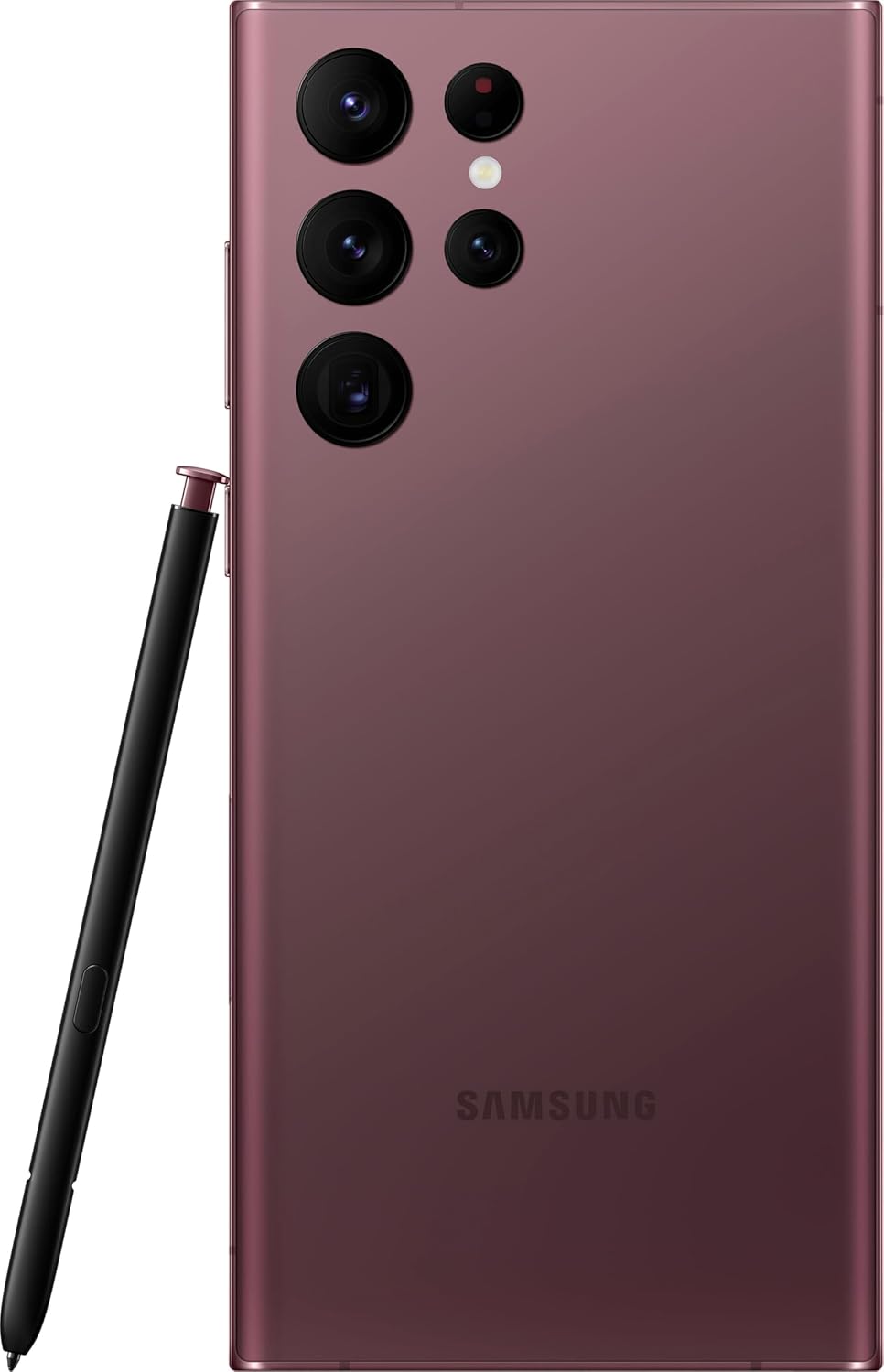
Slika: Zadaj view of the Samsung Galaxy S22 Ultra 5G, highlighting the multi-lens camera system and the S-Pen.
Prikaz in vizualni elementi
- Prilagodljiv barvni kontrast: The Galaxy S22 Ultra's display automatically optimizes color and brightness for both indoor and outdoor viewing, ensuring clarity in various lighting conditions.
- Ojačevalec vida: Enhances screen visibility, making your content appear vibrant and clear even in bright environments.

Slika: spredaj view of the Samsung Galaxy S22 Ultra 5G with the screen displaying colorful, dynamic content.
S-Pen Usage
The integrated S-Pen allows for precise interaction with your device. Use it for:
- Taking quick notes directly on the screen.
- Editing photos and videos with enhanced precision.
- Drawing and sketching with a natural pen-on-paper feel.
- Navigating the user interface and selecting text.
Vzdrževanje
Čiščenje naprave
To clean your phone, use a soft, lint-free cloth. Avoid abrasive materials or harsh chemicals. For stubborn smudges, slightly dampen the cloth with water. Ensure no liquid enters openings like the charging port or speaker grilles.
Skrb za baterijo
Your device is equipped with a 5000 mAh Li-Ion battery. To maximize battery life:
- Izogibajte se ekstremnim temperaturam.
- Ne dovolite, da se baterija pogosto popolnoma izprazni.
- Uporabljajte originalno ali certificirano dodatno opremo za polnjenje.
Posodobitve programske opreme
Regularly check for and install software updates to ensure your device has the latest features, security patches, and performance improvements. You can usually find this option in the device settings under "Software update".
Vodoodpornost
The Galaxy S22 Ultra 5G is rated as water-resistant. This means it can withstand splashes and brief immersion in shallow water. It is not fully waterproof. Avoid exposing it to high-pressure water, saltwater, or other liquids. If the device gets wet, dry it thoroughly before charging or using accessories.
Odpravljanje težav
Pogoste težave in rešitve
- Naprava se ne vklopi: Prepričajte se, da je baterija napolnjena. Napravo priključite na polnilnik in počakajte nekaj minut, preden jo poskusite ponovno vklopiti.
- Zaslon se ne odziva: Poskusite znova zagnati napravo tako, da hkrati približno 7 sekund držite tipko za vklop/stran in tipko za zmanjšanje glasnosti.
- Slaba življenjska doba baterije: Check background app usage, reduce screen brightness, disable unnecessary features like GPS or Bluetooth when not in use. Consider a factory reset if the issue persists after trying other solutions.
- Težave z omrežno povezljivostjo: Ensure your SIM card is properly inserted. Try toggling Airplane Mode on and off. If issues persist, contact your wireless carrier (T-Mobile for this model).
Ponastavitev na tovarniške nastavitve
A factory reset will erase all data from your device and restore it to its original factory settings. Back up all important data before proceeding. To perform a factory reset, navigate to Nastavitve > Splošno upravljanje > Ponastavi > Ponastavitev na tovarniške nastavitve.
Specifikacije
| Funkcija | Podrobnost |
|---|---|
| Znamka | Samsung |
| Ime modela | Galaxy S22 Ultra 5G |
| Številka modela | SM-S908U |
| Operacijski sistem | Android |
| Model procesorja | Dvojedrni procesor serije A A4-3420 |
| Zmogljivost shranjevanja | 512 GB |
| Velikost zaslona | 6.8 palcev |
| Ločljivost zaslona | 1440 x 3200 |
| Hitrost osveževanja | 60 Hz |
| Brezžični nosilec | T-Mobile |
| Reže za kartice SIM | Dvojna kartica SIM |
| Tehnologija povezljivosti | 5G, Wi-Fi, CDMA, GSM, LTE |
| Biometrična varnost | Prepoznavanje obraza |
| Stopnja vodoodpornosti | Vodoodporen |
| Avdio priključek | Brez priključka za slušalke |
| Ločljivost zadnje kamere | 108 MP (3 cameras) |
| Front Camera Count | 1 |
| Vrsta baterije | Li-Ion |
| Kapaciteta baterije | 5000 mAh |
| Ločljivost video posnetka | 8K |
| barva | Bordo |
Garancija in podpora
Informacije o garanciji
This product is a refurbished device. It typically comes with a 90-day return policy for refund or replacement. For specific warranty details, please refer to the documentation provided at the time of purchase or contact your retailer. Manufacturer warranties for new devices may not apply to refurbished products.
Podpora uporabnikom
Za dodatno pomoč, tehnično podporo ali poizvedbe glede storitev obiščite uradno spletno stran za podporo Samsung. website or contact their customer service. You can find contact information and FAQs on their webmesto.
For issues related to your T-Mobile service, please contact T-Mobile customer support directly.
Ask a question about this manual
Ask about setup, troubleshooting, compatibility, parts, safety, or missing instructions. Manuals+ will review the question and use this page’s manual context to help answer it.