
1. Uvod
This manual provides essential information for the assembly, operation, maintenance, and troubleshooting of your Arcade1Up Centipede Atari Legacy Edition Home Arcade Machine. This full-size stand-up cabinet brings 14 classic Atari games to your home, offering an authentic arcade experience.
The machine features a classic arcade cabinet design, licensed artwork, a real-feel trackball and buttons, a light-up marquee, and a molded coin door for an immersive retro gaming experience. It also includes modern features such as a 17-inch full-color high-resolution LCD screen and Wi-Fi connectivity for online leaderboards.

Slika 1: Spredaj view of the Arcade1Up Centipede Atari Legacy Edition Home Arcade Machine.
2. Nastavitev
Careful assembly is required. Please follow the instructions provided in the separate assembly guide included with your product. Ensure all components are present before beginning assembly.
2.1 Razpakiranje in pregled
- Previdno odstranite vse komponente iz embalaže.
- Inspect all parts for any damage. Contact customer support immediately if any parts are damaged or missing.
- Retain packaging materials for future transport or returns.
2.2 Montaža
Refer to the dedicated assembly manual for detailed, step-by-step instructions. Basic tools (e.g., screwdriver) are typically required and may not be included.
- Assemble the cabinet panels according to the provided diagrams.
- Install the control panel, screen, and marquee.
- Secure the anti-tip over strap to prevent accidental tipping, especially in households with children or pets.

Slika 2: stran view of the arcade machine, illustrating the cabinet design.
2.3 Namestitev in priklop napajanja
- Place the assembled machine on a flat, stable surface.
- Ensure adequate space around the machine for ventilation and comfortable play.
- Connect the provided power plug to the machine and then to a standard electrical outlet.

Figure 3: Arcade machine dimensions for placement planning.
3. Navodila za uporabo
3.1 Powering On and Game Selection
- Once connected to power, locate the power switch (usually on the control panel or rear of the machine) and turn it ON.
- The machine will boot up, displaying the main game selection menu.
- Use the trackball and buttons to navigate the on-screen menus and select your desired game from the 14 included titles.
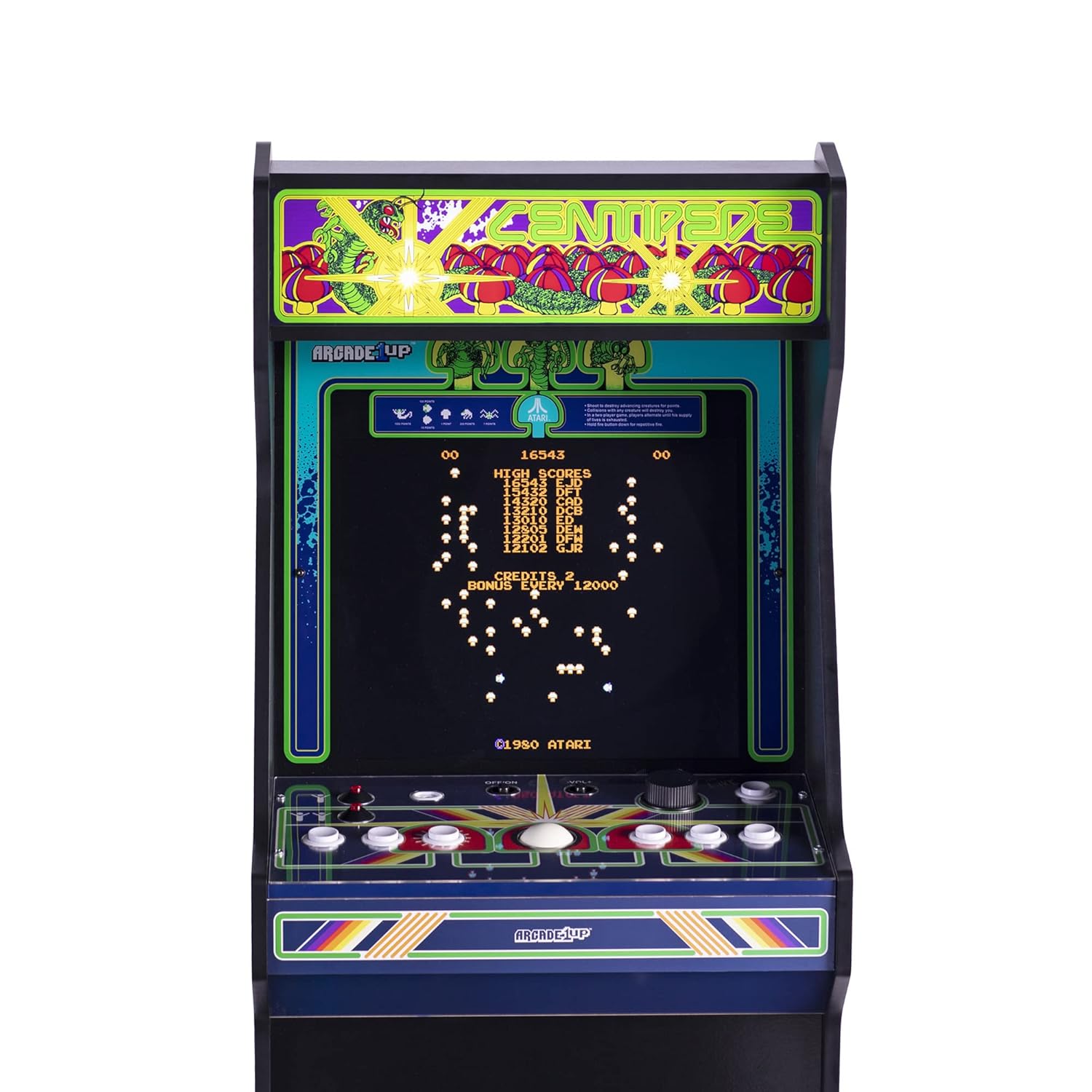
Figure 4: Control panel with trackball and buttons for game interaction.
3.2 Game Controls
The machine features authentic arcade controls for an immersive experience:
- Sledilna krogla: Primarily used for movement in games like Centipede and Millipede.
- Gumbi: Used for firing, selecting options, and other game-specific actions. The button layout is optimized for the included games.
- Nadzor glasnosti: An integrated speaker system with adjustable volume allows you to set the audio level to your preference.

Figure 5: User interacting with the arcade machine's controls.
3.3 Wi-Fi and Online Leaderboards
Your arcade machine is Wi-Fi enabled, allowing you to connect to online leaderboards and compare your scores with other players. Refer to the on-screen menu for Wi-Fi setup instructions.
A companion app may also be available for enhanced features and connectivity. Check the manufacturer's website or app stores for details.

Figure 6: Illustration of app connectivity for online leaderboards and community features.
4. Vzdrževanje
Proper maintenance ensures the longevity and optimal performance of your arcade machine.
- Čiščenje: Use a soft, dry cloth to wipe down the cabinet and control panel. For stubborn marks, a slightly damp Uporabite lahko krpo z blagim milom, nato pa takoj posušite. Izogibajte se abrazivnim čistilom ali topilom.
- Nega zaslona: Clean the LCD screen with a soft, lint-free cloth specifically designed for electronics. Do not spray cleaners directly onto the screen.
- Nadzorna plošča: Keep the trackball and buttons free of dust and debris. Periodically check for smooth operation.
- Okolje: Place the machine in a dry, temperature-controlled environment. Avoid direct sunlight, extreme temperatures, and high humidity.
- moč: Always unplug the machine from the power outlet before cleaning or performing any maintenance.
5. Odpravljanje težav
If you encounter issues with your arcade machine, refer to the following common troubleshooting steps:
| Težava | Možen vzrok | rešitev |
|---|---|---|
| Stroj se ne vklopi. | Power cord not properly connected; power outlet not active; power switch off. | Ensure power cord is securely plugged into both the machine and a working outlet. Check that the power switch is in the ON position. Test the outlet with another device. |
| Na zaslonu ni slike. | Machine is off; display cable loose (if applicable); screen settings. | Verify the machine is powered on. If applicable, check internal display cable connections (refer to assembly guide). Power cycle the machine. |
| Controls (trackball/buttons) are unresponsive. | Loose connections; debris under controls; software glitch. | Power cycle the machine. Ensure control panel connections are secure (refer to assembly guide). Clean around controls. |
| Brez zvoka. | Volume turned down; speaker connection loose. | Adjust the volume control. Check speaker connections (if accessible and applicable). |
| Težave z Wi-Fi povezavo. | Napačno geslo; izven dosega; težave z usmerjevalnikom. | Re-enter Wi-Fi password carefully. Move machine closer to router or use a Wi-Fi extender. Restart your home router. |
If the problem persists after attempting these solutions, please contact Arcade1Up Customer Support for further assistance.
6. Specifikacije
- Številka modela: ATR-A-200210
- Znamka: ARCADE1UP
- Dimenzije izdelka (sestavljeno): 22.85 palcev (G) x 18.90 palcev (Š) x 57.8 palcev (V)
- Teža artikla: Approximately 89.8 pounds (67.8 lbs without packaging)
- zaslon: 17-inch full-color high-resolution LCD
- Kontrole: Real-feel trackball and buttons
- Avdio: Integrated speakers with adjustable volume
- Povezljivost: Wi-Fi enabled for online leaderboards
- Included Games (14 Titles):
- stonoga
- Stonoga
- Asteroidi
- Asteroidi Deluxe
- Večje opustošenje
- Poveljstvo za rakete
- Akka Arrh
- Kristalni gradovi
- Vihar
- Gravitar
- Osvoboditelj
- Space Duel (1 Player)
- Super preboj
- Lunarni pristajalnik
- Ocenjeno: Vsi
- Proizvajalec: Arcade1Up
- Datum izdaje: 15. junij 2022

Figure 7: Key features and specifications of the arcade machine.

Figure 8: Visual representation of the 14 classic games included.
7. Garancija in podpora
7.1 Informacije o garanciji
Arcade1Up products typically come with a limited manufacturer's warranty. For specific details regarding the warranty period and coverage for your Centipede Atari Legacy Edition Home Arcade Machine, please refer to the warranty card included with your product or visit the official Arcade1Up webmesto.
7.2 Podpora strankam
For technical assistance, missing parts, or any other inquiries, please contact Arcade1Up Customer Support. You can typically find contact information on the manufacturer's webspletnem mestu ali v embalaži izdelka.
Spletna podpora: Obiščite Trgovina ARCADE1UP na Amazonu or the official Arcade1Up webspletno mesto za pogosta vprašanja, vodnike za odpravljanje težav in možnosti stika.