
Uvod
This manual provides comprehensive instructions for the setup, operation, maintenance, and troubleshooting of your T-WOLF X9 Bluetooth Mouse. Please read this manual carefully before using the product to ensure optimal performance and longevity.
Vsebina paketa
- 1 x T-WOLF X9 Bluetooth Mouse
- 1 x AA baterija
- 1 x Uporabniški priročnik (ta dokument)
Konec izdelkaview

Slika 1: Vrh view of the T-WOLF X9 Bluetooth Mouse, showing the left and right click buttons, scroll wheel, and DPI switch button. The T-WOLF logo and Bluetooth icon are visible.
The T-WOLF X9 is a portable Bluetooth mouse designed for convenience and performance. It features a sleek design, Bluetooth 5.2 connectivity, and a 10-meter operating range. The mouse includes four buttons: left-click, right-click, scroll wheel (which also functions as a button), and a dedicated DPI switch button for adjusting cursor sensitivity.
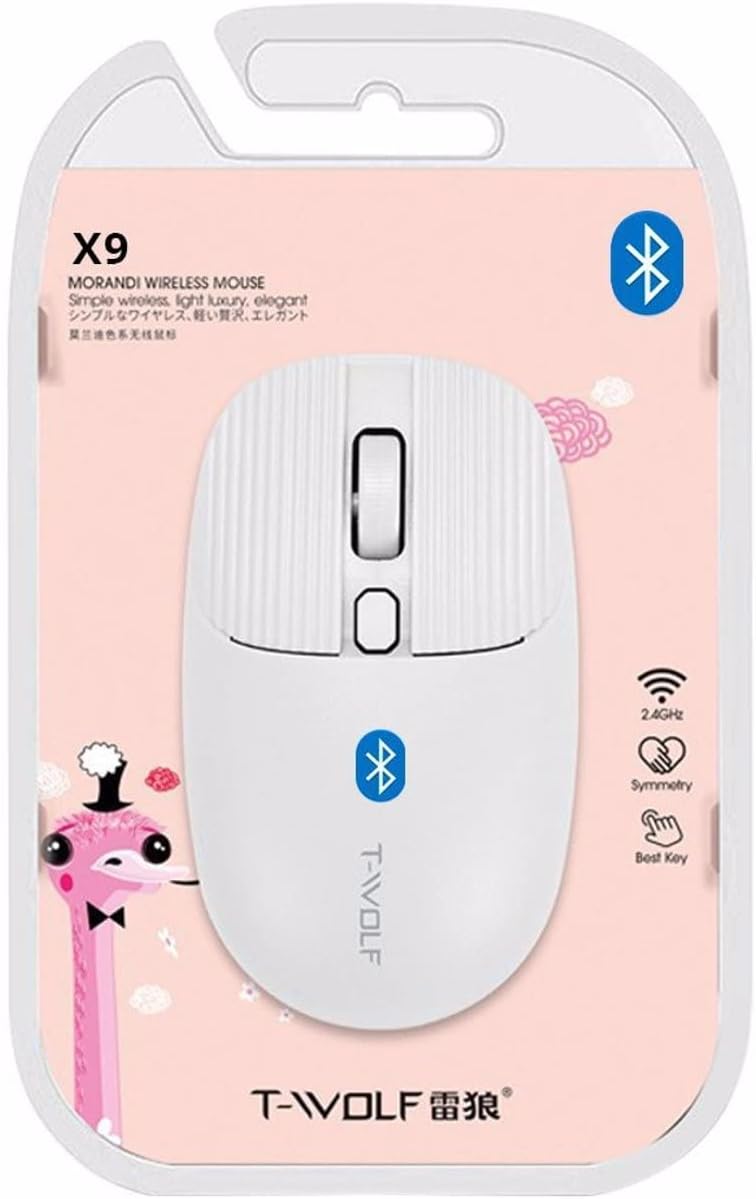
Slika 2: Packaging of the T-WOLF X9 Bluetooth Mouse, highlighting key features such as 2.4GHz (though product is Bluetooth, this might be a generic packaging element), symmetry, and "Best Key".

Slika 3: Stran view of the T-WOLF X9 Bluetooth Mouse, illustrating its ergonomic profile and non-slip roller design.
Nastavitev
1. Namestitev baterije
- Poiščite predal za baterije na spodnji strani miške.
- Odprite pokrov prostora za baterije.
- Vstavite priloženo baterijo AA in pazite na pravilno polarnost (+/-).
- Trdno zaprite pokrov prostora za baterije.
2. Bluetooth seznanjanje
- Ensure the mouse is powered on. There may be a power switch on the underside.
- V računalniku ali napravi se pomaknite do nastavitev Bluetooth.
- Omogočite Bluetooth in poiščite nove naprave.
- The mouse should appear as "T-WOLF X9" or similar. Select it to initiate pairing.
- Ko je miška seznanjena, je pripravljena za uporabo.
Navodila za uporabo
1. DPI Switching
The T-WOLF X9 mouse features 3-gear DPI switching. Press the dedicated DPI button (located behind the scroll wheel) to cycle through the available DPI settings. Each press will change the cursor sensitivity, allowing you to adjust it to your preference for different tasks.
2. Funkcije gumbov
- Levi klik na gumb: Primarna selekcija in interakcija.
- Desni klik na gumb: Odpre kontekstne menije.
- Kolesce za pomikanje: Pomika vsebino navpično. Pritisne se lahko tudi za funkcijo klika s srednjim gumbom miške.
- Gumb za preklop DPI: Prilagodi občutljivost kurzorja (DPI).
Vzdrževanje
- Čiščenje: Za čiščenje miške uporabite mehko, suho krpo. Za trdovratno umazanijo rahlo obrišiteampkrpo sperite z vodo. Izogibajte se uporabi agresivnih kemikalij ali abrazivnih materialov.
- Zamenjava baterije: Baterijo AA zamenjajte, ko se delovanje miške poslabša ali se preneha odzivati.
- Shranjevanje: Miško shranite na hladnem in suhem mestu, ko je dalj časa ne uporabljate.
Odpravljanje težav
| Težava | rešitev |
|---|---|
| Miška se ne odziva |
|
| Premikanje kurzorja je neenakomerno ali počasno |
|
| Cannot pair the mouse |
|
Specifikacije
| Funkcija | Podrobnost |
|---|---|
| Model | X9 |
| Povezljivost | Bluetooth 5.2 |
| Območje delovanja | Do 10 metre |
| Gumbi | 4 (Left, Right, Scroll Wheel/Middle, DPI Switch) |
| Nastavitve DPI | 3-Gear Switching |
| Vir napajanja | 1 x AA baterija |
| Ročna orientacija | Obojepravni |
| Združljive naprave | Prenosni računalnik, osebni računalnik |
| Operacijski sistemi | Linux, Windows 7, Windows XP (and newer OS with Bluetooth support) |
| Dimenzije | 20 x 13 x 7.5 cm (paket) |
| Teža | 150 g (pakiranje) |
Garancija in podpora
This product is covered by a standard manufacturer's warranty. For specific warranty details, please refer to the documentation provided at the time of purchase or contact your retailer. For technical support or further assistance, please reach out to the seller or manufacturer's customer service.