
HOCO EW15
Hoco EW15 Clear Explore Edition TWS Wireless Headset User Manual
Model: EW15
Uvod
Thank you for choosing the Hoco EW15 Clear Explore Edition TWS Wireless Headset. This manual provides detailed instructions on how to set up, operate, and maintain your new headset. Please read this manual carefully before use to ensure optimal performance and longevity of your device.
The Hoco EW15 features Bluetooth v5.1 for stable connectivity, a 30mAh headset battery providing up to 4 hours of call and music time, and a 300mAh charging case for extended use. Its translucent design offers a unique aesthetic, showcasing the internal components.
Vsebina paketa
- Hoco EW15 Clear Explore Edition True Wireless BT Headset (Left and Right Earbuds)
- etui za polnjenje
- USB polnilni kabel
- Uporabniški priročnik
Konec izdelkaview




Nastavitev
Polnjenje slušalk in ohišja
Before first use, fully charge the Hoco EW15 headset and its charging case.
- Vstavite obe slušalki v polnilno ohišje. Prepričajte se, da sta pravilno nameščeni.
- Connect the USB charging cable to the charging port on the case and to a compatible USB power source (e.g., computer USB port, wall adapter).
- The indicator light on the charging case will show charging status. It takes approximately 1.5 hours to fully charge the case and 1 hour for the headset.
- Ko je baterija popolnoma napolnjena, odklopite polnilni kabel.
Seznanjanje z napravo
The Hoco EW15 supports automatic pairing and master-slave switching.
- Odprite polnilno ohišje. Slušalke se bodo samodejno vklopile in preklopile v način seznanjanja.
- V napravi (pametnem telefonu, tabličnem računalniku itd.) omogočite Bluetooth.
- Iskanje razpoložljive naprave Bluetooth in izberite "Hoco EW15" s seznama.
- Ko je povezava vzpostavljena, boste zaslišali potrditveni zvok in indikatorska lučka na slušalkah se bo spremenila.
- After the initial pairing, the earbuds will automatically connect to the last paired device when taken out of the case, provided Bluetooth is enabled on the device.
Navodila za uporabo
Dotaknite se kontrolnikov
The Hoco EW15 earbuds feature touch-sensitive controls for easy operation.
| Akcija | funkcija |
|---|---|
| Enkratni dotik (leva/desna slušalka) | Predvajanje/začasna ustavitev glasbe, sprejem/končanje klica |
| Dvojni dotik (leva slušalka) | Prejšnja skladba |
| Dvojni dotik (desna slušalka) | Naslednja skladba |
| Trojni dotik (leva/desna slušalka) | Aktiviranje glasovnega pomočnika (Siri, Google Assistant) |
| Dolg pritisk (2 sekund) | Zavrni klic |
| Dolg pritisk (5 sekund) | Vklop/izklop (ko ni v etuiju) |
Upravljanje klicev
- Sprejem / zaključevanje klicev: Enkratni tapek katere koli slušalke.
- Zavrnitev klicev: Dolgo pritisnite eno od slušalk za 2 sekundi.
Glasovni pomočnik
Triple tap either earbud to activate your device's voice assistant (e.g., Siri for iOS, Google Assistant for Android).
Vzdrževanje
Proper maintenance ensures the longevity and performance of your Hoco EW15 headset.
- Čiščenje: Za čiščenje slušalk in polnilnega ohišja uporabite mehko, suho krpo, ki ne pušča vlaken. Ne uporabljajte abrazivnih čistil ali topil.
- Shranjevanje: Ko slušalk ne uporabljate, jih shranite v polnilno škatlico, da jih zaščitite in ohranite napolnjene.
- Izogibajte se vodi: Slušalke niso vodoodporne. Izogibajte se izpostavljanju vodi, vlagi ali ekstremnim temperaturam.
- Polnjenje: Use the provided charging cable and a certified power adapter. Avoid overcharging.
Odpravljanje težav
If you encounter issues with your Hoco EW15 headset, refer to the following common solutions:
- Earbuds not pairing with each other or with device:
- Prepričajte se, da sta obe slušalki napolnjeni.
- Obe slušalki vstavite nazaj v polnilno ohišje, zaprite pokrov, počakajte nekaj sekund in nato pokrov ponovno odprite. To pogosto ponastavi povezavo.
- On your device, forget or delete "Hoco EW15" from the Bluetooth device list, then try pairing again.
- Ensure your device's Bluetooth is enabled and within 10 meters of the earbuds.
- Ni zvoka ali nizka glasnost:
- Preverite glasnost tako na napravi kot na slušalkah.
- Prepričajte se, da so slušalke pravilno priključene na vašo napravo.
- Očistite morebitne umazanije iz zvočnikov slušalk.
- Polnilna torbica se ne polni:
- Check the charging cable and power adapter. Try a different cable or adapter.
- Prepričajte se, da je polnilna vrata na ohišju čista in brez umazanije.
- Microphone quality is poor:
- Prepričajte se, da odprtina za mikrofon na slušalkah ni ovirana.
- Poskusite uporabljati slušalke v tišjem okolju.
Specifikacije

| Funkcija | Podrobnost |
|---|---|
| Ime izdelka | EW15 Clear Explore Edition true wireless BT headset |
| Različica Bluetooth | Bluetooth 5.1 (Chip: JL AC6973) |
| Zmogljivost baterije (slušalke) | 30 mAh (vsak ušesni čep) |
| Kapaciteta baterije (polnilna torbica) | 300 mAh |
| Čas za pogovor/glasbo | Do 4 ur |
| Čas pripravljenosti | 120 uri |
| Čas polnjenja (slušalke) | Približno 1 uro |
| Čas polnjenja (kovček) | Približno 1.5 ur |
| Obseg prenosa | Do 10 metrov (brez ovir) |
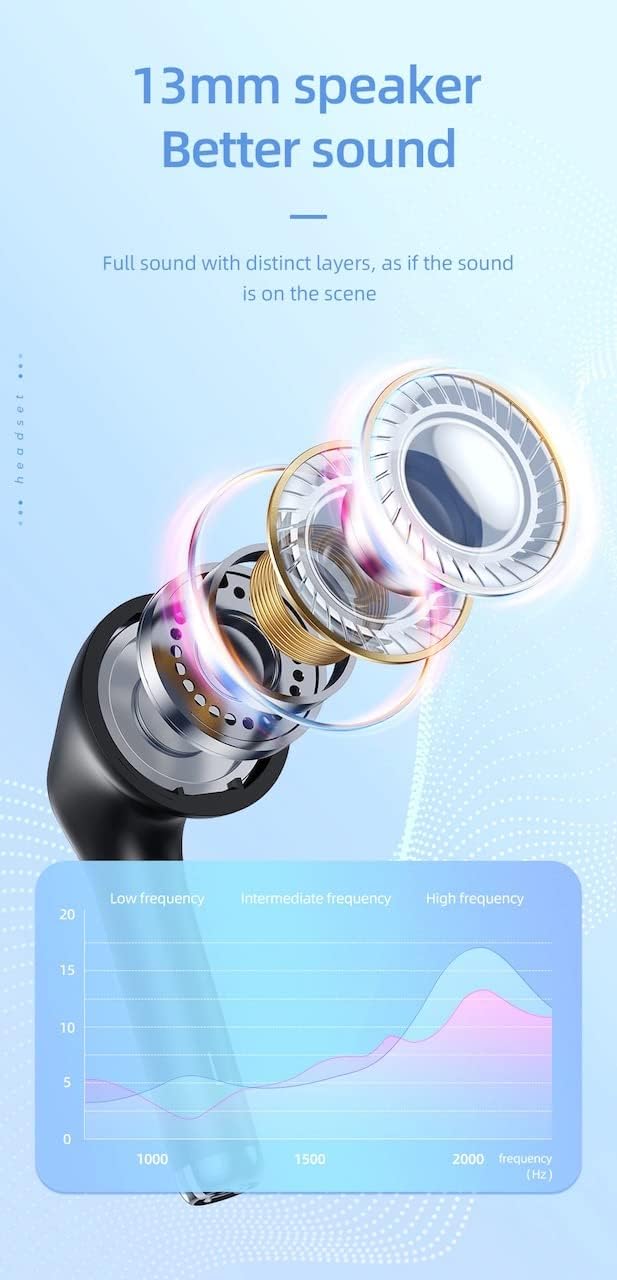
| Velikost zvočnika | 13 mm |
| Frekvenčni odziv | 20-20000Hz |
| Dimenzije izdelka | 5.45 x 4.7 x 2.5 cm (etui) |
| Teža | Whole device 40g, single headset 3g |
| Material | Plastika |
Garancija in podpora
For warranty information and technical support, please refer to the official HOCO webspletnega mesta ali se obrnite na lokalnega distributerja.
Uradno Webspletno mesto: www.hocotech.com
Prosimo, shranite dokazilo o nakupu za morebitne garancijske zahtevke.
Ask a question about this manual
Ask about setup, troubleshooting, compatibility, parts, safety, or missing instructions. Manuals+ will review the question and use this page’s manual context to help answer it.