
1. Uvod
Thank you for choosing the AUN AKEY6S Native Full HD 1080p Projector. This manual provides essential information for setting up, operating, maintaining, and troubleshooting your projector. Please read this manual thoroughly before use to ensure optimal performance and longevity of your device.
The AUN AKEY6S projector features native 1920x1080p resolution with 4K support, 8000 lumens brightness, a 12000:1 contrast ratio, and runs on Android 9.0. It offers versatile connectivity options including WiFi (2.4G/5G) and Bluetooth 5.2, making it suitable for various home cinema and presentation needs.
2. Nastavitev
2.1 Razpakiranje in vsebina paketa
Previdno vzemite vse komponente iz embalaže. Prepričajte se, da so prisotni vsi spodaj navedeni elementi:
- 1x AUN AKEY6S Projector
- 1x daljinski upravljalnik
- 1x Uporabniški priročnik (ta dokument)
- 1x napajalnik
2.2 Postavitev projektorja
Position the projector on a stable, flat surface or mount it securely. Ensure there is adequate ventilation around the device. The optimal projection distance and screen size are as follows:
- Velikost projekcije: 50 do 300 palcev
- Razdalja projekcije: Approximately 1.5 meters (50 inches) to 6.2 meters (300 inches)

Image: Illustration of the AUN AKEY6S projector demonstrating adjustable projection sizes from 50 to 300 inches based on distance from the screen.
2.3 Napajalni priključek
Connect the provided power supply cable to the projector's power input port and then plug it into a standard electrical outlet.
2.4 Začetni vklop
Press the power button on the projector or the remote control to turn on the device. The projector will boot up and display the Android 9.0 interface.
2.5 Nastavitev ostrenja in trapezne korekcije
- Fokus: Vrtite obroč za ostrenje na objektivu projektorja, dokler projicirana slika ni jasna in ostra.
- Trapezni popravek: The AKEY6S features an electronic keystone correction of ±40°. Access this setting through the projector's menu to adjust the image shape if it appears trapezoidal.
2.6 Možnosti namestitve
The projector supports multiple mounting configurations:
- Namizni nosilec: Projektor postavite na ravno površino.
- Stropni nosilec: Secure the projector to the ceiling using a compatible projector mount (not included). Ensure the image orientation is adjusted in the projector settings if mounted upside down.

Image: Visual representation of various mounting options for the AUN AKEY6S projector, including ceiling and desktop placements.
3. Navodila za uporabo
3.1 User Interface Navigation (Android 9.0)
Navigate the Android 9.0 interface using the remote control. Use the directional buttons to move between icons and options, and the OK button to select. The Back button returns to the previous screen, and the Home button returns to the main menu.
3.2 Priključitev zunanjih naprav
The AKEY6S projector offers multiple ports for connecting various devices:

Slika: Podrobna view of the AUN AKEY6S projector's rear panel, highlighting all available input and output ports for connectivity.
- HDMI (HD-IN): Connect devices like laptops, gaming consoles (X-BOX, PS4), TV sticks, or set-top boxes using an HDMI cable. Select the corresponding HDMI input source from the projector's menu.
- USB (USB-IN): Vstavite USB-ključke za predvajanje medijev files (videos, photos, music) directly.
- AV (AV-IN): Starejše naprave priključite z AV kablom.
- SD Card (SD Card-IN): Insert an SD card to access media files.
- 3.5 mm avdio izhod: Priključite zunanje zvočnike ali slušalke.
- RJ45 (LAN): For wired internet connection (Android version only).
- VGA (VGA-IN): Računalnike ali prenosnike povežite s kablom VGA.
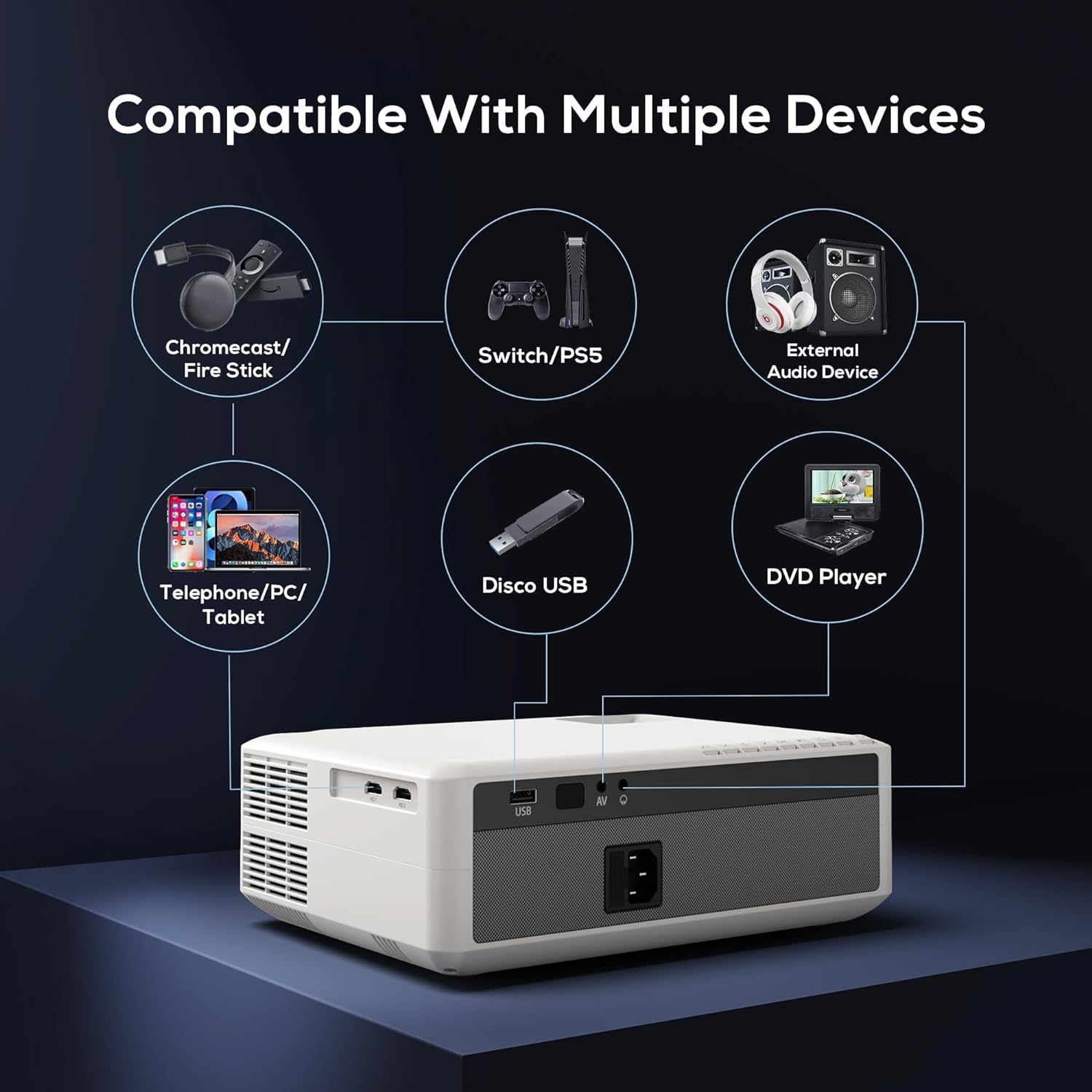
Image: Diagram illustrating the AUN AKEY6S projector's compatibility with a wide range of external devices such as streaming sticks, gaming consoles, audio systems, mobile devices, USB drives, and DVD players.
3.3 Brezžična povezljivost (WiFi)
Za povezavo z brezžičnim omrežjem:
- Go to the projector's settings menu.
- Izberite Omrežje in internet.
- Vklopi Wi-Fi and select your desired 2.4G or 5G network from the list.
- Vnesite geslo, če ste pozvani, in se povežite.
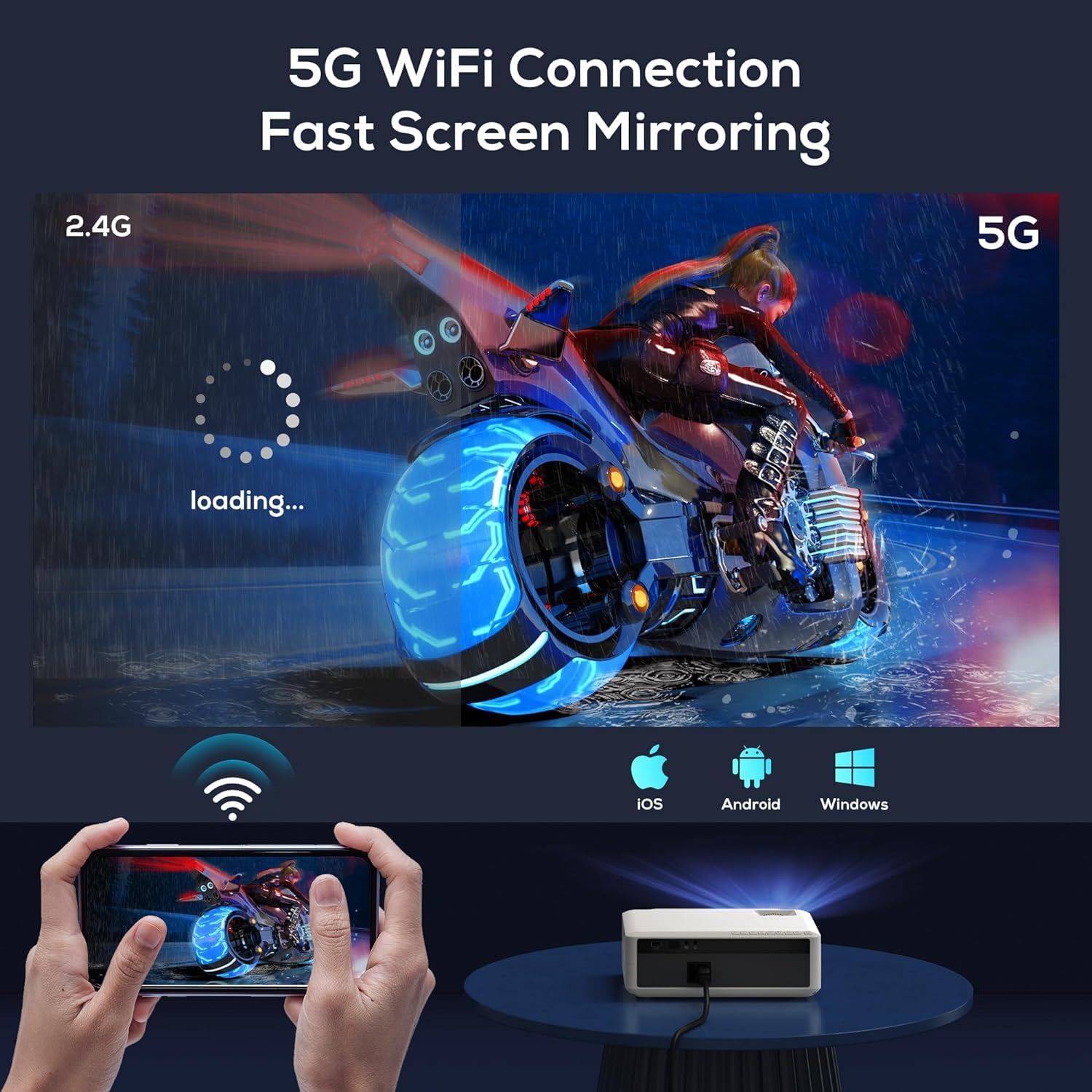
Image: The AUN AKEY6S projector displaying a loading screen, illustrating its 5G WiFi capability for fast screen mirroring from a mobile device.
3.4 Zvočna povezava Bluetooth
Pair Bluetooth speakers or headphones for enhanced audio:
- Go to the projector's settings menu.
- Izberite Povezane naprave or Bluetooth.
- Turn on Bluetooth and put your audio device into pairing mode.
- Na seznamu izberite napravo za povezavo.
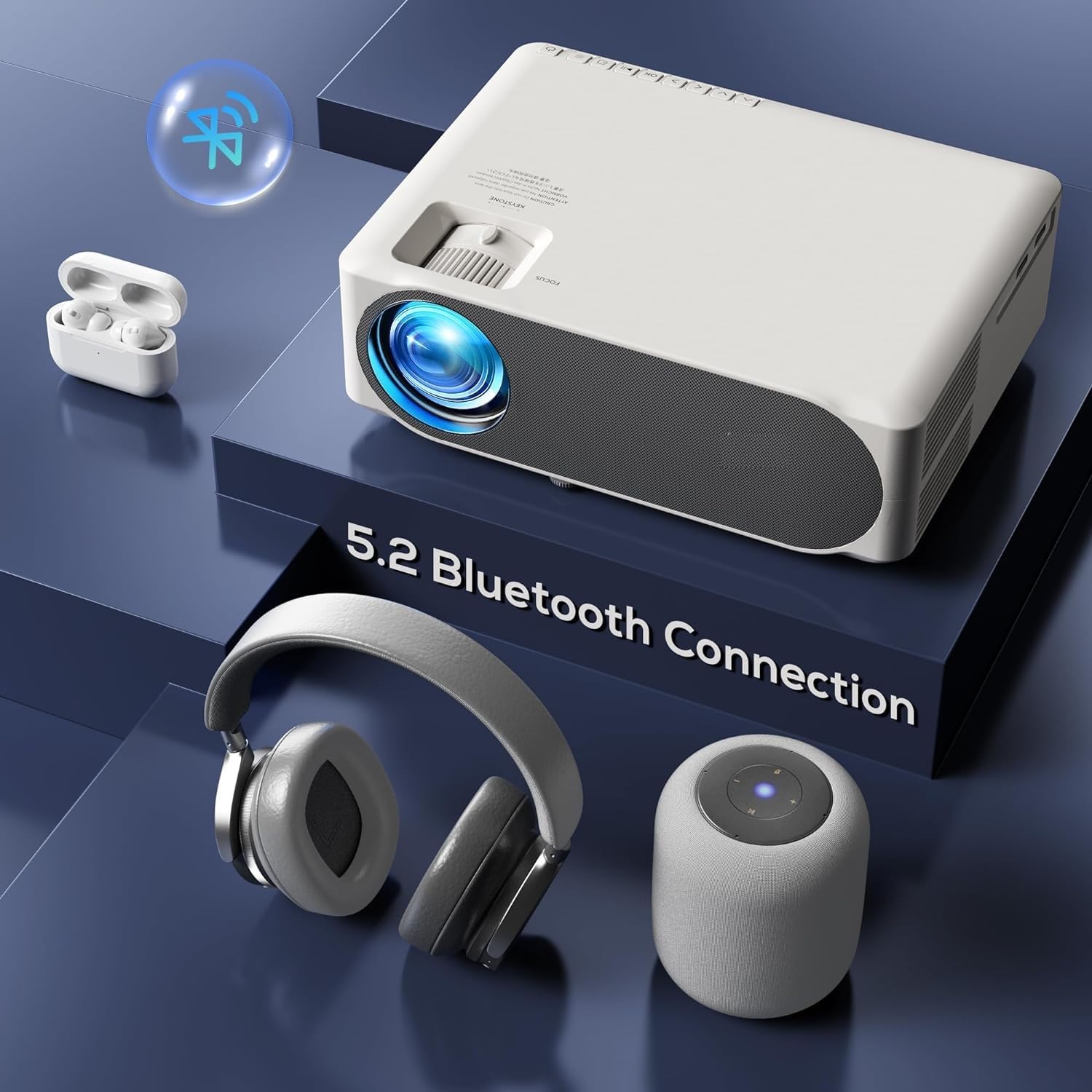
Image: The AUN AKEY6S projector shown with various Bluetooth audio devices, highlighting its Bluetooth 5.2 connectivity for wireless sound.
3.5 Zrcaljenje zaslona
The projector supports screen mirroring from iOS, Android, and Windows devices via WiFi. Refer to the specific screen mirroring application or setting on your device and follow the on-screen instructions to connect to the projector.
3.6 Upravljanje aplikacij
The AKEY6S comes with Android 9.0 and pre-installed applications. You can also install more apps:
- Vnaprej nameščene aplikacije: YouTube, Netflix, Hotstar, Prime Video.
- Nameščanje novih aplikacij:
- The projector supports Google Play Store and APK installation.
- To install Aptoide TV App Store: Open the browser, search for "Aptoide TV APK", download the APK, then open File Manager and install.
- Download other apps like Netflix, Hotstar, Prime Video from Aptoide TV App Store if not pre-installed or if updates are needed.
4. Vzdrževanje
4.1 Čiščenje
- Objektiv: Uporabite mehko krpo, ki ne pušča vlaken in je posebej zasnovana za optične leče. Ne uporabljajte abrazivnih čistil ali prekomerne sile.
- Ohišje projektorja: Wipe the exterior with a soft, dry cloth. For stubborn dirt, slightly dampen krpo z vodo.
- zračniki: Regularly check and clean the ventilation openings to prevent dust buildup, which can affect cooling performance. Use a soft brush or compressed air.
4.2 Zaščita pred prahom
The AUN AKEY6S projector features an advanced dustproof design to minimize dust ingress and maintain image quality over time. Regular cleaning of external vents is still recommended.
4.3 Shranjevanje
When not in use for extended periods, store the projector in a cool, dry place, away from direct sunlight and extreme temperatures. Cover the lens with its cap to protect it from dust and scratches.
5. Odpravljanje težav
If you encounter issues with your AUN AKEY6S projector, refer to the following common problems and solutions:
5.1 Brez napajanja
- Ensure the power cable is securely connected to both the projector and the power outlet.
- Preverite delovanje vtičnice tako, da vanjo priključite drugo napravo.
- Preverite, ali lučka indikatorja napajanja na projektorju sveti.
5.2 Ni slike ali je slika zamegljena
- Prilagodite obroč za ostrenje na objektivu, dokler slika ni ostra.
- Check the keystone correction settings if the image is trapezoidal.
- Ensure the input source is correctly selected (e.g., HDMI 1, USB).
- Verify that the connected source device (laptop, TV stick) is powered on and outputting a signal.
- Očistite lečo projektorja, če je videti umazana.
5.3 Ni zvoka
- Povečajte glasnost na projektorju in priključeni izvorni napravi.
- Preverite, ali so zunanji zvočniki ali slušalke pravilno priključeni ali seznanjeni prek Bluetootha.
- Ensure the audio output setting on the projector is correct.
- Verify that the source video/audio file is not muted or corrupted.
5.4 Daljinski upravljalnik se ne odziva
- Zamenjajte baterije v daljinskem upravljalniku.
- Prepričajte se, da med daljinskim upravljalnikom in IR-sprejemnikom projektorja ni ovir.
- Daljinski upravljalnik usmerite neposredno v IR-sprejemnik projektorja.
5.5 WiFi or Bluetooth Connectivity Issues
- Ensure WiFi/Bluetooth is enabled in the projector's settings.
- Znova zaženite projektor in usmerjevalnik/napravo Bluetooth.
- Check if the WiFi password is entered correctly.
- Move the projector closer to the WiFi router or Bluetooth device to improve signal strength.
5.6 App Installation Issues
For issues related to app installation, refer to the following:
- How to Install YouTube? The projector comes with a preinstalled YouTube App.
- How to install Aptoide TV App Store?
- Open the Browser.
- Type for Aptoide TV APK.
- Download the APK to the Projector.
- Odprite File Manager and Install the Aptoide TV App Store.
- How to download Netflix, Hotstar, Prime Video Apps?
- Projector comes with preinstalled Netflix, Hotstar, Prime Video Apps.
- Otherwise, download the apps from Aptoide TV App Store.
6. Specifikacije
| Funkcija | Podrobnost |
|---|---|
| Znamka | AUN |
| Model | AKEY6S |
| Izvorna ločljivost | 1920 x 1080p Full HD |
| Podpora za 4K | ja |
| Svetlost | 8000 lumnov |
| Kontrastno razmerje | 12000:1 |
| Velikost projekcije | 50 - 300 palcev |
| Razmerje stranic | 16:9 |
| Lamp življenje | 30,000 ur |
| Operacijski sistem | Android 9.0 |
| Pomnilnik (RAM/ROM) | 1 GB RAM / 8 GB ROM |
| procesor | 4-Cores ARM 64 |
| GPU | ARM A35 GPU |
| Wi-Fi | 2.4G/5G |
| Bluetooth | Bluetooth 5.2 |
| Povezljivost | 2x HDMI, AV, USB, SD Card, 3.5mm Audio Out, RJ45, VGA |
| Elektronski Keystone | ±40° |
| Dimenzije izdelka | 30 x 25 x 8 cm |
| Teža predmeta | 2 kg |
| Wattage | 150 vatov |
| Hitrost osveževanja | 60 Hz |
Opomba: Specifications are subject to change without prior notice for product improvement.
7. Garancija in podpora
7.1 Garancija izdelka
The AUN AKEY6S Projector comes with a 1-letna garancija from the date of purchase. This warranty covers manufacturing defects and workmanship under normal use. Please retain your purchase receipt as proof of purchase.
7.2 Podpora strankam
For technical assistance, warranty claims, or any product-related inquiries, please contact Megaa Electronics, the authorized support provider:
- E-pošta: podpora@megaaelectronics.com or megaelektronika@gmail.com
- WhatsApp: 8328671337
Please provide your product model (AKEY6S) and purchase details when contacting support to facilitate a quicker resolution.