
BOOMBOOST JSD520
BOOMBOOST JSD520 Car MP3 Stereo Player User Manual
Model: JSD520
1. Uvod
Hvala za nakupasing the BOOMBOOST JSD520 Car MP3 Stereo Player. This manual provides detailed instructions for installation, operation, and maintenance of your new car audio system. Please read this manual thoroughly before use to ensure proper functionality and safety.

Slika 1.1: Spredaj view of the BOOMBOOST JSD520 Car MP3 Stereo Player, showing the display, control knob, and USB/AUX ports.
2. Ključne značilnosti
- Smart Bluetooth Calls: Integrated Bluetooth for hands-free calling, enhancing driving safety and convenience.
- Funkcija pomnilnika ob izklopu: Retains frequency, track, and volume settings after power-off, resuming playback from the last point.
- Folder Playback Support: Organize and play songs from different folders on your memory card (SD/USB).
- High-Quality LED Display: Bright yet soft car-gauge LED screen for clear visibility without glare.
- FM radijski sprejemnik: Built-in FM radio with automatic search and 18 preset stations (87.5 ~ 108 MHz).
- Vsestransko predvajanje medijev: Supports MP3/WMA audio formats via USB, SD card, and AUX input.
- Electronic Audio Control: Adjustable treble, bass, balance, and fader.
- Four-Channel Output: Provides robust audio output for a comprehensive sound experience.
3. Vsebina paketa
Po odprtju paketa preverite, ali so vsi spodaj navedeni elementi prisotni in v dobrem stanju:
- 1 x BOOMBOOST JSD520 Car MP3 Stereo Player
- 1 x daljinski upravljalnik (baterija ni priložena)
- 2 x Kabelski snopi
- 2 x Installation Tool Sets
- 1 x uporabniški priročnik

Image 3.1: Contents of the BOOMBOOST JSD520 package, showing the main unit, remote control, wiring harnesses, and user manual.
4. Nastavitev in namestitev
Professional installation is recommended for optimal performance and safety. Ensure the vehicle's power is disconnected before beginning installation.
4.1 Shema ožičenja
Connect the provided wiring harnesses according to your vehicle's wiring specifications. Refer to the detailed wiring diagram in the included paper manual for specific connections (power, ground, speaker outputs, antenna, etc.).
4.2 Namestitev enote
- Vstavite kovinski pritrdilni tulec v odprtino armaturne plošče vozila.
- Bend the tabs on the sleeve outwards to secure it in place.
- Slide the JSD520 unit into the mounting sleeve until it clicks into position.
5. Navodila za uporabo
5.1 Vklop/izklop in nadzor glasnosti
- Pritisnite Moč button (usually marked with ), da vklopite ali izklopite enoto.
- Zavrtite veliko Gumb za glasnost za nastavitev glasnosti zvoka.
5.2 Izbira načina
Pritisnite NAČIN button to cycle through available audio sources: FM Radio, Bluetooth, USB, SD, and AUX.
5.3 Funkcija FM radia
- V načinu FM pritisnite BAND button to switch between FM bands (FM1, FM2, FM3).
- Pritisnite Iskanje buttons (<< / >>) to automatically search for the next strong station.
- Pritisnite in držite Iskanje gumbi za ročno uglaševanje.
- To save a station, tune to the desired frequency, then press and hold one of the preset number buttons (1-6) until you hear a beep.
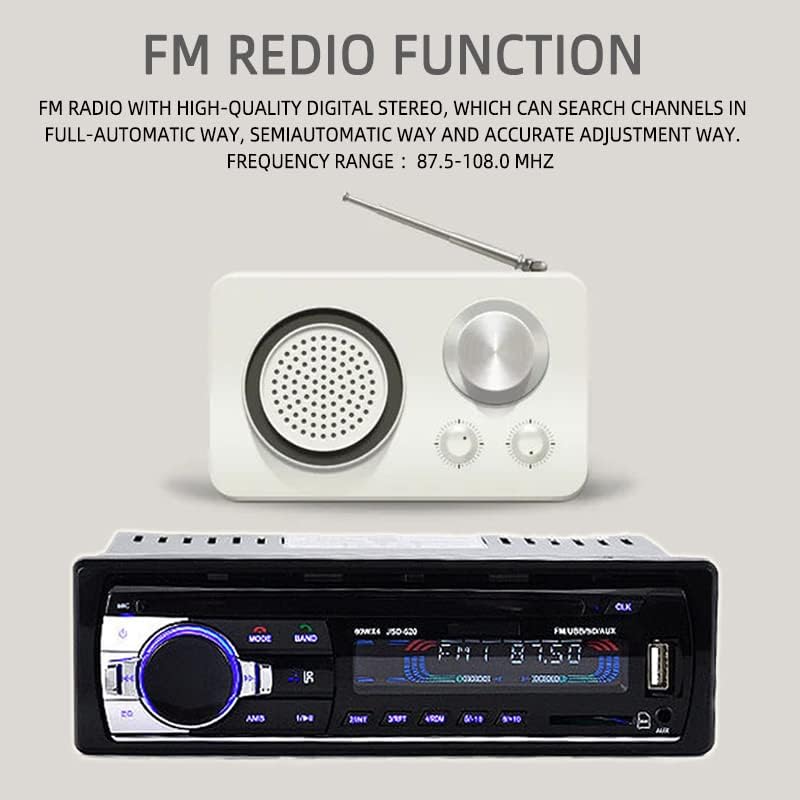
Image 5.1: Illustration of the FM Radio function, highlighting the frequency range and automatic search capability.
5.4 Delovanje Bluetooth
- Preklopite enoto na BT mode. The display will show "BT" or a Bluetooth icon.
- On your mobile device, enable Bluetooth and search for available devices. Select "JSD520" to pair.
- Once paired, you can play audio from your device or make/receive hands-free calls.
- Uporabite Sprejmi/končaj klic buttons on the unit or remote for call management.

Image 5.2: Visual representation of the Bluetooth function, emphasizing hands-free mobile phone operation for safe driving.
5.5 Predvajanje z USB-ja/SD-kartic
- Insert a USB drive into the USB port or an SD card into the SD card slot. The unit will automatically switch to USB/SD mode and begin playback.
- Uporabite Naslednja/prejšnja skladba buttons to navigate songs.
- Pritisnite Mapa button (if available) to browse folders on the storage device.
5.6 AUX vhod
- Connect an external audio device (e.g., smartphone, MP3 player) to the 3.5mm AUX input jack on the front panel using an audio cable.
- Preklopite enoto na POMOŽ mode. Audio from the connected device will now play through the car speakers.

Image 5.3: Demonstration of AUX audio input, allowing external devices to play sound through the car's high-power speakers.
5.7 Delovanje daljinskega upravljalnika
The included remote control provides convenient access to most functions. Ensure the battery is inserted correctly (CR2025, not included).

Image 5.4: Quick operation using the remote control for volume and music selection in SD or USB mode.
6. Vzdrževanje
- Čiščenje: Za čiščenje površine enote uporabite mehko, suho krpo. Ne uporabljajte abrazivnih čistil ali topil.
- Temperatura: Izogibajte se izpostavljanju enote ekstremnim temperaturam ali neposredni sončni svetlobi dlje časa.
- Vlaga: Keep the unit dry. Moisture can damage internal components.
- Zamenjava varovalke: If the unit does not power on, check the fuse located at the rear of the unit. Replace with a fuse of the same rating if necessary.
7. Odpravljanje težav
| Težava | Možen vzrok | rešitev |
|---|---|---|
| Brez moči | Blown fuse; Incorrect wiring; Vehicle battery low | Check/replace fuse; Verify wiring connections; Charge vehicle battery |
| Brez zvoka | Volume too low; Mute activated; Speaker wires disconnected | Increase volume; Deactivate mute; Check speaker connections |
| Bluetooth se ne povezuje | Bluetooth not enabled on device; Unit not in BT mode; Device too far | Enable Bluetooth on device; Switch unit to BT mode; Move device closer |
| USB/SD se ne predvaja | Nepodprto file format; Poškodovano files; Improperly inserted device | Ensure MP3/WMA format; Reformat/check files; Reinsert USB/SD card |
| Slab FM sprejem | Antena ni priključena; Območje šibkega signala; Motnje | Check antenna connection; Move to stronger signal area; Reduce interference sources |
8. Specifikacije
| Funkcija | Specifikacija |
|---|---|
| Ime modela | JSD520 |
| voltage | 24 volt |
| Velikost zaslona | 2.5 palcev |
| Resolucija | 240 x 320 slikovnih pik |
| Vrsta materiala | Kovina + plastika |
| Teža predmeta | 0.43 kg (380 g) |
| Dimenzije izdelka | 18.3 x 8 x 5.8 cm (5.8 x 8 x 5.8 cm) |
| Izhodna moč | 4 x 60W (240W total) |
| Način avdio izhoda | Stereo |
| Konfiguracija kanala za prostorski zvok | 4.0 |
| Podprti medijski formati | MP3, WMA |
| Tehnologija povezljivosti | USB, Auxiliary, Bluetooth |
| FM frekvenčno območje | 87.5 - 108 MHz |

Image 8.1: Product dimensions, indicating length, width, and height in centimeters.
9. Garancija in podpora
This product comes with a standard manufacturer's warranty. Please refer to the warranty card included in your package for specific terms and conditions. For technical support, troubleshooting assistance, or warranty claims, please contact your retailer or the BOOMBOOST customer service department. Keep your purchase receipt as proof of purchase.
Ask a question about this manual
Ask about setup, troubleshooting, compatibility, parts, safety, or missing instructions. Manuals+ will review the question and use this page’s manual context to help answer it.