
Acctim Digital Bedside Mini Alarm Clock
Model: 16231 - Navodila za uporabo
Uvod
Thank you for choosing the Acctim Digital Bedside Mini Alarm Clock. This compact and functional alarm clock is designed for convenience and reliability. Please read this manual carefully to ensure proper setup and operation of your device.
Ključne značilnosti:
- Clear LCD Screen with White Backlight
- Crescendo Alarm
- Nastavljiv nadzor glasnosti
- Kompakten in prenosen dizajn

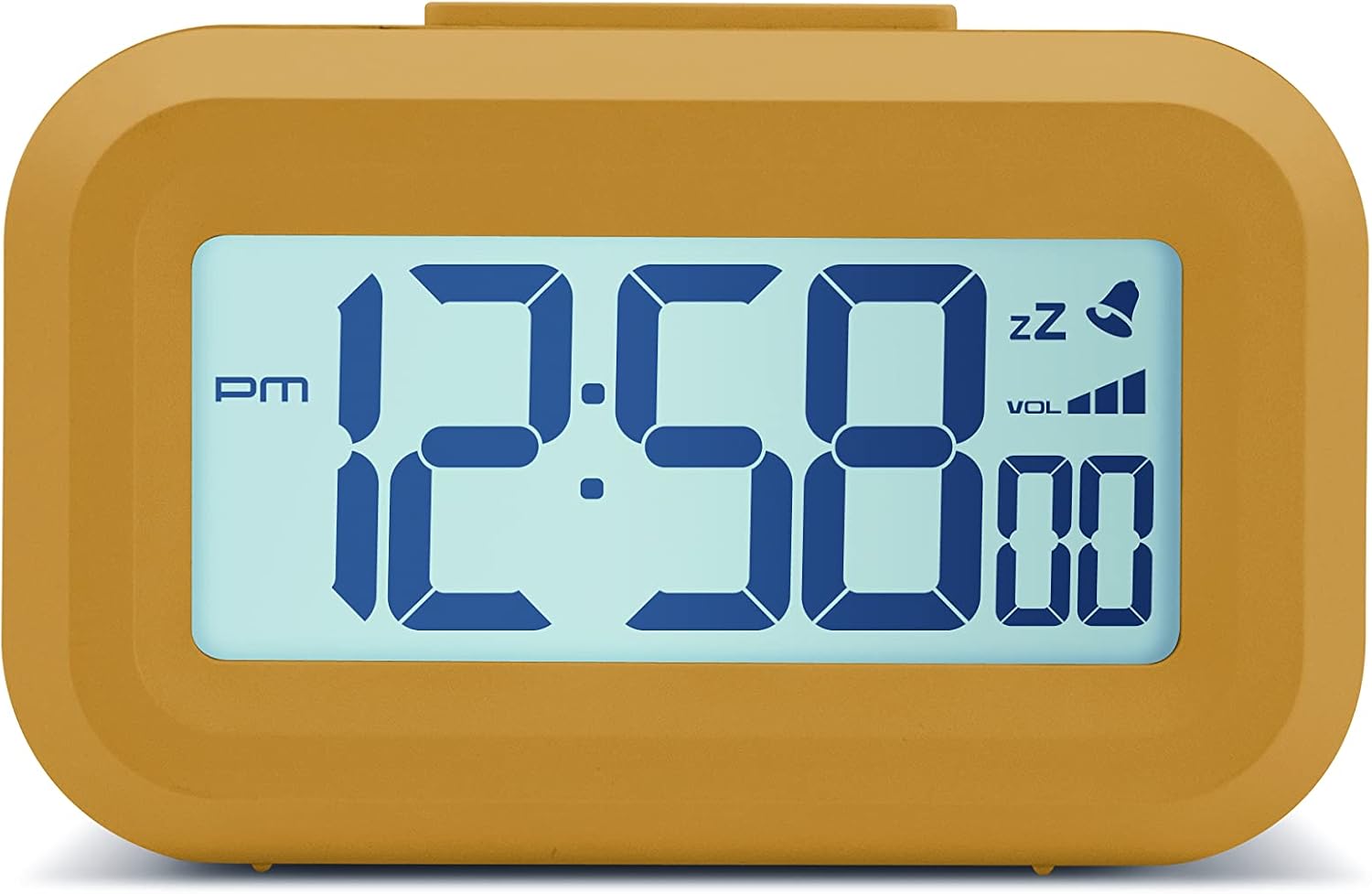
Spredaj view of the Acctim Digital Bedside Mini Alarm Clock, displaying the time.
Nastavitev
1. Namestitev baterije
The alarm clock requires 2 x AAA batteries (not included). To install the batteries:
- Poiščite pokrovček predalčka za baterije na zadnji strani ure.
- Potisnite pokrov navzdol, da ga odprete.
- Vstavite dve bateriji AAA in pri tem pazite na pravilno polarnost (+ in -), kot je označeno v notranjosti predala.
- Pokrovček predala za baterije namestite nazaj tako, da ga potisnete navzgor, dokler se ne zaskoči.
Nazaj view of the alarm clock, highlighting the battery compartment and control buttons.
2. Začetni vklop
Once batteries are correctly installed, the LCD display should activate, showing a default time or flashing digits. The clock is now ready for time and alarm settings.
Navodila za uporabo
Funkcije gumbov:
- NASTAVITEV: Used to enter time/alarm setting modes and confirm selections.
- GOR (▲): Used to increase values during setting.
- DOL (▼): Used to decrease values during setting.
- VOL (■): Used to adjust alarm volume.
- Zgornji gumb: Aktivira osvetlitev ozadja in funkcijo dremeža.
1. Nastavitev časa
- Pritisnite NASTAVI button once. The hour digits will begin to flash.
- Uporabite UP or DOL gumbe za nastavitev ure. Bodite pozorni na indikator AM/PM.
- Pritisnite NASTAVI ponovno. Številke minut bodo utripale.
- Uporabite UP or DOL gumbe za nastavitev minut.
- Pritisnite NASTAVI a third time to confirm the time setting and exit the time setting mode.
2. Nastavitev alarma
- Pritisnite NASTAVI button twice. The alarm hour digits will begin to flash, and an alarm icon (bell) may appear on the display.
- Uporabite UP or DOL gumbe za nastavitev ure budilke.
- Pritisnite NASTAVI again. The alarm minute digits will flash.
- Uporabite UP or DOL gumbe za nastavitev minut alarma.
- Pritisnite NASTAVI a third time to confirm the alarm setting. The alarm icon will remain visible, indicating the alarm is active.
- Za izklop alarma pritisnite NASTAVI gumb, dokler ikona alarma ne izgine z zaslona.
3. Funkcija dremeža
Ko se oglasi alarm, pritisnite veliko Zgornji gumb on the clock. The alarm will temporarily stop and sound again after approximately 5 minutes. The snooze icon (zz) will typically flash on the display.
4. Aktivacija osvetlitve ozadja
To illuminate the display temporarily, press the large Zgornji gumb. The white backlight will activate for a few seconds, making the time visible in low-light conditions.

The alarm clock display with its white backlight activated for improved visibility.
5. Prilagajanje glasnosti alarma
The alarm features an adjustable volume control. While the alarm is sounding, or in alarm setting mode, press the VOL button (square button on the back) to cycle through available volume levels. The display may show a volume indicator.
Vzdrževanje
Čiščenje
To clean the clock, use a soft, dry cloth. Avoid using abrasive cleaners, solvents, or chemical sprays, as these can damage the casing ali zaslon.
Zamenjava baterije
Replace the AAA batteries when the display becomes dim, the backlight is weak, or the clock functions become erratic. Always replace both batteries at the same time with new ones.
Odpravljanje težav
- Zaslon je prazen ali zatemnjen:
Check if the batteries are inserted correctly. Replace with fresh AAA batteries. - Alarm se ne oglasi:
Ensure the alarm time is set correctly and the alarm icon is visible on the display. Check the alarm volume level. - Prikazan je napačen čas:
Re-enter the correct time following the 'Setting the Time' instructions. - Gumbi se ne odzivajo:
Remove and reinsert the batteries to perform a soft reset. If the issue persists, replace the batteries.
Specifikacije
- Znamka: Acctim
- Številka modela: 16231
- Vrsta zaslona: Digitalni LCD
- Posebne lastnosti: Adjustable Volume, Alarm, Illuminated (Backlight), Snooze
- Dimenzije izdelka: 3.54"W x 2.17"H (approximately 8.8 cm W x 5.5 cm H)
- vir energije: Na baterije (2 x AAA, nista priloženi)
- Vrsta sobe: Spalnica
- Oblika: Pravokotna
- Material: Plastika
- Teža artikla: 0.06 kilogramov

Diagram showing the approximate dimensions of the alarm clock.
Garancija in podpora
This Acctim product is covered by a manufacturer's warranty. For specific warranty details, technical support, or service inquiries, please refer to the warranty card included with your purchase or visit the official Acctim webspletnega mesta. Naprave ne poskušajte popravljati sami, saj lahko s tem razveljavite garancijo.