
1. Uvod
The Rettru XDWIFI Mini Wireless WiFi Camera is a compact surveillance device designed for discreet monitoring. It offers HD1080P video resolution, night vision capabilities, motion detection, and remote viewing via a mobile application. This manual provides detailed instructions for setting up, operating, and maintaining your camera.
Video: Konecview of the Rettru XDWIFI Mini Wireless WiFi Camera, highlighting its compact size and features.
2. Vsebina paketa
Prosimo, preverite, ali so v vašem paketu vključeni vsi naslednji elementi:
- 1 x Rettru XDWIFI Camera
- 1 x uporabniški priročnik
- 1 x USB kabel
- 1 x čitalec mikro SD kartic
- 1 x magnetna osnova

Image: All components included in the Rettru XDWIFI Mini Wireless WiFi Camera package.
3. Značilnosti izdelka
- Izjemno kompakten dizajn: The camera measures approximately 1.57 x 1.18 x 0.5 inches, making it highly discreet and easy to conceal.
- HD1080P Video: Records high-definition video for clear surveillance.
- Izboljšan nočni vid: Equipped with two 940nm infrared lights, providing clear visibility up to 26 feet in low light or total darkness without visible glow.
- Inteligentno zaznavanje gibanja: Features customizable motion detection zones and times. Sends alarm notifications with images to your phone upon detection.
- Snemanje v zanki: Supports continuous recording, overwriting the oldest files ko je pomnilniška kartica polna.
- Shramba v oblaku: Offers cloud service for video storage (subscription may be required).
- Daljinsko Viewing: Access live video remotely via the mobile application on iOS/Android devices.
- Prilagodljiva namestitev: Includes a magnetic base and mounting options for versatile placement.

Image: The camera's compact size, held between two fingers.
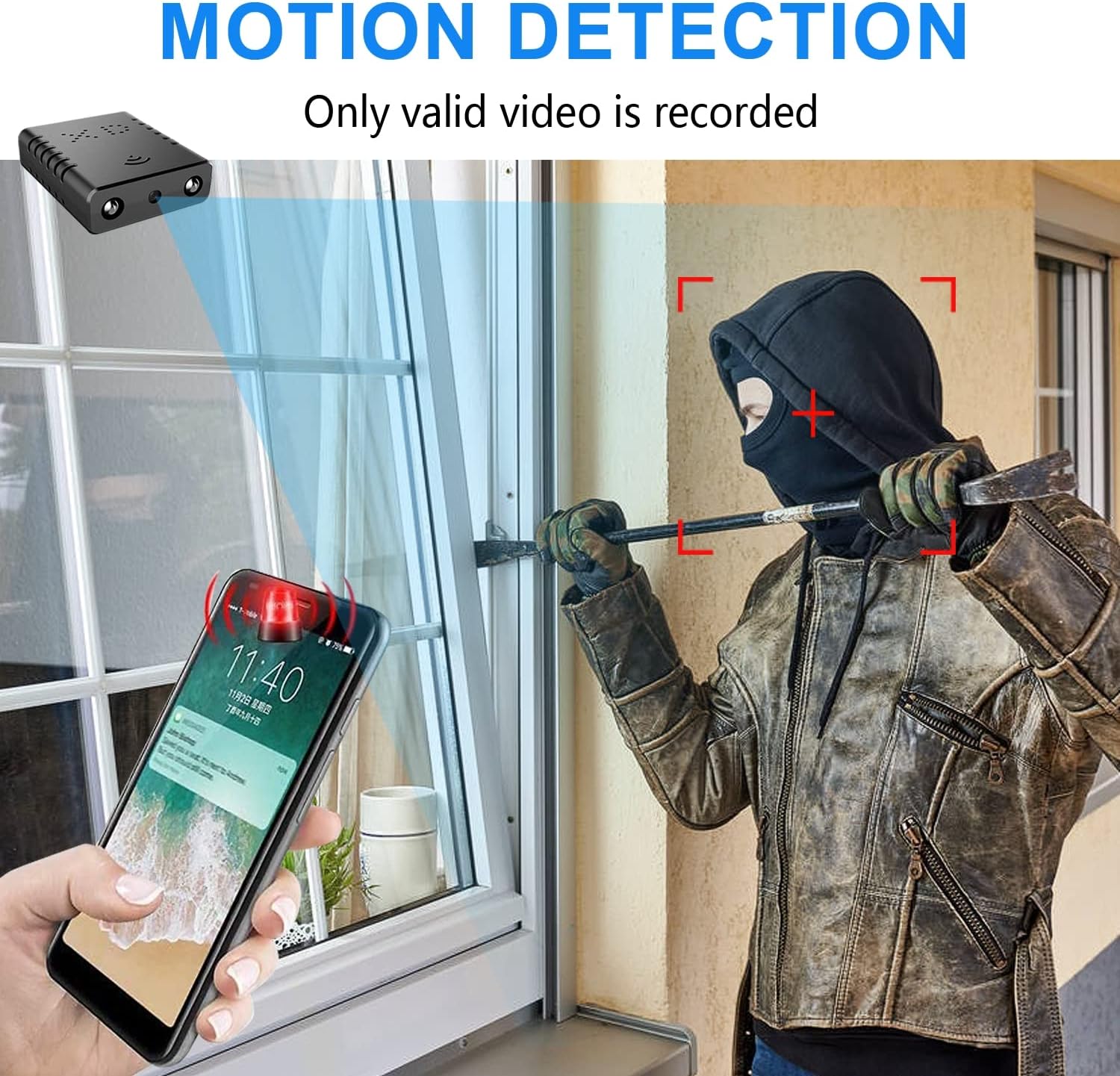
Image: Illustration of the motion detection feature, showing an alert on a smartphone.

Image: Day and night vision comparison, showing clear infrared night vision.
4. Navodila za namestitev
4.1. Začetno polnjenje
Before first use, fully charge the camera for approximately 6 hours. During charging, a yellow light will illuminate. The camera charges via a USB-C port.
4.2. No-WiFi Recording Mode
To record without a WiFi connection, insert a compatible Micro SD card (16GB to 128GB, formatted in FAT32) into the TF card slot. Press the power button. When the blue light flashes, continuous recording will begin automatically in 5-minute clips. No app registration or device binding is needed for this mode. (Micro SD card not included, purchased separately).

Slika: Stran view of the camera highlighting the TF card slot and charging port.
4.3. WiFi Recording Mode (App Connection)
Za daljinsko viewing and advanced features, connect the camera to your home WiFi network via the mobile application. The recommended app is V380 Pro.
- Prenesite aplikacijo: Iskanje "V380 Pro" in your device's app store (iOS/Android) and install it.
- Registrirajte račun: Odprite aplikacijo in sledite navodilom na zaslonu za registracijo novega računa.
- Vklop kamere: Vklopi kamero.
- Hotspot Connection (Method 1):
- Hold the "Reset" button until both red and blue lights flash simultaneously.
- When the blue light flashes again, the camera will send out a hotspot signal.
- On your phone's WLAN settings, connect to the camera's hotspot (e.g., "@MC-********" or "@IPC-********"). No password is required.
- The device should be added automatically in the app. Go to "Device Settings" > "Wi-Fi Network" and choose your available home WiFi network. Enter the password and confirm.
- Bluetooth Connection (Method 2):
- Vklopite Bluetooth na telefonu.
- Log into the O-KAM Pro app (or V380 Pro), go to the "Mine" page, tap "System Permissions," and enable Bluetooth.
- In the app, click the "+" button in the upper right corner. The app will automatically detect the camera's UID. Click "Connect."
- Enter your correct WiFi password and complete the connection steps. Finally, click "Get Start" to begin using your camera.

Image: Step-by-step guide for easy app installation and WiFi connection.
Video: Detailed tutorial on camera setup and app connection for the Rettru XDWIFI camera.
5. Navodila za uporabo
5.1. Daljinec Viewing
Once connected to the app, you can view live video from anywhere in the world. The app allows multiple users to view the camera simultaneously.
5.2. Zaznavanje gibanja
Configure intelligent motion detection settings within the app. You can manually set monitoring areas and schedules. Upon detection, the camera sends alarm notifications with images to your phone.
5.3. Nočni vid
The camera automatically switches to night vision in low light conditions, providing clear black and white video up to 26 feet.
5.4. Neprekinjeno snemanje
With an inserted Micro SD card, the camera supports loop recording. When the card is full, new footage will automatically overwrite the oldest files, ensuring continuous surveillance.
5.5. Shranjevanje v oblaku
Utilize the powerful cloud service for secure storage of your video data. This ensures your recordings are safe even if the camera is tampered z ali izgubljen.
6. Vzdrževanje
To ensure optimal performance and longevity of your Rettru XDWIFI camera, follow these maintenance guidelines:
- Čiščenje: Objektiv in ohišje fotoaparata nežno obrišite z mehko, suho krpo. Izogibajte se uporabi agresivnih kemikalij ali abrazivnih materialov.
- Življenjska doba baterije: For prolonged use, ensure the camera is regularly charged. While battery-powered, continuous live viewing or frequent motion alerts can drain the battery faster.
- Upravljanje SD kartice: Regularly check the status of your Micro SD card. If using loop recording, ensure the card is functioning correctly. Periodically back up important footage.
- Posodobitve vdelane programske opreme: Check the V380 Pro app for any available firmware updates to ensure your camera has the latest features and security enhancements.
7. Odpravljanje težav
Če imate težave s fotoaparatom, si oglejte naslednje pogoste rešitve:
- Napaka povezave: If the camera fails to connect to the app or WiFi, try resetting the camera and attempting to reconnect.
- Ponastavitev naprave: To restore factory settings, power on the camera and hold the "Reset" button until both red and blue lights flash simultaneously. This will clear previous settings and allow for a fresh connection attempt.
- No QR Code for Setup: Some users have reported issues with missing or non-functional QR codes. Follow the manual connection methods (hotspot or Bluetooth) as detailed in Section 4.3.
- Težave s snemanjem: Ensure a compatible Micro SD card (16GB-128GB, FAT32) is properly inserted. Check app settings for recording mode (continuous, motion-activated) and storage preferences.
- Stanje brez povezave: Verify your WiFi network is stable and within range. Ensure the camera is powered on and fully charged.
8. Specifikacije
| Funkcija | Podrobnost |
|---|---|
| Model | XDWIFI |
| Ločljivost zajema videa | 1080p |
| Tehnologija povezljivosti | Brezžično (Wi-Fi) |
| Združljive naprave | iOS/Android Phone/Window/Mac PC |
| Vir napajanja | Napajanje na baterije |
| Vrsta krmilnika | Aplikacija V380 Pro |
| Vrsta namestitve | Surface Mount (Magnetic Base) |
| Območje nočnega vida | 26-28 čevljev |
| Mere predmeta (D x Š x V) | 1.6 x 1.2 x 0.5 palcev |
| Teža predmeta | 0.8 unč |
| Posebne lastnosti | HD1080P, Local Recording, Motion Sensor, Night Vision, Portable |
| Notranja/zunanja uporaba | Indoor/Outdoor (IP65 Rated) |
| Zmogljivosti snemanja zvoka in videa | Video |
| Število IR LED | 2 |
9. Garancija in podpora
For any issues or inquiries regarding your Rettru XDWIFI Mini Wireless WiFi Camera, please contact our after-sales service. The contact email is typically provided in the user manual included in your package. We are committed to providing support and assistance.