
1. Uvod
This manual provides detailed instructions for the setup, operation, and maintenance of your Odokee Digital Dual Alarm Clock, Model UE218-Wood-1. Please read this manual thoroughly before using the product to ensure proper function and longevity.

Figure 1: Odokee Digital Dual Alarm Clock (Model UE218-Wood-1)
2. Značilnosti izdelka
- Easy Setup & Dimmable Display: Intuitive controls with clearly labeled buttons. Large 1.6-inch white LED digits with 0-100% adjustable brightness via a dimmer dial.
- Customizable Dual Alarms: Set two independent alarms with 7-5-2 alarm modes (every day, weekdays, or weekends).
- 5 Alarm Sounds: Choose from Beep, Birds Chirping, Buzzer, Soft Music, or Siren. Alarm volume is adjustable from 30dB to 110dB.
- Easy Snooze: A large, accessible snooze button provides an additional 9 minutes of rest.
- Vrata za polnjenje USB: Integrated USB port for charging mobile devices.
- Varnostno kopiranje baterije: Requires 3 AAA batteries (not included) to maintain time and alarm settings during power outages.
- Prikaz časa: Podpira tako 12-urni kot 24-urni format časa.
3. Nastavitev
3.1 Napajalni priključek
- Connect the provided AC adapter to the DC 5V input port on the back of the alarm clock.
- Priključite napajalnik v standardno stensko vtičnico. Zaslon se bo prižgal.

Figure 2: Powering the Alarm Clock
3.2 Namestitev rezervnega napajanja z baterijo
For battery backup functionality, install 3 AAA batteries (not included) into the battery compartment located on the bottom of the clock. This ensures time and alarm settings are retained during a power outage. Note that the display will not remain continuously lit and the USB charging port will not function when operating solely on battery backup.
4. Navodila za uporabo

Figure 3: Rear Controls Overview
4.1 Nastavitev časa
- Pritisnite in držite ČAS NAST button on the back of the clock. The hour digits will begin to flash.
- Uporabite URA in MIN buttons on the top of the clock to adjust the hour and minute respectively.
- Pritisnite ČAS NAST znova, da potrdite čas.
- To set the day of the week, press the DAN V TEDNU button repeatedly until the correct day is displayed.
4.2 12/24-urni format
Pritisnite 12/24H button on the back of the clock to switch between 12-hour (with AM/PM indicator) and 24-hour time formats.

Figure 4: 12-Hour vs. 24-Hour Display
4.3 Nastavitev alarmov (Alarm 1 in Alarm 2)
The clock features two independent alarms. The setup process is identical for both.
- Pritisnite in držite ALARM 1 NAST or ALARM 2 NAST gumb. Številke ure alarma bodo utripale.
- Uporabite URA in MIN gumbe za nastavitev želenega časa alarma.
- Pritisnite ustrezno ALARM NASTAVLJEN ponovno pritisnite gumb, da potrdite čas.
- Next, the alarm mode will flash. Use the ALARMNI ZVUK button to cycle through the 7-5-2 alarm modes:
- SOB–NED: Weekend alarm (Saturday and Sunday only).
- PON–PET: Weekday alarm (Monday to Friday only).
- PON–NED: All 7 days alarm.
- Pritisnite ustrezno ALARM NASTAVLJEN button again to confirm the alarm mode.
- Za vklop ali izklop alarma pritisnite VKLOP/IZKLOP button located on the front side of the clock corresponding to Alarm 1 or Alarm 2. An alarm icon (1 or 2) will appear on the display when active.

Figure 5: Dual Alarms with 7-5-2 Modes

Figure 6: Alarm 1 and Alarm 2 Indicators
4.4 Selecting Alarm Sounds
After setting the alarm time and mode, you can select one of five alarm sounds:
- During alarm setting, after confirming the alarm mode, the current alarm sound will flash.
- Pritisnite ALARMNI ZVUK button repeatedly to cycle through the available sounds: Beep, Birds Chirping, Buzzer, Soft Music, or Siren.
- Pritisnite ustrezno ALARM NASTAVLJEN gumb za potrditev izbire.

Figure 7: Selectable Alarm Sounds
4.5 Prilagajanje glasnosti alarma
The alarm volume can be adjusted from 30dB (low) to 110dB (high) using the GLASNOST dial located on the left side of the clock.
4.6 Funkcija dremeža
Ko se oglasi alarm, pritisnite veliko DREMEŽ button on the top of the clock to temporarily silence the alarm for 9 minutes. The alarm will sound again after 9 minutes.
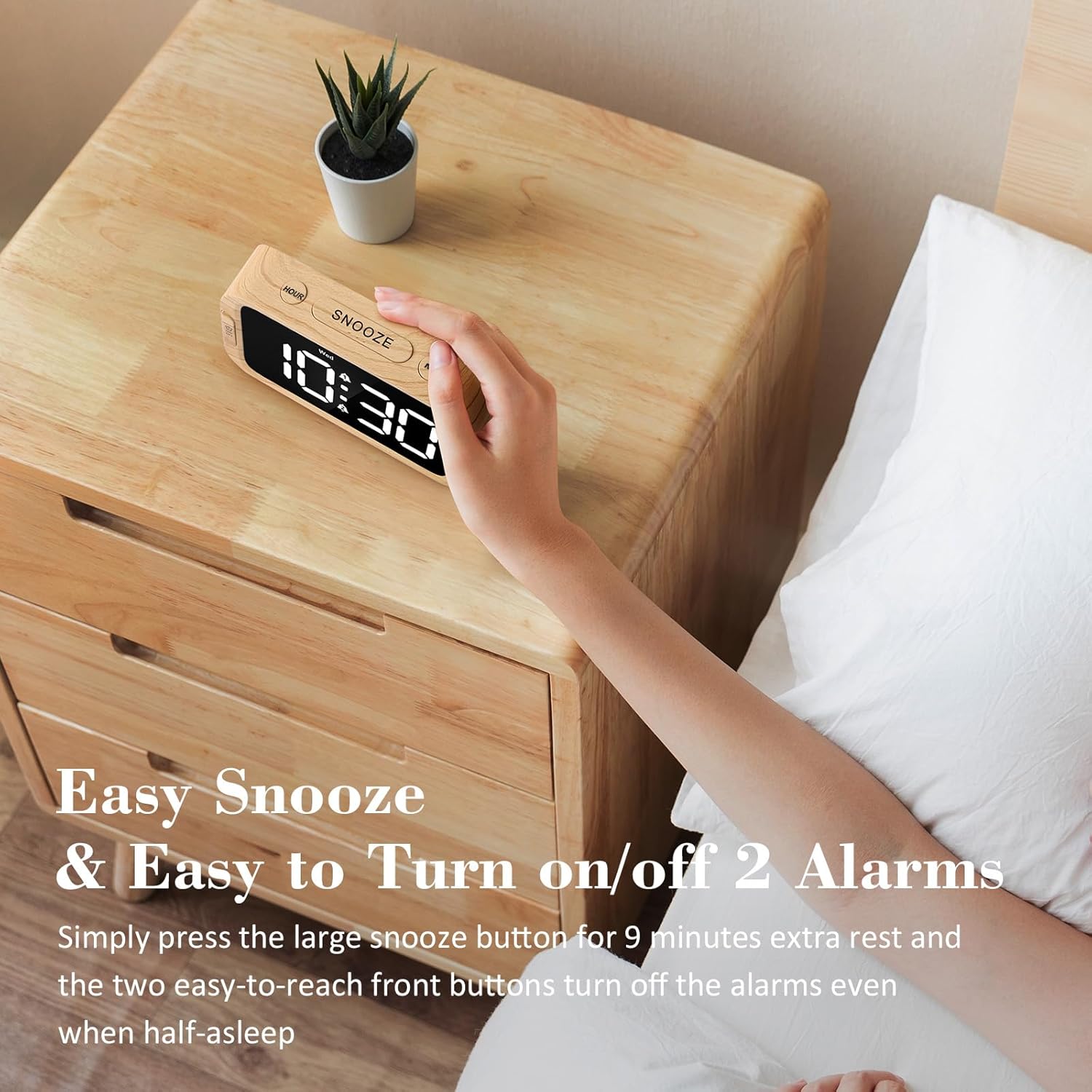
Figure 8: Using the Snooze Function
4.7 Prilagajanje svetlosti zaslona (zatemnitev)
The display brightness can be adjusted from 0% (fully dark) to 100% (very bright) using the DIMMER dial located on the right side of the clock.

Figure 9: Display Brightness Adjustment
4.8 vrata za polnjenje USB
A USB charging port is located on the back of the clock. Connect your mobile device's USB cable to this port to charge it. This port is active only when the clock is powered by the AC adapter.

Slika 10: Polnilna vrata USB v uporabi
5. Battery Backup Functionality
The battery backup feature requires 3 AAA batteries (not included). When AC power is interrupted, the batteries will preserve the time and alarm settings. The display will turn off to conserve battery power, but the internal clock will continue to run, and alarms will still activate at the set time. The USB charging port will not function during battery backup mode. It is recommended to use the battery backup only for power outage situations, as continuous use on batteries will drain them quickly.
6. Odpravljanje težav
| Težava | Možen vzrok | rešitev |
|---|---|---|
| Zaslon je prazen ali se ne prižge. | Ni elektrike, izklopljena elektrikatage, or dimmer set to 0%. | Ensure AC adapter is securely plugged in. Check power outlet. Adjust the DIMMER dial. If on battery backup, press any button to briefly illuminate the display. |
| Alarm se ne oglasi. | Alarm ni aktiviran, glasnost je prenizka ali pa je način alarma napačen. | Ensure the alarm is activated (alarm icon visible). Adjust the VOLUME dial. Verify the alarm mode (7-5-2) is set correctly for the current day. |
| Čas je napačen. | Time not set correctly, or power interruption without battery backup. | Re-set the time using the TIME SET button. Install fresh AAA batteries for backup. |
| Polnjenje prek USB-ja ne deluje. | Clock is on battery backup, or cable/device issue. | Ensure the clock is connected to AC power. Try a different USB cable or device to rule out external issues. |
7. Specifikacije
- Znamka: Odokee
- Številka modela: UE218-Wood-1
- Vrsta zaslona: Digitalna LED (bela)
- Velikost zaslona: 1.6 palca (višina številk)
- Dimenzije izdelka: 5.3"W x 2.9"H x 1.95"D (approximate, based on image a7e9cdcf-2bbb-4f2d-b58e-081cedcaeaaa)
- vir energije: Corded Electric (AC adapter included), 3x AAA batteries for backup (not included)
- Zvoki alarma: 5 selectable (Beep, Birds Chirping, Buzzer, Soft Music, Siren)
- Glasnost alarma: Adjustable (30dB-110dB)
- Svetlost zaslona: 0-100% adjustable dimmer
- Trajanje dremeža: 9 minut
- Format časa: Možnost izbire 12/24 ur
- Material: Plastika (akrilonitril butadien stiren)
- Teža artikla: 6.3 unče (178.6 grama)

Slika 11: Dimenzije izdelka
8. Garancija in podpora
Odokee products come with a hassle-free 18-month warranty. For any questions, issues, or warranty claims, please contact Odokee customer service. Odokee is dedicated to providing functional and stylish products and values customer feedback.
You can visit the official Odokee store for more information: Odokee Store on Amazon.