
Uvod
The Naxa NSH-3001 Wi-Fi Smart Camera provides reliable home security monitoring with 24/7 HD recording capabilities. This camera allows you to check in on your home remotely from anywhere using your smartphone. It features motion detection, two-way audio communication, night vision, and customizable activity alerts.
This manual provides detailed instructions for setting up, operating, and maintaining your Naxa NSH-3001 Wi-Fi Smart Camera to ensure optimal performance and security.
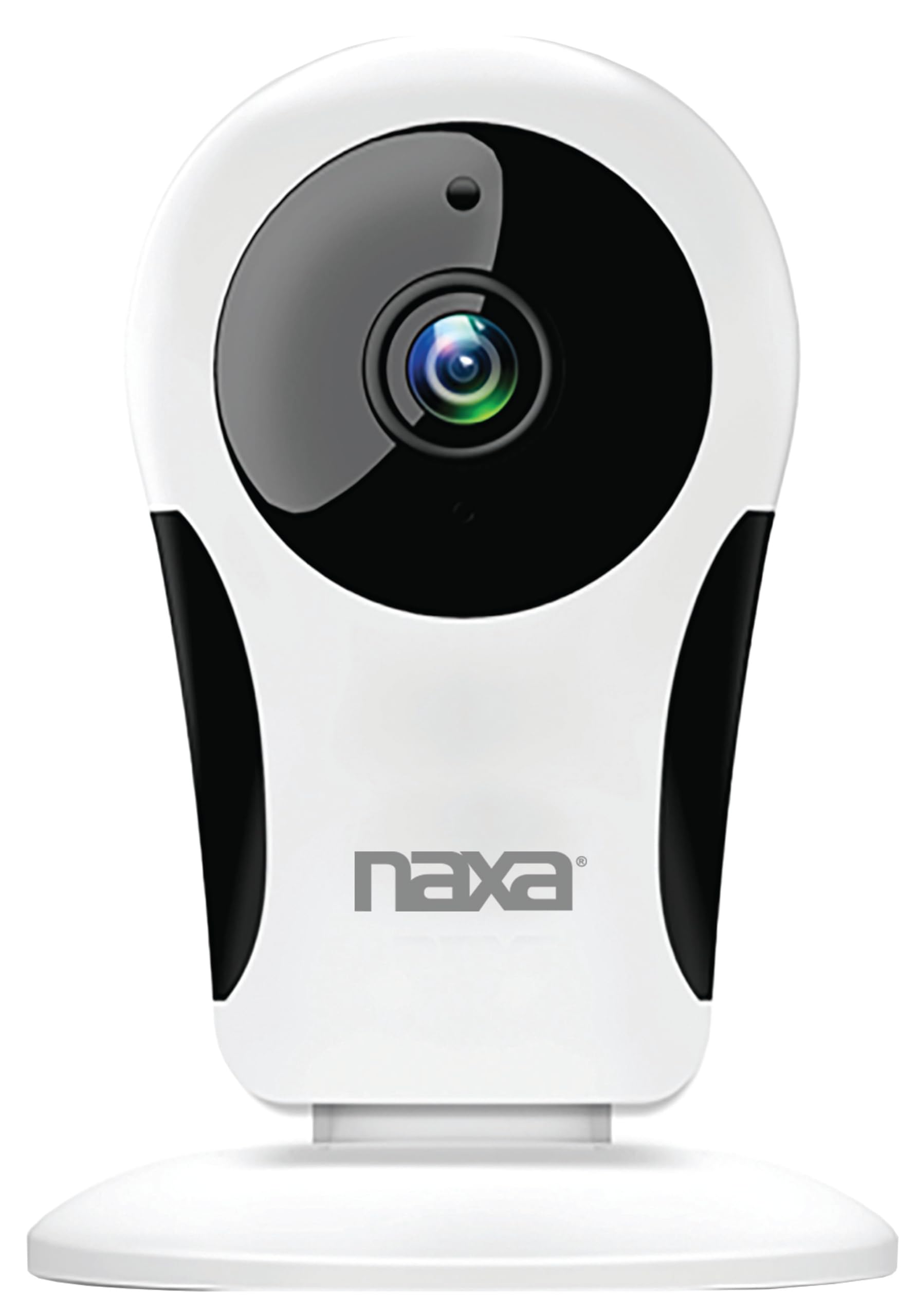
Slika: spredaj view of the Naxa NSH-3001 Wi-Fi Smart Camera, showing the lens and Naxa logo.
Kaj je v škatli
Upon unpacking your Naxa NSH-3001 Wi-Fi Smart Camera, please ensure all the following components are present:
- Wi-Fi pametna kamera
- AC napajalnik
- USB kabel
- Uporabniški priročnik (ta dokument)
Konec izdelkaview
Familiarize yourself with the main components of your Naxa NSH-3001 Wi-Fi Smart Camera.

Image: The Naxa NSH-3001 Wi-Fi Smart Camera displayed alongside icons representing its key features: HD Resolution, Encrypted ID, 2-Way Audio, Cloud Service, Motion Detection, IR Night Vision, Time Scheduling, and Hotspot capability.
- Objektiv kamere: Zajame video footage.
- Infrardeče (IR) LED diode: Zagotovite zmogljivosti nočnega vida.
- Mikrofon: Za avdio vhod in dvosmerno komunikacijo.
- govornik: Za avdio izhod in dvosmerno komunikacijo.
- Vrata za mikro USB: Za priklop napajanja.
- Gumb za ponastavitev: Uporablja se za ponastavitev fotoaparata na tovarniške nastavitve.
- Reža za mikro SD kartico: Za lokalno shranjevanje posnete hranetage (Micro SD card not included).
Vodnik za namestitev
1. Vklop kamere
- Connect the provided USB cable to the camera's Micro USB port.
- Drugi konec kabla USB priključite na napajalnik.
- Priključite napajalnik v standardno električno vtičnico.
- The camera will power on, and an indicator light will show its status (refer to the camera's LED indicator guide for specific light patterns).
2. Downloading the Smart Life App
The Naxa NSH-3001 camera is controlled via the Smart Life app. Download it to your smartphone:
- For iOS devices, search for "Smart Life" in the Apple App Store.
- For Android devices, search for "Smart Life" in the Google Play Store.
- Namestite aplikacijo in ustvarite račun, če ga še nimate.

Image: The Naxa NSH-3001 Wi-Fi Smart Camera shown with the Smart Life app logo and icons for the Apple App Store and Google Play, indicating app compatibility.
3. Povezovanje z Wi-Fi
Ensure your smartphone is connected to a 2.4 GHz Wi-Fi network. The NSH-3001 camera only supports 2.4 GHz Wi-Fi.
- Open the Smart Life app and tap "Add Device" or the "+" icon.
- Select "Security & Video Surveillance" and then "Smart Camera".
- Follow the on-screen instructions in the app to connect your camera to your Wi-Fi network. This typically involves scanning a QR code generated by the app with the camera's lens.
- Once connected, the camera's indicator light will change (refer to the LED indicator guide), and you will see the camera added to your app.
4. Namestitev kamere
The NSH-3001 camera is designed for wall mount installation, but can also be placed on a flat surface. Choose a location that provides the desired viewing angle (105 degrees) and is within range of your Wi-Fi signal.

Image: The Naxa NSH-3001 Wi-Fi Smart Camera positioned on a nightstand in a bedroom, demonstrating a typical indoor placement.
- For wall mounting, use appropriate screws and anchors (not included) to secure the camera's base to the wall.
- Prilagodite kot kamere, da pokrije želeno območje.
Navodila za uporabo
V živo View in oddaljeni dostop
Once connected, you can access your camera's live feed from anywhere using the Smart Life app on your smartphone.
- Open the Smart Life app and select your NSH-3001 camera from the device list.
- The live video stream will appear.
Dvosmerna zvočna komunikacija
The camera supports two-way audio, allowing you to hear and speak through the camera.
- V živo view interface of the app, tap the microphone icon to speak.
- Dotaknite se ikone zvočnika, da poslušate zvok z lokacije kamere.
Zaznavanje gibanja in opozorila
The camera can detect motion and send real-time push notifications to your phone.
- Navigate to the camera settings within the Smart Life app.
- Omogočite »Zaznavanje gibanja« in po potrebi prilagodite raven občutljivosti.
- Configure alert schedules and notification preferences.
Nočni vid
The NSH-3001 features an IR-cut filter for clear night vision, automatically switching between day and night modes based on ambient light.
- Night mode activates automatically in low-light conditions.
- The IR-cut filter ensures optimal clarity in both day and night recordings.
Snemanje in shranjevanje videoposnetkov
The camera supports 24/7 HD recording. Footage can be stored locally or via cloud service (subscription may be required).
- Shranjevanje kartice Micro SD: Insert a compatible Micro SD card (up to 128GB, not included) into the camera's SD card slot for continuous or event-based recording.
- Shramba v oblaku: Check the Smart Life app for available cloud storage options and subscription details.
- Review posnet footage directly through the Smart Life app.
Video Tuning
Adjust video parameters directly from your smartphone for optimal image quality.
- Within the Smart Life app, access video settings to adjust contrast, brightness, saturation, and sharpness.
Časovni razpored
Set schedules for camera operation, recording, or alerts.
- Use the Smart Life app's scheduling feature to define specific times for motion detection, recording, or other functions.
Vzdrževanje
Proper maintenance ensures the longevity and optimal performance of your Naxa NSH-3001 Wi-Fi Smart Camera.
- Čiščenje: Objektiv in ohišje fotoaparata nežno obrišite z mehko, suho krpo. Izogibajte se uporabi agresivnih kemikalij ali abrazivnih čistil.
- Posodobitve programske opreme: Regularly check the Smart Life app for firmware updates for your camera. Keeping the firmware updated ensures you have the latest features and security enhancements.
- Umestitev: Ensure the camera is placed in a stable location and protected from extreme temperatures, direct sunlight, and moisture.
Odpravljanje težav
If you encounter issues with your Naxa NSH-3001 Wi-Fi Smart Camera, refer to the following common solutions:
| Težava | Možna rešitev |
|---|---|
| Kamera se ne povezuje z Wi-Fi |
|
| V aplikaciji ni video vira |
|
| Opozorila o gibanju niso bila prejeta |
|
| Dvosmerni zvok ne deluje |
|
If problems persist, please contact Naxa customer support.
Specifikacije
| Funkcija | Podrobnost |
|---|---|
| Ime modela | NSH-3001 |
| Znamka | Naxa |
| Tehnologija povezljivosti | Wi-Fi (2.4 GHz) |
| Ločljivost zajema videa | 720p |
| Viewkota | 105 stopinj |
| Posebna funkcija | Motion Sensor, Night Vision, Two-Way Audio |
| Notranja/zunanja uporaba | Indoor, Outdoor (Note: IP54 rating suggests splash resistance, not full outdoor weatherproofing) |
| Vir napajanja | Električni na kabel |
| Združljive naprave | Pametni telefon (prek aplikacije Smart Life) |
| Vrsta namestitve | Stenski nosilec |
| Shranjevanje | Kartica Micro SD (do 128 GB, ni priložena), shramba v oblaku (neobvezno) |
| Dimenzije (D x Š x V) | 3.2 x 3.2 x 4.3 palcev |
| Teža predmeta | 3.2 unč |
| Material | Plastika |
| Ocena mednarodne zaščite | IP54 |
Garancija in podpora
Naxa Electronics, Inc. manufactures the NSH-3001 Wi-Fi Smart Camera. For specific warranty information, please refer to the warranty card included with your product or visit the official Naxa webmesto.
For technical support, troubleshooting assistance beyond this manual, or inquiries about your product, please contact Naxa customer service. Contact details can typically be found on the Naxa webspletnem mestu ali na embalaži izdelka.
Naxa Official Webspletno mesto: www.naxa.com


