
Coby CPA545BK
Navodila za uporabo Bluetooth zvočnika Coby Blaze Light-Up (model CPA545BK)
Your guide to setting up and operating your Coby Blaze speaker.
1. Izdelek je končanview
The Coby Blaze Light-Up Bluetooth Speaker is a portable wireless audio device designed for immersive sound and dynamic visual effects. It features Bluetooth 5.0 connectivity, multiple input options, and integrated LED lighting.
Ključne značilnosti:
- Light-Up Wireless Speaker: Enjoy crystal-clear, immersive audio with Bluetooth 5.0 connectivity and vivid surround sound.
- Multiple Listening & Input Options: Supports Bluetooth, USB, aux, and TF card inputs for versatile audio playback.
- High-Quality LED Light Modes: Features 3 brilliant LED light modes that sync with your music to enhance any atmosphere.
- Vgrajen vhod za mikrofon: Allows for hands-free calling and transforms the speaker into a portable karaoke player.
- Prenosna zasnova: Lahka s priročnim ročajem za enostavno prenašanje.
- Akumulatorska baterija: Equipped with a lithium-ion battery providing up to 7 hours of playtime.
- FM radio: Integrated FM radio for listening to your favorite stations.
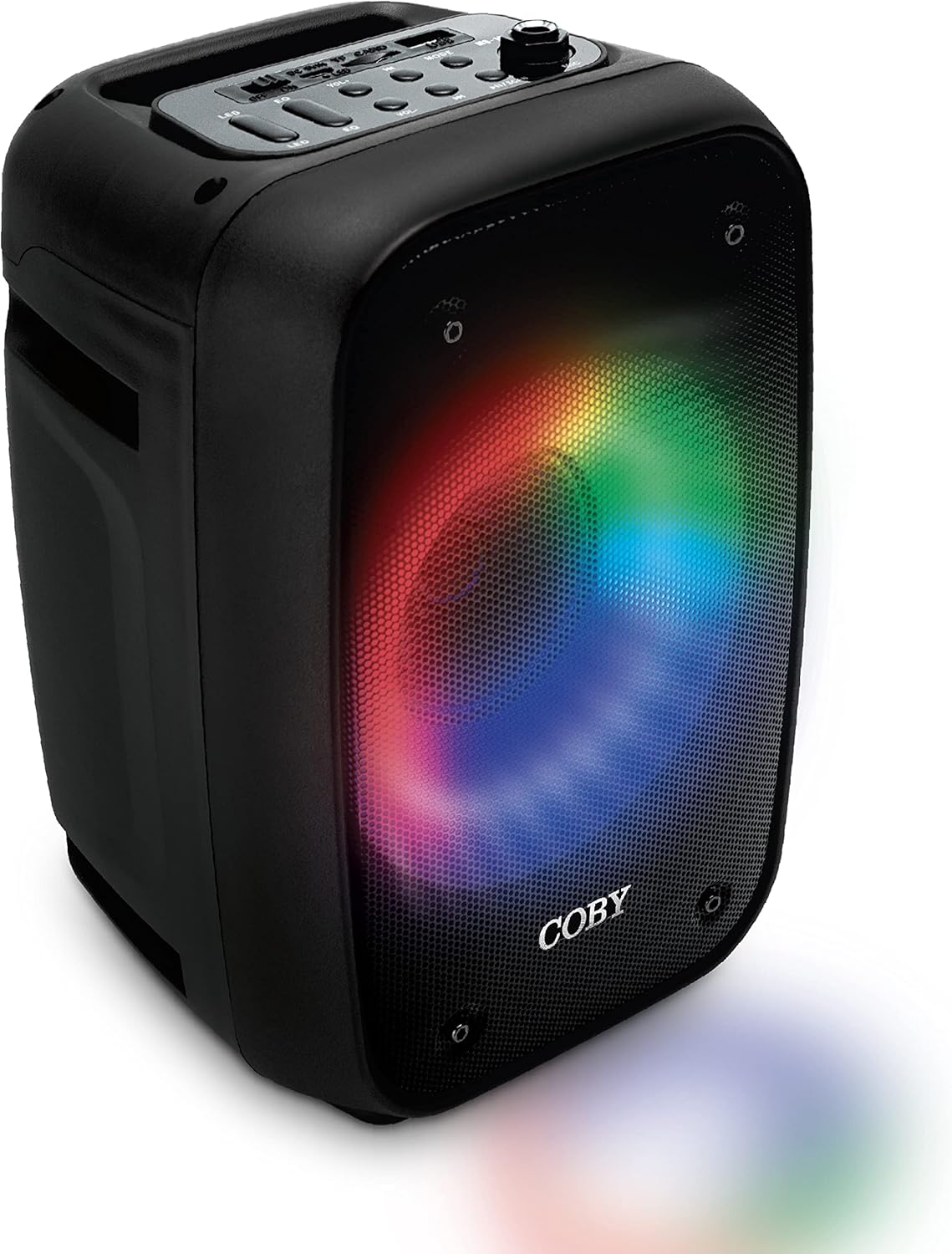
The image above displays the Coby Blaze speaker from an angled perspective, highlighting its black casing and the dynamic, multi-colored LED lights emanating from its front speaker grille. The lights create a circular pattern, adding to the device's aesthetic appeal.
2. Navodila za namestitev
2.1 Razpakiranje in začetno polnjenje
- Previdno vzemite zvočnik in vso dodatno opremo iz embalaže.
- Before first use, fully charge the speaker using the provided Micro USB cable. Connect the Micro USB end to the speaker's charging port and the USB-A end to a compatible USB power adapter (not included). The charging LED indicator will illuminate during charging.
2.2 Identifying Controls and Ports
Familiarize yourself with the speaker's control panel and various input/output ports.

This image provides a clear, labeled diagram of the Coby Blaze speaker's top panel, showing buttons for power, equalizer, volume, previous/next track, speaker modes, play/pause/scan, and light modes. It also indicates the Micro USB port, USB port, TF card slot, and Mic port on the side.
- Stikalo za vklop/izklop: Located on the top panel.
- Vrata za mikro USB: Za polnjenje zvočnika.
- LED za polnjenje: Označuje stanje polnjenja.
- Reža za TF kartice: Za predvajanje glasbe neposredno s TF kartice.
- Vrata USB: Za predvajanje glasbe neposredno z USB ključka.
- Vrata za mikrofon: 6.35mm input for a microphone.
- Light Modes Button: Preklaplja različne vzorce LED svetlobe.
- Gumb izenačevalnika (EQ): Prilagodi zvok profesionalnofiles.
- Nadzor glasnosti: Rotary knob to adjust overall volume.
- Previous/Next Song Buttons: For track navigation.
- Speaker Modes Button: Cycles through input modes (Bluetooth, FM, USB, TF, AUX).
- Play/Pause/Scan Button: Controls playback and FM radio scanning.
3. Navodila za uporabo
3.1 Vklop/izklop
To power on the speaker, slide the ON/OFF switch to the "ON" position. To power off, slide it to the "OFF" position.
3.2 Povezava Bluetooth
- Ensure the speaker is powered on and in Bluetooth mode (indicated by "BLUE" on the display). If not, press the "Speaker Modes" button to cycle to Bluetooth mode.
- Na mobilni napravi (pametnem telefonu, tablici, prenosniku) omogočite Bluetooth in poiščite razpoložljive naprave.
- Select "Coby Blaze" from the list of devices. Once paired, the speaker will emit an audible confirmation.
- You can now play audio from your device through the Coby Blaze speaker.
3.3 Using Other Input Modes
- USB/TF kartica: Insert a USB drive or TF card into the respective port. The speaker will automatically switch to the corresponding mode and begin playing audio files.
- AUX vhod: Connect an audio device using a 3.5mm AUX cable (not included) to the AUX port. Press the "Speaker Modes" button to select AUX mode.
- FM radio: Press the "Speaker Modes" button to select FM radio mode. Press and hold the "Play/Pause/Scan" button to automatically scan and save available FM stations. Use the "Previous/Next Song" buttons to navigate through saved stations.
3.4 Adjusting Volume and Playback
- obseg: Rotate the "Volume" knob on the top panel to increase or decrease the sound level.
- Predvajanje: Use the "Play/Pause/Scan" button to play or pause audio. Use the "Previous/Next Song" buttons to skip tracks.
3.5 načini LED luči
Press the "Light Modes" button to cycle through the 3 available LED light patterns. These lights add a dynamic visual element to your audio experience.

This image shows the Coby Blaze speaker with its front grille illuminated by a warm orange LED light, demonstrating one of its customizable light modes.
3.6 Funkcija karaok
Connect a compatible microphone (not included) to the "Mic Port" on the side of the speaker. Adjust the microphone volume using the dedicated control on the speaker's panel (if available, otherwise use the main volume). You can sing along to your music playing through any input mode.

The image features the Coby Blaze speaker with a microphone connected, ready for karaoke. The speaker's front grille is illuminated with colorful LED lights, suggesting a lively atmosphere.
4. Vzdrževanje
- Čiščenje: Za čiščenje zunanjosti zvočnika uporabite mehko, suho krpo. Ne uporabljajte tekočih čistil ali abrazivnih materialov.
- Shranjevanje: Zvočnik shranjujte na hladnem in suhem mestu, stran od neposredne sončne svetlobe in ekstremnih temperatur, ko ga dlje časa ne uporabljate.
- Vzdrževanje baterije: Da podaljšate življenjsko dobo baterije, se izogibajte pogostemu popolnemu praznjenju baterije. Zvočnik redno polnite, tudi če ga ne uporabljate nenehno.
- Izpostavljenost vodi: Ta zvočnik ni vodoodporen. Izogibajte se izpostavljanju vodi ali visoki vlagi.
5. Odpravljanje težav
| Težava | Možna rešitev |
|---|---|
| Zvočnik se ne vklopi. | Prepričajte se, da je baterija napolnjena. Zvočnik priključite na vir napajanja s kablom Micro USB. |
| Seznanitev prek Bluetootha ni mogoča. |
|
| Ni zvoka ali nizka glasnost. |
|
| Sprejem FM radia je slab. | Adjust the speaker's position or location to improve signal reception. Ensure the antenna is fully extended (if applicable). |
6. Specifikacije izdelka
| Funkcija | Podrobnost |
|---|---|
| Znamka | Coby |
| Ime modela | Bluetooth zvočnik |
| Številka modela artikla | CPA545BK |
| Tehnologija povezljivosti | Bluetooth |
| Brezžična komunikacijska tehnologija | Bluetooth |
| Vrsta zvočnika | Prostorski zvok |
| Posebna funkcija | Prenosni |
| Priporočene uporabe za izdelek | Glasba |
| Združljive naprave | Smartphone, Microphone |
| Premer nizkotonca | 4 palcev |
| Konfiguracija kanala za prostorski zvok | 5 |
| barva | Črna |
| Vključene komponente | USB, FM, TF, MIC INPUT |
| Dimenzije izdelka | 7.75"D x 11"Š x 8.25"V |
| Teža predmeta | 1.06 kilograma (2.33 funta) |
| Je vodoodporen | LAŽNO |
| Število elementov | 1 |
| Nadzorna metoda | Dotik |
| Vir napajanja | Napajanje na baterije |
| Število baterij | Potrebna je 1 litij-ionska baterija. (vključeno) |
| Čas polnjenja | 7 ur (za popolno napolnjenost) |
| Material | Plastika |
| Proizvajalec | Summit Electronics, LLC |
| UPC | 810071490736 |
7. Garancija in podpora
The Coby Blaze Light-Up Bluetooth Speaker comes with a Omejena garancija. For specific details regarding warranty coverage, duration, and how to claim support, please refer to the warranty card included in your product packaging or visit the official Coby webmesto.
For further assistance, technical support, or inquiries, please contact Coby customer service through their official channels.
Ask a question about this manual
Ask about setup, troubleshooting, compatibility, parts, safety, or missing instructions. Manuals+ will review the question and use this page’s manual context to help answer it.