
1. Uvod
The iVANKY 12-in-1 USB C Laptop Docking Station (Model VCC03) is designed to expand the connectivity of your USB-C enabled laptop. This versatile dock provides multiple ports for display, data transfer, network connectivity, and power delivery, transforming your laptop into a powerful workstation. Please read this manual carefully to ensure proper setup and operation.
2. Značilnosti izdelka
- Dva 4K@60Hz zaslona: Connect two external monitors for extended workspace with 4K resolution at 60Hz. No driver download required.
- 85W Laptop Charging: Equipped with a 100W power adapter, the dock supports up to 85W power delivery to your laptop. An additional 18W PD port is available for charging mobile devices.
- Visokohitrostni prenos podatkov: Features 2 USB 3.0 ports and 2 USB 2.0 ports, supporting data transfer speeds up to 5Gbps.
- Fast Media Card Access: SD/TF card slots support speeds up to 104MB/s, ideal for photographers and content creators.
- Gigabitni Ethernet: An RJ45 Gigabit Ethernet port ensures stable and fast 1000Mbps wired network connectivity.
- Široka združljivost: Compatible with Windows laptops featuring USB-C 4.0, Thunderbolt 3/4, or full-functional USB-C ports. Also supports USB-C gaming devices.
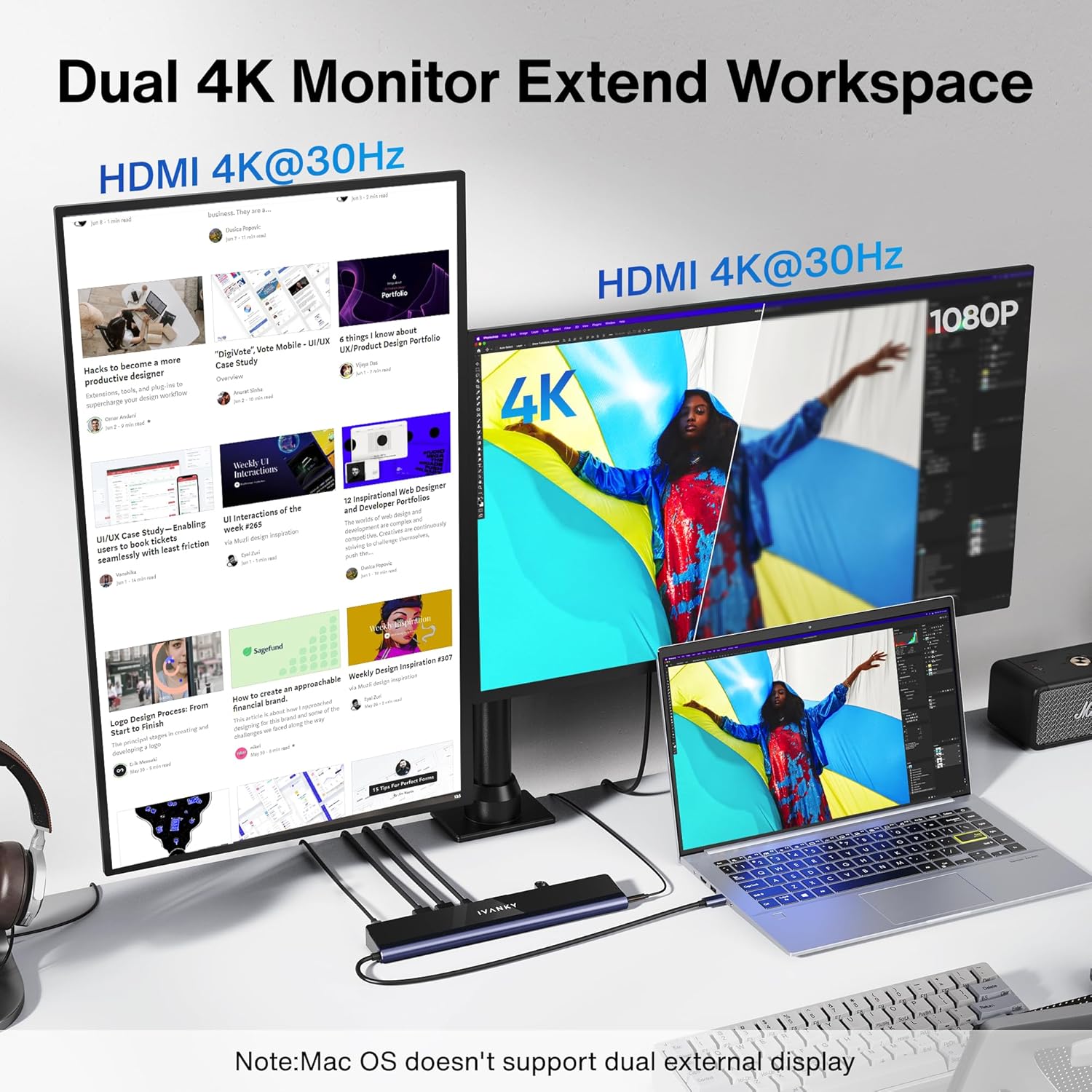
Image: iVANKY Docking Station enabling dual 4K external displays from a laptop.

Image: The docking station providing 85W power delivery to a laptop and 18W to a mobile phone.
3. Vsebina paketa
- 1 x iVANKY 12-in-1 EdgeDock 1 Docking Station
- 1 x 100 W napajalnik
- 1 x USB-C v USB-C kabel
- 1 x uporabniški priročnik
4. Navodila za namestitev
Follow these steps to set up your iVANKY docking station:
- Priključite napajanje: Plug the 100W power adapter into the DC-IN port on the docking station and then into a power outlet.
- Povezava z prenosnikom: Use the provided USB-C to USB-C cable to connect the docking station's host port to a compatible USB-C port on your laptop.
- Povežite zaslone: Connect your external monitors to the HDMI ports on the docking station. Ensure your monitors support 4K@60Hz for optimal performance.
- Povežite zunanje naprave: Plug in your USB devices (keyboard, mouse, external drives) into the available USB 3.0 or USB 2.0 ports. Insert SD or TF cards as needed.
- Omrežna povezava: For a stable wired network, connect an Ethernet cable to the RJ45 Gigabit Ethernet port.
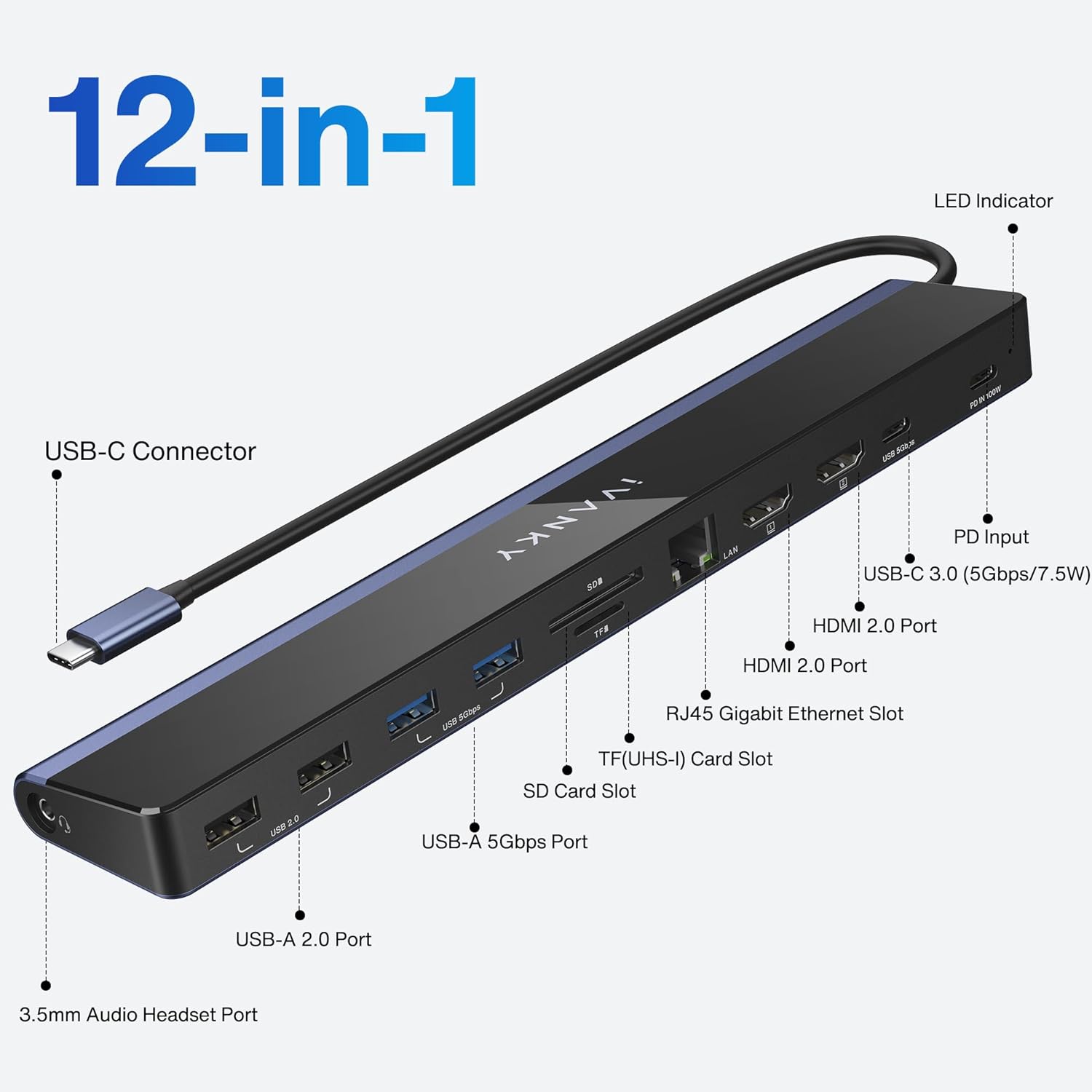
Image: Labeled ports on the iVANKY 12-in-1 Docking Station.
Video: Official iVANKY video demonstrating the USB C docking station setup and features.
5. Navodila za uporabo
5.1 Nastavitev zaslona
Connect up to two HDMI monitors to the docking station. Your laptop's display can be extended or mirrored across these external displays. The dock supports dual 4K@60Hz output without additional drivers.
5.2 Funkcionalnost polnjenja
The 100W power adapter provides up to 85W of power to your connected laptop via the USB-C host cable. An additional 18W USB-C PD port is available for charging smartphones or tablets.
5.3 Prenos podatkov
Utilize the USB 3.0 ports for high-speed data transfer up to 5Gbps for external hard drives or flash drives. USB 2.0 ports are suitable for connecting peripherals like keyboards and mice.
5.4 Omrežna povezljivost
The RJ45 Gigabit Ethernet port provides a reliable and fast wired internet connection, which is often more stable than Wi-Fi, especially for large downloads or online gaming.
6. Združljivost
The iVANKY VCC03 docking station is designed for broad compatibility with various USB-C enabled devices:
- Prenosniki z operacijskim sistemom Windows: Compatible with Windows laptops featuring a USB-C 4.0 port, Thunderbolt 3/4 port, or a full-functional USB-C port. This includes models from Dell (XPS/Inspiron/G/Alienware series), HP (Spectre/ENVY/Pavilion/OMEN/ZBook/Elite series), Lenovo (ThinkBook/Yoga/ThinkPad/Legion series), Microsoft Surface Pro 7/8, Microsoft Surface Go, and Asus.
- USB-C Gaming Devices: Supports devices like Steam Deck.
- Opomba: This dock does not support Thunderbolt protocol input accessories.
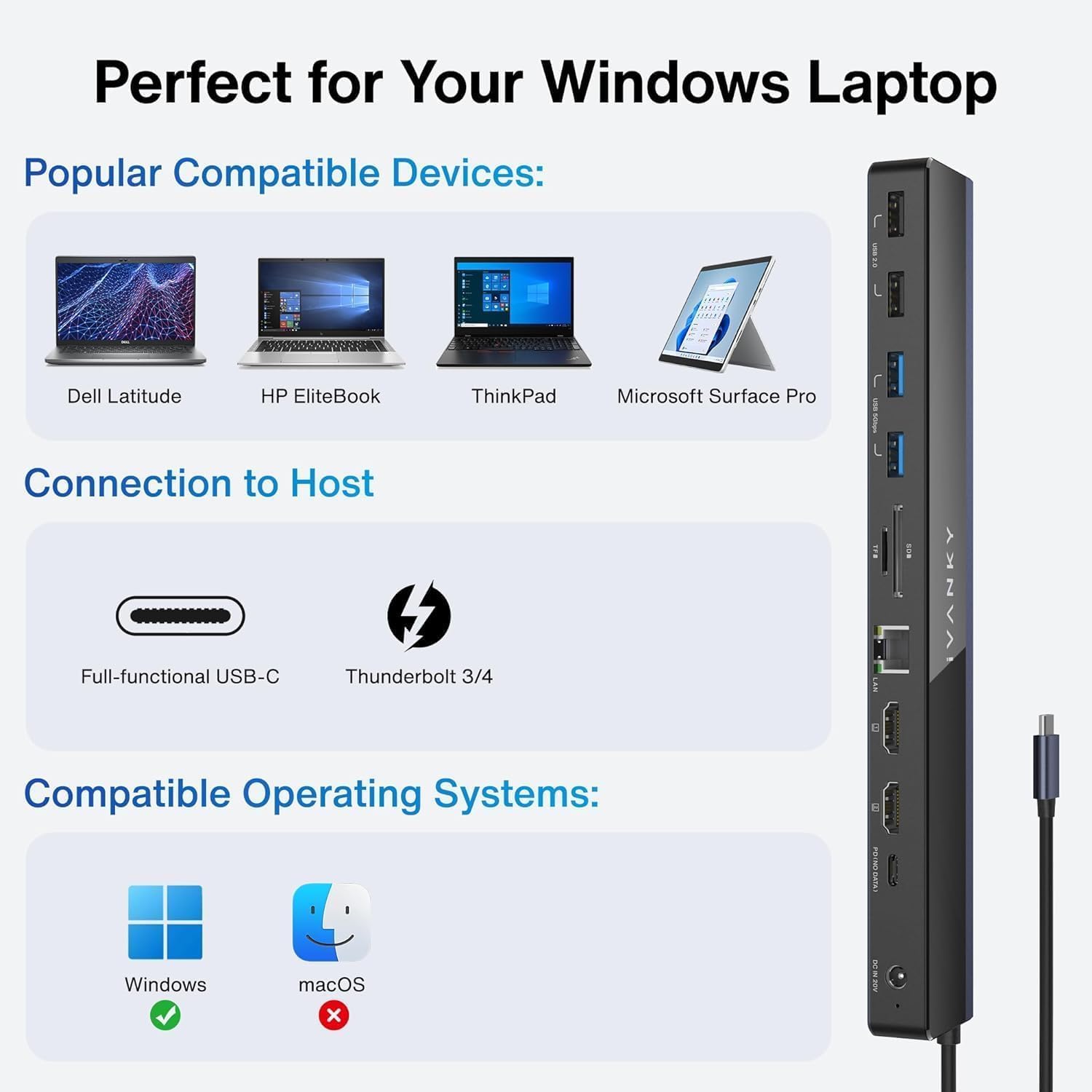
Slika: npramples of compatible Windows laptops for the iVANKY Docking Station.
7. Important Notes & Troubleshooting
- If your laptop's original adapter is over 100W, it is recommended to use the original charger to charge your laptop and use another 100W PD charger to power the docking station.
- Avoid using adapters for extended displays, as this can cause malfunctions.
- This dock only supports laptops with a USB-C 4.0 port, Thunderbolt 3/4 port, or full-functional USB-C port.
8. Specifikacije
| Funkcija | Podrobnost |
|---|---|
| Številka modela | VCC03 |
| Teža predmeta | 2.23 funtov |
| Dimenzije izdelka | 16.93 cm D x 1.72 cm Š |
| Število vrat | 12 |
| Skupno število vrat HDMI | 2 |
| Skupno število vrat USB | 4 (2x USB 3.0, 2x USB 2.0) |
| USB-C PD vrata | 18W for mobile charging |
| Dostava moči | 85W to laptop (with 100W adapter) |
| Ethernet | RJ45 gigabit (1000 Mbps) |
| Čitalec kartic | SD/TF (up to 104MB/s) |
| Avdio vmesnik | 3.5 mm avdio |
9. Garancija in podpora
The iVANKY 12-in-1 EdgeDock 1 comes with a 24-month warranty. For any problems or questions, please contact customer service. You can expect a response within 24 hours during weekdays. If issues arise, a replacement will be provided.