
HTC TWS2
HTC True Wireless Earbuds 1 (Model TWS2) User Manual
Celovita navodila za nastavitev, delovanje in vzdrževanje.
1. Uvod
Thank you for choosing the HTC True Wireless Earbuds 1. This manual provides essential information to help you set up, operate, and maintain your earbuds for optimal performance.
Vsebina paketa
Prepričajte se, da so v vašem paketu prisotni vsi predmeti:
- 1 Pair HTC True Wireless Earbuds
- 1 USB-C polnilni kabel
- 2 para gumijastih ušesnih nastavkov (S/L)
- 1 Hitri vodnik
- 1 Garancijska kartica
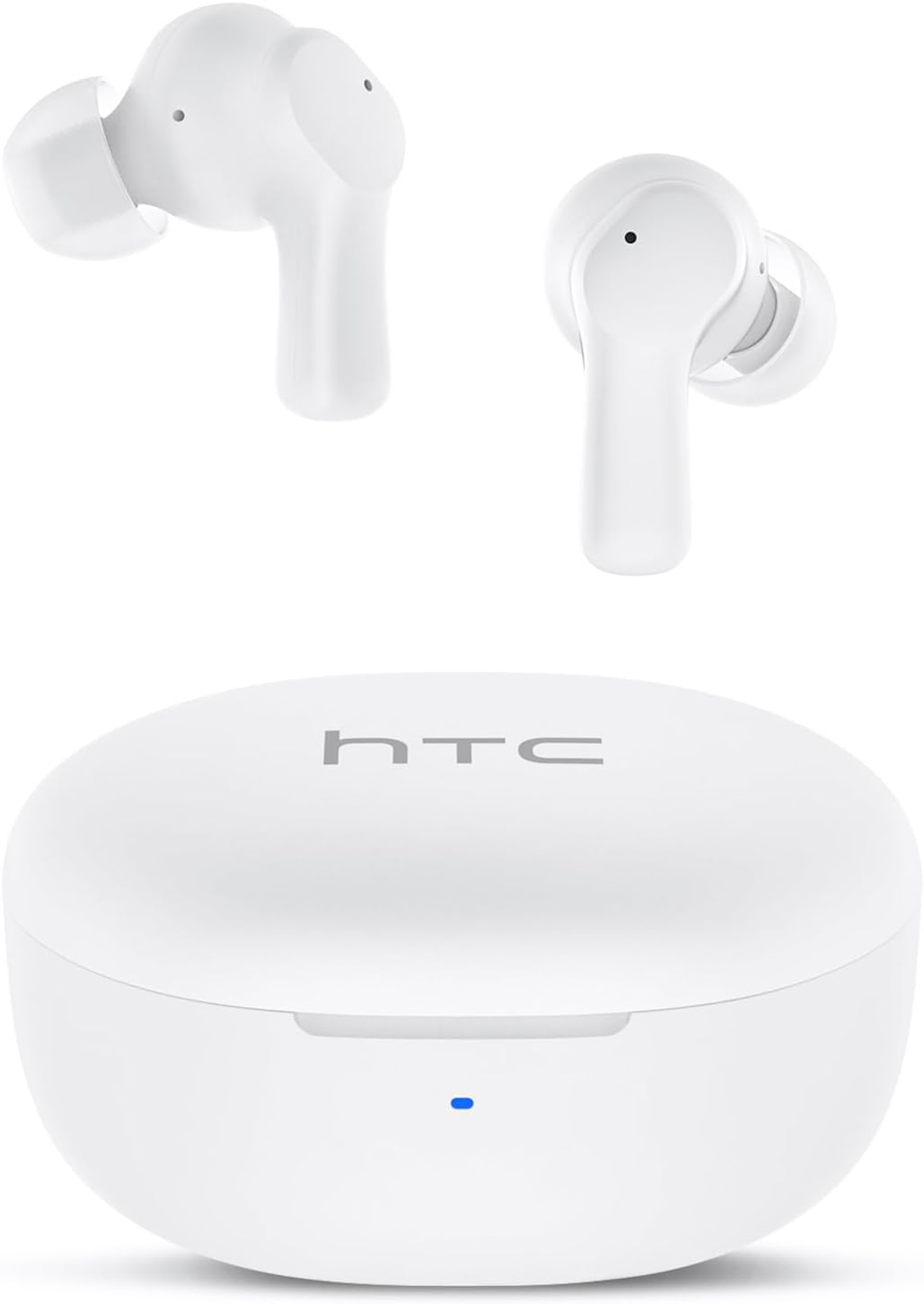
Image: HTC True Wireless Earbuds 1 and their charging case.

Image: The charging case opened, showing the two earbuds nestled inside.
2. Nastavitev in seznanjanje
Začetna nastavitev
- Odstranite zaščitno folijo: Before first use, remove the protective film from the charging contacts on both earbuds.
- Polnilne slušalke: Place the earbuds back into the charging case and close the lid. Connect the charging case to a USB power source using the provided USB-C cable. Ensure the earbuds and case are fully charged before initial use.
- Vklop: Odprite pokrov polnilne torbice. Slušalke se bodo samodejno vklopile in preklopile v način seznanjanja.
Bluetooth združitev
The HTC True Wireless Earbuds 1 feature one-step auto-pairing after the initial setup.
- Aktiviraj Bluetooth: V napravi (pametnem telefonu, tablici, računalniku) omogočite Bluetooth.
- Iskanje Naprave: V nastavitvah Bluetooth v napravi poiščite razpoložljive naprave.
- Select 'HTC TWS2': From the list of found devices, select 'HTC TWS2' to connect.
- Potrditev: Ko je povezava vzpostavljena, boste zaslišali zvočni poziv in slušalke bodo pripravljene za uporabo.
After the first successful pairing, the earbuds will automatically connect to the last paired device when taken out of the charging case, provided Bluetooth is enabled on the device.

Image: Illustration of the one-step auto-pairing process, showing earbuds connecting to a smartphone.
3. Kako nositi
For optimal sound quality and comfort, it is important to wear the earbuds correctly.
- Choose Eartips: Select the rubber eartips (S, M, L) that best fit your ear canal. A proper seal enhances bass response and noise isolation.
- Vstavite slušalke: Gently insert each earbud into its corresponding ear (L for left, R for right).
- Rotate to Lock: Rotate the earbud slightly forward or backward until it feels secure and comfortable in your ear canal.

Image: Diagram showing how to properly insert the earbuds and the available S/M/L silicone eartips.
4. Operating Instructions (Touch Control)
The HTC True Wireless Earbuds 1 feature intuitive touch controls on each earbud. The following actions can be performed:
| Akcija | Nadzor | funkcija |
|---|---|---|
| Predvajanje glasbe | Enkratni dotik (katera koli slušalka) | Predvajaj/Premor |
| Predvajanje glasbe | Dvakrat tapnite levi ušesni čep | Prejšnja pesem |
| Predvajanje glasbe | Dvakrat tapnite desni ušesni čep | Naslednja pesem |
| Klici | Enkratni dotik (katera koli slušalka) | Sprejem / konec klica |
| Klici | Dolg pritisk (katere koli slušalke) | Zavrni klic |
| Glasovni pomočnik | Triple tap (either earbud) | Aktivirajte glasovnega pomočnika (Siri, Google Assistant itd.) |
| Nadzor glasnosti | Dolgo pritisnite levo slušalko | Zmanjšanje glasnosti |
| Nadzor glasnosti | Dolgo pritisnite desno slušalko | Glasnost |
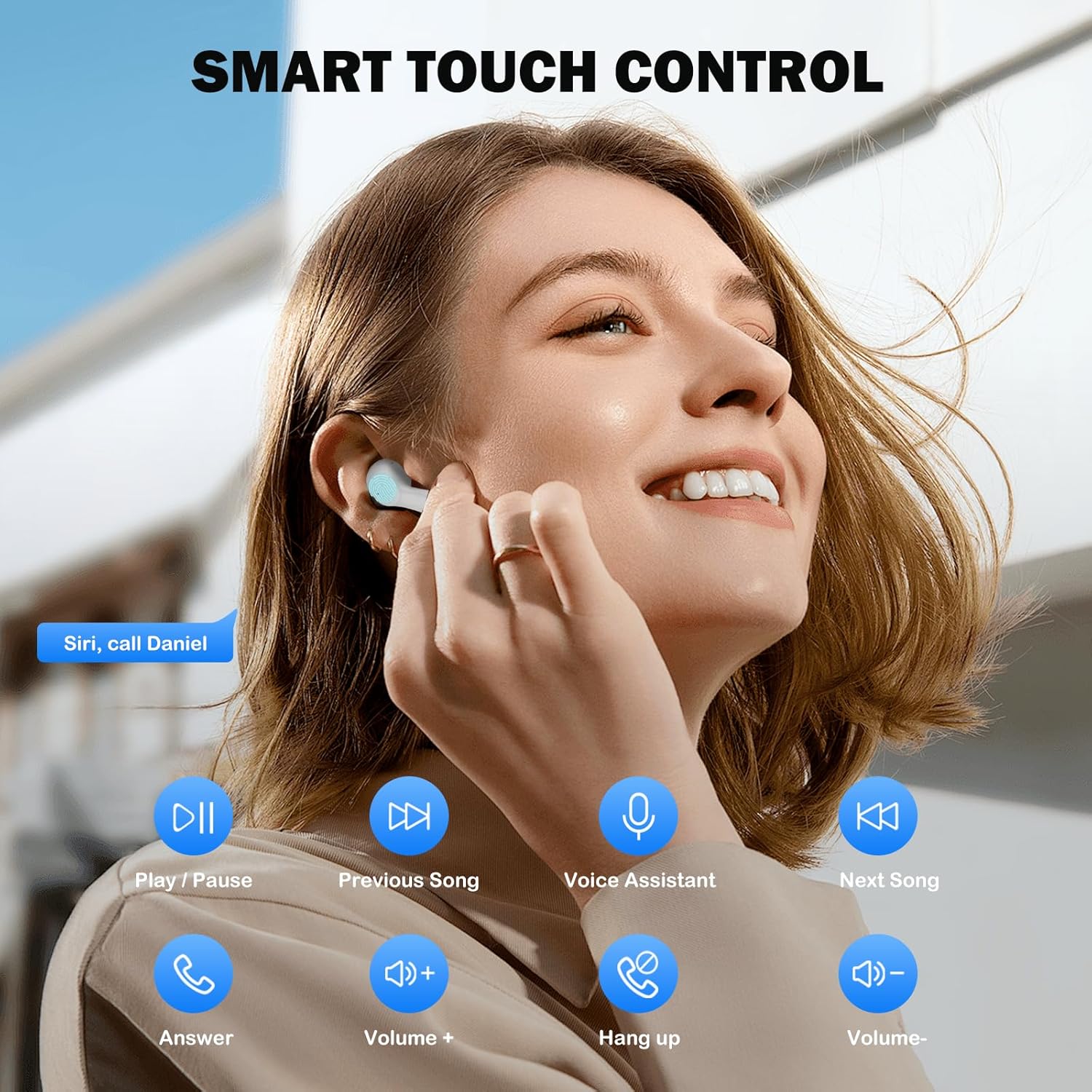
Image: Visual guide to the smart touch controls for music, calls, and voice assistant.
5. Polnjenje
The earbuds and charging case are powered by internal rechargeable batteries.
Polnjenje slušalk
Place the earbuds into the charging case. They will automatically begin charging. The LED indicator on the case will show charging status.
Polnjenje ohišja
Connect the provided USB-C cable to the charging port on the case and to a USB power adapter (not included). The LED indicator on the case will show charging progress. A full charge for the earbuds takes approximately 40 minutes.
Življenjska doba baterije
- Ušesna sredstva: Up to 8 hours of listening time on a single charge (at 50% volume).
- S polnilno torbico: Up to 40 hours of total playtime with multiple charges from the case.
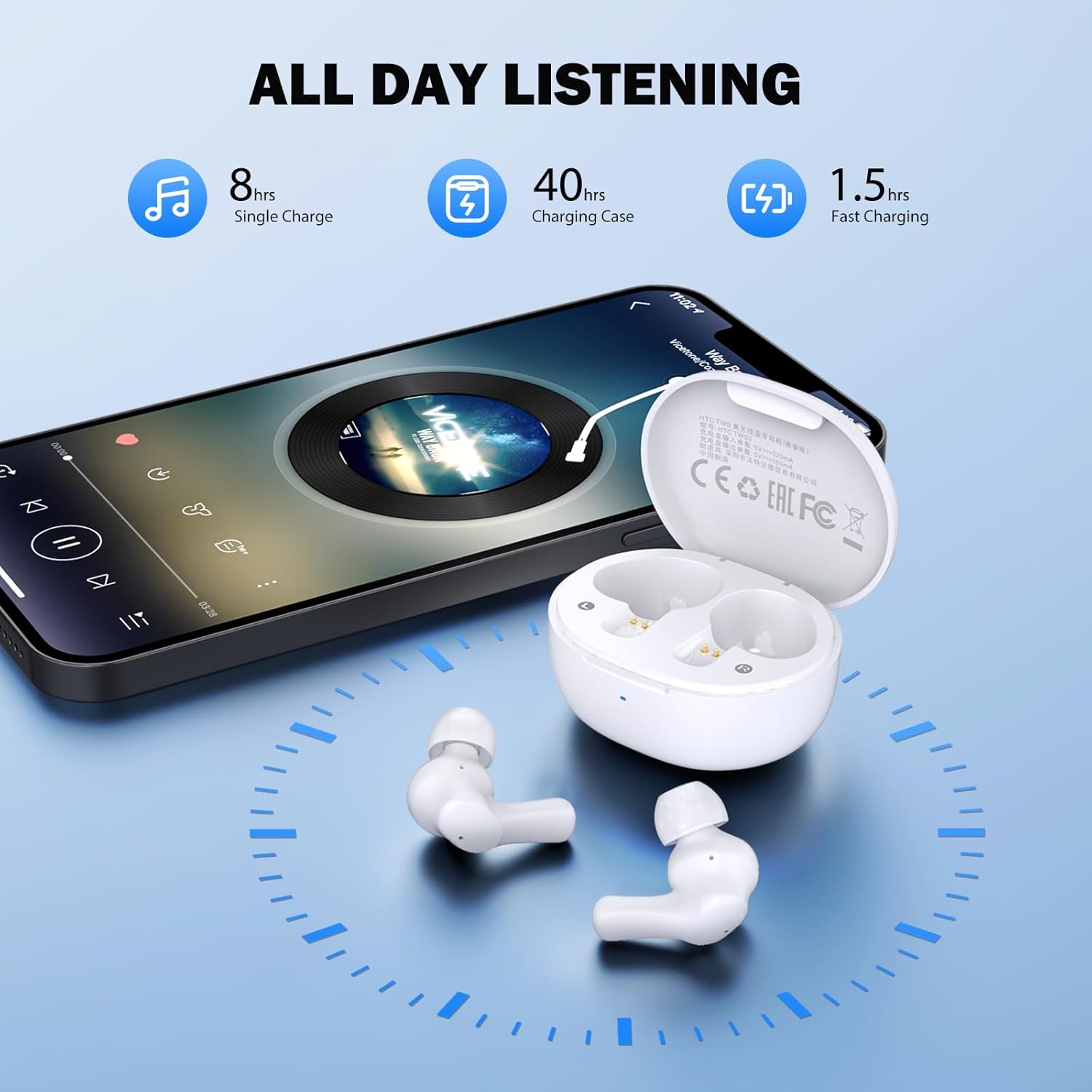
Image: Visual representation of 8 hours single charge, 40 hours with charging case, and 1.5 hours fast charging for the case.
6. Vzdrževanje in nega
Proper care ensures the longevity and performance of your earbuds.
Čiščenje
- Slušalke in polnilno ohišje redno čistite z mehko, suho krpo, ki ne pušča vlaken.
- Odstranite ušesne nastavke in jih očistite z blagim milom in vodo, nato pa jih pred ponovno namestitvijo temeljito posušite.
- Ensure charging contacts on both earbuds and inside the case are clean and free of debris.
Vodoodpornost
The earbuds are rated IPX4 vodoodporen, meaning they are protected against splashing water from any direction. They are suitable for exercise and light rain, but should not be submerged in water or exposed to heavy downpours.
Shranjevanje
Ko slušalk ne uporabljate, jih shranite v polnilno škatlico, da jih zaščitite in ohranite napolnjene.
7. Odpravljanje težav
Če naletite na težave, poskusite naslednje rešitve:
- Ni zvoka: Ensure earbuds are charged, connected to your device, and volume is up on both the earbuds and your device.
- Težave pri seznanjanju: Prepričajte se, da je Bluetooth v vaši napravi omogočen in da so slušalke v načinu seznanjanja. Poskusite izklopiti in znova vklopiti Bluetooth v napravi.
- Ena slušalka ne deluje: Obe slušalki vstavite nazaj v polnilno ohišje, zaprite pokrov, počakajte nekaj sekund in ju nato spet vzemite ven. To ju pogosto ponovno sinhronizira.
- Prekinjena povezava: Ensure there are no obstructions between the earbuds and your device. Keep your device within the 10-meter Bluetooth range.
Ponastavitev na tovarniške nastavitve
If problems persist, a factory reset may resolve them:
- Obe slušalki vstavite v ohišje za polnjenje.
- With the earbuds in the case, quickly tap each earbud 5 times.
- The LED on the earbuds will flash red, then turn off, indicating a successful reset.
- Close the charging case lid, then open it again to re-initiate pairing.

Image: Visual instructions for initial setup, wearing the earbuds, and performing a factory reset.
8. Specifikacije
| Funkcija | Podrobnost |
|---|---|
| Ime modela | HTC TWS2 |
| Tehnologija povezljivosti | Brezžično (Bluetooth 5.3) |
| Bluetooth obseg | Do 10 metrov (33 čevljev) |
| Vrsta zvočnega gonilnika | 10 mm dinamični gonilnik |
| Frekvenčno območje | 20 Hz - 20,000 Hz |
| Življenjska doba baterije slušalk | Do 8 ur (z enim polnjenjem) |
| Skupni čas predvajanja (z ohišjem) | Do 40 ur |
| Čas polnjenja slušalk | Približno 40 minut |
| Stopnja vodoodpornosti | IPX4 (Sweatproof, Splash Resistant) |
| Vrsta nadzora | Nadzor na dotik |
| Mikrofon | Built-in with Call Noise Cancellation |
| Nizka latenca | 40 ms (igralni način) |
| Teža ušesne slušalke | Približno 3.8 g na slušalko |
| Združljive naprave | Naprave iOS, Android, Windows |

Image: Diagram illustrating the 10mm diameter loud speaker for HiFi stereo sound.

Image: Visual representation of Bluetooth 5.3 technology benefits: low consumption, faster transmission, lower latency, and built-in microphone.
9. Garancija in podpora
Informacije o garanciji
Your HTC True Wireless Earbuds 1 come with a warranty. Please refer to the included Warranty Card for detailed terms and conditions, including coverage period and what is covered.
Podpora uporabnikom
For any questions, technical assistance, or warranty claims, please contact HTC customer support. Refer to the contact information provided in your Quick Guide or on the official HTC webmesto.
Povezani dokumenti - TWS2
 |
Uporabniški priročnik za brezžične slušalke HTC NE10 Uporabniški priročnik za brezžične slušalke HTC NE10 s podrobnimi navodili za nastavitev, uporabo, upravljanjem na dotik in specifikacijami. Vključuje informacije o izdelku in vsebino paketa. |
 |
Brezžične slušalke HTC True Wireless 1 (model HTC TWS2) - Vodnik za hiter začetek Kratki vodnik za uporabo brezžičnih slušalk HTC True Wireless Earbuds 1 (model HTC TWS2), ki zajema nastavitev, seznanjanje, odpravljanje težav, upravljanje, specifikacije in preverjanje pristnosti. |
 |
Brezžične slušalke HTC NE60 – priročnik za hiter začetek Quick start guide for HTC NE60 wireless Bluetooth earphones, covering setup, basic operations, pairing, safety instructions, and specifications. |
 |
Hitri vodnik za brezžične slušalke HTC True Wireless 1 (HTC TWS2) | Seznanjanje, upravljanje, specifikacije Začnite uporabljati brezžične slušalke HTC True Wireless Earbuds 1 (model HTC TWS2). Ta priročnik zajema razpakiranje, seznanjanje s telefonom, upravljanje, LED-obvestila, tehnične specifikacije in preverjanje pristnosti. |
 |
HTC Wireless Earphones 36 (NE36) Quick Start Guide Quick start guide and user instructions for the HTC Wireless Earphones 36 (Model NE36), including setup, touch controls, and safety information. |
 |
HTC Wireless Earphones 75 (NE75) Quick Start Guide Quick start guide and user instructions for the HTC Wireless Earphones 75 (NE75). Learn how to pair, control, and reset your earphones. |
Ask a question about this manual
Ask about setup, troubleshooting, compatibility, parts, safety, or missing instructions. Manuals+ will review the question and use this page’s manual context to help answer it.