
NACON 10946680
NACON Asymmetric Wireless Controller for PlayStation 4
Model: 10946680
Uvod
Thank you for choosing the NACON Asymmetric Wireless Controller for PlayStation 4. This controller is officially licensed for PlayStation 4 and designed to provide an immersive gaming experience with its unique asymmetric stick layout and wireless connectivity. This manual will guide you through the setup, operation, maintenance, and troubleshooting of your new controller.
Kaj je v škatli
Prosimo, preverite vsebino paketa in se prepričajte, da so prisotni vsi elementi:
- NACON Asymmetric Wireless Controller
- USB sprejemnik
- USB polnilni kabel
- Kratki vodnik (ni vključen v ta digitalni priročnik)
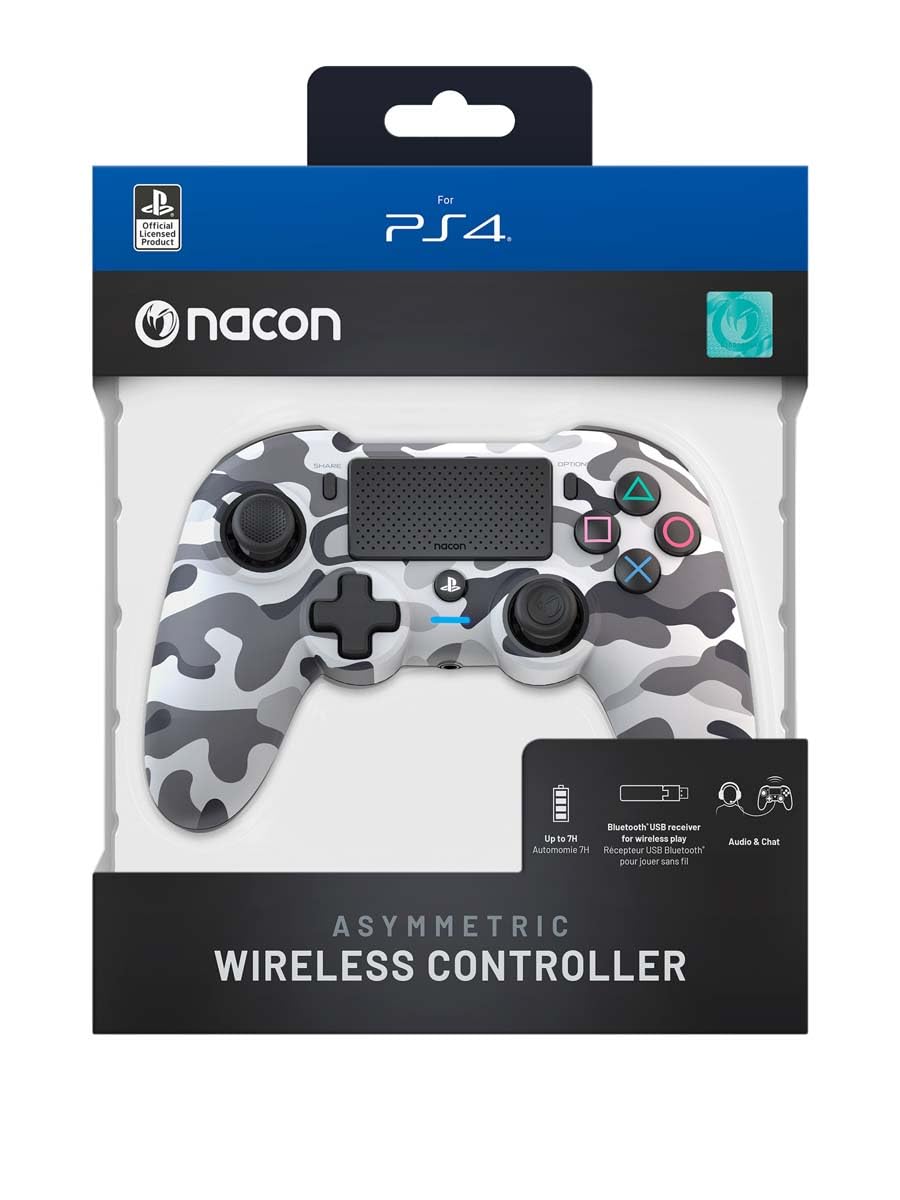
Image: The NACON Asymmetric Wireless Controller shown in its retail packaging, highlighting the product and its key features.
Nastavitev
1. Polnjenje krmilnika
Before first use, fully charge the controller. Connect the small end of the USB charging cable to the controller's charging port and the larger end to a USB port on your PlayStation 4 console or a compatible USB wall adapter. The LED indicator on the controller will show charging status and turn off when fully charged.
2. Povezovanje s PlayStation 4 (brezžično)
- Insert the USB Receiver into an available USB port on your PlayStation 4 console.
- Press the PlayStation button on the controller. The controller will automatically attempt to pair with the USB Receiver.
- Once successfully paired, the LED indicator on the controller will illuminate steadily, indicating a stable connection.
3. Povezava z računalnikom (brezžično)
The controller can also be used with a PC. Insert the USB Receiver into an available USB port on your PC. The controller should be recognized automatically by Windows as a standard gamepad. Drivers may be installed automatically.

Slika: spredaj view of the NACON Asymmetric Wireless Controller, showcasing its button layout and asymmetric stick design.
Upravljanje krmilnika
Postavitev in funkcije gumbov
The NACON Asymmetric Wireless Controller features a familiar PlayStation button layout with an ergonomic asymmetric stick configuration for enhanced comfort and precision.
- Leva analogna palica: Used for movement and navigation.
- Desna analogna palica: Used for camera control and aiming.
- Smerna ploščica (D-Pad): Za natančen smerni vnos.
- Gumbi za dejanja (trikotnik, krog, križ, kvadrat): Standardni akcijski gumbi PlayStation.
- Gumbi L1/R1: Gumbi na ramenih.
- Sprožilci L2/R2: Analog triggers for precise input.
- Gumb DELI: Access sharing features on PS4.
- Gumb MOŽNOSTI: Dostop do menijev in možnosti v igri.
- Gumb PlayStation: Power on/off the controller, access PS4 Home Menu.
- Sledilna ploščica: Interactive surface for specific game functions.
Indikator baterije
The controller includes an LED indicator that provides information on battery status. Refer to the Quick Start Guide for specific LED patterns and their meanings (e.g., low battery, charging, fully charged).
Vzdrževanje
Čiščenje
Za čiščenje krmilnika uporabite mehko, suho krpo. Za trdovratno umazanijo rahlo obrišiteampen the cloth with water. Do not use harsh chemicals, abrasive cleaners, or solvents, as these can damage the controller's finish and internal components.
Shranjevanje
When not in use, store the controller in a cool, dry place away from direct sunlight and extreme temperatures. Avoid placing heavy objects on the controller.
Skrb za baterijo
To prolong battery life, avoid fully discharging the controller frequently. If storing for an extended period, charge the battery to approximately 50% before storage and recharge every few months.
Odpravljanje težav
| Težava | Možna rešitev |
|---|---|
| Krmilnik se ne poveže. |
|
| Controller does not charge. |
|
| Gumbi ali palice se ne odzivajo. |
|
Ponastavitev krmilnika
If the controller is unresponsive or behaving erratically, a soft reset may resolve the issue. Locate the small reset button (often a pinhole) on the back or underside of the controller. Use a thin, pointed object (like a paperclip) to press and hold the button for a few seconds. Then, re-pair the controller with your console.
Specifikacije
- Številka modela:
- 10946680
- Povezljivost:
- Wireless (via USB Receiver)
- Združljivost:
- PlayStation 4, PC
- Dimensions (Controller):
- Približno 6.89 x 2.76 x 8.27 palcev (17.5 x 7 x 21 cm)
- Weight (Controller):
- Približno 14.1 unč (400 gramov)
- Proizvajalec:
- NACON
- Prvi razpoložljivi datum:
- 6. julij 2022
Garancija in podpora
For warranty information, technical support, or further assistance with your NACON Asymmetric Wireless Controller, please visit the official NACON webspletno mesto ali se obrnite neposredno na njihovo podporo strankam. Shranite dokazilo o nakupu za uveljavljanje garancije.
Official NACON Webspletno mesto: www.nacongaming.com
Ask a question about this manual
Ask about setup, troubleshooting, compatibility, parts, safety, or missing instructions. Manuals+ will review the question and use this page’s manual context to help answer it.