
Uvod
This manual provides detailed instructions for the installation, operation, and maintenance of your EZoneTronics Android 11 Car Stereo. Please read this manual thoroughly before using the product to ensure proper function and safety. This unit is designed for Peugeot 308 and 408 models manufactured between 2010 and 2016.
Vsebina paketa
Preverite, ali so v vašem paketu priloženi vsi spodaj navedeni elementi:
- 1 x EZoneTronics Android Player
- 1 x GPS antena
- 1 x napajalni pas
- 1 x RCA Input/Output Cable
- 2 USB adapterji
- 1 x vhodni kabel za kamero
- 1 x Uporabniški priročnik (ta dokument)
Nastavitev in namestitev
The EZoneTronics Android 11 Car Stereo is designed for plug-and-play installation in compatible Peugeot 308/408 models. Professional installation is recommended.
Pregledi pred namestitvijo
- Pred začetkom namestitve se prepričajte, da je kontakt vozila izklopljen in da je akumulator odklopljen.
- Confirm compatibility with your vehicle's make, model, and year (Peugeot 308/408, 2010-2016).
Koraki namestitve
- Carefully remove the original car stereo unit from your vehicle's dashboard. Refer to your vehicle's service manual for specific instructions.
- Connect the provided Power Harness to the vehicle's wiring harness. Ensure all connections are secure.
- Connect the GPS Antenna. Position the antenna in a location with a clear view neba za optimalen sprejem signala.
- Connect the RCA Input/Output Cable, USB Adapters, and Camera Input Cable as needed for external devices (e.g., rear camera, USB drives).
- Carefully slide the EZoneTronics Android Player into the dashboard opening. Ensure all cables are tucked away and not pinched.
- Secure the unit in place using the appropriate mounting brackets or screws.
- Reconnect the vehicle's battery and turn on the ignition to test the unit.
Opomba: Minor modifications to the vehicle's frame (e.g., removing plastic tabs) may be required for a perfect fit. Consult online resources or a professional if unsure.
Navodila za uporabo
Your EZoneTronics Android 11 Car Stereo features a 9-inch TFT Capacitive Touch Screen and an Octa Core CPU for a responsive user experience.
Osnovna navigacija
- Vklop/izklop: Pritisnite in držite gumb za vklop na enoti ali uporabite kontakt vozila.
- Zaslon na dotik: Po menijih in aplikacijah se premikajte s tapkanjem, podrsljanjem in ščipanjem zaslona.
- Domači zaslon: Access frequently used apps and widgets. Customize by long-pressing on empty areas.
- nastavitve: Access system settings, network configurations, display options, and more.

Image: The Android 11 interface with various application icons, highlighting the Octa Core processor for smooth operation.
Povezljivost Bluetooth 5.0
The unit features built-in Bluetooth 5.0 for hands-free calling and audio streaming (A2DP).
- Go to the Bluetooth settings on the car stereo.
- Vklopite Bluetooth na svojem mobilnem telefonu in poiščite razpoložljive naprave.
- Select the car stereo (e.g., "EZoneTronics Car Stereo") from your phone's list and pair.
- Once paired, you can make/receive calls and stream music directly from your phone.

Image: The Bluetooth 5.0 interface displaying options for call history, dialing, hanging up, and playing music from a connected phone.
CarPlay in Android Auto
Integrated CarPlay and Android Auto allow seamless smartphone integration via USB (wired) or wirelessly.
- Connect your iPhone (for CarPlay) or Android phone (for Android Auto) to one of the USB ports.
- Follow the on-screen prompts to initiate CarPlay or Android Auto.
- Once connected, you can access navigation, music, messages, and calls through the car stereo interface.
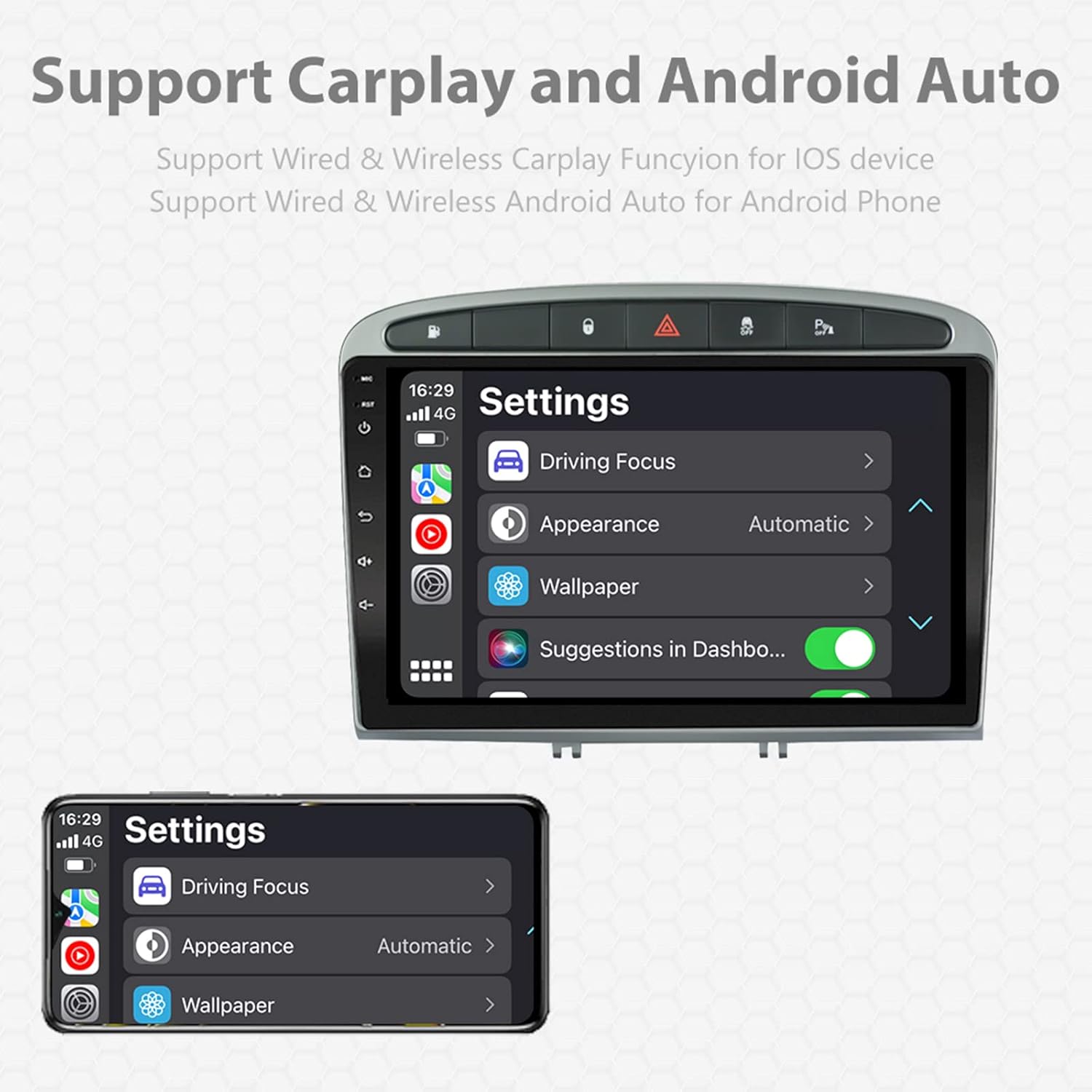
Image: A screen capture showing the settings menu for CarPlay and Android Auto, indicating support for both wired and wireless connections.
Funkcija razdeljenega zaslona
The Android 11 system supports multi-tasking, allowing two applications to run side-by-side.
- To activate, open an application, then swipe up from the bottom of the screen (or use the recent apps button) and drag another app to one side of the screen.
- This enables simultaneous use of navigation and music playback, or browsing while listening to the radio.
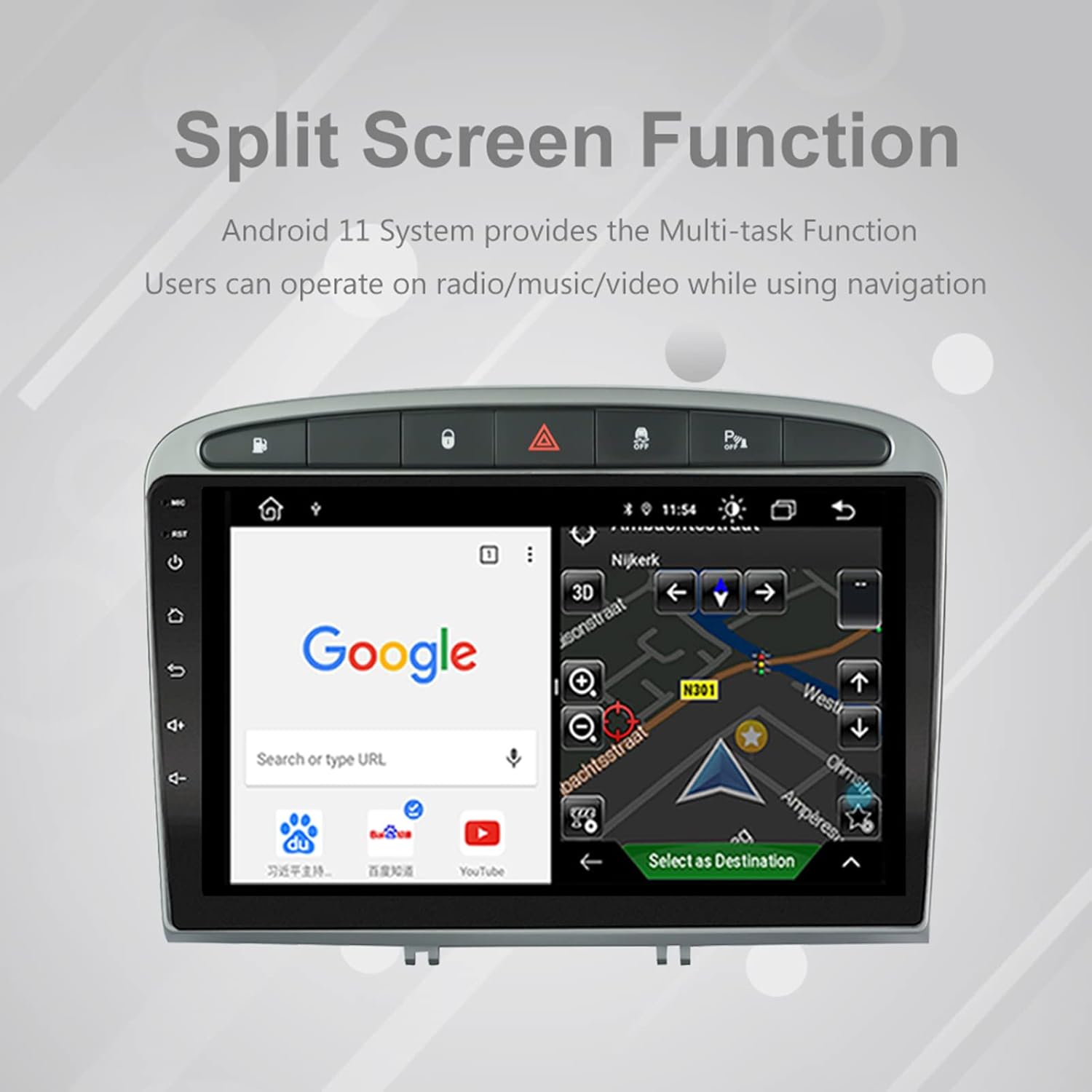
Image: The split-screen feature in action, displaying a Google search interface on one side and a navigation map on the other.
Radio (AM/FM/RDS)
The unit includes an automotive-grade chipset for optimal radio signal reception.
- Select the 'Radio' application from the home screen.
- Z zaslonskimi kontrolami lahko poiščete postaje, ročno nastavite postaje ali izberete prednastavljene postaje.
- RDS (Radio Data System) provides additional information like station name and program type where available.
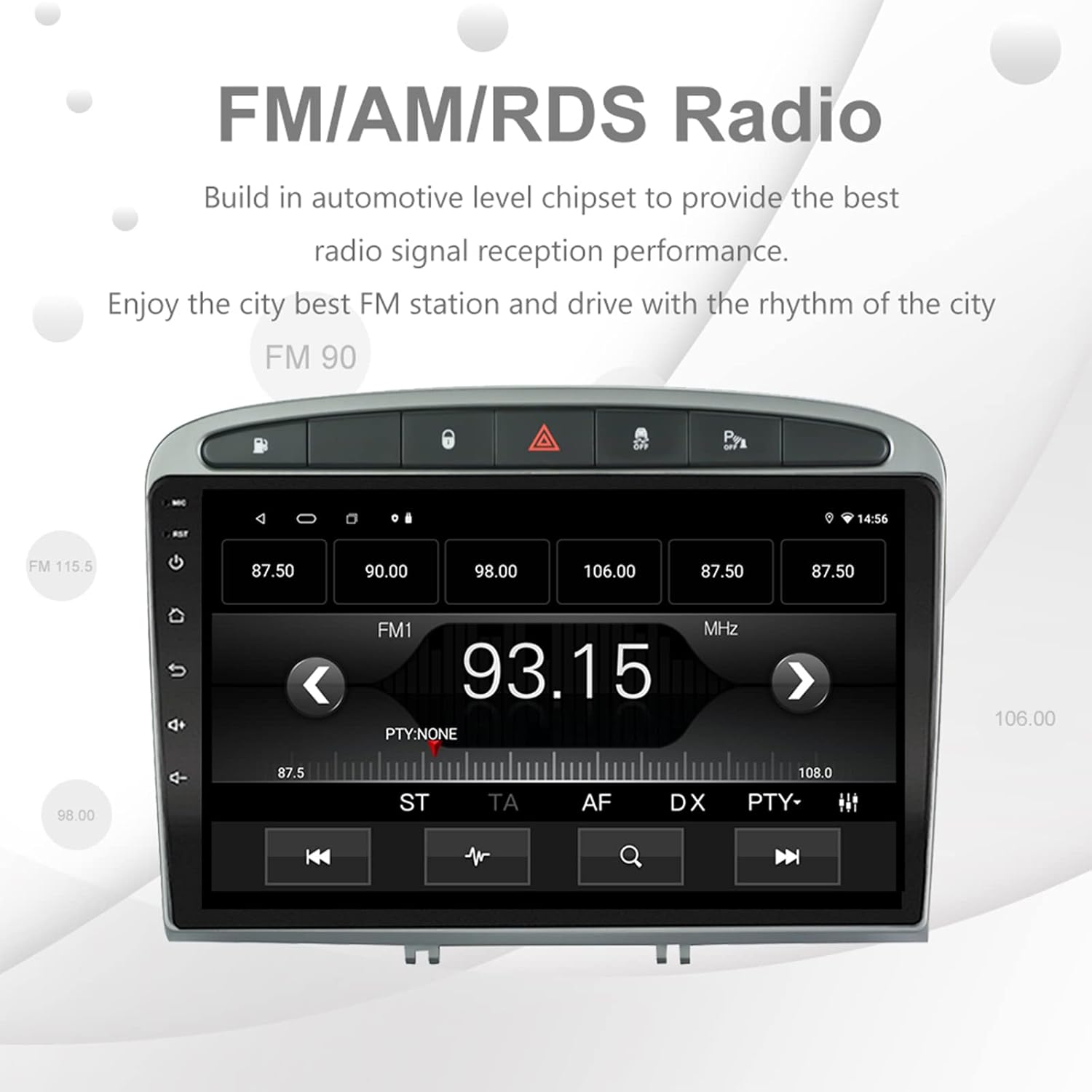
Image: The FM/AM/RDS radio interface, showing frequency display, tuning controls, and preset options.
Digitalni zvočni procesor (DSP)
The built-in 32-band DSP allows for precise audio customization to match your preferences and vehicle acoustics.
- Access the 'EQ' or 'DSP' application from the home screen.
- Adjust individual frequency bands, fader, balance, treble, and bass settings.
- Select from preset EQ modes or create and save your custom profiles.

Image: The DSP system interface, illustrating the multi-band equalizer with adjustable frequency sliders for sound customization.
Multimedia Playback (Music & Video)
The unit supports various multimedia formats for music and 1080P HD video playback.
- Connect USB drives to the rear USB inputs for media files.
- Use the 'Music' or 'Video' applications to browse and play your media.
- Stream music from your mobile phone via Bluetooth or compatible apps like Spotify (requires internet connection).

Image: The multimedia player displaying a high-definition scenic image, demonstrating its capability for 1080P video and music playback.
Vhod vzvratne kamere
The unit supports a reverse camera input for enhanced parking safety. An AHD camera (optional) provides superior clarity compared to standard CVBS cameras.
- Connect a compatible reverse camera to the 'Camera Input' cable.
- Zaslon se bo samodejno preklopil na kamero view ko vozilo prestavite v vzvratno prestavo.
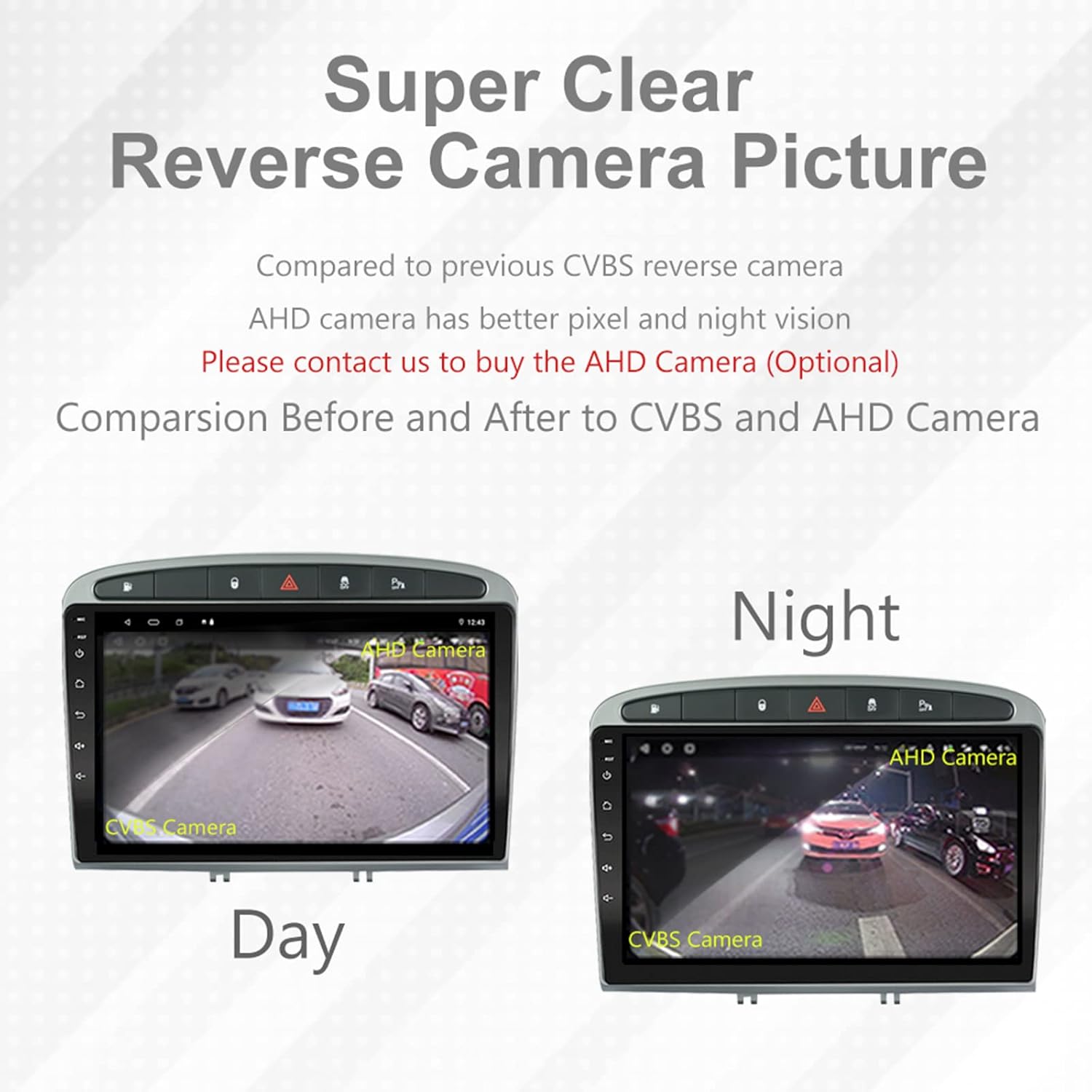
Image: A visual comparison demonstrating the clear reverse camera picture, highlighting the improved clarity of an AHD camera during both day and night conditions.
Vzdrževanje
Proper maintenance ensures the longevity and optimal performance of your car stereo.
- Čiščenje zaslona: Zaslon na dotik nežno obrišite z mehko krpo, ki ne pušča vlaken. Izogibajte se abrazivnim čistilom ali topilom.
- Posodobitve programske opreme: Periodically check for system software updates to ensure optimal performance and access to new features. Updates can usually be found in the system settings or on the manufacturer's webmesto.
- Temperatura: Izogibajte se izpostavljanju enote ekstremnim temperaturam.
Odpravljanje težav
Če naletite na težave, si oglejte naslednje pogoste težave in rešitve:
| Težava | Možen vzrok | rešitev |
|---|---|---|
| Enota se ne vklopi | Ohlapna napajalna povezava, pregorela varovalka, težave z akumulatorjem vozila. | Check power harness connections. Inspect vehicle fuses. Ensure vehicle battery is charged. |
| Brez zvoka | Glasnost je prenizka, vklopljen je bil izklop zvoka, težava z ožičenjem zvočnikov, napačne nastavitve zvočnega izhoda. | Increase volume. Check mute status. Verify speaker connections. Adjust audio settings in DSP/EQ. |
| Šibek ali netočen signal GPS | GPS antenna improperly placed or disconnected, environmental interference. | Zagotovite, da ima antena GPS neoviran view of the sky and is securely connected. Avoid placing near metal objects. |
| Težave s povezovanjem Bluetooth | Bluetooth not enabled on unit or phone, incorrect pairing procedure, device interference. | Ensure Bluetooth is enabled on both devices. Restart both devices. Follow pairing instructions carefully. |
| CarPlay/Android Auto ne deluje | Faulty USB cable, phone software issue, app not installed/updated. | Try a different USB cable. Ensure your phone's OS and CarPlay/Android Auto apps are updated. Restart phone and stereo. |
| Unit is slow or unresponsive | Too many apps running in background, low storage, software glitch. | Close unnecessary applications. Clear cache. Perform a system restart. If persistent, a factory reset might be needed (backup data first). |
Za težave, ki niso obravnavane tukaj, se obrnite na podporo strankam.
Specifikacije
- Številka modela: RMS8-PGT-408-08-2G32
- Operacijski sistem: Android 11
- Velikost zaslona: 9 palcev
- Vrsta zaslona: TFT kapacitivni zaslon na dotik
- Resolucija: 1280 x 720 pixels (Note: Some documentation may state 1024x600, but 1280x720 is the primary specification)
- procesor: Octa Core with 1.6GHz Cortex A55
- RAM: 2GB DDR3
- Notranji pomnilnik: 32 GB bliskovnega pomnilnika
- Bluetooth: Version 5.0 (A2DP, Hands-Free, Phonebook)
- Povezljivost: Built-in WiFi, 4G SIM Card Compatible (requires external module/dongle for 4G), RCA, USB
- GPS: Built-in receiver, compatible with Waze/Navfree/Yandex Map etc.
- Radio: AM/FM/RDS with Auto Memory Store/Preset Scan
- Avdio izhod: 4 x 45W Power Output, 4.1 Channel RCA/Sub Output
- Obdelava zvoka: 32 Band DSP, Multi EQ Settings, Volume/Fader/Balance/Treble/Bass Control
- Video vhod: 1 Channel Video Input, Back Camera Input
- Avdio vhod: 2-kanalni avdio vhod
- Združljive naprave: Smartphone (for CarPlay/Android Auto, Bluetooth)
- Podprte internetne storitve: Spotify
- Jeziki: English, French, Italian, German, Spanish, Portuguese, Chinese, Japanese, and more.
- Dimenzije paketa: 31.3 x 21.6 x 11.9 cm
- Teža paketa: 1.51 kg
Garancija in podpora
Your EZoneTronics car stereo comes with a 1-letna garancija od datuma nakupa.
For technical assistance, warranty claims, or any inquiries, please contact our customer support team:
- E-pošta: sales2@rhythmhk.com
Please provide your model number (RMS8-PGT-408-08-2G32) and a detailed description of the issue when contacting support.