
Uvod
Thank you for choosing the Edifier Hecate GT4 Gaming Earbuds. These true wireless earbuds are designed to provide a low-latency audio experience for gaming across multiple platforms, including PS5, PS4, Nintendo Switch, mobile phones, and PCs. Featuring Bluetooth 5.2 connectivity, an IP55 rating for dust and splash resistance, and customizable RGB lighting, the GT4 earbuds offer both performance and convenience. Please read this manual thoroughly to ensure proper use and optimal performance of your new earbuds.
Vsebina paketa
Preverite, ali so v vašem paketu prisotni vsi spodaj navedeni elementi:
- Edifier Hecate GT4 Gaming Earbuds (Left and Right)
- etui za polnjenje
- Polnilni kabel USB-C
- Več velikosti ušesnih nastavkov (majhni, srednji, veliki)
- Uporabniški priročnik

Image: The Edifier Hecate GT4 earbuds, charging case, USB-C cable, and extra eartips are shown, representing the package contents.
Nastavitev
1. Polnjenje slušalk in etuija
Before first use, fully charge the earbuds and charging case. Place the earbuds into the charging case. Connect the USB-C charging cable to the charging port on the case and the other end to a USB power adapter (not included) or a computer's USB port. The indicator lights on the case will show charging status.
- Čas polnjenja: Približno 1.5 uri za polno polnjenje.
- Življenjska doba baterije: Up to 7 hours of playback on a single charge, with an additional 21 hours provided by the charging case.
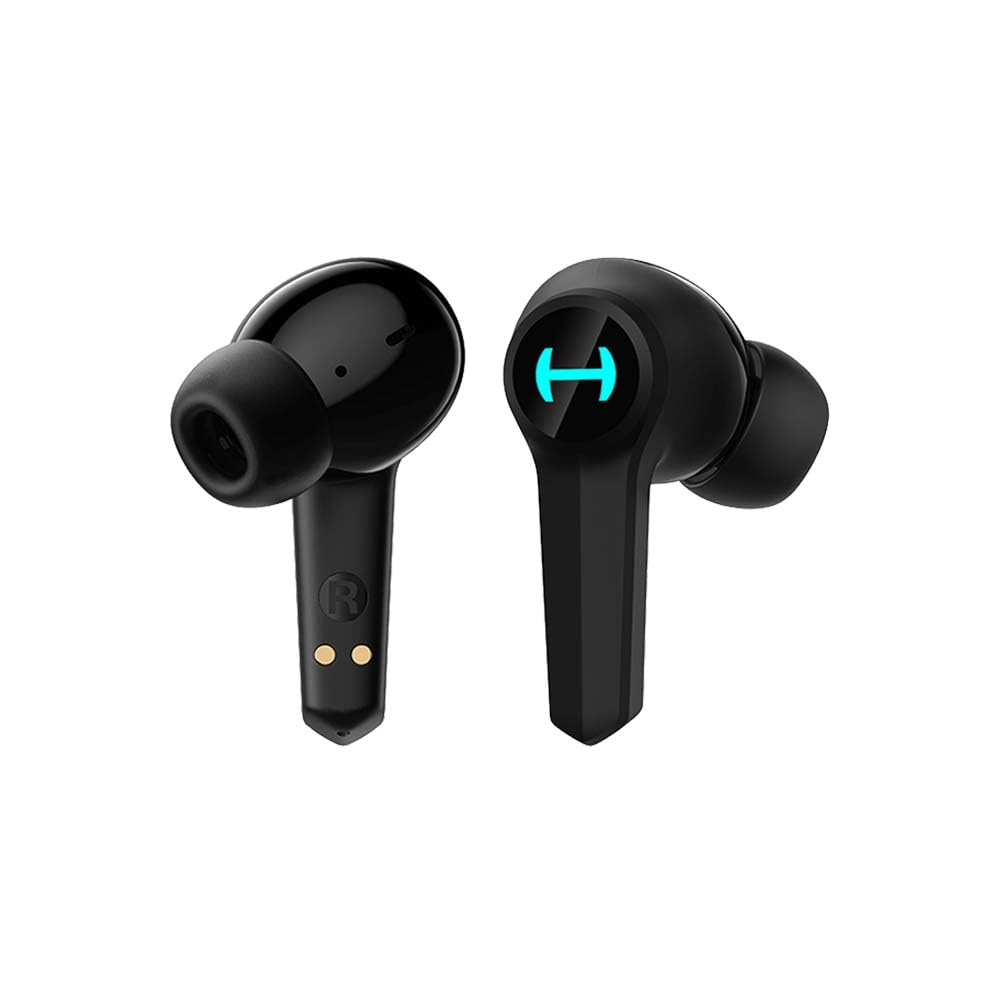
Image: The Edifier Hecate GT4 earbuds are shown inside their open charging case, with the case's RGB lights illuminated.
2. Bluetooth seznanjanje
- Prepričajte se, da so slušalke napolnjene.
- Odprite polnilno ohišje. Slušalke bodo samodejno prešle v način seznanjanja, kar bo označeno z utripajočimi lučkami.
- On your device (phone, PC, console), enable Bluetooth and search for new devices.
- Select "EDIFIER HECATE GT4" from the list of available devices to connect.
- Once connected, the earbud lights will stop flashing or show a steady light.
Slušalke podpirajo Bluetooth 5.2 za stabilno in učinkovito povezavo.
Navodila za uporabo
1. Vklop/izklop
- Vklop: Odprite polnilno ohišje ali vzemite slušalke iz ohišja. Samodejno se bodo vklopile.
- Ugasniti: Slušalke vstavite nazaj v polnilno ohišje in zaprite pokrov. Samodejno se bodo izklopile.
2. Dotaknite se Controls
The Edifier Hecate GT4 earbuds feature touch-sensitive controls on each earbud. Refer to the diagram below for touch panel location.

Image: A finger is shown touching the outer surface of an earbud, indicating the smart touch control area.
| Akcija | Levi ušesni čep (L) | Desni ušesni čep (R) |
|---|---|---|
| Predvajaj/Premor | Dvakrat tapnite | Dvakrat tapnite |
| Naslednja skladba | Trojna pipa | Trojna pipa |
| Sprejmi/končaj klic | Dvakrat tapnite | Dvakrat tapnite |
| Zavrni klic | Dolg pritisk (2 s) | Dolg pritisk (2 s) |
| Aktivirajte igralni način | Dolg pritisk (2 s) | Dolg pritisk (2 s) |
| Deactivate Game Mode | Dolg pritisk (2 s) | Dolg pritisk (2 s) |
Opomba: Glasnost boste morda morali prilagoditi neposredno na povezani napravi.
3. Game Mode (45ms Low-Latency)
The Edifier Hecate GT4 features a dedicated Game Mode to reduce audio latency to as low as 45ms, providing a synchronized audio-visual experience crucial for gaming. To activate or deactivate Game Mode, long press either earbud for 2 seconds. You will hear an audio prompt indicating the mode change.

Image: An illustration depicting the low latency feature of the earbuds, highlighting the 45ms response time.
Video: Uradna video predstavitev izdelkaasing the features of the EDIFIER HECATE GT4 Gaming Earbuds, including low latency and ergonomic design.
4. RGB osvetlitev
The charging case and earbuds feature RGB lighting. The lighting indicates various statuses such as charging, pairing, and game mode activation. The specific patterns and colors are pre-set and provide visual feedback on the earbuds' operational status.

Image: The Edifier Hecate GT4 charging case is shown with its red RGB lighting illuminated, indicating its gaming aesthetic.
Vzdrževanje
- Čiščenje: Use a soft, dry cloth to clean the earbuds and charging case. Do not use liquid cleaners or abrasive materials.
- Vodoodpornost: The earbuds have an IP55 rating, meaning they are protected against dust and low-pressure water jets. Avoid submerging them in water or exposing them to heavy rain. Dry them thoroughly if they get wet.
- Shranjevanje: Ko slušalk ne uporabljate, jih shranite v polnilno škatlico, da jih zaščitite in ohranite napolnjene. Hranite na hladnem in suhem mestu, stran od ekstremnih temperatur.

Image: An Edifier Hecate GT4 earbud is shown with water splashing around it, illustrating its water-resistant feature.
Odpravljanje težav
| Težava | Možen vzrok | rešitev |
|---|---|---|
| Slušalke se ne vklopijo. | Nizka baterija. | Slušalke in polnilno ohišje popolnoma napolnite. |
| Seznanitev z napravo ni mogoča. | Bluetooth not enabled, earbuds not in pairing mode, or device too far. | Prepričajte se, da je Bluetooth v vaši napravi omogočen. Slušalke vstavite v etui, jih zaprite in nato odprite, da ponovno vstopite v način seznanjanja. Napravi naj bosta oddaljeni največ 10 metrov. |
| Ni zvoka ali pa se zvok sliši občasno. | Earbuds not properly connected, low battery, or interference. | Check Bluetooth connection. Recharge earbuds. Move away from sources of interference (e.g., Wi-Fi routers). |
| Ena slušalka nima zvoka. | Individual earbud connection issue. | Place both earbuds back into the charging case, close the lid, then open it again to reset the connection. Re-pair if necessary. |
| Low latency mode not working. | Game Mode not activated. | Long press either earbud for 2 seconds to activate Game Mode. Listen for the audio prompt. |
| Cannot connect to PS4/PS5/Switch. | Console limitations or specific pairing requirements. | Some consoles may require a separate Bluetooth adapter for full compatibility or specific pairing steps. Refer to your console's manual for Bluetooth audio device connection instructions. |
Specifikacije
| Funkcija | Podrobnost |
|---|---|
| Številka modela | GT4-BK |
| Znamka | Edifier |
| Tehnologija povezljivosti | Brezžično (Bluetooth) |
| Različica Bluetooth | 5.2 |
| Namestitev ušesa | V ušesu |
| Vrsta zvočnega gonilnika | Dynamic Driver (10mm Composite Diaphragm Unit) |
| Frekvenčno območje | 20Hz-20kHz |
| Nizka latenca | 45 ms (igralni način) |
| Življenjska doba baterije (slušalke) | Do 7 ur |
| Skupna življenjska doba baterije (z ohišjem) | Do 28 ur (7 + 21 ur) |
| Čas polnjenja baterije | Pribl. 1.5 ur |
| Nadzorna metoda | Dotik |
| Stopnja vodoodpornosti | IP55 (odporno na prah in pljuske) |
| Združljive naprave | PS5, PS4, Nintendo Switch, Phone (Android, iOS), PC |
| Material | Plastika |
| Teža predmeta | 0.12 kilogramov |
Garancija in podpora
Edifier products are designed and manufactured to the highest quality standards. For information regarding warranty coverage, please refer to the warranty card included in your product packaging or visit the official Edifier website. If you encounter any issues or have questions about your Edifier Hecate GT4 Gaming Earbuds, please contact Edifier customer support through their official channels for assistance.
Uradni Edifier Webspletno mesto: www.edifier.com