
1. Uvod
Thank you for choosing the InFocus P120 INL412 Multimedia Projector. This manual provides essential information for the safe and efficient operation of your projector. Please read it thoroughly before using the device and retain it for future reference. The InFocus P120 INL412 is designed for versatile multimedia presentations, offering clear and vibrant images for various applications.
2. Varnostne informacije
To ensure safe operation and prevent damage to the projector, please observe the following safety precautions:
- Ne blokirajte prezračevalnih odprtin. Zagotovite dovolj prostora okoli projektorja za pravilen pretok zraka, da preprečite pregrevanje.
- Izogibajte se gledanju neposredno v objektiv projektorja, ko je lamp je vklopljena, saj lahko močna svetloba povzroči poškodbe oči.
- Do not place the projector on an unstable cart, stand, or table. The projector may fall, causing serious injury to a child or adult, and serious damage to the unit.
- Disconnect the power cord from the wall outlet if the projector will not be used for an extended period.
- Vsa servisna dela prepustite usposobljenemu serviserju. Projektorja ne poskušajte odpirati ali popravljati sami.
- Keep the projector away from water or moisture. Do not expose it to rain or immerse it in liquid.
- Use only the power cord supplied with the projector or an authorized replacement.
3. Vsebina paketa
Verify that all items listed below are included in your projector package:
- InFocus P120 INL412 Multimedia Projector
- Napajalni kabel
- Daljinski upravljalnik z baterijami
- VGA kabel
- Uporabniški priročnik (ta dokument)
- Vodnik za hiter začetek
4. Izdelek je končanview
Familiarize yourself with the main components of your InFocus P120 INL412 projector.
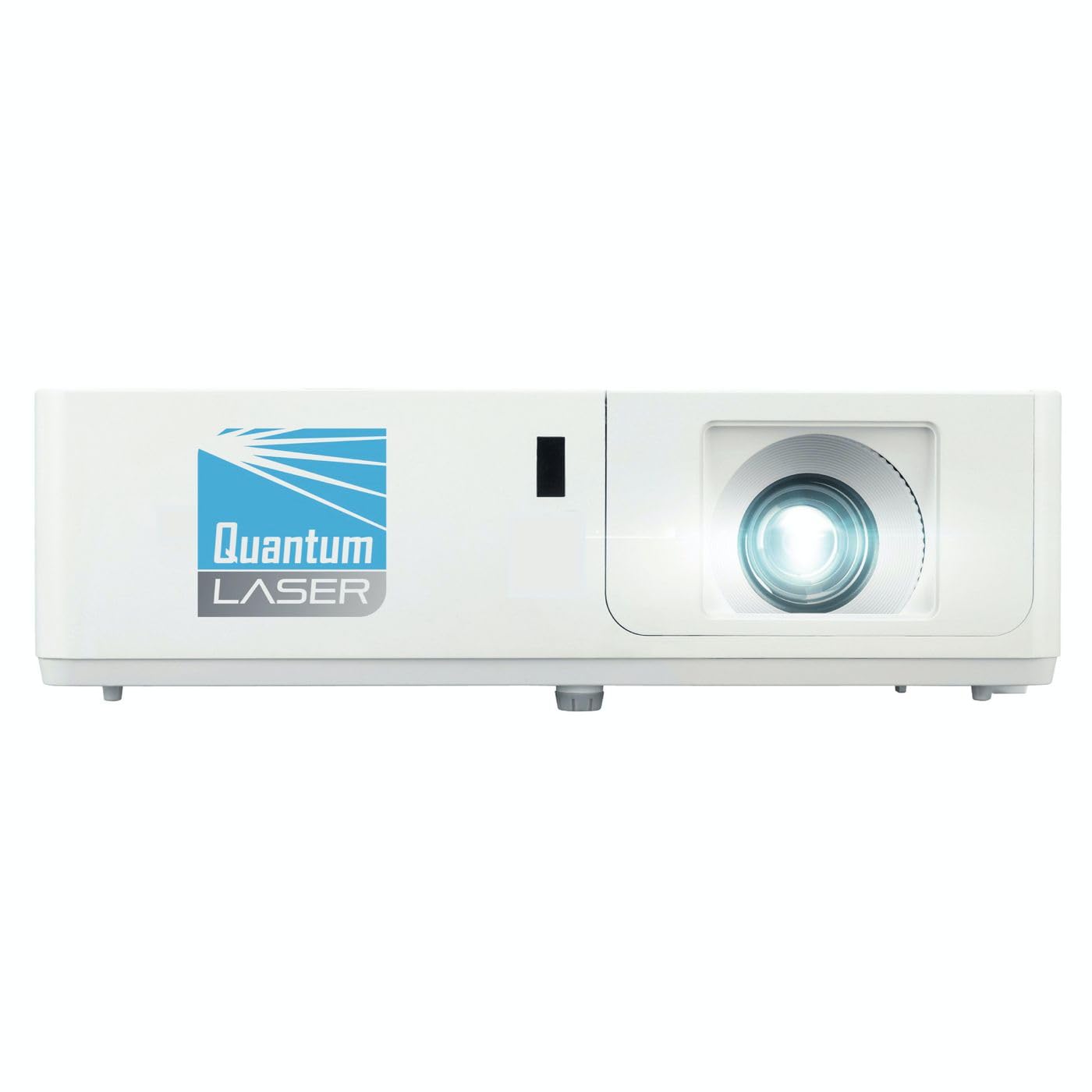
Slika 1: Spredaj view of the InFocus P120 INL412 Multimedia Projector, showing the lens and ventilation grilles.
4.1 Sprednja plošča
- Projekcijski objektiv: Oddaja sliko na zaslon.
- Fokusni obroč: Prilagodi jasnost projicirane slike.
- Obroč za povečavo: Prilagodi velikost projicirane slike.
- IR sprejemnik: Sprejema signale z daljinskega upravljalnika.
4.2 Zgornja plošča
- Nadzorna plošča: Buttons for power, menu navigation, source selection, and keystone correction.
- Indikatorske lučke: Display the projector's status (e.g., power, lamp, temperature).
4.3 Zadnja plošča (povezljivost)
- Vhod HDMI: Connects to HDMI-enabled devices (laptops, Blu-ray players).
- VGA vhod: Connects to computers with VGA output.
- Vrata USB: For service or connecting USB devices (if supported by model).
- Avdio vhod/izhod: Za priključitev zunanjih avdio virov ali zvočnikov.
- Vhod za napajanje: Priključi napajalni kabel.
5. Nastavitev
Za začetno nastavitev projektorja sledite tem korakom:
- Umestitev: Place the projector on a stable, flat surface or mount it securely. Ensure the projector is positioned at an appropriate distance from the screen to achieve the desired image size.
- Napajalni priključek: Napajalni kabel priključite na vtičnico za napajanje projektorja in nato na ozemljeno električno vtičnico.
- Priključite izvorno napravo: Connect your source device (e.g., laptop, DVD player) to the projector using an appropriate cable (HDMI, VGA, etc.). Ensure the cable is securely connected to both the source and the projector.
- Vklop: Press the power button on the projector's control panel or the remote control to turn on the projector. The power indicator light will illuminate.
- Prilagodi ostrenje in povečavo: Once an image is projected, rotate the focus ring on the lens until the image is sharp and clear. Use the zoom ring to adjust the image size to fit your screen.
- Trapezni popravek: If the image appears trapezoidal, use the keystone correction function (either via buttons on the projector/remote or through the on-screen menu) to square the image.
6. Navodila za uporabo
6.1 Vklop/izklop
- Za vklop: Press the power button once. The projector will go through a warm-up sequence.
- Za izklop: Press the power button twice. The first press will prompt a shutdown confirmation; the second press will initiate shutdown. Allow the projector to cool down completely before unplugging.
6.2 Izbira vira
Press the 'Source' button on the projector or remote control to cycle through available input sources (HDMI, VGA, etc.) until your desired source is displayed.
6.3 Navigacija po meniju
Press the 'Menu' button to access the on-screen display (OSD) menu. Use the arrow buttons to navigate through options and 'Enter' or 'OK' to select. Use the 'Exit' or 'Menu' button to close the OSD.
- Nastavitve slike: Adjust brightness, contrast, color, aspect ratio, and picture mode.
- Nastavitve zaslona: Configure keystone, projection mode (front/rear, desktop/ceiling), and resolution.
- Nastavitve zvoka: Control volume and audio output options.
- Sistemske nastavitve: Manage language, timer, power-saving modes, and factory reset.
7. Vzdrževanje
Redno vzdrževanje zagotavlja optimalno delovanje in podaljšuje življenjsko dobo vašega projektorja.
- Čiščenje leč: Lečo projektorja nežno obrišite z mehko krpo, ki ne pušča vlaken in je posebej zasnovana za optične površine. Ne uporabljajte abrazivnih čistil ali prekomerne sile.
- Čiščenje omare: Use a soft, dry cloth to clean the projector's exterior. For stubborn marks, dampen the cloth slightly with water. Avoid using harsh chemicals.
- Čiščenje/zamenjava zračnega filtra: Check the air filter periodically. If your model has a removable filter, clean it with a soft brush or vacuum cleaner. Replace the filter as recommended in the on-screen menu or when visibly dirty to maintain proper ventilation.
- Lamp Zamenjava: Projektor lamp ima omejeno življenjsko dobo. Ko lamp life indicator appears, or the image brightness significantly decreases, replace the lamp according to the instructions provided in the full service manual or by a qualified technician. Always allow the projector to cool down completely before attempting lamp zamenjava.
8. Odpravljanje težav
Za pogoste težave in njihove rešitve glejte spodnjo tabelo:
| Težava | Možen vzrok | rešitev |
|---|---|---|
| Nobena slika ni prikazana | Power cord disconnected, incorrect input source, source device off. | Check power connections. Select correct input source. Ensure source device is powered on. |
| Slika je zamegljena | Objektiv ni izostren, napačna projekcijska razdalja. | Adjust the focus ring on the lens. Reposition the projector closer or further from the screen. |
| Slika je trapezoidna | Projektor ni pravokoten glede na platno. | Use keystone correction (manual or automatic) to square the image. |
| Projektor se pregreje in izklopi | Zamašeno prezračevanje, umazan zračni filter. | Ensure clear space around vents. Clean or replace the air filter. |
| Daljinski upravljalnik ne deluje | Dead batteries, obstruction between remote and projector, incorrect angle. | Replace batteries. Ensure clear line of sight to IR receiver. Point remote directly at the projector. |
9. Specifikacije
Key technical specifications for the InFocus P120 INL412 Multimedia Projector:
| Funkcija | Specifikacija |
|---|---|
| Številka modela | P120 INL412 (Item model number: 7296144) |
| Vrsta zaslona | DLP |
| Izvorna ločljivost | 1280 x 800 |
| Največja ločljivost zaslona | 1280 x 800 |
| Tehnologija povezljivosti | USB (and other standard inputs like HDMI, VGA) |
| Dimenzije izdelka | 5.25 x 0.31 x 1.66 palcev |
| Teža predmeta | 6.6 funtov |
| Proizvajalec | V fokusu |
10. Garancija in podpora
The InFocus P120 INL412 Multimedia Projector comes with a standard manufacturer's warranty. Please refer to the warranty card included in your package for specific terms and conditions, including warranty duration and coverage details. For technical support, service, or further inquiries, please visit the official InFocus support webali se obrnite na njihov oddelek za pomoč uporabnikom.
Za najnovejše informacije o podpori obiščite: www.infocus.com/support