
Bowost F3J
Uporabniški priročnik za brezžične Bluetooth slušalke Bowost
Model: F3J
Uvod
Thank you for choosing Bowost Wireless Bluetooth Earbuds, Model F3J. These earbuds are designed to provide a superior audio experience with advanced features such as Bluetooth 5.1 connectivity, IP7 waterproofing, and intuitive touch controls. This manual will guide you through the setup, operation, and maintenance of your new earbuds to ensure optimal performance and longevity.
Konec izdelkaview
Vsebina paketa
Preden začnete, se prepričajte, da so v paketu vsi elementi:
- Bowost Wireless Bluetooth Earbuds (Left and Right)
- etui za polnjenje
- USB polnilni kabel tipa C
- Več velikosti ušesnih nastavkov (majhni, srednji, veliki)
- Uporabniški priročnik

Image: All components included in the Bowost Wireless Bluetooth Earbuds package.
Ključne značilnosti
- Vrhunska kakovost zvoka: Equipped with 10mm professional speaker units and composite vibration diaphragms for crisp highs, rich mids, and powerful deep bass.
- Napredni Bluetooth 5.1: Ensures faster, more stable signal transmission with low latency for an uninterrupted listening experience.
- Vodotesna ocena IP7: Designed with high-quality waterproof materials and multi-process sealing, effectively protecting internal components from water, rain, and sweat.
- Podaljšana življenjska doba baterije: Up to 6 hours of playback on a single charge, with the charging case providing an additional 40 hours of battery life.
- Convenient Type-C Fast Charging: Hitro 10-minutno polnjenje zagotavlja 1 uro predvajanja.
- Intuitivno upravljanje na dotik: Manage music playback, calls, and voice assistant activation with simple taps on the earbuds.
- LED zaslon baterije: The charging case features an LED indicator to show the battery level of both the case and the earbuds.
- Ergonomska oblika: 120° ergonomic fit ensures comfort and stability, ideal for various activities including sports.

Image: The Bowost Wireless Bluetooth Earbuds with their charging case, highlighting the compact design.

Image: Visual summary of the main features of the Bowost Wireless Earbuds.

Image: Illustration of the ergonomic design and included ear tip sizes for a comfortable fit.
Nastavitev
Polnjenje slušalk in etuija
For first-time use, fully charge the earbuds and the charging case. The charging case features an LED digital display that shows the battery percentage of the case and individual charging status of the earbuds.
- Place the earbuds into the charging case. Ensure they are correctly seated; the earbuds will light up to indicate charging.
- Polnilni kabel USB Type-C priključite na polnilno vtičnico na ohišju, drugi konec pa na vir napajanja USB (npr. stenski adapter, vrata USB računalnika).
- The LED display on the charging case will show the current battery level and charging progress.
- Ko je baterija popolnoma napolnjena, odklopite polnilni kabel.
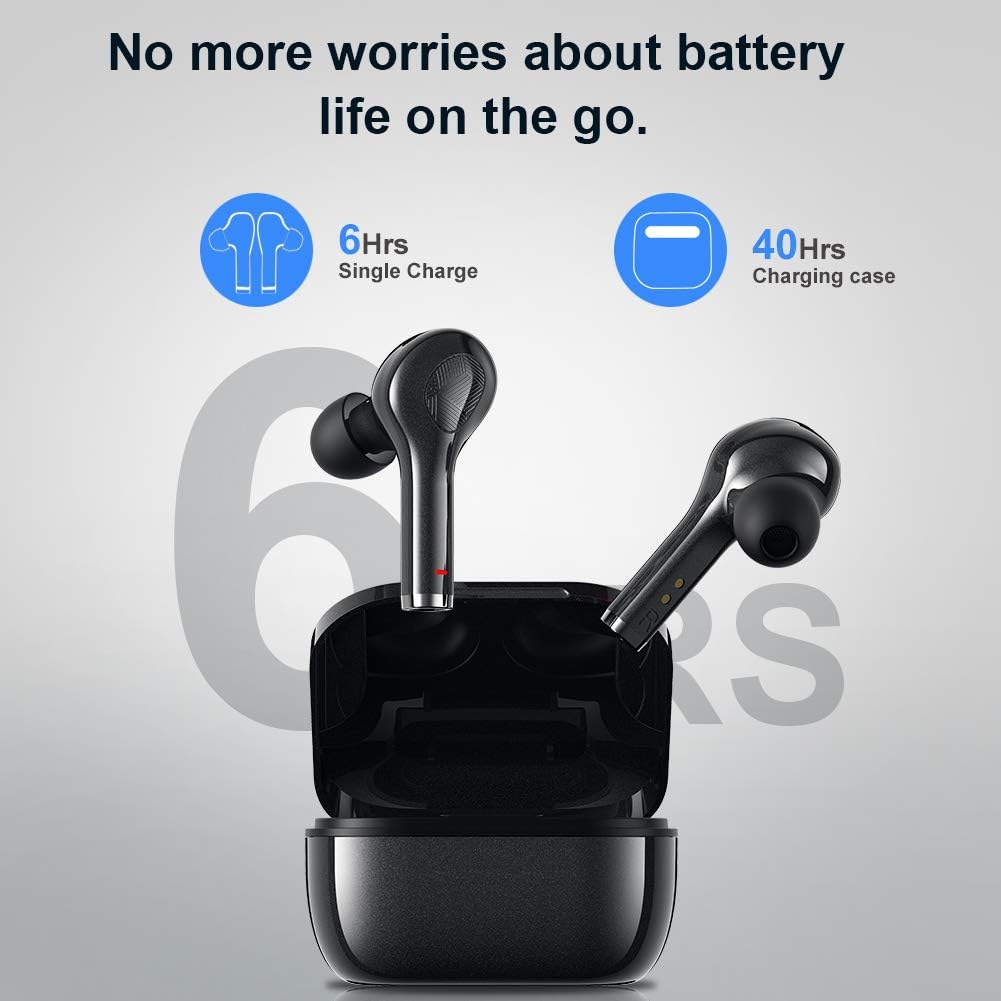
Image: Battery life indication for the earbuds and charging case.
Pairing with Your Device (One-Step Pairing)
The earbuds feature automatic pairing for convenience.
- Prepričajte se, da je Bluetooth vaše naprave vklopljen.
- Odprite polnilno ohišje in odstranite obe slušalki. Samodejno se bosta vklopili in preklopili v način seznanjanja.
- On your device, search for Bluetooth devices and select "F3J" from the list.
- Ko je povezava vzpostavljena, boste zaslišali potrditveni zvok in slušalke bodo pripravljene za uporabo.
- Po začetnem seznanjanju se bodo slušalke samodejno povezale z zadnjo seznanjeno napravo, ko jih vzamete iz ohišja.
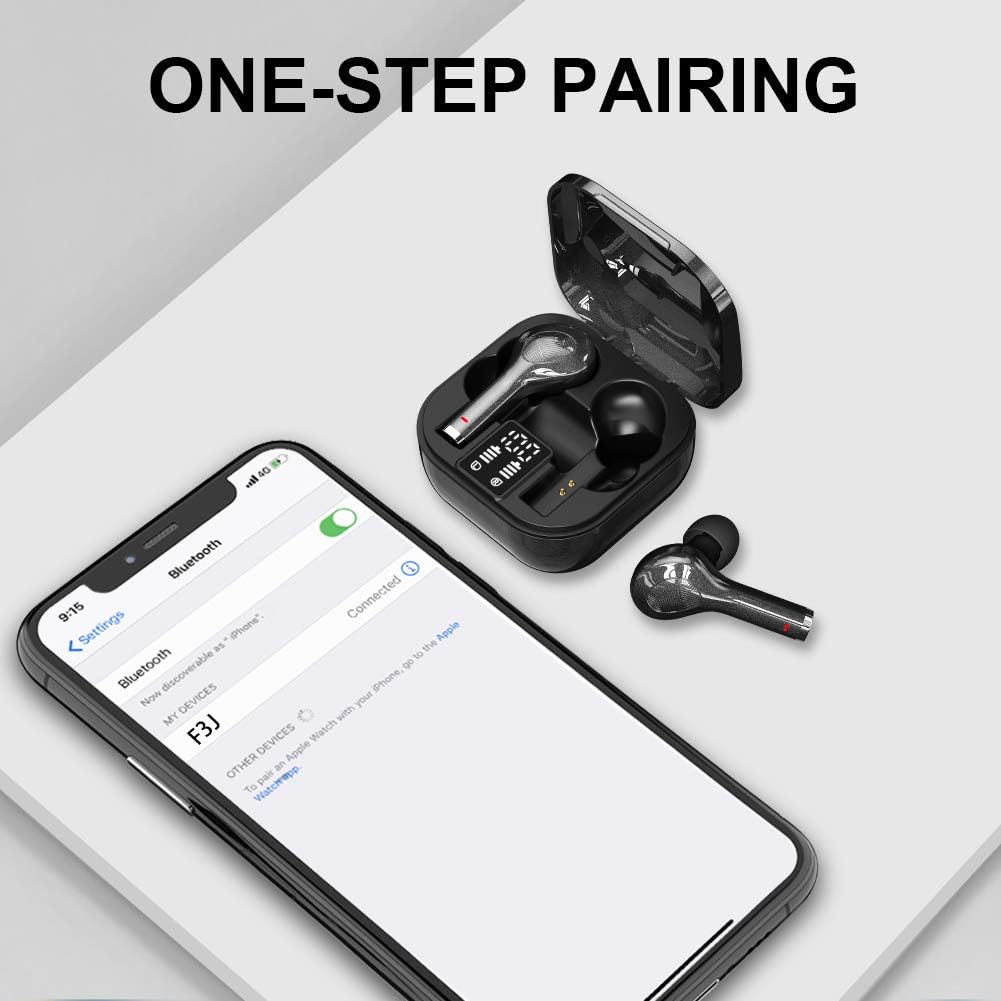
Image: The one-step pairing process shown with a smartphone's Bluetooth settings.

Image: Visual representation of the automatic pairing sequence.
Navodila za uporabo
The Bowost earbuds feature intuitive touch controls for easy management of audio and calls.
Funkcije upravljanja na dotik
| Akcija | Leva slušalka | Desna slušalka |
|---|---|---|
| Predvajanje/začasno ustavitev glasbe | Enkratni dotik | Enkratni dotik |
| Naslednja skladba | N/A | Dvakrat tapnite |
| Prejšnja skladba | Dvakrat tapnite | N/A |
| Glasnost | N/A | Triple Tap |
| Zmanjšanje glasnosti | Triple Tap | N/A |
| Sprejmi/končaj klic | Enkratni dotik | Enkratni dotik |
| Zavrni klic | Dolg pritisk (2 s) | Dolg pritisk (2 s) |
| Aktivirajte glasovnega pomočnika (Siri/Google Assistant) | Dolg pritisk (3 s) | Dolg pritisk (3 s) |
| Vklop/izklop | Dolg pritisk (5 s) | Dolg pritisk (5 s) |
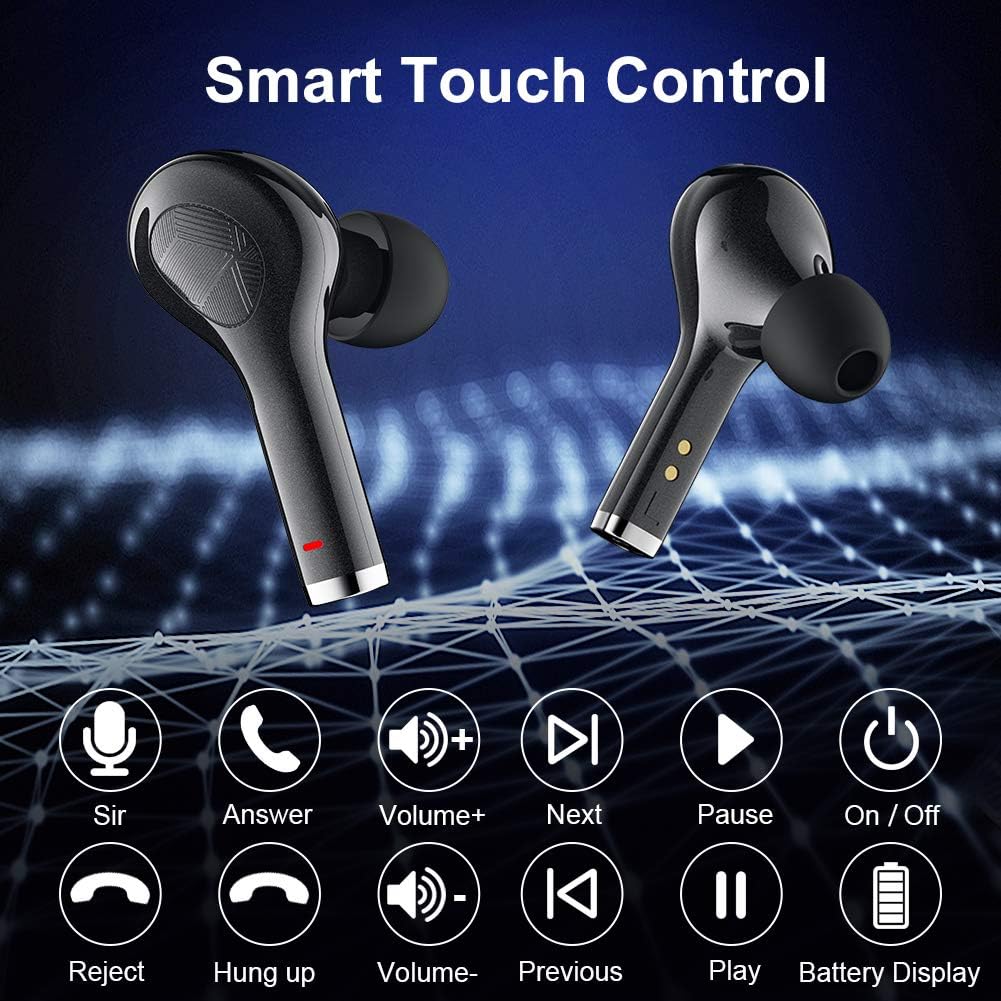
Image: Visual guide to the smart touch control functions.

Slika: Podrobna view of the touch control area on the earbud.
Vzdrževanje
Vodoodpornost (ocena IP7)
The earbuds are rated IP7 waterproof, meaning they can withstand immersion in water up to 1 meter for 30 minutes. This makes them suitable for workouts, running in light rain, and other activities where they might be exposed to sweat or splashes. However, they are not designed for swimming or prolonged submersion.
- Polnilnega ohišja ne izpostavljajte vodi, saj ni vodoodporno.
- After exposure to water or sweat, ensure the earbuds are completely dry before placing them back into the charging case to prevent damage to the charging contacts.

Image: The earbuds demonstrating their IPX7 waterproof capability.

Image: Close-up of the earbuds showing water resistance.
Čiščenje in shranjevanje
- Slušalke in polnilno ohišje redno čistite z mehko, suho krpo, ki ne pušča vlaken.
- Odstranite ušesne nastavke in jih očistite z blagim milom in vodo, nato pa jih pred ponovno namestitvijo temeljito posušite.
- Z vatirano palčko ali majhno, mehko krtačko nežno očistite polnilne kontakte na slušalkah in notranjosti ohišja.
- Ko slušalk ne uporabljate, jih shranite v polnilni etui, da jih zaščitite in ohranite napolnjene.
- Izogibajte se ekstremnim temperaturam in neposredni sončni svetlobi.
Odpravljanje težav
If you encounter any issues with your Bowost Wireless Bluetooth Earbuds, please refer to the following common solutions:
Slušalke se ne seznanijo ali ne povežejo
- Preverite baterijo: Prepričajte se, da so baterije tako slušalk kot polnilne enote dovolj napolnjene.
- Ponovno seznani:
- Izklopite Bluetooth v napravi.
- Obe slušalki vstavite nazaj v polnilno ohišje, zaprite pokrov in počakajte nekaj sekund.
- Odstranite ušesne čepke iz etuija.
- Turn on Bluetooth on your device and search for "F3J" to reconnect.
- Clear Bluetooth History: On your device, forget or unpair "F3J" from your Bluetooth device list, then repeat the pairing process.
- Razdalja: Prepričajte se, da so slušalke znotraj učinkovitega dosega Bluetooth (običajno 10 metrov) vaše naprave.
Only One Earbud Working
- Preverite baterijo: Prepričajte se, da sta obe slušalki napolnjeni.
- Ponastavi slušalke: Place both earbuds back into the charging case. Close the lid, then open it again. This often resets the connection between the two earbuds.
- Čisti stiki: Clean the charging contacts on both earbuds and inside the case to ensure proper connection and charging.
Nizka glasnost ali slaba kakovost zvoka
- Prilagodi glasnost: Increase the volume on both your device and using the earbud touch controls.
- Prileganje ušesnega konica: Ensure you are using the correct size ear tips for a secure and comfortable seal in your ear canal. A poor seal can significantly affect sound quality and bass.
- Čiste slušalke: Check for any earwax or debris blocking the earbud nozzles and clean them gently.
- Motnje: Move away from other electronic devices that might cause wireless interference.

Image: Highlighting the deep bass and Hi-Fi stereo sound quality.

Image: Visual representation of the Hi-Fi stereo sound quality.
Specifikacije
| Funkcija | Podrobnost |
|---|---|
| Številka modela | F3J |
| Znamka | Bowost |
| Povezljivost | Bluetooth 5.1 (brezžično) |
| Vrsta slušalk | In-Ear (Intra-aural) |
| Vodoodpornost | Vodoodporen IP7 |
| Čas predvajanja z enim polnjenjem | Do 6 ur |
| Skupni čas predvajanja (z ohišjem) | Do 40 ur |
| Vrata za polnjenje | USB Type-C |
| Vrsta nadzora | Touch Control (Volume, Track, Calls, Voice Assistant) |
| Mikrofon | Built-in (Bi-directional) |
| Vrsta baterije | Litij-ionska (polnilna) |
| Teža | Approximately 4 Grams (per earbud) |
| Material | Plastika |
| Združljive naprave | Bluetooth-enabled mobile phones, tablets, laptops (iOS, Android, etc.) |
Garancija in podpora
Bowost provides the following support for your product:
- 30-dnevno celotno vračilo: If you are not satisfied with your purchase, you may be eligible for a full refund within 30 days.
- 24-Month Repair Warranty: The product is covered by a 24-month warranty for repairs against manufacturing defects.
- 24-Hour Quick Response: For any inquiries or support needs, expect a quick response within 24 hours.
Please retain your proof of purchase for warranty claims. For further assistance, refer to the contact information provided with your product packaging or visit the official Bowost support webmesto.
Ask a question about this manual
Ask about setup, troubleshooting, compatibility, parts, safety, or missing instructions. Manuals+ will review the question and use this page’s manual context to help answer it.