
Samsung VS20R9042T2/ET
Samsung Jet 90 Pet Cordless Vacuum Cleaner User Manual
Model: VS20R9042T2/ET
1. Uvod
Hvala za nakupasing the Samsung Jet 90 Pet Cordless Vacuum Cleaner. This manual provides essential information for the safe and efficient operation, maintenance, and troubleshooting of your new appliance. Please read this manual thoroughly before using the vacuum cleaner and keep it for future reference.
2. Pomembne varnostne informacije
Pri uporabi električnih naprav vedno upoštevajte osnovne varnostne ukrepe, da zmanjšate tveganje požara, električnega udara ali poškodb.
- Sesalnika ne uporabljajte s poškodovanim kablom ali vtičem.
- Sesalnika ne uporabljajte za sesanje vnetljivih ali gorljivih tekočin, kot je bencin, ali ga uporabljajte na območjih, kjer so lahko prisotne.
- Ne sesajte ničesar, kar gori ali se kadi, kot so cigarete, vžigalice ali vroč pepel.
- Lase, ohlapna oblačila, prste in vse dele telesa ne približujte odprtinam in premikajočim se delom.
- Uporabljajte samo tako, kot je opisano v tem priročniku. Uporabljajte samo nastavke, ki jih priporoča proizvajalec.
- Pred odklopom izklopite vse kontrole.
- Pri čiščenju na stopnicah bodite še posebej previdni.
- Ne uporabljajte brez posode za prah in/ali filtrov.
- Sesalnik shranjujte v zaprtih prostorih na hladnem in suhem mestu.
3. Vsebina paketa
Preverite, ali so v paketu prisotne vse komponente:
- Main Body (Motor and Dustbin Assembly)
- Teleskopska cev
- Turbo akcijska krtača
- Pet Mini Brush
- Mini čopič
- Prilagodljivo orodje
- Orodje za dolge špranje
- Z-Station (Charging Stand)
- Baterijski paket
- Napajalni adapter

This image displays the main vacuum unit, the telescopic pipe, the Turbo Action Brush, the Pet Mini Brush, the Mini Brush, the Flexible Tool, and the Long Crevice Tool, along with the Z-Station charging stand.

This image highlights the vacuum's dimensions (1136 mm height, 250 mm width, 215 mm depth) and labels the included accessories: Turbo Action Brush, Pet Mini Brush, Mini Brush, Flexible Tool, and Extendable Crevice Tool. It also shows the self-standing accessory holder.
4. Montaža
Za sestavljanje vašega sesalnika sledite tem korakom:
- Attach the Telescopic Pipe: Insert the telescopic pipe into the main body until it clicks securely into place.
- Namestite čistilno glavo: Connect the desired cleaning head (e.g., Turbo Action Brush) to the bottom of the telescopic pipe until it clicks.
- Namestite baterijo: Slide the battery pack into the slot at the back of the main body until it locks.
- Set up the Z-Station: Place the Z-Station on a flat, stable surface. Connect the power adapter to the Z-Station and plug it into a wall outlet.
5. Polnjenje baterije
Before first use, fully charge the battery. The battery can be charged while attached to the vacuum cleaner on the Z-Station, or separately by placing it directly on the Z-Station's secondary charging port.
- Place the vacuum cleaner onto the Z-Station. The charging indicator on the display will illuminate.
- Popolna napolnjenost traja približno 3.5 ure.
- The battery provides up to 60 minutes of runtime in minimum power mode without a motorized brush. Actual runtime may vary based on power mode and accessory usage.

This image shows the detachable battery pack, emphasizing its long-lasting capability of up to 60 minutes of runtime. The battery can be easily removed for charging or replacement.
6. Delovanje
6.1 Vklop/izklop in načini sesanja
Press the Power button to turn the vacuum cleaner on or off. Use the '+' and '-' buttons on the digital display to adjust the suction power.
- MIN Mode: Za lahko čiščenje in maksimalen čas delovanja.
- MID Mode: Standardno čiščenje za vsakodnevno umazanijo.
- Način MAX: For powerful cleaning of stubborn dirt and debris.
- MOKRI način: (If applicable with specific accessories) For wet cleaning tasks.
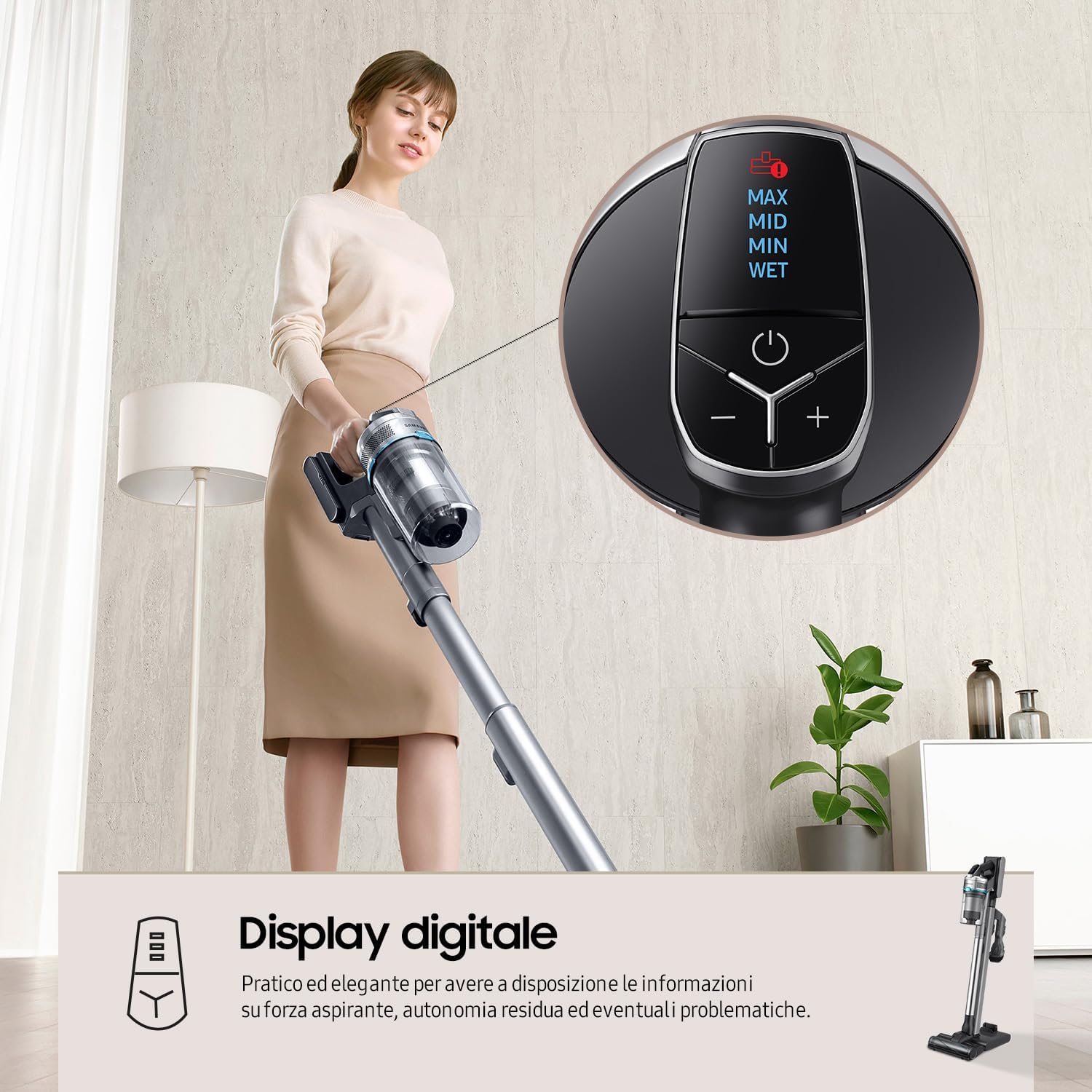
This image shows the top-mounted digital display, which provides real-time information on suction power (MAX, MID, MIN, WET), remaining battery life, and alerts for potential issues. The power button and '+' / '-' buttons for mode selection are clearly visible.
6.2 Sesalna moč
The Samsung Jet 90 Pet features a Digital Inverter Motor, providing up to 200W of suction power for thorough cleaning on various floor types.
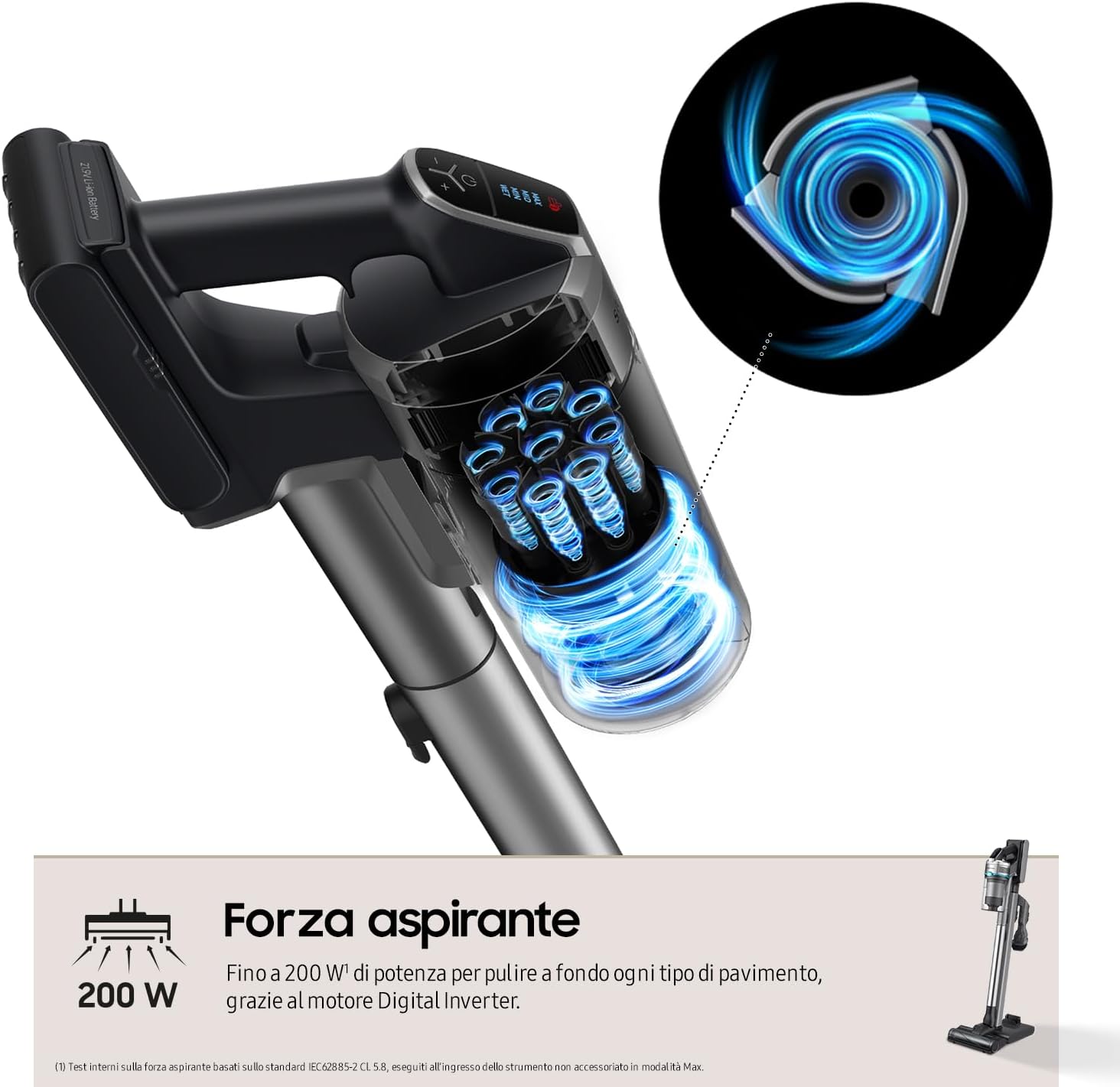
This diagram visually represents the strong airflow and suction power (up to 200W) generated by the vacuum's Digital Inverter Motor, designed for deep cleaning across all floor types.
6.3 Using the Turbo Action Brush
The Turbo Action Brush is designed for effective cleaning on various surfaces, including parquet, marble, hard floors, and carpets. Its motorized bristles penetrate deep to remove dirt, hair, and fine dust.

This image demonstrates the versatility of the Turbo Action Brush on different floor types, including parquet, marble, hard surfaces, and carpets. It highlights the brush's ability to maintain even pressure for effective removal of dirt, hair, and dust.
7. Vzdrževanje
Redno vzdrževanje zagotavlja optimalno delovanje in podaljšuje življenjsko dobo vašega sesalnika.
7.1 Praznjenje posode za prah
Empty the dustbin after each use or when the MAX fill line is reached. To empty, detach the dustbin from the main body and open the lid to dispose of collected debris.
7.2 Čiščenje filtracijskega sistema
The Samsung Jet 90 Pet features a 5-level filtration system that captures up to 99.999% of dust and allergens. Regular cleaning of the filters is crucial.
- Cyclone System: Detach and clean the cyclone system regularly.
- Pralni filtri: The grid filter, micro filter, and ultra-fine filter are washable. Rinse them under running water and ensure they are completely dry before reassembling.
- HEPA filter: The HEPA filter should be cleaned periodically. Refer to the manual for specific cleaning instructions for the HEPA filter.

This diagram illustrates the five stages of the filtration system: 1. Cyclone, 2. Grid Filter, 3. Jet Cyclone, 4. Micro Filter, and 5. Ultra-fine Filter. This system is designed to trap up to 99.999% of dust and allergens, releasinčist zrak g.
7.3 Čiščenje ščetk
Remove any tangled hair or debris from the Turbo Action Brush and other accessory brushes. Some brushes may have a removable roller for easier cleaning.
8. Odpravljanje težav
Če imate težave s sesalnikom, si oglejte spodnjo tabelo za pogoste težave in rešitve.
| Težava | Možen vzrok | rešitev |
|---|---|---|
| Sesalnik se ne vklopi. | Baterija ni napolnjena ali ni pravilno vstavljena. | Baterijo popolnoma napolnite. Prepričajte se, da je baterija varno vstavljena. |
| Nizka sesalna moč. | Dustbin is full. Filters are clogged. Obstruction in the pipe or brush. | Empty the dustbin. Clean all filters. Check for and remove any blockages. |
| Brush not rotating. | Hair or debris tangled in the brush. Brush attachment not properly connected. | Clean the brush roller. Reattach the brush head securely. |
| Kratek čas delovanja. | Baterija ni popolnoma napolnjena. Prekomerna uporaba načina MAX. Slabost baterije. | Ensure battery is fully charged. Use lower power modes when possible. Consider replacing the battery if it's old. |
Če težava po poskusu teh rešitev še vedno obstaja, se obrnite na podporo strankam Samsung.
9. Specifikacije
| Funkcija | Podrobnost |
|---|---|
| Številka modela | VS20R9042T2/ET |
| Znamka | Samsung |
| Dimenzije (Š x V x G) | 25 x 113.6 x 21.5 cm (44.7 x 8.5 x 9.8 palca) |
| Teža | 2.8 kg (6.17 lbs) - Product weight, 5 kg (11 lbs) - Item weight (likely packaged) |
| Sesalna moč | Do 200 W |
| Vrsta motorja | Digitalni pretvorniški motor |
| Vrsta baterije | Litij-ionska (odstranljiva) |
| Runtime | Up to 60 minutes (Min mode, non-motorized brush) |
| Sistem filtracije | 5-level, including HEPA filter (captures 99.999% of dust) |
| Kapaciteta posode za smeti | Not explicitly stated, but implied by "bagless" |
| Čas polnjenja | Pribl. 3.5 ur |
| Posebne lastnosti | Jet Cyclone System, Turbo Action Brush, Z-Station (Self-standing charging base), Digital Display |
10. Garancija in podpora
Za informacije o garanciji glejte garancijski list, ki je priložen izdelku, ali obiščite uradno spletno stran Samsung website for your region. For technical support, spare parts, or service inquiries, please contact Samsung customer service.
You can find contact details and further support resources on the official Samsung webspletno mesto: www.samsung.com/support
Ask a question about this manual
Ask about setup, troubleshooting, compatibility, parts, safety, or missing instructions. Manuals+ will review the question and use this page’s manual context to help answer it.