
Uvod
Hvala za nakupasing the Gemmac Astronaut Galaxy Projector Star Night Light. This device is designed to project a captivating nebula and starry sky onto your walls and ceiling, creating a relaxing and immersive atmosphere. Please read this manual carefully before use to ensure proper operation and to maximize your enjoyment of the product.
Varnostne informacije
Za zagotovitev varnega delovanja in preprečevanje poškodb upoštevajte naslednje varnostne ukrepe:
- Ne glejte neposredno v vir svetlobe. The projector uses bright lights that can cause eye discomfort or damage.
- Napravo hranite stran od vode ali drugih tekočin, da preprečite električni udar.
- Naprave ne razstavljajte ali poskušajte popraviti sami. Za servis se obrnite na usposobljeno osebje.
- Use only the provided power adapter or one with compatible specifications.
- Keep out of reach of small children to prevent accidental ingestion of small parts or direct exposure to the light source.
- Ensure the device is placed on a stable, flat surface to prevent it from falling.
- Projektorja ne postavljajte v bližino virov toplote ali na neposredno sončno svetlobo.
Vsebina paketa
Preverite, ali so v paketu prisotni vsi elementi:
- 1 x Gemmac Astronaut Galaxy Projector
- 1 x daljinski upravljalnik
- 1 x USB napajalni kabel
- 1 x uporabniški priročnik

Image: The package includes the astronaut projector, remote control, USB power cable, and user manual.
Konec izdelkaview
The Gemmac Astronaut Galaxy Projector features a unique astronaut design with a flexible head that can be rotated to adjust the projection angle. It combines nebula and star projections for a dynamic visual experience.

Image: The Gemmac Astronaut Galaxy Projector and its remote control.

Slika: Podrobna view of the astronaut projector's flexible design and remote control functions.
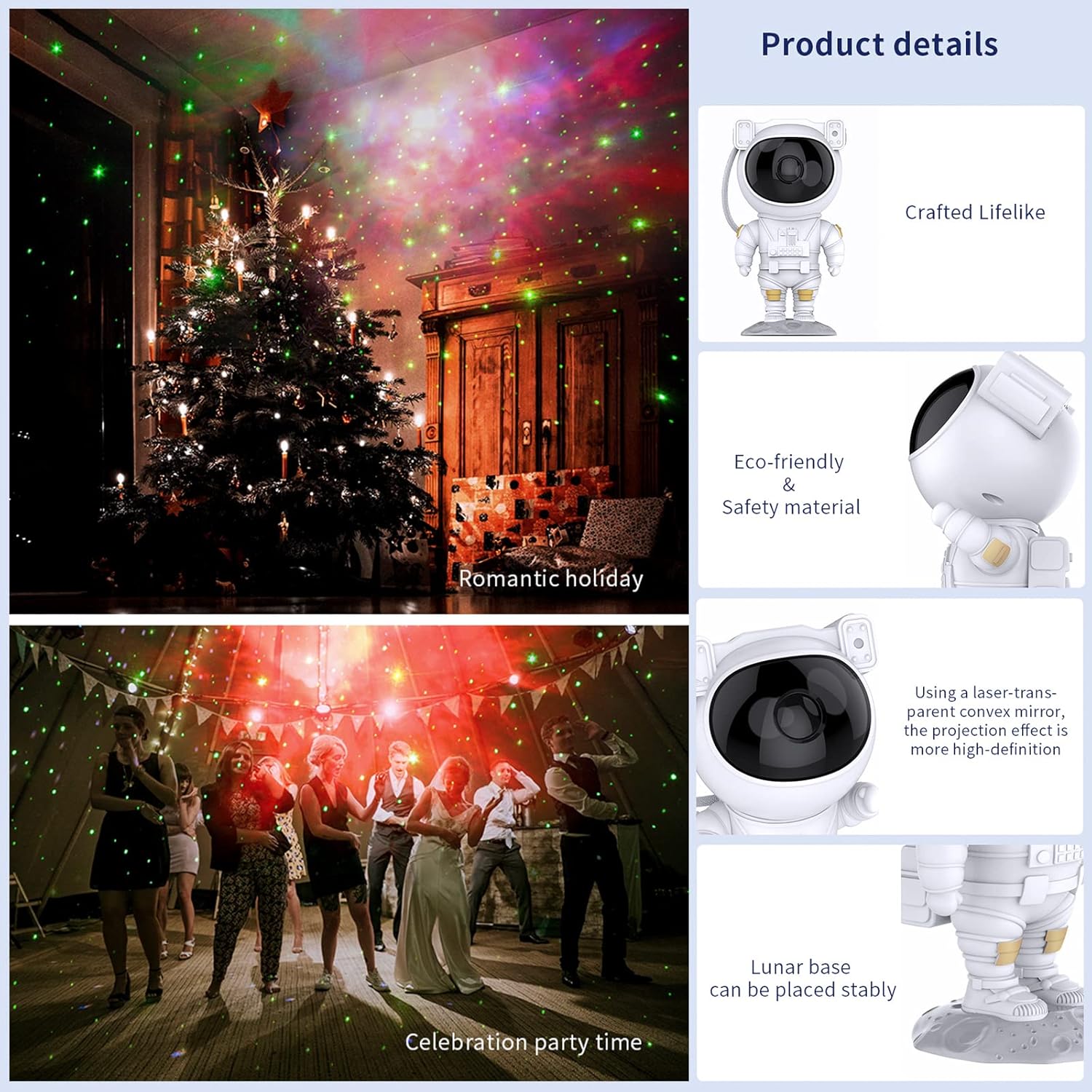
Image: Key product details including design, materials, projection lens, and stable base.
Nastavitev
Napajalni priključek
- Place the astronaut projector on a stable, flat surface.
- Connect the USB power cable to the projector's power input port (located on the backpack).
- Drugi konec kabla USB priključite v združljiv napajalnik USB (ni priložen) ali vrata USB.
- Prepričajte se, da je vir napajanja stabilen.
Navodila za uporabo
Gumbi naprave
The buttons on the back of the astronaut's backpack allow for basic control:
- Gumb za vklop: Vklopi ali izklopi projektor.
- Nebula Mode Button: Cycles through different nebula colors and effects.
- Star Mode Button: Turns the star projection on or off.
Funkcije daljinskega upravljanja
The included remote control provides comprehensive control over the projector's features:
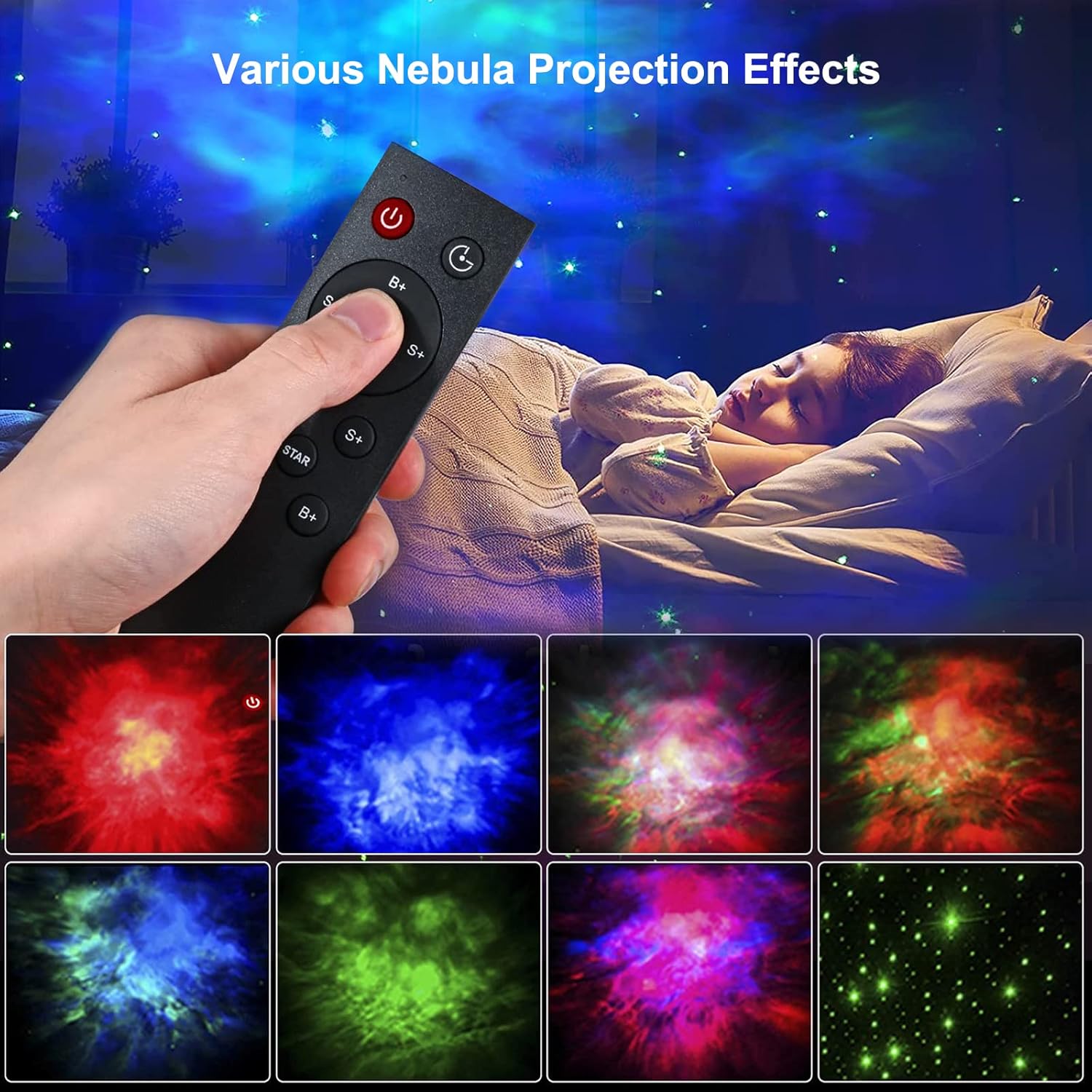
Image: Remote control in use, demonstrating various projection effects.
- Napajanje (vklop/izklop): Vklopi ali izklopi projektor.
- Časovno stikalo: Sets the automatic shut-off timer (e.g., 45 minutes, 90 minutes).
- Nebula Brightness (B+/B-): Adjusts the brightness of the nebula projection.
- Nebula Change Speed (S+/S-): Controls the speed of nebula movement.
- Nebula Color Switching (NEBULA): Cycles through different nebula colors.
- Star Breathing Rate (S+/S-): Adjusts the fading speed of the stars.
- Star Switch (STAR): Turns the star projection on or off.
- Star Brightness (B+/B-): Adjusts the brightness of the star projection.
Lastnosti
Nebula and Star Projection
The projector offers a combination of colorful nebula clouds and twinkling stars. These can be displayed together or independently, providing a variety of celestial scenes. The nebula colors and star brightness are adjustable to suit your preference.
Video: Demonstration of the Gemmac Astronaut Galaxy Projector's nebula and star light effects.

Image: The projector creating a green nebula and star effect in a living room setting.

Image: The projector creating a colorful nebula and star effect inside a car.
Funkcija časovnika
Utilize the timer function on the remote control to set the projector to automatically turn off after a specified duration (e.g., 45 or 90 minutes). This is ideal for bedtime use.
Nastavljiv kot projekcije
The astronaut's head is magnetically connected to its body, allowing you to rotate it 360 degrees. This flexibility enables you to direct the projection to any desired angle on your ceiling or walls.
Vzdrževanje
Pravilno vzdrževanje zagotavlja dolgo življenjsko dobo in optimalno delovanje vašega projektorja:
- Čiščenje: Za brisanje zunanjosti projektorja uporabite mehko, suho krpo. Ne uporabljajte abrazivnih čistil ali topil.
- Nega leč: Gently clean the projection lenses with a soft, lint-free cloth to maintain clear projection quality. Avoid touching the lenses directly with your fingers.
- Shranjevanje: When not in use for extended periods, store the projector in a cool, dry place, away from direct sunlight and moisture.
Odpravljanje težav
Če naletite na kakršne koli težave, si oglejte naslednje pogoste težave in rešitve:
| Težava | Možen vzrok | rešitev |
|---|---|---|
| Projektor se ne vklopi. | Ni napajanja, ohlapna povezava, pokvarjen adapter. | Check power cable connection. Ensure power adapter is working. Try a different USB port or adapter. |
| Daljinski upravljalnik ne deluje. | Prazne baterije, daljinski upravljalnik izven dosega, ovira. | Replace remote control batteries. Ensure remote is pointed at the projector and within range. Remove any obstructions between the remote and projector. |
| Projection is blurry or dim. | Dirty lens, incorrect focus, too much ambient light. | Gently clean the projection lenses. Ensure the room is dark enough for optimal projection. Adjust brightness settings via remote. |
| Stars or nebula not appearing. | Feature turned off. | Use the remote control to turn on the star or nebula projection modes. |
Specifikacije
| Funkcija | Podrobnost |
|---|---|
| Znamka | Gemmac |
| Model | Projektor astronavtske galaksije |
| Dimenzije izdelka | 9.6"D x 4.5"Š x 4.7"V |
| Teža predmeta | 2.4 unče (0.15 funta) |
| Vrsta svetlobnega vira | LED |
| Material | Akrilonitril butadien stiren (ABS) |
| Vir napajanja | Električni na kabel |
| Wattage | 5 vatov |
| Nadzorna metoda | Remote, Device Buttons |
| Posebne lastnosti | Color Changing, Timer, Dimmable |
| Notranja/zunanja uporaba | Notranja |
| UPC | 755419178313 |
Garancija in podpora
For warranty information or technical support, please refer to the contact details provided with your purchase documentation or visit the official Gemmac webspletno mesto. Shranite račun kot dokazilo o nakupu.