
Uvod
Thank you for choosing the LeadsaiL Wireless Keyboard and Mouse Combo. This manual provides essential information for setting up, operating, maintaining, and troubleshooting your new wireless peripheral set. Please read these instructions carefully before use to ensure optimal performance and longevity of your product.
Vsebina paketa
- 1 x LeadsaiL Wireless Keyboard
- 1 x LeadsaiL Wireless Mouse
- 1 x USB sprejemnik (shranjen v miški)
- 1 x uporabniški priročnik
Navodila za namestitev
1. Namestitev baterije
The keyboard requires two (2) AA batteries and the mouse requires one (1) AA battery. Batteries are not included in the package.
- Open the battery compartment cover on the underside of the keyboard. Insert two AA batteries, ensuring correct polarity (+/-). Close the cover.
- Open the battery compartment cover on the underside of the mouse. Insert one AA battery, ensuring correct polarity (+/-). Close the cover.

Figure 1: Battery installation for keyboard and mouse. Note the USB receiver is stored in the mouse.
2. Priključitev USB-sprejemnika
The 2-in-1 USB receiver is stored inside the mouse's battery compartment for convenience.
- Remove the USB receiver from its storage slot within the mouse's battery compartment.
- Plug the USB receiver into an available USB port on your computer (laptop or desktop PC).
- Turn on the power switch located on the underside of both the keyboard and the mouse.
- Your computer should automatically detect and install the necessary drivers. No additional software installation is required.

Figure 2: USB receiver connection to a laptop.
Nastavitev je končanaview Video
Video 1: Overview of the LeadsaiL Retro Multicolored Wireless Combo, demonstrating its features and setup process.
Navodila za uporabo
Funkcije tipkovnice
- Standardno tipkanje: Use the keys for regular text input.
- Večpredstavnostne tipke: The keyboard features 12 multimedia keys (F1-F12) that can be accessed by pressing the Fn key simultaneously with the desired function key. These keys control media playback, volume, and other system functions.
- Indikatorske lučke: Located above the number pad, these lights indicate Num Lock, Caps Lock, and Low Battery status.

Figure 3: Multimedia keys for increased efficiency.

Figure 4: Keyboard indicator lights.
Funkcije miške
- Levi/desni klik: Standardne funkcije gumbov miške.
- Kolesce za pomikanje: Za navpično drsenje.
- Prilagoditev DPI: The mouse features 3 adjustable DPI levels (800, 1200, 1600). Press the DPI button (usually located near the scroll wheel) to cycle through the sensitivity settings.

Figure 5: Mouse DPI adjustment levels.
Funkcija varčevanja z energijo
To conserve battery life, both the keyboard and mouse will enter a sleep mode after 3 minutes of inactivity. To wake them up, simply click any mouse button or press any key on the keyboard.

Figure 6: Auto Sleep & Energy Saving feature.
Združljivost
The LeadsaiL Wireless Keyboard and Mouse Combo is compatible with Windows XP/7/8/10/11 and Mac OS operating systems, as well as Chrome OS and Linux. It works with various devices including computers, laptops, and notebooks.

Figure 7: Wide compatibility with various operating systems.
Vzdrževanje
Zamenjava baterije
When the low battery indicator light on the keyboard illuminates, or if the mouse or keyboard becomes unresponsive, it is time to replace the batteries. Follow the battery installation steps outlined in the Setup section.
Čiščenje
Za čiščenje tipkovnice in miške uporabite mehko, suho krpo. Za trdovratno umazanijo uporabite rahloamp Uporabite lahko krpo z blagim milom, pri čemer pazite, da v napravo ne pride tekočina. Izogibajte se uporabi agresivnih kemikalij ali abrazivnih materialov.
Odpravljanje težav
| Težava | rešitev |
|---|---|
| Tipkovnica ali miška se ne odziva |
|
| Zakasnitev ali občasna povezava |
|
| Mouse cursor movement is erratic or slow |
|
Specifikacije
| Funkcija | Podrobnost |
|---|---|
| Znamka | LeadsaiL |
| Številka modela | KF29 |
| barva | Barvita |
| Tehnologija povezljivosti | 2.4G brezžično (USB sprejemnik) |
| Posebna funkcija | Ergonomic, Silent Click (Mouse), Scissor Structure (Keyboard) |
| Združljive naprave | Asus, Dell, HP, Lenovo, MacBook Air (and other compatible devices) |
| Zaznavanje gibanja | Optični |
| Vir napajanja | Napajanje na baterije |
| Razporeditev tipkovnice | QWERTY |
| Število baterij | Keyboard: 2 AA, Mouse: 1 AA (not included) |
| Združljiva družina operacijskih sistemov | Windows, Mac OS, Chrome OS, Linux |
| Ročna orientacija | Ambidextrous (Mouse) |
| Število ključev | 99 |
| Brezžično Domet | Do 10 metrov (33 čevljev) |
| DPI miške | 800/1200/1600 adjustable |

Figure 8: Compact design and dimensions.
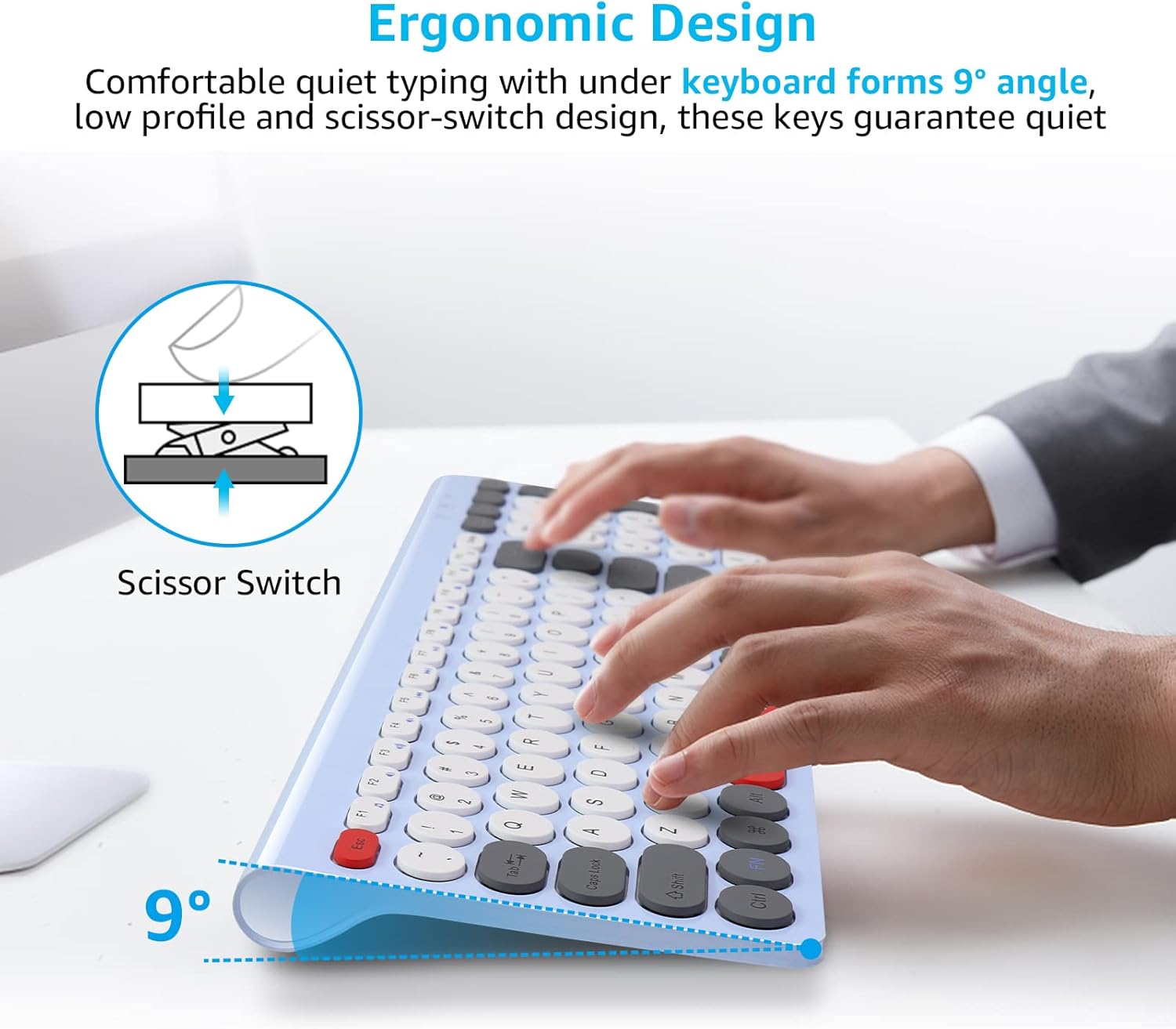
Figure 9: Ergonomic design with scissor switch keys.
Informacije o garanciji
This LeadsaiL product comes with a Lifetime Warranty Against Manufacturer Defect. Please retain your proof of purchase for warranty claims. For more details, refer to the official LeadsaiL webspletno mesto ali se obrnite na podporo strankam.
Podpora uporabnikom
If you encounter any issues or have questions regarding your LeadsaiL Wireless Keyboard and Mouse Combo that are not covered in this manual, please contact LeadsaiL customer support through the retailer's platform or the official LeadsaiL webstran za pomoč.
