
1. Uvod
Hvala za nakupasing the BUFFBEE Digital Alarm Clock FM Radio with Wireless Charging. This device combines a digital alarm clock, FM radio, 10W fast wireless charger, and a USB charging port into a single unit. It features five distinct wake-up sounds, adjustable volume control, and a full brightness dimmer for optimal comfort in your bedroom environment. Please read this manual carefully to ensure proper setup and operation.

Figure 1.1: BUFFBEE Digital Alarm Clock with a smartphone wirelessly charging on top.
2. Nastavitev
2.1 Napajalni priključek
- Connect the provided power adapter to the DC 9V port on the back of the alarm clock.
- Priključite napajalnik v standardno električno vtičnico. Zaslon ure se bo prižgal.
- Opomba: The internal battery backup is for saving time and alarm settings only. The device requires a continuous power connection to function.
2.2 Nastavitev časa
- Pritisnite in držite ČAS button located on the top panel. The hour digits will begin to flash.
- Uporabite UP (▲) ali DOL (▼) buttons to adjust the hour.
- Pritisnite ČAS button again to confirm the hour and proceed to set the minutes. The minute digits will flash.
- Uporabite UP (▲) ali DOL (▼) za nastavitev minut.
- Pritisnite ČAS button one more time to save the time setting.
2.3 Nastavitev alarma
- Pritisnite in držite ALARM gumb. Številke ure alarma bodo začele utripati.
- Uporabite UP (▲) ali DOL (▼) za nastavitev ure budilke.
- Pritisnite ALARM button again to confirm the hour and proceed to set the alarm minutes. The minute digits will flash.
- Uporabite UP (▲) ali DOL (▼) za nastavitev minut alarma.
- Pritisnite ALARM button one more time to save the alarm time.
- Za vklop ali izklop alarma na kratko pritisnite ALARM gumb. Ko je aktiviran, se na zaslonu prikaže ikona alarma.

Figure 2.1: Rear panel with power and USB connections.
3. Navodila za uporabo
3.1 Brezžično polnjenje
The top surface of the alarm clock features a 10W fast wireless charging pad. This is compatible with 5W, 7.5W, and 10W wireless-enabled phones.
- Place your wireless-enabled smartphone directly on the charging pad located on the top of the clock.
- Za optimalno povezavo se prepričajte, da je telefon na polnilni plošči na sredini.
- A lightning icon will appear on the clock's display to indicate that your phone is charging.

Slika 3.1: Poteka brezžično polnjenje.
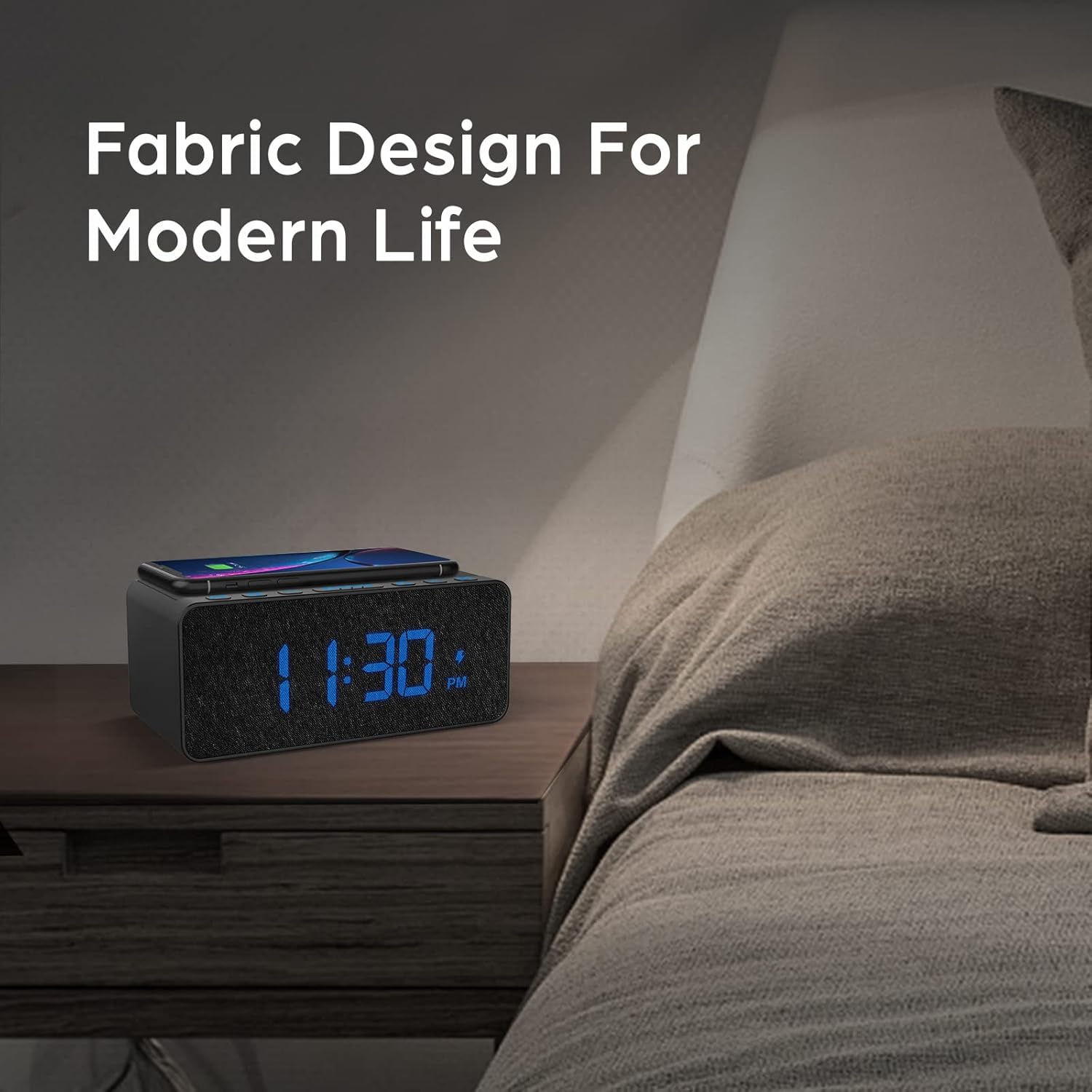
Figure 3.2: Wireless charging compatibility.
3.2 vrata za polnjenje USB
An additional USB port is located on the back of the unit for charging other devices, such as smartwatches or non-wireless charging phones.
- Priključite polnilni kabel USB naprave v vrata USB na zadnji strani budilke.
- Drugi konec kabla priključite na napravo.

Figure 3.3: Simultaneous wireless and USB charging.
3.3 Delovanje FM-radia
The alarm clock includes an FM radio with a frequency range of 87.5-108.0 MHz.
- To turn on the FM radio, press the RADIO gumb.
- To scan for stations, press and hold the UP (▲) ali DOL (▼) buttons. The radio will automatically tune to the next available station.
- Za ročno uglaševanje na kratko pritisnite UP (▲) ali DOL (▼) gumba.
- To save a preset station, press and hold the RADIO button until the preset number flashes, then use the UP (▲) ali DOL (▼) buttons to select a preset slot. Press RADIO ponovno za potrditev.
- Za priklic prednastavljene postaje na kratko pritisnite RADIO gumb za preklapljanje med shranjenimi prednastavitvami.
- Adjust the radio volume using the volume control dial or buttons (if present, otherwise use general volume controls).
- To improve FM reception, ensure the radio antenna on the back of the unit is fully extended.
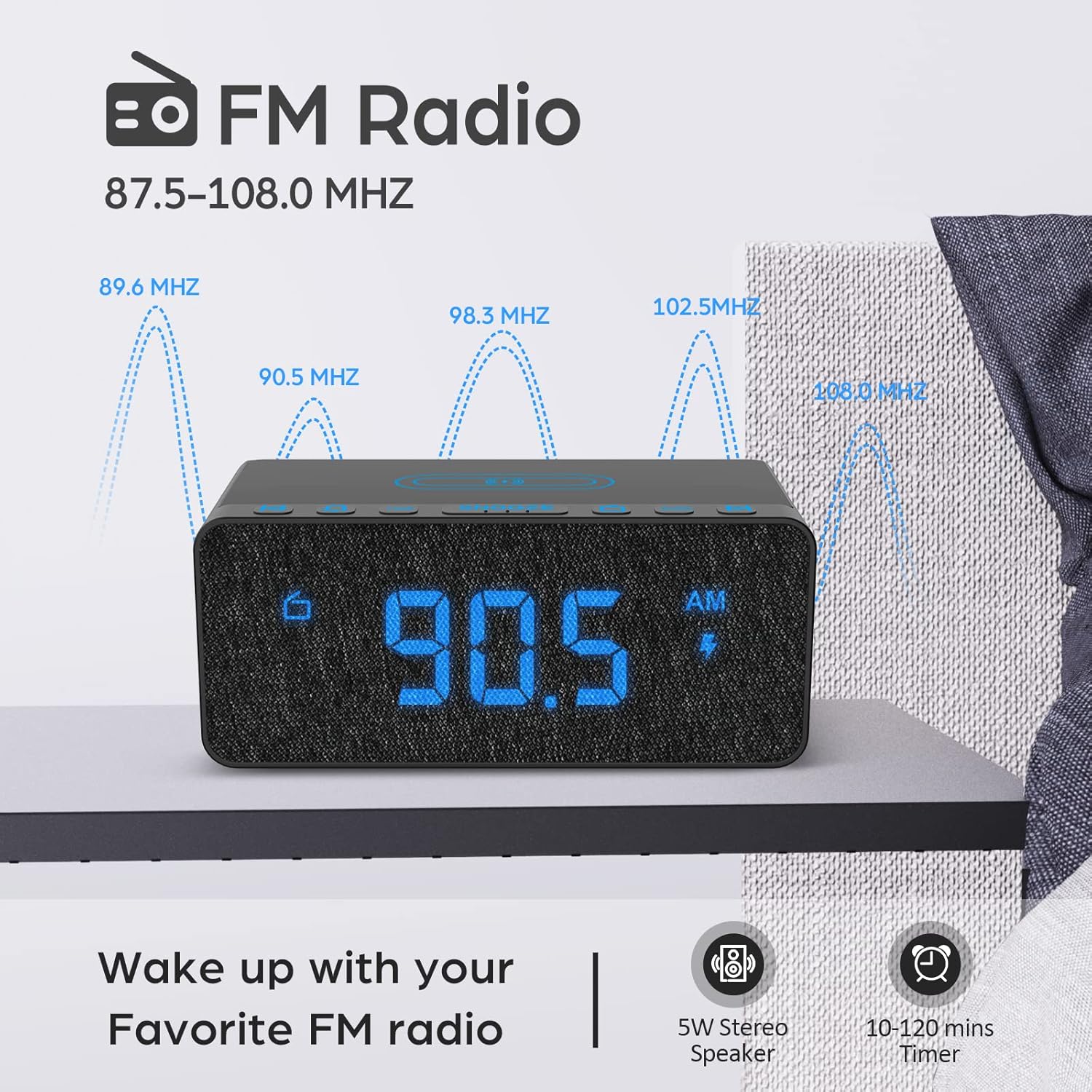
Figure 3.4: FM Radio display.
3.4 Alarm Sounds and Volume
The alarm clock offers 5 distinct wake-up sounds and adjustable alarm volume (0-15 levels).
- When setting the alarm, after setting the time, you can select the alarm sound.
- Pritisnite ZVOKI ALARMOV button to cycle through the available sounds: Beep, Bird Sound, Bells, Piano Sound, or FM Radio.
- To adjust the alarm volume, use the dedicated volume buttons or dial on the unit.

Figure 3.5: Available alarm sounds.
3.5 Zatemnitev zaslona
The display brightness can be adjusted from 0% to 100% to suit your preference.
- Poiščite ZASLON DIMMER switch or dial, typically on the back or side of the unit.
- Adjust the switch/dial to increase or decrease the display brightness.

Slika 3.6: Prilagoditev svetlosti zaslona.
3.6 Nadzor nadview
For a visual guide to the top panel controls, please refer to the video below.
Video 3.1: Konecview of BUFFBEE Digital Alarm Clock features and top panel controls, including time setting, alarm, radio, and snooze functions.
4. Vzdrževanje
4.1 Čiščenje
- Za čiščenje naprave uporabite mehko, suho krpo.
- Do not use liquid cleaners, abrasive cleaners, or chemical sprays, as these may damage the surface or internal components.
- Pred čiščenjem se prepričajte, da je naprava izklopljena.
4.2 Splošna nega
- Naprave ne izpostavljajte ekstremnim temperaturam, neposredni sončni svetlobi ali visoki vlažnosti.
- Do not disassemble the unit. Any repairs should be performed by qualified personnel.
- Napravo hranite ločeno od vode ali drugih tekočin.
5. Odpravljanje težav
- V: Zakaj je zaslon po priključitvi prazen?
- A: Please check if the DISPLAY DIMMER switch on the back of the unit is set to the HIGH position. If it is set to a very low position, the display may appear blank in bright environments.
- Q: How can I tell if my phone is wirelessly charging?
- A: A lightning icon will appear on the alarm clock's display when a compatible phone is correctly placed on the wireless charging pad and is actively charging.
- Q: Does the battery backup allow the clock to work without a power cord?
- A: No, the battery backup is solely for saving the time and alarm settings during a power outage. The device requires the power cord to be plugged in for full functionality (display, radio, charging, alarm sound).
- Q: Which phones are supported by wireless charging?
- A: The wireless charger is compatible with most Qi-enabled smartphones, including but not limited to: iPhone 13/13 Pro/13 Pro Max/13 Mini/12/12 Pro/12 Pro Max/12 Mini/11/11 Pro/11 Pro Max/X/XS/XS Max/XR/8/8+/SE; Samsung S21/S21+/21 Ultra/S20/S20+/S20 Ultra/S10/S10+/S10E/S9/S9+/S8/S8+/S7/S7+/S6/S6E; Note 20/20 Ultra/Note 10/10 Pro/Note 9/8/5; Google Nexus 4/5/6, and other wireless-enabled phones.
6. Specifikacije
| Znamka | BUFFBEE |
| Model | B09LCCJZ3H |
| Vrsta zaslona | Digitalno |
| Slog | Moderno |
| Posebne lastnosti | Adjustable Brightness, Charging Port, Music |
| Dimenzije izdelka | 6.9 cm Š x 2.8 cm V |
| Vir napajanja | Električni na kabel |
| Vrsta sobe | Spalnica |
| Notranja/zunanja uporaba | Notranja |
| Material okvirja | Akrilonitril butadien stiren |
| Baterije priložene | No (for operation, backup only) |
| Budilka | ja |
| Število elementov | 1 |
| Način delovanja | Električni |
| Teža predmeta | 14.9 unč |
| UPC | 766891334623 |
7. Informacije o garanciji
BUFFBEE products are designed and manufactured to the highest quality standards. This product is covered by a limited warranty against defects in materials and workmanship for a period of one (1) year from the original date of purchase. This warranty does not cover damage caused by accident, misuse, abuse, improper installation or operation, or unauthorized repairs. Please retain your proof of purchase for warranty claims.
8. Podpora strankam
If you have any questions, concerns, or require assistance with your BUFFBEE Digital Alarm Clock, please contact our customer support team. For the most up-to-date contact information, please visit the official BUFFBEE webspletno mesto ali glejte embalažo vašega izdelka.
Spletna podpora: Visit the BUFFBEE Store on Amazon