
1. Pomembne varnostne informacije
Please read all safety and operating instructions carefully before using this television. Keep this manual for future reference. Always follow basic safety precautions to reduce the risk of fire, electric shock, and injury.
- Te naprave ne izpostavljajte dežju ali vlagi.
- Ne blokirajte prezračevalnih odprtin. Namestite v skladu z navodili proizvajalca.
- Ne nameščajte v bližini virov toplote, kot so radiatorji, grelniki, peči ali druge naprave (vključno z amplifiers), ki proizvajajo toploto.
- Zaščitite napajalni kabel pred nagibanjem ali stiskanjem, zlasti na vtičih, ustreznih posodah in točki, kjer izstopajo iz naprave.
- Uporabljajte samo priključke/dodatke, ki jih je določil proizvajalec.
- Vsa servisna dela prepustite usposobljenemu servisnemu osebju. Servis je potreben, če je naprava kakor koli poškodovana.
2. Kaj je v škatli
Carefully unpack your new Sansui TV and ensure all items listed below are present.
- 1 x Sansui 4K Ultra HD Android LED TV (JSW50ASUHD)
- 2 x Podstavek za namizno stojalo
- 1 x Wall Mounting Set
- 4 x Screws for stand/mount
- 1 x uporabniški priročnik
- 1 x garancijski list
- 1 x daljinski upravljalnik
- 2 x AAA bateriji (za daljinski upravljalnik)
- 1 x napajalni kabel
- 1 x Mini AV kabel
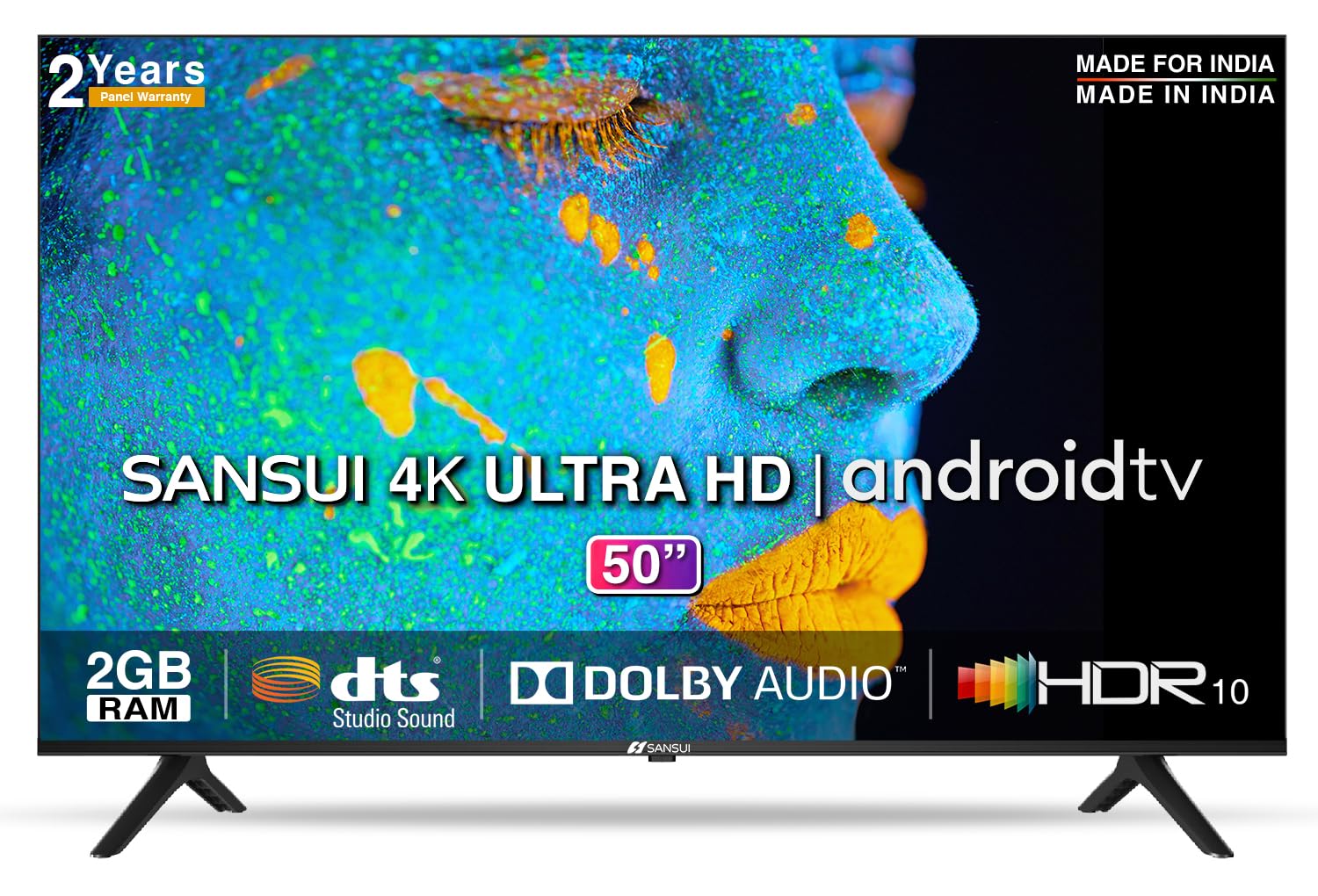
Image: Sansui 50-inch 4K Ultra HD Android LED TV with its table stand.
3. Izdelek je končanview
3.1. Ključne značilnosti
- Zaslon: 4K Ultra HD (3840x2160) resolution, 60Hz refresh rate, Wide Viewing Angle, A+ Grade Panel, Wide Colour Gamut, HDR 10, Crystal Clear Display, High Brightness, Bezel-less Design.
- Avdio: Dolby Audio, DTS Studio Sound, 20 Watts Audio Output.
- Funkcije pametnega televizorja: Android 10.0 (Certified by Google), Google Assistant, Alexa Enabled Support, Built-in Chromecast, CA53 Quad Core Processor, 2GB RAM, 8GB ROM.
- Podprte aplikacije: Prime Video, Netflix, Disney + Hotstar, YouTube, Google Play.
- Povezljivost: 3 HDMI ports, 2 USB ports, 3.5mm audio jack, Bluetooth, Wi-Fi, RJ45 (Ethernet), Antenna.

Image: Visual representation of the TV's main features and capabilities.
3.2. Mere
The TV features a 50-inch screen (127 cm diagonal) with a bezel-less design for an immersive viewizkušnje.

Image: Detailed dimensions of the Sansui 50-inch TV, including width, height, and depth with and without the stand.
4. Nastavitev
4.1. Namestitev namiznega stojala
- Televizor postavite z zaslonom navzdol na mehko, ravno površino, da preprečite poškodbe.
- Align the table stand bases with the corresponding slots at the bottom of the TV.
- Secure the bases using the provided screws. Ensure they are tightened firmly.
4.2. Stenska montaža (neobvezno)
If you choose to wall mount your TV, please use the provided wall mounting set and screws. The VESA mount standard is 800 x 400 mm. It is recommended to seek professional assistance for wall mounting to ensure proper and safe installation.
4.3. Povezovanje naprav
The TV offers various connectivity options for your external devices.
- moč: Napajalni kabel priključite na vhod za napajanje televizorja in nato v stensko vtičnico.
- HDMI: Use HDMI cables to connect devices like set-top boxes, gaming consoles, or Blu-ray players to the 3 HDMI ports.
- USB: Connect USB drives or other USB devices to the 2 USB ports for media playback.
- Zvočni izhod: Use the 3.5mm jack to connect headphones or external audio systems.
- Ethernet (RJ45): Za stabilno internetno povezavo priključite ethernetni kabel iz usmerjevalnika na vrata RJ45.
- Antena: Connect your antenna cable to the RF input for terrestrial broadcasting.
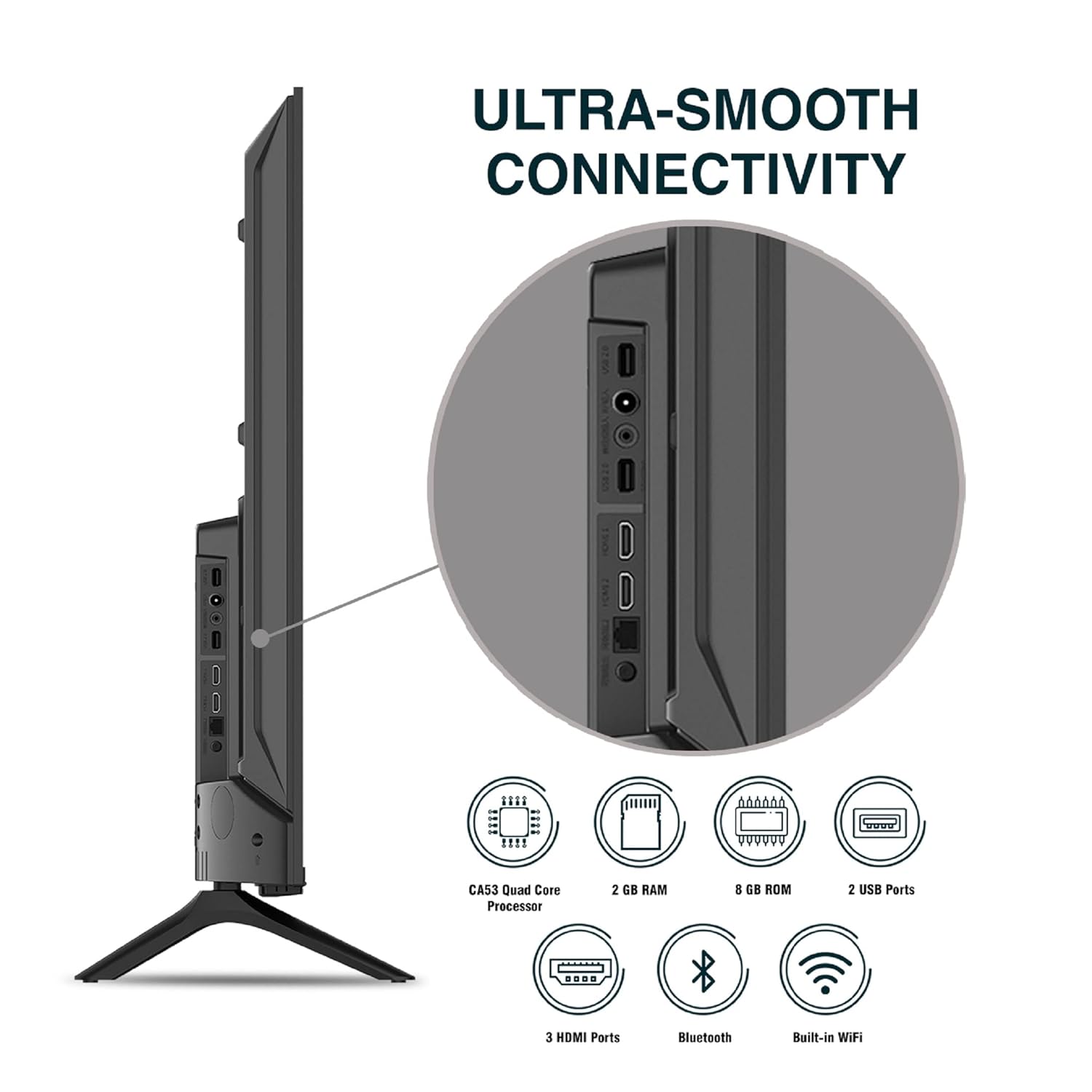
Slika: Podrobna view povezovalnih vrat televizorja.
5. Navodila za uporabo
5.1. Osnovno delovanje
- Vklop/izklop: Pritisnite gumb za vklop na daljinskem upravljalniku ali na televizorju, da ga vklopite ali izklopite.
- Začetna nastavitev: Upon first power-on, follow the on-screen instructions to set up language, network connection, and Google account.
- Vir vhoda: Press the 'Input' button on the remote to select between HDMI, AV, TV, or other connected sources.
- Nadzor glasnosti: Uporabite gumba za povečanje/zmanjšanje glasnosti na daljinskem upravljalniku.
5.2. Using the Smart Remote
The included remote control features voice control and dedicated hotkeys for quick access to popular streaming services.
- Glasovni nadzor: Press the Google Assistant button (microphone icon) and speak your commands to search for content, control smart home devices, or ask questions.
- Bližnjice: Directly launch Netflix, Prime Video, YouTube, and Google Play with a single press.
- Navigacija: Use the directional pad and 'OK' button to navigate the Android TV interface.

Image: Sansui Smart Remote Control with voice control and app hotkeys.
5.3. Android TV Interface and Smart Features
Your Sansui TV runs on Android 10.0, providing access to a wide range of apps and smart functionalities.
- Domači zaslon: The home screen displays your favorite apps, recommended content, and input sources.
- Trgovina Google Play: Download and install additional apps, games, and content from the Google Play Store.
- Vgrajen Chromecast: Cast content (videos, photos, music) from your smartphone, tablet, or computer directly to the TV.
- Google Pomočnik/Alexa: Use voice commands via the remote or a compatible Alexa device to control your TV and other smart home devices.

Image: Android TV home screen showing available applications.
6. Vzdrževanje
Pravilna nega in vzdrževanje bosta podaljšala življenjsko dobo vašega televizorja.
- Čiščenje zaslona: Zaslon nežno obrišite z mehko krpo, ki ne pušča vlaken. Za trdovratne madeže uporabite čistilo za zaslone, posebej zasnovano za televizorje, ki ga nanesite na krpo in ne neposredno na zaslon.
- Čiščenje kabineta: Za brisanje ohišja televizorja uporabite mehko, suho krpo. Ne uporabljajte abrazivnih čistil ali topil.
- Prezračevanje: Prepričajte se, da so prezračevalne odprtine čiste od prahu in umazanije, da preprečite pregrevanje.
- Napajalni kabel: Regularly check the power cord for any damage. If damaged, replace it with an authorized part.
7. Odpravljanje težav
Če naletite na kakršne koli težave, si oglejte naslednje pogoste težave in rešitve.
| Težava | Možen vzrok | rešitev |
|---|---|---|
| Brez moči | Napajalni kabel odklopljen; Težava z vtičnico | Preverite priključek napajalnega kabla; preizkusite vtičnico z drugo napravo. |
| Brez slike, samo zvok | Napačen vhodni vir; Težava z zunanjo napravo | Select correct input source; Check external device connection and power. |
| Brez zvoka, samo slika | Volume muted/low; External audio system issue | Unmute or increase volume; Check external audio system connections. |
| Daljinski upravljalnik ne deluje | Batteries depleted; Obstruction between remote and TV | Zamenjajte baterije; Odstranite morebitne ovire. |
| Težave s povezavo Wi-Fi | Napačno geslo; Težave z usmerjevalnikom; Motnje signala | Ponovno vnesite geslo; Ponovno zaženite usmerjevalnik; Premaknite televizor bližje usmerjevalniku ali uporabite ethernet. |
Če težava po poskusu teh rešitev še vedno obstaja, se obrnite na podporo strankam.
8. Specifikacije
Detailed technical specifications for the Sansui JSW50ASUHD TV.
| Funkcija | Opis |
|---|---|
| Ime modela | SANSUI LED - JSW50ASUHD |
| Velikost zaslona | 50 palca (127 cm) |
| Tehnologija zaslona | LED |
| Resolucija | 4K Ultra HD (3840 x 2160) |
| Hitrost osveževanja | 60 Hz |
| Operacijski sistem | Android 10.0 (certificirano s strani Googla) |
| Procesor | Štirijedrni CA53 |
| RAM | 2 GB |
| ROM (pomnilnik) | 8 GB |
| Avdio izhod | 20 vatov |
| Tehnologija zvoka | Dolby Audio, DTS Studio Sound |
| Vrata HDMI | 3 |
| Vrata USB | 2 |
| Brezžična povezljivost | Wi-Fi, Bluetooth |
| Druga povezljivost | Ethernet (RJ45), 3.5mm Audio Jack, Antenna |
| Podpora za HDR | HDR10 |
| Vrsta namestitve | Stenski in namizni nosilec |
| Standard VESA za montažo | 800 x 400 mm |
| Poraba energije | 120 vatov |
| Teža predmeta | 9650 gramov |
| barva | Mystique Black |
9. Garancija in podpora
Your Sansui TV comes with a comprehensive warranty and dedicated customer support.
- Garancija: 1 year comprehensive warranty and 1 year additional on panel from the date of purchase.
- Garancijska podpora: For warranty-related queries, please contact Sansui Toll Free No.: 1800-419-3777.
- Kontakt uvoznika: Jaina India Pvt Ltd., D170, Okhla Industrial Area, Phase-1, New Delhi-110020 INDIA | Email: sansuicare@jainaindia.com.
Za uveljavljanje garancije shranite račun.