
1. Uvod
Thank you for choosing Kinganda Q71 Bluetooth Earbuds. This manual provides detailed instructions for setting up, operating, and maintaining your new wireless earbuds. Please read this manual carefully before use to ensure proper functionality and to maximize your listening experience.
2. Varnostne informacije
- Slušalk ali polnilnega ohišja ne izpostavljajte ekstremnim temperaturam, vlagi ali korozivnim okoljem.
- Izogibajte se dolgotrajnemu poslušanju pri visoki glasnosti, da preprečite poškodbe sluha.
- Napravo hranite izven dosega otrok in hišnih ljubljenčkov.
- Izdelka ne poskušajte razstavljati ali spreminjati. S tem boste razveljavili garancijo.
- Slušalke in polnilno ohišje čistite samo z mehko, suho krpo.
3. Vsebina paketa
Prosimo, preverite, ali so v vašem paketu vsi artikli:
- Kinganda Q71 Bluetooth Earbuds (Left and Right)
- etui za polnjenje
- USB polnilni kabel
- Več velikosti ušesnih nastavkov
- Uporabniški priročnik
4. Izdelek je končanview
Familiarize yourself with the components of your Kinganda Q71 Bluetooth Earbuds.
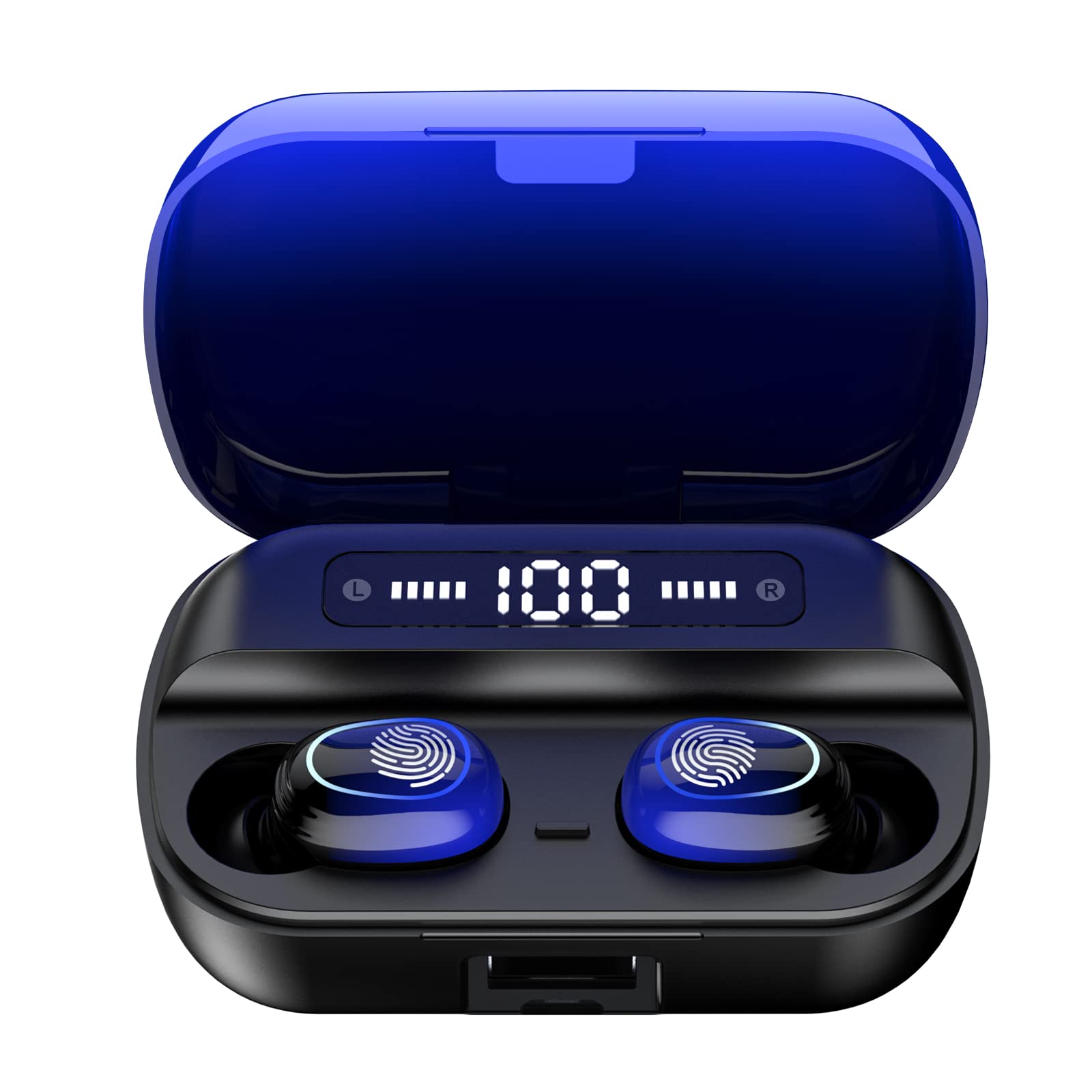
Slika 4.1: Konecview of Kinganda Q71 Bluetooth Earbuds and key features including Bluetooth 5.1, low latency, low power consumption, touch control, clear calls, 10mm speakers, compatibility with iOS and Android, and a 33-foot signal range.
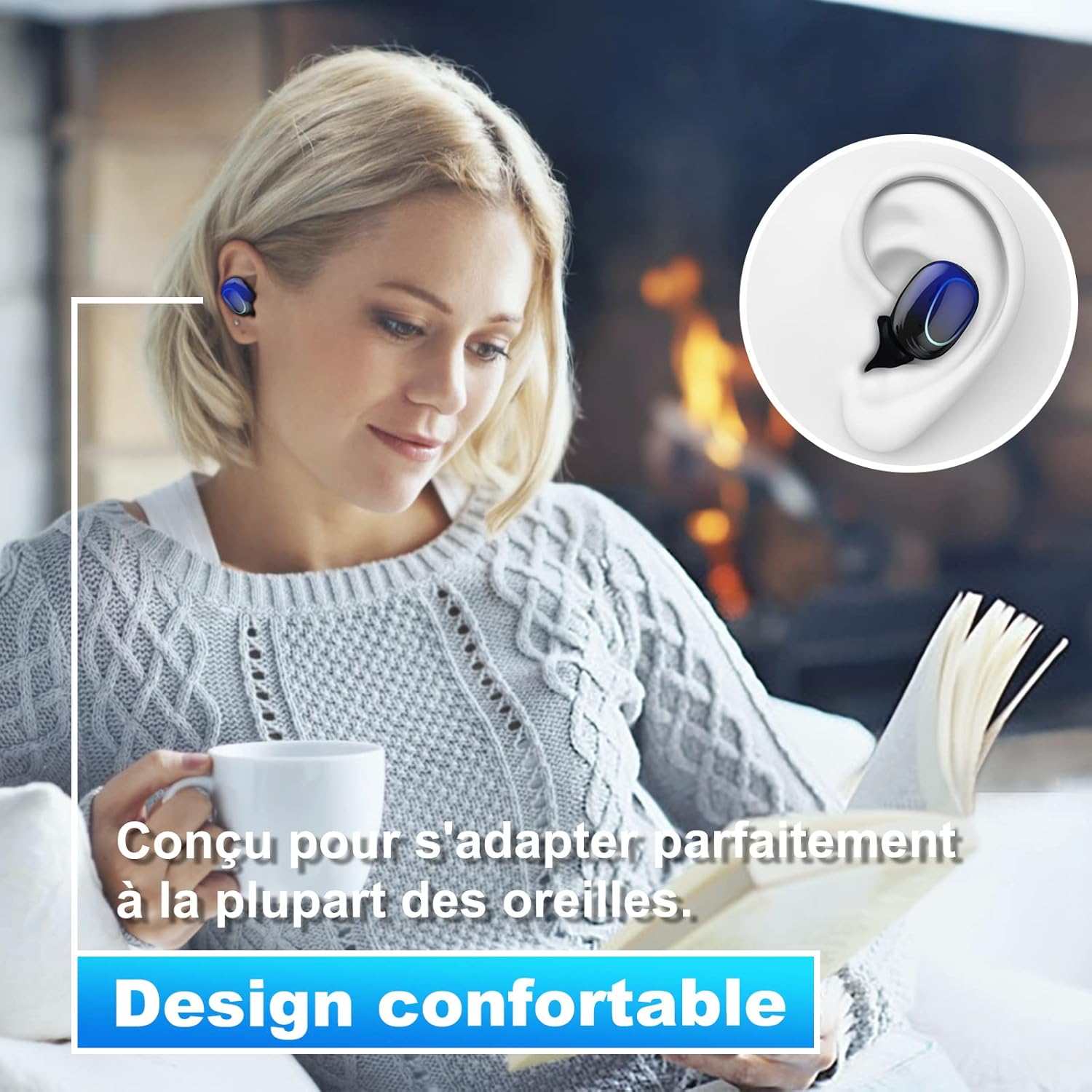
Image 4.2: The Kinganda Q71 earbuds are designed for a comfortable and secure fit in most ears.
5. Nastavitev
5.1 Polnjenje slušalk in etuija
Pred prvo uporabo popolnoma napolnite polnilno ohišje in slušalke.
- Slušalke vstavite v polnilno ohišje. Prepričajte se, da so pravilno nameščene.
- Polnilni kabel USB priključite na polnilno vtičnico na ohišju in na vir napajanja (npr. stenski adapter USB, vrata USB računalnika).
- Indikatorske lučke na ohišju bodo prikazovale stanje polnjenja. Ko je ohišje popolnoma napolnjeno, bodo lučke označile zaključek ali pa se bodo izklopile.

Image 5.1: The charging case has a 3500mAh battery. Earbuds provide approximately 5 hours of playback, and the case extends total usage to about 150 hours. A full recharge takes approximately 1.5 hours.
5.2 Seznanjanje z napravo Bluetooth
Slušalke uporabljajo Bluetooth 5.1 za stabilno povezavo.
- Odprite polnilno ohišje. Slušalke se bodo samodejno vklopile in preklopile v način seznanjanja.
- V napravi (pametnem telefonu, tabličnem računalniku itd.) omogočite Bluetooth.
- Iskanje available Bluetooth devices and select "Kinganda Q71" (or similar name) from the list.
- Ko je povezava vzpostavljena, boste zaslišali potrditveni zvok in indikatorske lučke na slušalkah se bodo spremenile.
5.3 Nošenje slušalk
For optimal sound quality and comfort, choose the correct ear tip size and ensure a snug fit.
- Select the ear tips that best fit your ear canals.
- Vsako slušalko nežno vstavite v uho in jo rahlo zavrtite, dokler se ne počutite trdno in udobno.
6. Navodila za uporabo
The Kinganda Q71 earbuds feature touch controls for easy operation.

Image 6.1: Touch controls for various functions including power, music playback, call management, and voice assistant activation.
6.1 Osnovne funkcije
- Vklop/izklop: Earbuds power on automatically when removed from the case and power off when placed back in the case. Alternatively, long-press the touch area for manual power on/off.
- Predvajanje/pavza: Enkratni dotik na obeh ušesnih čepkih.
- Naslednja skladba: Dvakrat tapnite desni ušesni čep.
- Prejšnja skladba: Dvakrat tapnite levi ušesni čep.
- Sprejmi/končaj klic: Med dohodnim klicem enkrat tapnite katero koli slušalko.
- Zavrni klic: Long-press on either earbud during an incoming call.
- Aktivirajte glasovnega pomočnika (Siri): Trikrat tapnite na katero koli slušalko.
6.2 Načini uporabe
The Kinganda Q71 earbuds support various listening modes.

Image 6.2: The earbuds can be used in mono mode (single earbud) to stay aware of surroundings, TWS stereo mode for immersive sound, or twin mode to share music with another person.
- Mono način: Use a single earbud (left or right) to listen to audio while keeping the other ear open to your surroundings. Simply remove one earbud from the case.
- TWS Stereo Mode: Use both earbuds for a full stereo audio experience. Both earbuds will automatically connect to each other and your device when removed from the case.
- Dvojni način: Share your music with a friend by giving them one earbud. Both earbuds will play the same audio.
7. Vzdrževanje
7.1 Čiščenje
Redno čiščenje pomaga ohranjati kakovost zvoka in higieno.
- Za brisanje slušalk in polnilnega ohišja uporabite mehko, suho krpo, ki ne pušča vlaken.
- Remove ear tips and clean them with mild soap and water if necessary, then dry thoroughly before reattaching.
- Ne uporabljajte močnih kemikalij ali abrazivnih materialov.
7.2 Shranjevanje
Ko slušalk ne uporabljate, jih shranite v polnilno škatlico, da jih zaščitite in ohranite napolnjene.
8. Odpravljanje težav
Če naletite na težave, poskusite naslednje rešitve:
- Slušalke se ne morejo seznaniti: Ensure both earbuds are charged. Place them back in the case, close it, then open it again to re-initiate pairing mode. Check your device's Bluetooth settings and try reconnecting.
- Deluje samo ena slušalka: Place both earbuds back in the charging case, close the lid, wait a few seconds, then open the lid and remove them simultaneously. This should force them to re-sync.
- Ni zvoka: Preverite glasnost na napravi in se prepričajte, da so slušalke pravilno priključene.
- Težave s polnjenjem: Prepričajte se, da je polnilni kabel varno priključen tako na ohišje kot na vir napajanja. Poskusite z drugim polnilnim kablom ali napajalnikom.
- Slaba kakovost zvoka: Ensure the earbuds are clean and properly seated in your ears. Try different ear tip sizes for a better seal.
9. Specifikacije
| Ime modela | Q71 |
| Znamka | Kinganda |
| Tehnologija povezljivosti | Brezžično (Bluetooth 5.1) |
| Brezžično Domet | Do 33 čevljev (10 metrov) |
| Vrsta zvočnega gonilnika | Dinamični gonilnik (10 mm) |
| Nadzorna metoda | Nadzor na dotik |
| Material | Plastika, silikon |
| Stopnja vodoodpornosti | Vodotesen (IPX7) |
| Življenjska doba baterije slušalk | Pribl. 5 ur |
| Ohišje za polnjenje Življenjska doba baterije | Approx. 150 hours (with case) |
| Zmogljivost polnilnega ohišja | 3500 mAh |
| Čas polnjenja | Pribl. 1.5 ur |
| Združljive naprave | Bluetooth-enabled devices (iOS, Android) |
| Posebna funkcija | Lahka |

Image 9.1: The 10mm immersive drivers deliver enhanced sound quality with deeper bass.

Image 9.2: With an IPX7 waterproof rating, the earbuds are protected against sweat and water splashes, making them suitable for sports.
10. Garancija in podpora
Kinganda products are designed for reliability and performance. This product comes with a standard manufacturer's warranty. For specific warranty details, please refer to the warranty card included in your package or contact Kinganda customer support.
If you have any questions, require technical assistance, or need to claim warranty service, please contact our customer support team through the contact information provided on the Kinganda official webspletno mesto ali vašo nakupovalno platformo.