
1. Izdelek je končanview
The WulaWindy Mini Digital Alarm Clock is a compact and stylish timekeeping device featuring a wood-grain finish and an LED display. It offers multiple functionalities designed for convenience and ease of use in various indoor settings.

Slika: spredaj view of the WulaWindy Mini Digital Alarm Clock displaying the current time.
Ključne značilnosti:
- Digital LED display with adjustable brightness.
- Three independent alarm settings with weekday mode option.
- Adjustable alarm volume with five levels.
- Izbira 12-urnega ali 24-urnega formata časa.
- Funkcija dremeža.
- Sound control and power-saving mode (display activates by sound or touch).
- Internal battery for time memory during power outages (clock is corded electric).
2. Nastavitev
2.1 Razpakiranje in priključitev na električno omrežje
Carefully remove the alarm clock from its packaging. Connect the provided power cord to the input port on the back of the clock and plug the other end into a standard electrical outlet. The clock is designed for corded electric operation and is not battery-operated for primary function.

Image: The WulaWindy Mini Digital Alarm Clock connected to a power source via its cord.
2.2 Nadzor nadview
The back of the clock features several buttons and switches for configuration:

Slika: Podrobna view of the back panel of the alarm clock, highlighting control buttons and input port.
- NASTAVITEV: Uporablja se za vnos in potrditev nastavitev.
- Gumbi GOR/DOL: Adjust values (time, alarm, brightness, volume).
- ALARM 1-2-3 switches: Individually enable or disable alarms.
- 12/24-urno stikalo: Preklaplja med 12-urnim in 24-urnim formatom časa.
- SOUND CONTROL switch: Activates or deactivates sound control/power-saving mode.
- BRIGHTNESS ADJUSTMENT dial: Manually adjusts display brightness.
2.3 Začetna nastavitev časa
- Pritisnite in držite NASTAVI gumb, dokler ne začnejo utripati številke za uro.
- Uporabite GOR/DOL gumbi za nastavitev ure.
- Pritisnite NASTAVI again to move to the minute setting. Use GOR/DOL za prilagoditev minut.
- Nadaljujte s pritiskom NASTAVI za preklapljanje med nastavitvami leta, meseca in dneva ter prilagajanje vsake od njih z GOR/DOL.
- Pritisnite NASTAVI še zadnjič za izhod iz načina nastavitve časa.
2.4 12/24-urni format
Potisnite 12H/24H switch on the back of the clock to select your preferred time display format.
3. Navodila za uporabo
3.1 Setting Alarms (A1, A2, A3)
The clock allows for three independent alarm settings.

Image: Visual representation of setting and activating multiple alarms.
- Pritisnite NASTAVI button repeatedly until 'A1' appears on the display.
- Pritisnite in držite NASTAVI until the hour digits for A1 flash. Use GOR/DOL da nastavite uro.
- Pritisnite NASTAVI again, then use GOR/DOL nastavite zapisnik.
- Pritisnite NASTAVI to confirm. You can then choose to set the alarm for everyday (ON), Monday-Friday (E), or turn it off (OFF). Use GOR/DOL izbrati.
- Repeat steps for A2 and A3 if desired.
- To activate an alarm, slide the corresponding ALARM 1-2-3 switch on the back of the clock to the 'ON' position.
3.2 Funkcija dremeža
When an alarm sounds, press any button on the top or back of the clock (except the ALARM switches) to activate the snooze function. The alarm will temporarily stop and sound again after a few minutes.
3.3 Prilagoditev svetlosti
The display brightness can be adjusted to suit your preference.

Image: Display showing various brightness levels from dim to bright.
- Uporabite NASTAVITEV SVETLOSTI dial on the back of the clock to manually increase or decrease the LED display brightness.
- The clock also features an automatic brightness adjustment option, which can be enabled or disabled via the settings.
3.4 Prilagajanje glasnosti alarma
The alarm volume has five levels. To adjust:
- V običajnem načinu prikaza časa pritisnite DOL button. The current volume level ('VOLS' followed by a number) will appear.
- Uporabite GOR/DOL buttons to select the desired volume level (1-5).
- The setting will automatically save after a few seconds.
3.5 Sound Control / Power Saving Mode
This mode allows the display to turn off automatically and activate when sound (e.g., a clap) or touch is detected.
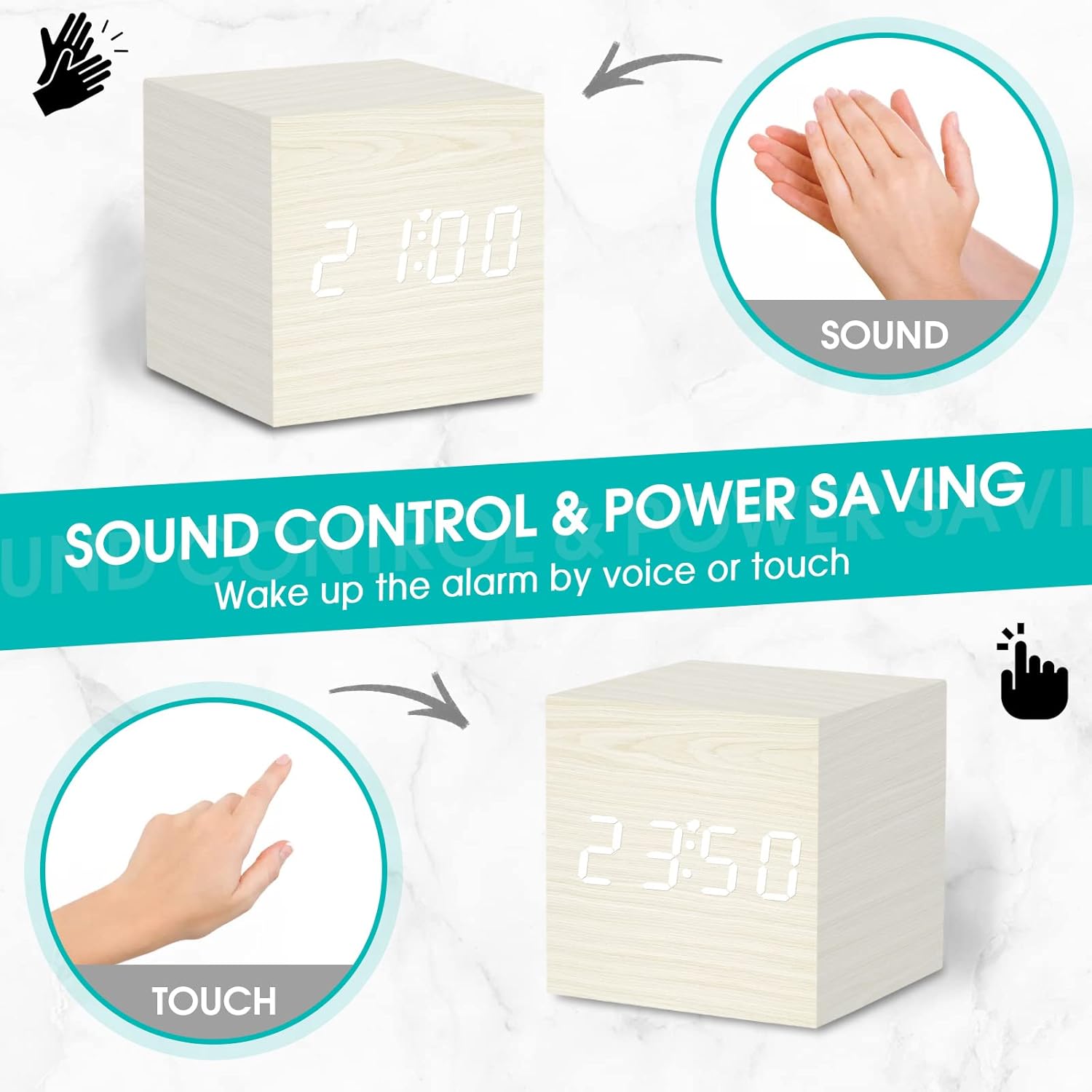
Image: Demonstrating how sound or touch can activate the clock display in power-saving mode.
Potisnite NADZOR ZVOKA switch on the back of the clock to 'ON' to enable this feature, or 'OFF' to keep the display continuously on.
3.6 Video demonstracija
Video: This video provides a review of the WulaWindy Mini Digital Alarm Clock, demonstrating its features and functionality, including setting the time, alarms, and adjusting brightness and volume.
4. Vzdrževanje
4.1 Čiščenje
To clean the clock, gently wipe the surface with a soft, dry cloth. Avoid using abrasive cleaners, solvents, or excessive moisture, as these can damage the wood finish or electronic components.
4.2 Power Source Care
Ensure the power cord is not bent, twisted, or placed under heavy objects. Always unplug the device by grasping the plug, not the cord, when disconnecting from the power outlet.
5. Odpravljanje težav
5.1 Display Not Showing
- Check if the power cord is securely plugged into both the clock and the wall outlet.
- Zagotovite NADZOR ZVOKA switch is not in the 'ON' position, which would turn off the display until activated by sound or touch.
- Prilagodite NASTAVITEV SVETLOSTI dial to ensure the brightness is not set to 0%.
5.2 Alarm Not Sounding
- Verify that the specific alarm switch (A1, A2, or A3) on the back of the clock is in the 'ON' position.
- Check the alarm time setting to ensure it is correctly configured.
- Ensure the alarm volume is not set to level 0. Adjust using the DOL gumb.
5.3 Časovna netočnost
- If the time becomes inaccurate, reset the time following the instructions in Section 2.3.
- Ensure the clock is receiving consistent power. Power fluctuations can sometimes affect timekeeping.
6. Specifikacije
| Znamka | WulaWindy |
| Model | Mini digitalna budilka |
| barva | Bela |
| Vrsta zaslona | Digitalno |
| Slog | Moderno |
| Posebna funkcija | Alarm, dremež |
| Dimenzije izdelka | 2.5 cm Š x 2.5 cm V |
| Vir napajanja | Električni na kabel |
| Vrsta sobe | Spalnica |
| Notranja/zunanja uporaba | Notranja |
| Material | Les |
| Material okvirja | Les |
| Baterije priložene | No (Internal battery for memory only) |
| Vrsta namestitve | Namizna |
| Teža predmeta | 5 unč |
7. Garancija in podpora
For warranty information or technical support, please refer to the product packaging or contact WulaWindy customer service directly. Contact details can typically be found on the manufacturer's webspletnem mestu ali v dokumentaciji izdelka.