
Uvod
The havit GK58B is a USB plug-and-play gaming microphone designed for clear voice communication. It features omnidirectional sound pickup, a flexible gooseneck, a stable base, and unique RGB lighting effects. This manual provides instructions for setup, operation, maintenance, and troubleshooting to ensure optimal performance.
Lastnosti
- USB-priklopi in predvajaj: Simple connection without driver installation.
- Vsesmerni prevzem: Captures sound from all directions for clear communication.
- Prilagodljiv gosji vrat: Adjustable microphone position for optimal voice capture.
- Stabilna podlaga: Ensures the microphone remains securely in place.
- RGB osvetlitev: Integrated lighting for an enhanced aesthetic.
Vsebina paketa
The havit GK58B package includes:
- 1 x havit GK58B USB Gaming Microphone
- 1 x Uporabniški priročnik (ta dokument)

Slika: spredaj view of the havit GK58B USB Gaming Microphone retail packaging.

Slika: Nazaj view of the havit GK58B USB Gaming Microphone retail packaging, showing product specifications.
Nastavitev
- Razpakirajte mikrofon: Carefully remove the havit GK58B microphone from its packaging.
- Postavite mikrofon: Place the microphone on a stable, flat surface. Adjust the flexible gooseneck to position the microphone head optimally for your voice, typically 15-30 cm (6-12 inches) from your mouth.
- Povežite se z računalnikom: Plug the USB connector of the microphone cable into an available USB port on your computer.
- Namestitev gonilnika: The microphone is plug-and-play and does not require additional driver installation. Your operating system should automatically detect and configure the device.
- Izberite kot privzeto napravo:
- Windows: Pojdi na Nastavitve zvoka > Nadzorna plošča zvoka > Snemanje tab. Select "havit GK58B" or similar as your default recording device.
- MacOS: Pojdi na Sistemske nastavitve > Zvok > Vnos tab. Select "havit GK58B" or similar as your input device.
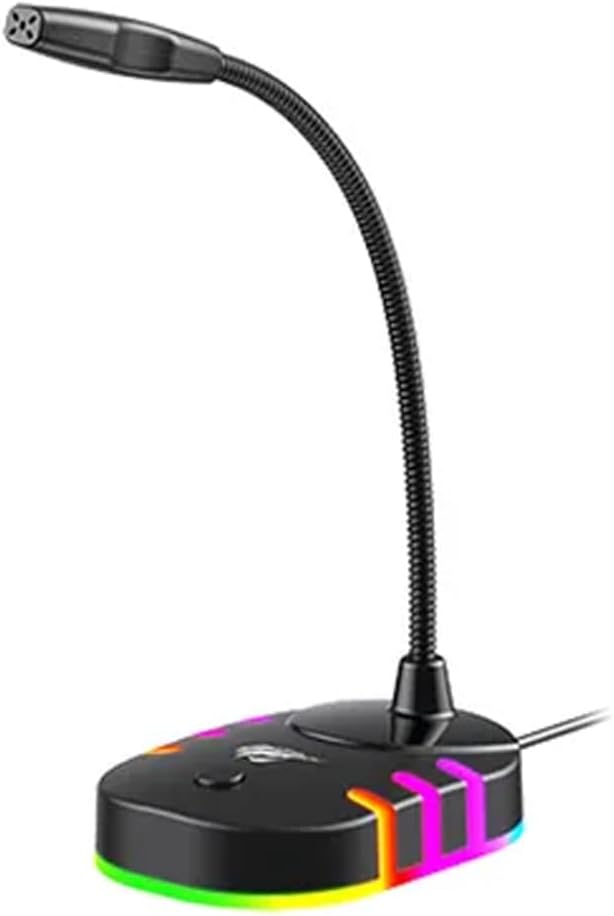
Slika: Sprednja stran view of the havit GK58B USB Gaming Microphone, showing the gooseneck and base with RGB lighting.
Navodila za uporabo
- Microphone Activation: Once connected and selected as the default input device, the microphone is ready for use. The RGB lighting on the base will illuminate, indicating it is powered on.
- Prilagoditev glasnosti: Microphone input volume can be adjusted through your computer's sound settings or within the specific application you are using (e.g., game chat, communication software).
- Vsesmerni prevzem: The GK58B features an omnidirectional polar pattern, meaning it picks up sound equally from all directions. This is suitable for capturing ambient sound or multiple speakers around the microphone. For best voice clarity, speak directly towards the microphone head.
- Nadzor osvetlitve RGB: The microphone base features RGB lighting. While specific controls are not detailed, typically these lights cycle automatically or can be toggled via a button on the base if present. Refer to the product's physical buttons for any lighting control options.
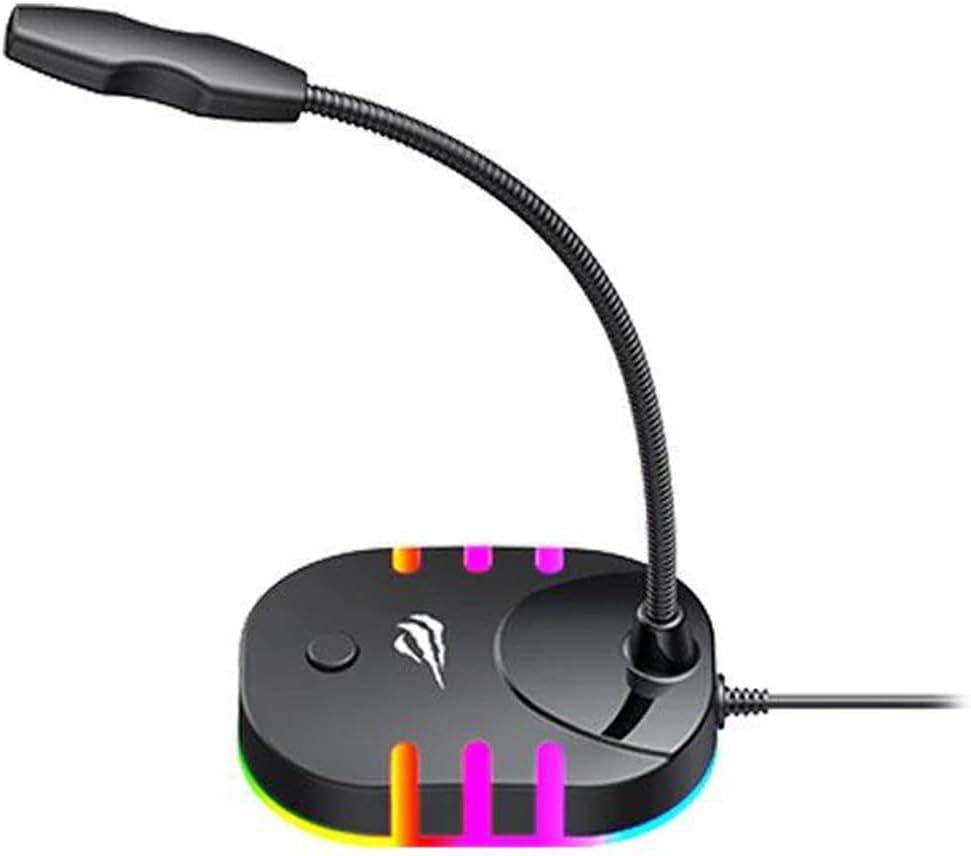
Image: Back-side view of the havit GK58B USB Gaming Microphone, showing the USB cable connection point and the base with RGB lighting.
Vzdrževanje
- Čiščenje: Use a soft, dry cloth to wipe the microphone and its base. Avoid using liquid cleaners or abrasive materials, as these can damage the device.
- Shranjevanje: When not in use, store the microphone in a clean, dry environment away from direct sunlight and extreme temperatures.
- Skrb za kabel: USB-kabla ne upogibajte ali stiskajte pretirano. Pri odklopu vedno primite za vtič in ne za kabel.
Odpravljanje težav
| Težava | Možen vzrok | rešitev |
|---|---|---|
| Mikrofon ni zaznan / Ni vhodnega zvoka |
|
|
| Nizka glasnost mikrofona |
|
|
| RGB osvetlitev ne deluje |
|
|
Specifikacije
| Ime modela | GK58B |
| Tehnologija povezljivosti | USB |
| Vrsta priključka | USB tipa A |
| Polarni vzorec | Vsesmerno |
| Občutljivost | -36 ± 3dB |
| Impedanca | 2.2kΩ |
| Frekvenčni odziv | 30Hz – 16kHz |
| Dolžina kabla | 1.5m |
| Delovna zvezatage | 5.0 V |
| Delovni tok | 90mA |
| Dimenzije mikrofona | φ6*5 mm |
| Dimenzije izdelka | 7.5 x 13 x 11 cm |
| Teža predmeta | 2 g |
| Združljive naprave | Prenosni računalnik, osebni računalnik |
| Posebna funkcija | Stand, RGB Lighting |
Garancija in podpora
For warranty information and technical support, please refer to the official havit webspletnega mesta ali se obrnite na lokalnega prodajalca. Za uveljavljanje garancije shranite račun.
Proizvajalec: Havit