
Acrojoy D501
ACROJOY D501 Native 1080P Mini Projector User Manual
Model: D501
1. Uvod
This manual provides essential information for the safe and efficient operation of your ACROJOY D501 Native 1080P Mini Projector. Please read it thoroughly before using the product and retain it for future reference.
2. Varnostne informacije
- Ne glejte neposredno v lečo projektorja, ko jeamp je vklopljena. Močna svetloba lahko povzroči poškodbe oči.
- Zagotovite ustrezno prezračevanje okoli projektorja. Ne blokirajte prezračevalnih odprtin.
- Projektorja ne izpostavljajte vodi, vlagi in ekstremnim temperaturam.
- Uporabljajte samo napajalnik, ki je priložen projektorju.
- Projektorja ne poskušajte popravljati sami. Vsa servisna dela prepustite usposobljenemu osebju.
- Hraniti izven dosega otrok.
3. Vsebina paketa
Preverite, ali so v paketu vsi elementi:
- 1x ACROJOY D501 Projector
- 1x User Manual/Quick Start/Warranty Information
- 1x Komplet za čiščenje
- 1x HDMI kabel
- 1x napajalni kabel
- 1x Projector Lens Cover
- 1x 120-inch Projector Screen
- 1x daljinski upravljalnik
4. Izdelek je končanview
Familiarize yourself with the main components of your ACROJOY D501 projector.

Slika 4.1: ACROJOY D501 Projector and included 120-inch screen. The image highlights key features such as native 1080p resolution, 5G+2.4G WiFi, 9500 lumens (as indicated in image), and 4K support.

Slika 4.2: Stran view of the projector illustrating its connectivity options, including ports for PS5, Nintendo Switch, TV Stick, Phone/Tablet, USB, Laptop/PC, and Audio output.
5. Nastavitev
5.1 Postavitev projektorja
Position the projector on a stable, flat surface or mount it (ceiling, tripod) according to your preference. Ensure the projector is perpendicular to the projection surface for optimal image quality.
- Razdalja projekcije: The optimal projection distance ranges from 4 to 40 feet.
- Velikost zaslona: The projector can produce an adjustable display size from 35 inches to 400 inches. A 120-inch screen is included for convenience.

Slika 5.1: The ACROJOY D501 Projector in an outdoor setting, demonstrating its portability and the use of the bundled 120-inch projector screen for an enjoyable viewizkušnje.
5.2 Napajalni priključek
- Priključite napajalni kabel na vhod za napajanje projektorja.
- Plug the other end of the power cord into a suitable electrical outlet (120 Volts).
- Indikatorska lučka napajanja na projektorju bo zasvetila.
5.3 Nastavitev ostrenja in trapezne korekcije
Po vklopu projektorja prilagodite sliko za jasnost in obliko:
- Fokusni obroč: Rotate the focus ring on the projector lens until the projected image is sharp and clear.
- Trapezni popravek: Use the keystone correction dial or digital adjustment (if available) to correct trapezoidal distortion, ensuring a rectangular image. The projector supports ±15 degrees keystone correction.
6. Navodila za uporabo
6.1 Vklop/izklop
- Vklop: Pritisnite gumb za vklop na projektorju ali daljinskem upravljalniku.
- Ugasniti: Ponovno pritisnite gumb za vklop. Po potrebi potrdite izklop.
6.2 Izbira vhodnega vira
The projector supports multiple input sources. Use the 'Source' button on the projector or remote to select the desired input:
- HDMI: Connect devices like laptops, TV sticks, gaming consoles (PS5, Xbox) via HDMI cables. The projector has 2 HDMI ports.
- USB: Vstavite pogon USB za predvajanje medijev files neposredno.
- OD: Starejše naprave priključite z AV kablom.
6.3 Brezžična povezljivost (WiFi in Bluetooth)
6.3.1 WiFi Screen Mirroring
The projector features 5G+2.4G dual-band WiFi for fast and stable screen mirroring from your smartphone or tablet.
- Prepričajte se, da sta projektor in mobilna naprava povezana z istim omrežjem WiFi.
- Select the 'Screen Mirroring' or 'Wireless Display' option on the projector's menu.
- On your iOS device, use 'Screen Mirroring'. On Android, use 'Wireless Projection' or similar.
- Izberite projektor s seznama razpoložljivih naprav.
Opomba: Due to copyright restrictions, streaming services like Netflix, Amazon Prime Video, and Hulu cannot be wirelessly mirrored directly from your device. Use an HDMI-connected TV stick or similar device for these services.

Slika 6.1: Demonstrates 5G WiFi screen mirroring for seamless video streaming from iOS, Android, or Windows devices to the projector.
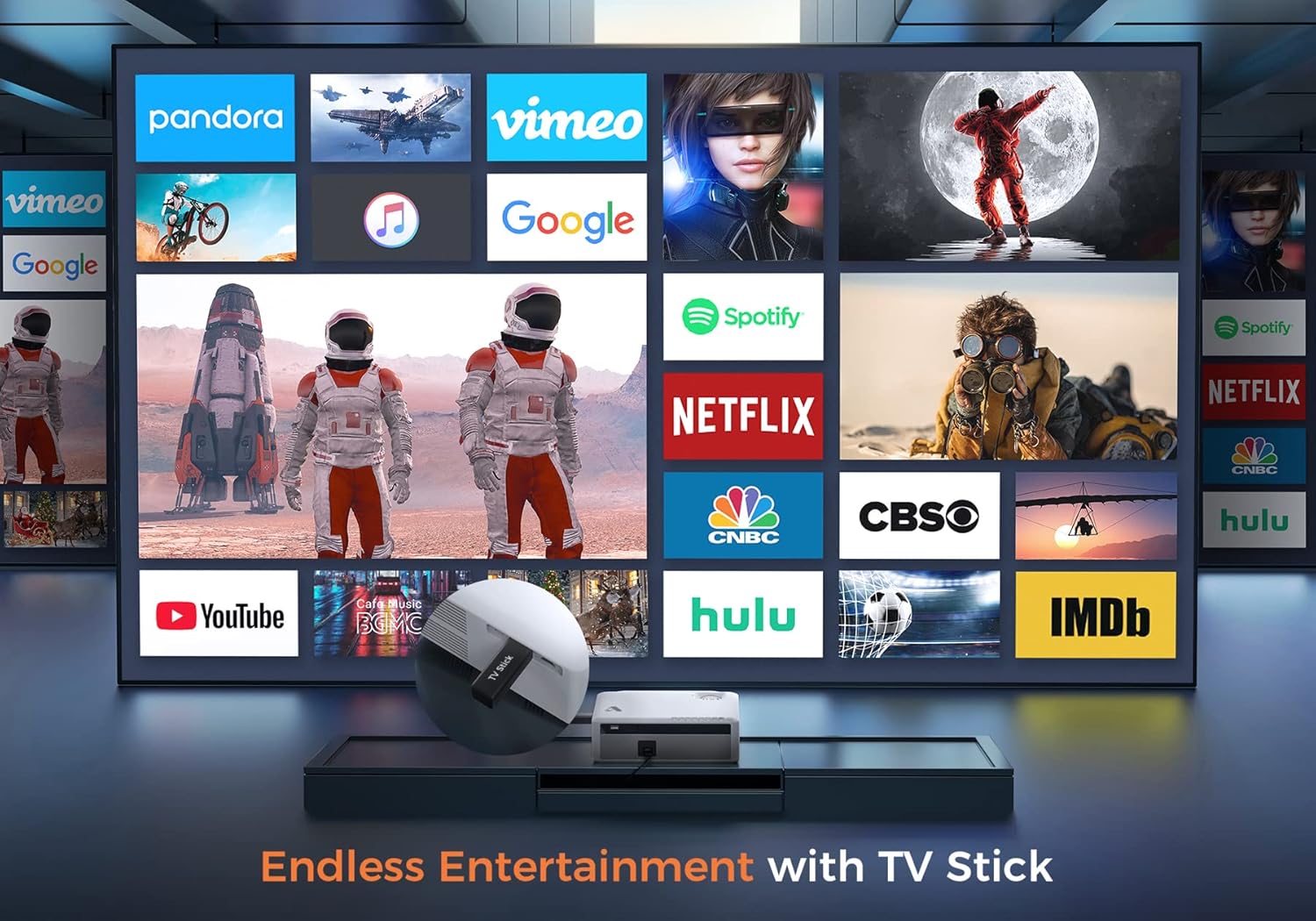
Slika 6.2: Illustrates how to access various entertainment apps like YouTube, Netflix, and Hulu by connecting a TV stick to the projector.
6.3.2 Povezava Bluetooth
Za izboljšan zvok priključite zunanje zvočnike ali slušalke Bluetooth.
- Enable Bluetooth on your external audio device and set it to pairing mode.
- On the projector's menu, navigate to 'Bluetooth Settings'.
- Na seznamu izberite napravo za seznanitev.
The projector also features a built-in Hi-Fi speaker for direct audio output.
6.4 Funkcija povečave
Adjust the image size without moving the projector using the 50%-100% zoom function, typically found in the projector's display settings menu.
7. Vzdrževanje
- Čiščenje leč: Use the provided cleaning kit or a soft, lint-free cloth specifically designed for optical lenses. Do not use abrasive cleaners.
- Odstranjevanje prahu: Regularly clean the projector's exterior with a soft, dry cloth. Use a small brush or compressed air to gently clear dust from ventilation openings.
- Shranjevanje: When not in use, store the projector in a cool, dry place, protected from dust and direct sunlight. Always replace the lens cover.
8. Odpravljanje težav
- Brez napajanja: Ensure the power cord is securely connected to both the projector and the power outlet. Try a different outlet.
- Brez slike: Check the input source selection. Ensure the connected device is powered on and sending a signal. Verify HDMI/USB cable connections.
- Zamegljena slika: Adjust the focus ring. Ensure the projection distance is within the recommended range.
- Slika je trapezoidna: Prilagodite trapezni popravek.
- Brez zvoka: Check the volume settings on both the projector and the source device. If using external speakers, ensure they are properly connected or paired via Bluetooth.
- WiFi Mirroring Issues: Ensure both devices are on the same WiFi network. Some copyrighted content cannot be mirrored wirelessly.
9. Specifikacije
| Znamka | Acrojoy |
| Številka modela | D501 |
| Izvorna ločljivost | 1920 x 1080 (Full HD) |
| Največja podprta ločljivost | 3840 x 2160 (4K) |
| Svetlost | 5500 lumnov |
| Kontrastno razmerje | 12000:1 |
| Vrsta zaslona | LCD |
| Povezljivost | 5G+2.4G WiFi, Bluetooth 5.1 |
| Vhodna vrata | 2x HDMI, 1x USB, AV |
| Izhodna vrata | 3.5 mm avdio izhod |
| Velikost projekcije | 35" - 400" |
| Projekcijska razdalja | 4 - 40 m |
| Razmerje stranic | 4:3/16:9 |
| Popravek Keystone | ±15 stopinj |
| Funkcija povečave | 50 % - 100 % |
| Dimenzije izdelka | 22.86 x 17.75 x 7.62 cm |
| Teža predmeta | 3.19 kg |
| Vir napajanja | Električni z vrvico (120 voltov, 600 vatov) |
10. Garancija in podpora
ACROJOY provides comprehensive support for your projector:
- Garancija: A 3-year warranty covers manufacturing defects and malfunctions.
- Tehnična podpora: Lifetime professional technical support is available.
- Kontakt: For any questions or assistance, please refer to the contact information provided in your Quick Start Guide or Warranty Information document.
Ask a question about this manual
Ask about setup, troubleshooting, compatibility, parts, safety, or missing instructions. Manuals+ will review the question and use this page’s manual context to help answer it.