
Uvod
This manual provides instructions for the SZELAM 5.6-inch LCD Digital Alarm Clock, Model 2199. This versatile device functions as both a wall-mounted and tabletop clock, displaying time, temperature, and humidity with a large, easy-to-read font. It is designed to help you monitor your indoor environment and manage your schedule effectively.
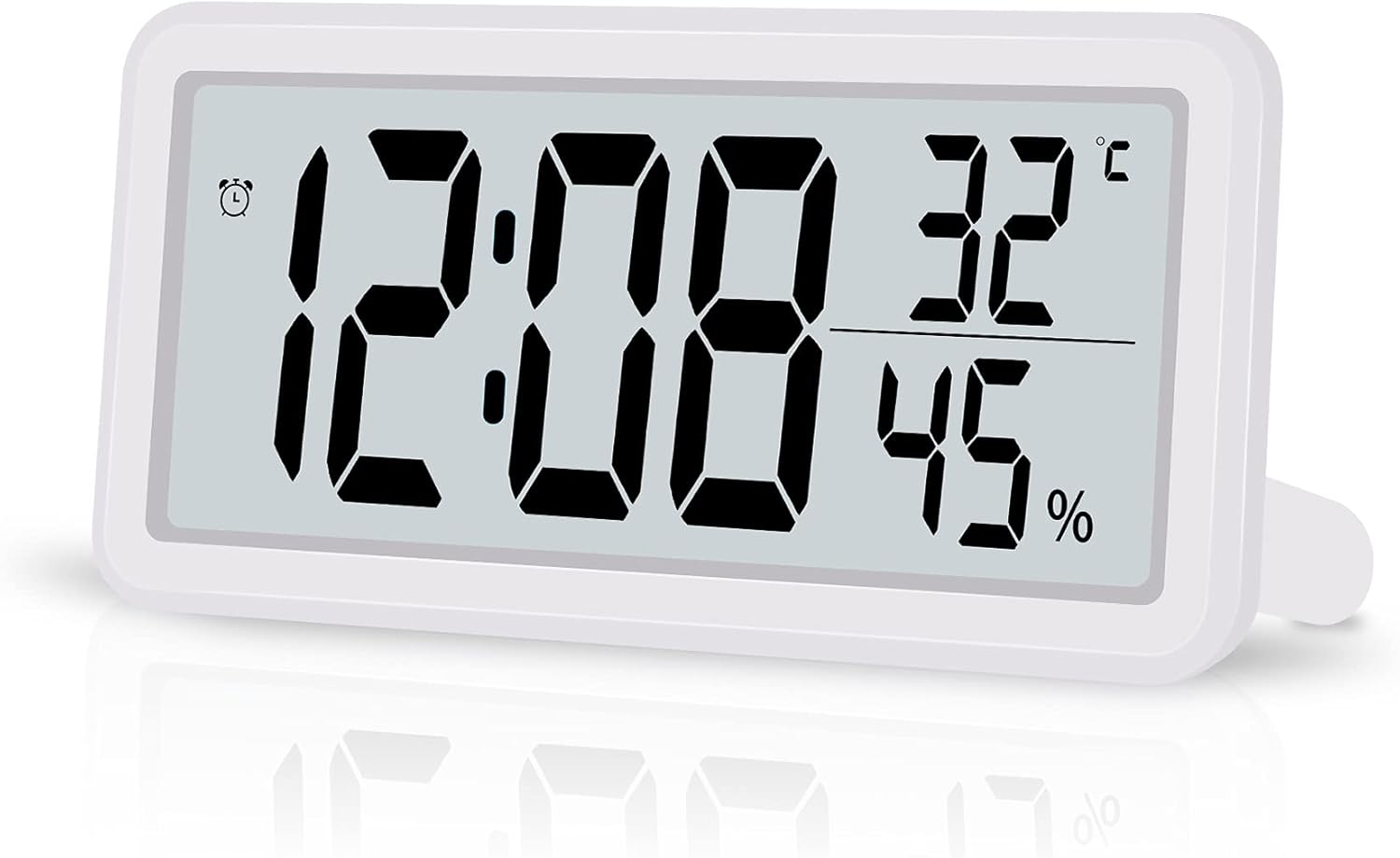
Figure 1: SZELAM 5.6-inch LCD Digital Alarm Clock
The image shows the SZELAM 5.6-inch LCD Digital Alarm Clock from a slight angle, displaying the time (12:08), temperature (32°C), and humidity (45%). The clock has a white casing and a clear digital display.
Lastnosti izdelka
- Velik LCD zaslon: Features a 5.6-inch screen with bold, large fonts for clear visibility of time, temperature, and humidity.
- Nadzor temperature in vlažnosti: Built-in sensors detect and display indoor temperature (Celsius/Fahrenheit switchable) and humidity levels.
- Alarm with Snooze Function: Set alarms to wake up or for important events. The snooze function provides an additional 5 minutes of sleep.
- 12/24-urni format časa: Easily switch between 12-hour (with AM/PM indicator) and 24-hour time formats.
- Baterija: Operates on a CR2032 battery (included), offering portability and freedom from power outlets.
- Vsestranska postavitev: Designed for both tabletop use with a fold-out stand and wall mounting via a hanging hole.

Figure 2: Product Dimensions and Feature Icons
This image illustrates the clock's dimensions: 5.8 inches wide and 2.9 inches high, with a thickness of 0.47 inches. Below the clock, six icons represent its main features: Battery Powered, Humidity, 12/24H Mode, Temperature, Date Display, and Snooze Mode.
Komponente konecview
Familiarize yourself with the main components of your digital alarm clock.

Figure 3: Front and Back Panel Components
The top part of the image shows the front display with labels for 12H Mode (AM/PM), Alarm icon, Time, Temperature, and Humidity. The bottom part shows the back of the clock, labeling the Hanging Hole, Vents Hole, Battery Compartment, Speaker, Bracket (fold-out stand), and control buttons: MODE, UP, DOWN, MAX/MIN, and SNOOZE.
Gumbi za upravljanje:
- NAVODILA: Used to switch between time, alarm, and date display modes, and to enter setting modes.
- UP: Used to increase values during setting or switch between 12/24-hour format.
- DOL: Used to decrease values during setting or switch between Celsius/Fahrenheit.
- MAX/MIN: Displays maximum and minimum temperature/humidity records.
- DREMEŽ: Aktivira funkcijo dremeža, ko se sproži alarm.
Nastavitev
1. Namestitev baterije
- Poiščite predal za baterije na zadnji strani ure.
- Odprite pokrov prostora za baterije.
- Vstavite eno baterijo CR2032 in pazite na pravilno polarnost (+/-).
- Trdno zaprite pokrov prostora za baterije.

Slika 4: Namestitev baterije
This image shows a close-up of the back of the clock, with a hand inserting a CR2032 coin cell battery into the designated battery compartment.
2. Initial Settings (Time, Date, 12/24H, Temperature Unit)
Upon battery installation, the clock will power on. You may need to set the current time, date, and preferred display formats.
- Pritisnite in držite NAČIN za vstop v način nastavitve časa. Številke za ure bodo utripale.
- Uporabite UP or DOL gumbi za nastavitev ure.
- Pritisnite NAČIN again to move to minute setting. Adjust with UP or DOL.
- Nadaljujte s pritiskom NAČIN to cycle through setting the year, month, and day. Adjust each with UP or DOL.
- Po nastavitvi datuma pritisnite NAČIN to select 12-hour or 24-hour format. Use UP or DOL preklopiti.
- Pritisnite NAČIN again to select the temperature unit (°C or °F). Use UP or DOL preklopiti.
- Pritisnite NAČIN one last time or wait a few seconds for the settings to save and return to normal display.
Note: Setting the date can sometimes require careful timing with button presses. If the screen changes unexpectedly, simply re-enter the setting mode.
Navodila za uporabo
1. Prikaz časa in datuma
- In normal display mode, the clock shows time, temperature, and humidity.
- Pritisnite NAČIN button briefly to switch between time display and date display (month and day).
- To change between 12-hour and 24-hour format, press the UP gumb v običajnem načinu prikaza časa.
2. Prikaz temperature in vlažnosti
- The current temperature and humidity are continuously displayed on the screen.
- Za preklop med Celzijem (°C) in Fahrenheitom (°F) pritisnite DOL button in normal display mode.
- Pritisnite MAX/MIN gumb za view najvišje in najnižje zabeležene vrednosti temperature in vlažnosti. Ponovno pritisnite, da se vrnete na trenutne odčitke.
3. Nastavitev alarma
- V običajnem načinu prikaza pritisnite NAČIN button repeatedly until the alarm time is displayed (an alarm icon may appear).
- Pritisnite in držite NAČIN gumb. Številke ure alarma bodo utripale.
- Uporabite UP or DOL gumbe za nastavitev ure budilke.
- Pritisnite NAČIN again to move to alarm minute setting. Adjust with UP or DOL.
- Pritisnite NAČIN one last time or wait a few seconds to save the alarm setting.
- Za vklop ali izklop alarma pritisnite UP button while the alarm time is displayed. An alarm icon will appear/disappear to indicate its status.
4. Funkcija dremeža
Ko se oglasi alarm, pritisnite tipko DREMEŽ gumb za začasno utišanje alarma. Alarm se bo ponovno oglasil čez približno 5 minut.

Figure 5: Snooze Function in Use
This image depicts a woman sleeping peacefully with the SZELAM Digital Alarm Clock on her bedside table. A magnified inset highlights the "SNOOZE" button on the top of the clock, indicating its easy accessibility for activating the snooze function.
5. Možnosti umestitve
Ura ponuja prilagodljive možnosti namestitve:
- Namizna uporaba: Extend the fold-out bracket on the back of the clock to stand it upright on any flat surface, such as a desk or bedside table.
- Montaža na steno: Use the hanging hole on the back of the clock to mount it securely on a wall.

Figure 6: Wall-Mounted and Desk Placement
This image demonstrates the clock's versatility. The top section shows the clock mounted on a wall above a television, highlighting the hanging hole. The bottom section shows the clock placed on a desk with its fold-out stand extended, next to a notebook and pen.
Vzdrževanje
1. Čiščenje
To clean the clock, gently wipe the surface with a soft, dry cloth. Avoid using abrasive cleaners or solvents, as these can damage the display or casing.
2. Zamenjava baterije
When the display becomes dim or the clock functions erratically, it's time to replace the CR2032 battery. Follow the battery installation steps outlined in the "Setup" section. Ensure proper disposal of old batteries according to local regulations.
Odpravljanje težav
| Težava | Možen vzrok | rešitev |
|---|---|---|
| Zaslon je zatemnjen ali prazen. | Prazna ali izpraznjena baterija. | Zamenjajte baterijo CR2032. |
| Cannot set time/date correctly. | Napačno zaporedje ali čas pritiska gumbov. | Refer to the "Initial Settings" section and follow the steps carefully. Practice the button presses. |
| Alarm se ne oglasi. | Alarm ni aktiviran. | Ensure the alarm icon is displayed, indicating the alarm is active. Refer to "Setting the Alarm". |
| Temperature/humidity readings seem inaccurate. | Clock placed near heat/cold sources or in extreme conditions. | Relocate the clock to a stable indoor environment away from direct sunlight, vents, or moisture. |
Specifikacije
| Znamka | SZELAM |
| Številka modela | 2199 |
| Vrsta zaslona | Digitalni LCD |
| Dimenzije izdelka | Approx. 14.7 cm (Width) x 7.4 cm (Height) x 1.2 cm (Depth) |
| Teža izdelka | Približno 0.1 kg (100 g) |
| Vir napajanja | 1 x CR2032 baterija (priložena) |
| Funkcije | Time (12/24H), Date, Alarm, Snooze, Temperature (°C/°F), Humidity, MAX/MIN Records |
| barva | Bela |
| Uporabno okolje | Notranja |
Garancija in podpora
Specific warranty information for the SZELAM 5.6-inch LCD Digital Alarm Clock, Model 2199, is not provided in this manual. Please refer to the product packaging or the retailer's webZa podrobnosti o garancijskem kritju in podpori strankam obiščite spletno mesto.
For further assistance or inquiries, please contact the seller or manufacturer through the platform where the product was purchased.

