
1. Uvod
Welcome to the instruction manual for your AMAFACE Kids Wireless Earbuds K62. These earbuds are designed to provide a comfortable and enjoyable audio experience with features tailored for children, including a unique panda-themed charging case, Bluetooth 5.1 connectivity, and intuitive touch controls. Please read this manual carefully to ensure proper use and maintenance of your device.

Figure 1: AMAFACE K62 Kids Wireless Earbuds with Panda Charging Case
2. Izdelek je končanview
2.1 Vsebina paketa
- AMAFACE K62 Wireless Earbuds (Left and Right)
- Polnilna torbica Panda
- Polnilni kabel USB-C
- Silikonski ušesni nastavki različnih velikosti (S, M, L)
- Uporabniški priročnik
2.2 Ključne lastnosti
- True Wireless Stereo (TWS) with Bluetooth 5.1
- Smart Touch Control za enostavno upravljanje
- IPX5 Sweat Resistance
- Ergonomic and Lightweight Design
- Tehnologija zmanjševanja hrupa

Figure 2: Open Panda Charging Case with Earbuds

Figure 3: Included Silicone Ear Tips (S, M, L)
3. Nastavitev
3.1 Polnjenje slušalk in etuija
Before first use, fully charge the earbuds and the charging case. Connect the provided USB-C charging cable to the charging port on the back of the panda case and to a compatible USB power source. The indicator lights on the case will show the charging status.

Figure 4: Charging Port on Panda Case
3.2 Seznanjanje z napravo
- Prepričajte se, da so slušalke napolnjene.
- Open the panda charging case. The earbuds will automatically power on and enter pairing mode.
- On your device (phone, tablet, etc.), go to Bluetooth settings and enable Bluetooth.
- Look for 'K62' in the list of available devices and select it to connect.
- Ko je povezava vzpostavljena, bo glasovni poziv potrdil uspešno seznanitev.
Video 1: This video demonstrates the automatic pairing process of the AMAFACE K62 Kids Wireless Earbuds. It shows the earbuds being removed from the panda charging case and instantly connecting to a device.
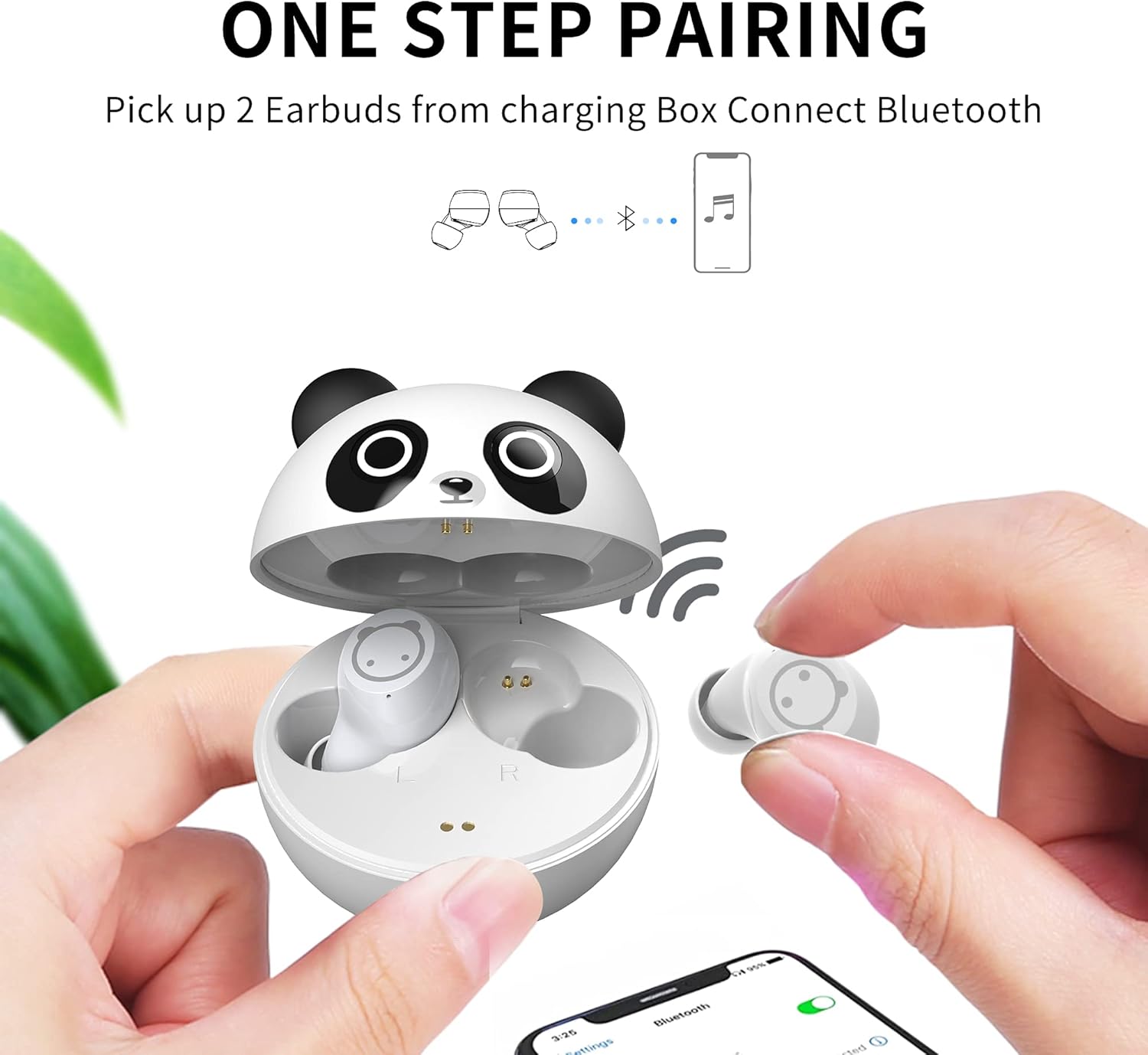
Figure 5: One-Step Pairing Process
4. Navodila za uporabo
4.1 Pametno upravljanje na dotik
The earbuds feature touch-sensitive areas for easy control of music and calls:
- Predvajaj/zaustavi glasbo: Enkrat se dotaknite obeh slušalk.
- Sprejmi/končaj klic: Enkrat se dotaknite obeh slušalk.
- Zavrni dohodni klic: Long press for 2 seconds on either earbud.
- Naslednja skladba: Long touch the Right (R) earbud for 2 seconds.
- Prejšnja skladba: Long touch the Left (L) earbud for 2 seconds.
- Aktiviranje glasovnega pomočnika: Triple-click on either earbud.
- Prilagoditev glasnosti: Press and hold the Left earbud to decrease volume, press and hold the Right earbud to increase volume.

Slika 6: Upravljanje na dotik slušalk
4.2 Nošenje slušalk
For optimal sound quality and comfort, choose the silicone ear tips that best fit your ears. Gently insert the earbuds into your ear canal and twist slightly to secure them.

Figure 7: Earbud Worn Comfortably in Ear
5. Vzdrževanje
5.1 Čiščenje in skladiščenje
- Slušalke in polnilno ohišje redno čistite z mehko, suho krpo.
- Odstranite ušesne nastavke in jih očistite z blagim milom in vodo, nato pa jih pred ponovno namestitvijo temeljito posušite.
- Ko slušalk ne uporabljate, jih shranite v polnilni etui, da jih zaščitite in ohranite napolnjene.
- Izogibajte se izpostavljanju ušesnih čepkov ekstremnim temperaturam ali neposredni sončni svetlobi.
5.2 Vodoodpornost
The earbuds are IPX5 sweat resistant, meaning they can withstand sweat and light splashes of water. They are not designed for submersion in water. Ensure the earbuds are dry before placing them back in the charging case.

Figure 8: IPX5 Sweat Resistant Earbuds
6. Odpravljanje težav
Če imate kakršne koli težave s slušalkami, si oglejte naslednje pogoste rešitve:
- Slušalke se ne morejo seznaniti: Ensure both earbuds are out of the case and in pairing mode. Turn off and on your device's Bluetooth, then try pairing again.
- Iz ene slušalke ni zvoka: Place both earbuds back in the charging case, close the lid, then open it again and try reconnecting. Ensure both earbuds are charged.
- Težave s polnjenjem: Check if the USB-C cable is securely connected to both the case and the power source. Ensure the charging contacts on the earbuds and inside the case are clean and dry.
- Volume too low or high: Adjust the volume using the touch controls on the earbuds or directly on your connected device. Note that these earbuds are designed with a safe volume limit for children.
- Prekinjena povezava: Prepričajte se, da je vaša naprava v dosegu Bluetooth (do 10 metrov) in da med slušalkami in napravo ni večjih ovir.
7. Specifikacije
| Funkcija | Specifikacija |
|---|---|
| Ime modela | ZY-K62 |
| Različica Bluetooth | 5.1 |
| Bluetooth obseg | 10 metrov |
| Nadzor hrupa | Aktivno odpravljanje hrupa |
| Stopnja vodoodpornosti | IPX5 (odporno na znoj) |
| Vrsta nadzora | Nadzor na dotik |
| Teža predmeta | 0.634 unč |
| Vključene komponente | etui za polnjenje |
8. Garancija in podpora
For warranty information or technical support, please refer to the contact details provided with your purchase or visit the official AMAFACE website. Our customer service team is available to assist you with any questions or concerns regarding your AMAFACE Kids Wireless Earbuds K62.
Video 2: This video highlights the design and features of the AMAFACE K62 Kids Wireless Earbuds, showcasing the panda charging case and the earbuds themselves.