
Uvod
Thank you for choosing the CHOETECH 38W Dual Port Fast Charger, Model PD5002. This charger is designed to provide efficient and rapid charging for your mobile devices, featuring both a USB Type-C port with Power Delivery (PD) and a USB Type-A port with Quick Charge (QC) technology. Please read this manual carefully to ensure proper use and optimal performance of your charger.
Varnostne informacije
- Use this charger indoors only. Avoid exposure to rain, moisture, or extreme temperatures.
- Do not disassemble, modify, or repair the product yourself. This may cause electric shock, fire, or damage to the product.
- Polnilnik hranite izven dosega otrok in hišnih ljubljenčkov.
- Ensure the charger is fully inserted into the power outlet. Loose connections can cause overheating.
- Unplug the charger from the power outlet when not in use or during lightning storms.
- Polnilnika ne uporabljajte z mokrimi rokami.
- Z napravami uporabljajte samo združljive polnilne kable.
Vsebina paketa
- 1 x CHOETECH 38W Dual Port Fast Charger (Model PD5002)
Konec izdelkaview
The CHOETECH PD5002 charger features a compact and lightweight design, making it ideal for travel and everyday use. It includes two charging ports for simultaneous charging.

Slika: spredaj view of the CHOETECH PD5002 38W Dual Port Fast Charger, showing the USB-C and USB-A ports and the CHOETECH logo.
Postavitev vrat:
- USB Type-C Port (PD 3.0): Delivers up to 20W of power for fast charging compatible devices.
- USB Type-A Port (QC 3.0): Delivers up to 18W of power for quick charging compatible devices.
Nastavitev
Setting up your CHOETECH PD5002 charger is straightforward:
- Priključite v električno vtičnico: Insert the charger's prongs firmly into a standard wall power outlet (AC 100-240V).
- Priključite polnilni kabel: Connect one end of your device's charging cable to the appropriate port on the charger (USB-C for Power Delivery or USB-A for Quick Charge).
- Povežite se z napravo: Connect the other end of the charging cable to your mobile phone, tablet, or other compatible device.
Navodila za uporabo
Polnjenje ene naprave:
When charging a single device, the charger will deliver the maximum power supported by the port and your device. For example, a compatible device connected to the USB-C port can receive up to 20W, while a device connected to the USB-A port can receive up to 18W.
Simultaneous Dual Device Charging:
The CHOETECH PD5002 allows you to charge two devices simultaneously with a combined total output of 38W. When both ports are in use, the power is intelligently distributed:
- The USB-C port can deliver up to 20W.
- The USB-A port can deliver up to 18W.
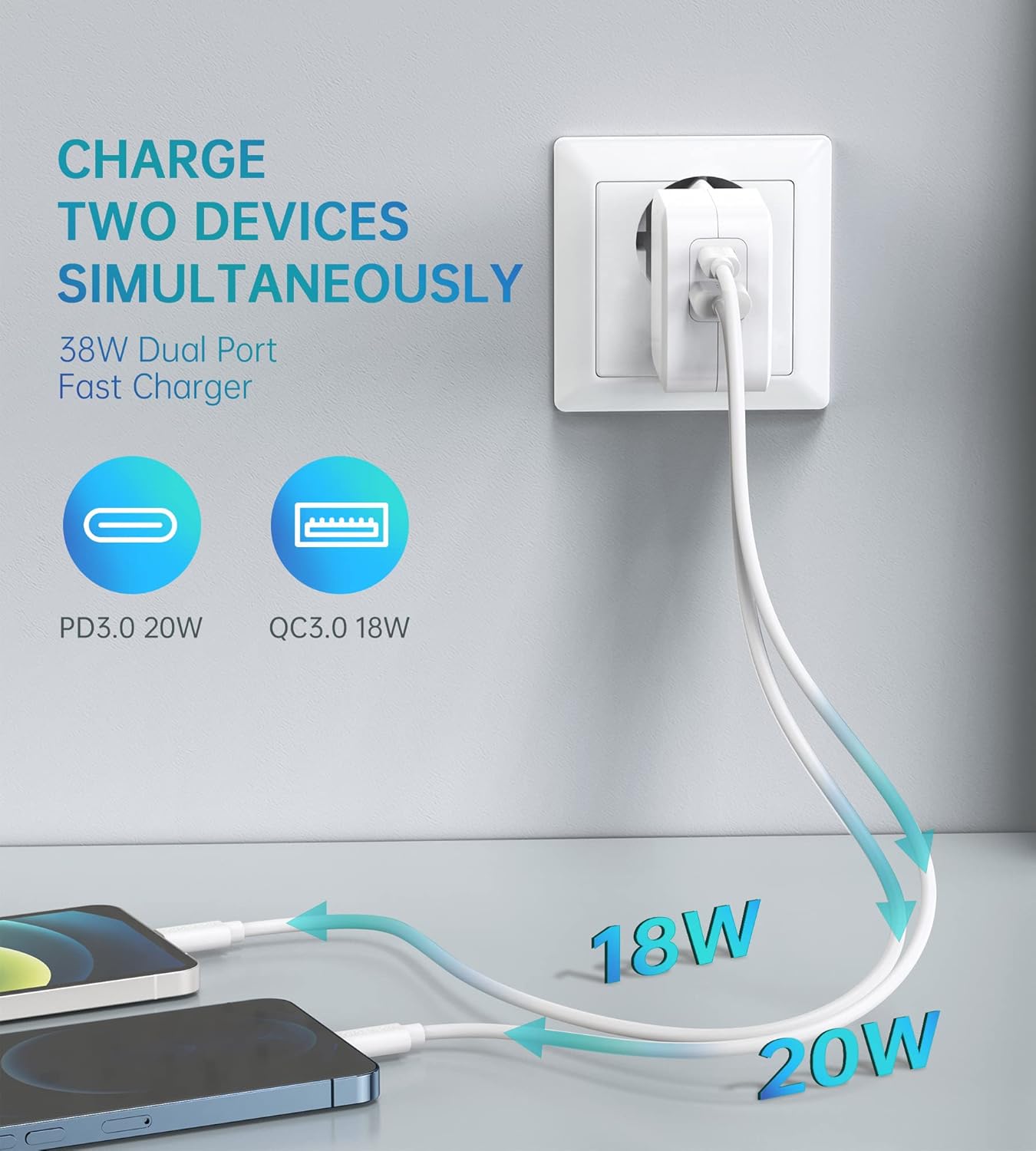
Image: Illustration showing the CHOETECH PD5002 charger plugged into a wall, with two cables extending to charge two smartphones. One cable is labeled 20W (USB-C) and the other 18W (USB-A), demonstrating simultaneous charging.
Zmogljivosti hitrega polnjenja:
This charger supports Power Delivery (PD) 3.0 via the USB-C port and Quick Charge (QC) 3.0 via the USB-A port, enabling significantly faster charging speeds for compatible devices compared to standard chargers.

Image: The CHOETECH PD5002 charger plugged into a wall outlet, connected to an iPhone 12 via a USB-C to Lightning cable. Text highlights "20W Power Delivery for the new iPhone 12 series" and "4X FASTER Than Original 5W Chargers."

Image: The CHOETECH PD5002 charger plugged into a wall outlet, connected to a Samsung smartphone via a USB-A to USB-C cable. Text highlights "18W QUICK CHARGE 3.0" and "3X Faster Than Standard Chargers."
Vzdrževanje
- Čiščenje: Pred čiščenjem polnilnik izključite iz električne vtičnice. Za brisanje površine uporabite mehko, suho krpo. Ne uporabljajte tekočih čistil ali aerosolov.
- Shranjevanje: Store the charger in a cool, dry place when not in use. Avoid storing it in areas with high humidity or extreme temperatures.
- Ravnanje: Polnilnika ne izpostavljajte močnim udarcem ali padcem, saj lahko s tem poškodujete notranje komponente.
Odpravljanje težav
Naprava se ne polni:
- Preverite povezave: Ensure the charger is securely plugged into the wall outlet and the charging cable is firmly connected to both the charger and your device.
- Poskusite z drugo vtičnico: Test the charger with a different wall outlet to rule out a faulty power source.
- Preglejte kabel: Try using a different charging cable. Damaged cables can prevent charging.
- Združljivost naprave: Confirm that your device is compatible with USB charging and that the cable matches the device's port type.
Počasno polnjenje:
- Kakovost kabla: Ensure you are using a high-quality charging cable that supports fast charging protocols (PD or QC). Generic or old cables may limit charging speed.
- Podpora za naprave: Verify that your device supports Power Delivery (PD) or Quick Charge (QC) for optimal fast charging.
- Aplikacije v ozadju: Zaprite vse aplikacije, ki porabljajo veliko energije in se izvajajo v ozadju vaše naprave.
- Okoljski dejavniki: Extreme temperatures can affect charging efficiency. Charge in a moderate environment.
Specifikacije
| Številka modela | PD5002 |
| AC vhod | 100-240V, 50/60Hz, 1.0A (Max) |
| USB Type-C Output (PD 3.0) | 5V-3A, 9V-2.22A, 12V-1.67A (20W največ) |
| USB Type-A Output (QC 3.0) | 5V-3A, 9V-2A, 12V-1.5A (18W največ) |
| Skupna izhodna moč | 38 W (največ) |
| Tehnologija povezljivosti | USB |
| Posebne lastnosti | Lightweight design, Fast charging |
| barva | Bela |
| Dimenzije izdelka | 4 x 11 x 10 cm |
| Teža predmeta | 5 gramov |
| Združljive naprave | Mobile phones, tablets, and other USB-powered devices |
Garancija in podpora
CHOETECH products are designed and manufactured to the highest quality standards. For information regarding warranty coverage or technical support, please refer to the warranty card included with your purchase or visit the official CHOETECH website. If you encounter any issues not covered in this manual, please contact CHOETECH customer service for assistance.


