
Uvod
Hvala za nakupasing the Acctim Model 15789 Alarm Clock. This compact and versatile alarm clock features an LCD display showing time, calendar, and indoor temperature. It is designed for ease of use and portability, making it an ideal travel companion. Please read this manual carefully to ensure proper setup and operation.
Pomembne varnostne informacije
- Ure ne izpostavljajte ekstremnim temperaturam, neposredni sončni svetlobi ali visoki vlažnosti.
- Pazite, da vam ura ne pade ali da je ne izpostavljate močnim udarcem.
- Ne mešajte starih in novih baterij ali različnih vrst baterij.
- Če ure ne boste uporabljali dlje časa, odstranite baterije, da preprečite puščanje.
- Hraniti izven dosega otrok.
Vsebina paketa
- Acctim Model 15789 Alarm Clock
- Uporabniški priročnik (ta dokument)
Lastnosti izdelka
- Multi-function LCD display with time, calendar, and indoor temperature.
- Foldable travel case design for portability.
- Budilka s funkcijo dremeža.
- Kompaktne mere: 71 x 63 x 63 mm.
Nastavitev
1. Namestitev baterije
The Acctim Model 15789 requires 2 x AAA batteries (not included).
- Odprite pokrov prostora za baterije, ki se nahaja na zadnji strani ure.
- Vstavite dve novi bateriji AAA in pri tem pazite na pravilno polarnost (+ in -), kot je označeno v notranjosti predala.
- Trdno zaprite pokrov prostora za baterije.
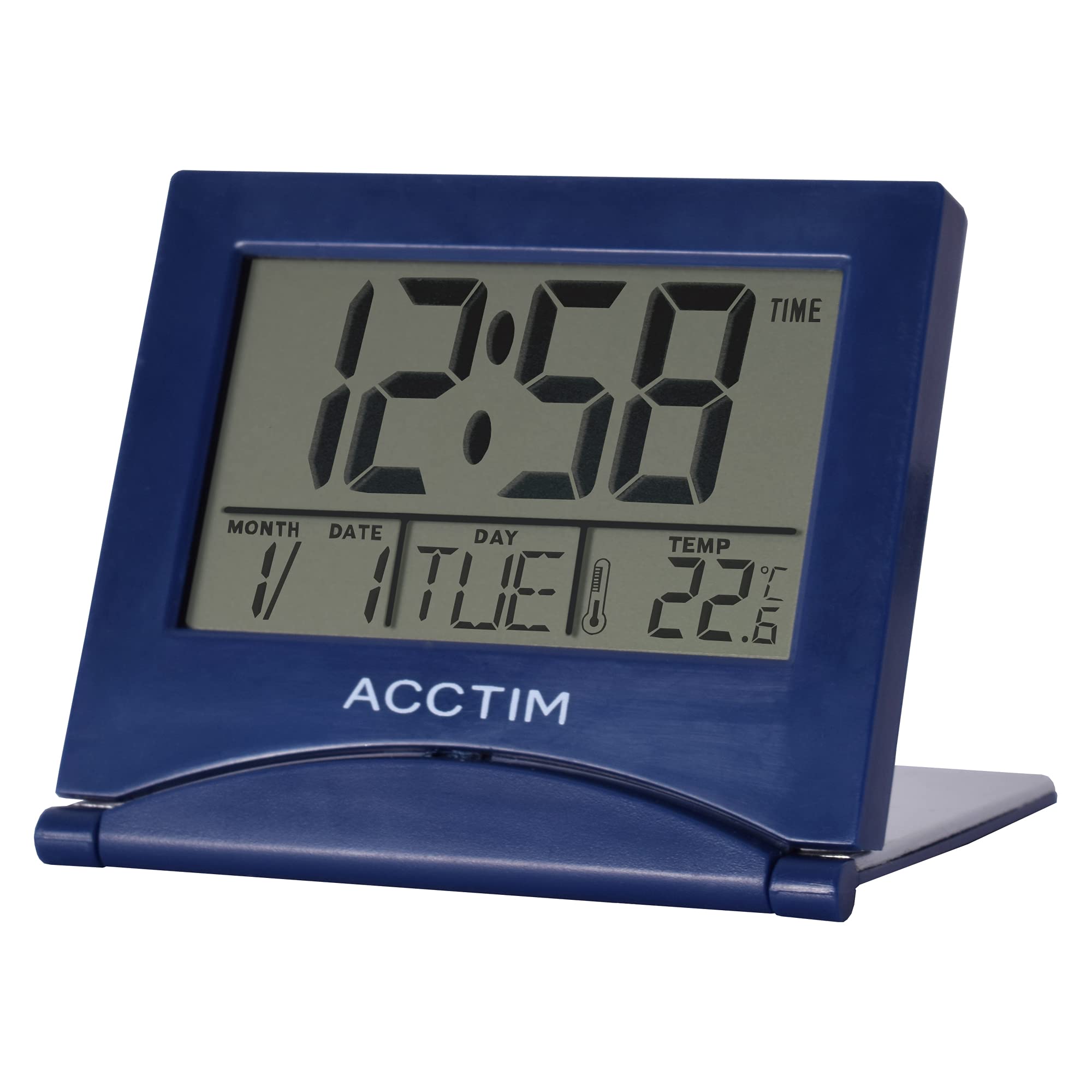
Slika: spredaj view of the Acctim Model 15789 Alarm Clock, showing the LCD screen and compact design. This image illustrates the product's appearance for reference during setup and operation.
2. Začetni vklop
Upon inserting the batteries, the clock will power on and display default time and date settings. You will need to set the current time and date.
Navodila za uporabo
Familiarize yourself with the buttons on your alarm clock. Typically, these include MODE, SET, UP, DOWN, and SNOOZE/LIGHT.
1. Nastavitev časa
- Pritisnite NAČIN button repeatedly until the time display starts flashing or you enter time setting mode.
- Uporabite UP or DOL gumbi za nastavitev ure.
- Pritisnite NASTAVI (oz NAČIN again) to confirm the hour and move to setting the minutes.
- Uporabite UP or DOL gumbe za nastavitev minut.
- Pritisnite NASTAVI (oz NAČIN again) to confirm the minutes and exit time setting mode.
2. Nastavitev alarma
- Pritisnite NAČIN gumb, dokler se ne prikaže čas alarma (pogosto označen z ikono alarma).
- Pritisnite in držite NASTAVI gumb, dokler ne začne utripati ura budilke.
- Uporabite UP or DOL gumbe za nastavitev ure budilke.
- Pritisnite NASTAVI to confirm the alarm hour and move to setting the alarm minutes.
- Uporabite UP or DOL gumbe za nastavitev minut alarma.
- Pritisnite NASTAVI za potrditev minut alarma.
- Za vklop ali izklop alarma pritisnite UP or DOL button while the alarm time is displayed. An alarm icon will appear or disappear on the screen.
3. Funkcija dremeža
Ko se oglasi alarm, pritisnite tipko SNOOZE / LUČ button to temporarily silence the alarm. The alarm will sound again after a few minutes (typically 5-10 minutes, depending on the model). To turn off the alarm completely, press any other button.
4. Calendar and Temperature Display
The clock automatically displays the current date and indoor temperature. You can cycle through different display modes (e.g., time only, time and date, time and temperature) by pressing the NAČIN button. To set the date, enter the time setting mode and continue pressing NASTAVI until the year, month, or day flashes, then adjust with UP/DOL.
5. Osvetlitev ozadja
Pritisnite SNOOZE / LUČ button to activate the backlight for a few seconds, allowing you to read the display in low light conditions. Note that some models may emit a soft beep when this button is pressed.
Vzdrževanje
- Uro očistite z mehko, suho krpo. Ne uporabljajte abrazivnih čistil ali topil.
- Replace batteries promptly when the display dims or functions become erratic.
Odpravljanje težav
| Težava | Možna rešitev |
|---|---|
| Zaslon je zatemnjen ali prazen. | Replace the batteries with new AAA batteries. Ensure correct polarity. |
| Alarm se ne oglasi. | Ensure the alarm is activated (alarm icon visible). Check if the alarm volume is set (if applicable) or if batteries are low. |
| Napačen čas ali datum. | Follow the "Setting the Time" and "Calendar and Temperature Display" instructions to reset. |
| Gumbi se ne odzivajo. | Za mehko ponastavitev odstranite in ponovno vstavite baterije. Če težava ne izgine, zamenjajte baterije. |
Specifikacije
- Številka modela: Acctim 15789
- Dimenzije: 6.3 x 7.1 x 6.3 cm (V x Š x G)
- Teža: 44 g
- vir energije: 2 x AAA baterije (niso vključene)
- Vrsta zaslona: LCD
- Posebne lastnosti: Alarm, Temperature Indicator, Calendar Display, Foldable Design
- Material: Plastika
Garancija in podpora
This Acctim product comes with a 2-letna garancija od datuma nakupa. Ta garancija krije proizvodne napake. Ne krije škode, ki jo povzroči nepravilna uporaba, nesreče, nepooblaščene spremembe ali običajna obraba.
For technical support or warranty claims, please contact your retailer or visit the official Acctim webZa informacije o storitvah za stranke obiščite spletno mesto. Za potrditev garancije shranite dokazilo o nakupu.