
1. Izdelek je končanview

Spredaj zgoraj view of the SUNMI 80mm Kitchen Cloud Receipt Printer, showcasing its compact black design with orange accents and control panel.
The SUNMI 80mm Kitchen Cloud Receipt Printer (Model C04000069) is a compact and efficient thermal printer designed for various environments, particularly suited for kitchen and point-of-sale applications. It offers reliable, high-speed printing for receipts and orders.
Ključne značilnosti:
- Compact 130mm square design for space-saving installation.
- High-performance Seiko thermal print head.
- Fast printing speed of 165mm/s for 80mm receipts.
- Easy internet connectivity via LAN cable.
- Supports 80mm paper format.
2. Vsebina paketa
Označite polje za naslednje elemente:
- SUNMI 80mm Kitchen Cloud Receipt Printer (Model C04000069)
- Napajalni adapter
- Thermal Paper Roll (for initial setup)
- Uporabniški priročnik (ta dokument)
3. Navodila za namestitev
3.1 Napajalni priključek
- Ensure the printer is placed on a stable, flat surface.
- Priključite napajalnik na vhodna vrata za napajanje tiskalnika.
- Priključite napajalnik v ustrezno električno vtičnico.
- Press the power button to turn on the printer. The power indicator light will illuminate.
3.2 Namestitev zvitka papirja

Odprto view of the SUNMI printer's interior, revealing the paper roll compartment and the high-performance Seiko thermal print head, capable of 165mm/s printing speed.
- Odprite zgornji pokrov tiskalnika tako, da pritisnete zapah za sprostitev.
- Insert the 80mm thermal paper roll into the compartment, ensuring the paper feeds from the bottom and the leading edge is straight.
- Izvlecite majhno količino papirja mimo rezalnika.
- Zgornji pokrov trdno zaprite, dokler se ne zaskoči.

Two sequential images: one showing a hand inserting a receipt into the printer's output slot, and another showing a hand replacing the thermal paper roll inside the printer's open compartment.
3.3 Omrežna povezava
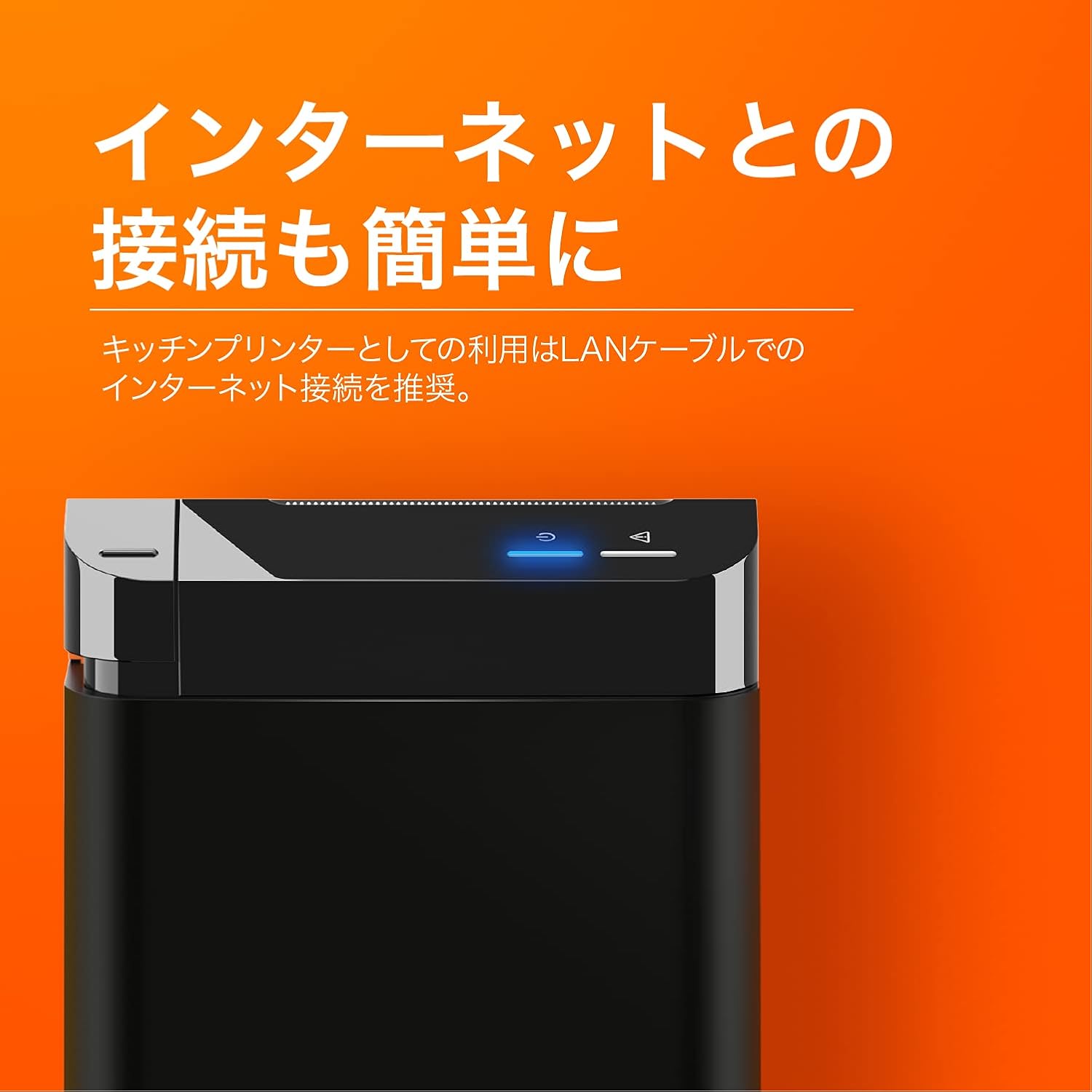
The SUNMI printer with a blue illuminated status light, highlighting its easy internet connectivity via LAN cable, recommended for kitchen printer use.
For optimal performance, especially in kitchen environments, a wired LAN connection is recommended.
- Connect one end of an Ethernet (LAN) cable to the printer's LAN port.
- Drugi konec ethernetnega kabla povežite z omrežnim usmerjevalnikom ali stikalom.
- The network indicator light on the printer will show connection status (e.g., solid blue for connected).
4. Navodila za uporabo
4.1 Osnovno tiskanje
Once the printer is powered on and connected to your network, it is ready to receive print commands from compatible software or systems (e.g., POS software, kitchen display systems).
- Ensure your printing application is configured to use the SUNMI 80mm Kitchen Cloud Printer.
- Initiate a print job from your application.
- The printer will automatically feed and cut the receipt after printing.

A view of two SUNMI 80mm Kitchen Cloud Printers side-by-side, with one actively printing a receipt, demonstrating its operational use.
4.2 Indikatorji stanja
The printer features indicator lights on its control panel to provide status information:
- Indikator moči: Solid light indicates the printer is on.
- Indikator napake: Flashing or solid light indicates an error (e.g., paper out, cover open). Refer to the Troubleshooting section.
- Omrežni indikator: Indicates network connectivity status.
5. Vzdrževanje
5.1 Čiščenje tiskalnika
Redno čiščenje pomaga ohranjati kakovost tiskanja in podaljšuje življenjsko dobo tiskalnika.
- Pred čiščenjem izklopite tiskalnik in ga izključite iz električnega omrežja.
- Uporabite mehko krpo, ki ne pušča vlaken, dampened with water or isopropyl alcohol to wipe the exterior.
- Gently clean the thermal print head with a cotton swab dipped in isopropyl alcohol. Allow it to dry completely before use.
- Odstranite prah ali ostanke papirja s poti papirja.
5.2 Zamenjava papirnatega zvitka
When the paper roll is nearing its end, the printer may indicate a paper-low error or print faint lines. Follow the steps in Section 3.2 to replace the paper roll.
6. Odpravljanje težav
If you encounter issues with your SUNMI printer, refer to the table below for common problems and solutions.
| Težava | Možen vzrok | rešitev |
|---|---|---|
| Tiskalnik se ne vklopi | No power, faulty adapter | Check power cable connection; ensure outlet is working; try a different adapter if available. |
| No printing / Error light on | Paper out, cover open, paper jammed | Replace paper roll; ensure cover is closed properly; clear any paper jams. |
| Faint or blank prints | Incorrect paper type, dirty print head, paper loaded incorrectly | Ensure thermal paper is used; clean the print head (Section 5.1); check paper orientation. |
| Povezave z omrežjem ni mogoče | Loose LAN cable, network configuration issue | Check LAN cable connection; verify network settings on your router/system. |
7. Tehnične specifikacije

The SUNMI 80mm Kitchen Cloud Printer, demonstrating its compact 130mm square footprint, ideal for space-saving installations.
| Funkcija | Specifikacija |
|---|---|
| Številka modela | C04000069 |
| Znamka | SUNMI |
| Vrsta tiskalnika | Toplotni sprejemni tiskalnik |
| Hitrost tiskanja | 165 mm/s |
| Širina papirja | 80 mm |
| Tehnologija povezljivosti | USB, LAN (Ethernet) |
| barva | Multicolor (primarily black with orange accents) |
| Dimenzije izdelka | 13 x 13 x 13 cm (približno 5.1 x 5.1 x 5.1 palca) |
| Teža predmeta | 1.32 kilograma (približno 2.91 lbs) |
| Maximum Sheet Input Capacity | 100 sheets (referring to paper roll length equivalent) |
| Dvostransko tiskanje | No (single-sided receipt printing) |
| Podprti mediji | Thermal Labels/Receipt Paper |
8. Garancija in podpora
This product is covered by the standard manufacturer's warranty. For specific warranty terms and conditions, please refer to the documentation provided at the time of purchase or contact your retailer.
For technical support, troubleshooting assistance beyond this manual, or service inquiries, please contact SUNMI customer support or your authorized dealer. Keep your purchase receipt and product model number (C04000069) ready when contacting support.