
Uvod
This manual provides detailed instructions for the proper use, setup, and maintenance of your SXFJF TWS Dual Dynamic Driver Earbuds. Please read this manual thoroughly before using the product to ensure optimal performance and longevity.
Vsebina paketa
Preverite, ali so v paketu vsi elementi:
- 2 x brezžične slušalke
- 1 x polnilni kabel Type-C
- 1 x etui za polnjenje
- 3 x Ear Cap Sets (S/M/L)
- 1 x uporabniški priročnik
Nastavitev
1. Polnjenje slušalk in etuija
Before first use, fully charge the earbuds and the charging case. Place the earbuds into the charging case. Connect the Type-C charging cable to the charging case and a power source. The indicator lights on the case will show the charging status.

Image: The charging case with earbuds inserted, displaying battery level indicators. The case serves for both storage and charging.
2. Začetno seznanjanje
- Prepričajte se, da so slušalke napolnjene.
- Odprite pokrov ohišja za polnjenje. Slušalke se bodo samodejno vklopile in prešle v način seznanjanja.
- V napravi (pametnem telefonu, tabličnem računalniku itd.) omogočite Bluetooth.
- Iskanje Bluetooth devices and select "AWEI T12P" (or similar name) from the list to connect.
- Ko je povezava vzpostavljena, bo glasovni poziv potrdil uspešno seznanitev.

Image: Diagram illustrating stereo and mono pairing modes. For stereo, take out both earbuds to connect. For mono, take out one earbud to connect.
3. Samodejna povezava
Po začetnem seznanjanju se bodo slušalke samodejno povezale z zadnjo seznanjeno napravo, ko jih vzamete iz polnilnega ohišja, pod pogojem, da je na napravi omogočen Bluetooth.
4. Združljivost naprav
These earbuds are universally compatible with devices supporting Bluetooth 5.1, including mobile phones, tablets, laptops, and other operating systems like Android and iOS.

Image: A smartphone screen displaying Bluetooth device options, indicating wide compatibility with various operating systems.
Navodila za uporabo
1. Vklop/izklop
- Vklop: Open the charging case lid, or press and hold the touch control area on both earbuds for 3 seconds.
- Ugasniti: Place the earbuds back into the charging case and close the lid, or press and hold the touch control area on both earbuds for 5 seconds.
2. Dotaknite se Controls
Slušalke imajo na dotik občutljive tipke za različne funkcije:
- Predvajanje/pavza: Enkratni dotik na obeh ušesnih čepkih.
- Naslednja skladba: Dvakrat tapnite desni ušesni čep.
- Prejšnja skladba: Dvakrat tapnite levi ušesni čep.
- Sprejmi/končaj klic: Med dohodnim klicem enkrat tapnite katero koli slušalko.
- Zavrni klic: Med dohodnim klicem pritisnite in držite katero koli slušalko 2 sekundi.
- Aktiviranje glasovnega pomočnika: Trikrat tapnite na katero koli slušalko.
3. Odpravljanje šumov
These earbuds incorporate CVC 8.0 noise cancelling technology to reduce ambient noise during calls and enhance audio clarity.
4. Življenjska doba baterije
The earbuds provide approximately 3.5-4 hours of playtime on a single charge. The charging case extends the total playtime to about 30 hours. Standby time is up to 300 hours.

Image: Earbuds and charging case displayed with a background of media content, highlighting extended battery life for music, games, and movies.
Vzdrževanje
1. Čiščenje
- Slušalke in polnilno ohišje redno čistite z mehko, suho krpo, ki ne pušča vlaken.
- Ne uporabljajte abrazivnih čistil, alkohola ali kemičnih topil.
- Očistite polnilne kontakte na slušalkah in ohišju, da zagotovite pravilno polnjenje.
2. Shranjevanje
- Ko slušalk ne uporabljate, jih shranite v polnilni etui, da jih zaščitite in ohranite napolnjene.
- Izogibajte se shranjevanju pri ekstremnih temperaturah (vročini ali mrazu) ali visoki vlažnosti.
3. Skrb za baterijo
- Slušalke redno polnite, tudi če jih ne uporabljate pogosto, da ohranite zdravje baterije.
- Izogibajte se dolgotrajnemu popolnemu praznjenju baterije.
Odpravljanje težav
Če imate težave s slušalkami, si oglejte naslednje pogoste rešitve:
- Slušalke se ne morejo seznaniti: Ensure both earbuds are charged. Place them back in the case, close the lid, then open it again to re-enter pairing mode. Delete previous Bluetooth connections on your device and try pairing again.
- Deluje samo ena slušalka: Ensure both earbuds are charged. Try resetting the earbuds by placing them in the case, closing the lid, and then opening it. If the issue persists, try re-pairing.
- Ni zvoka: Check the volume level on your connected device. Ensure the earbuds are properly connected via Bluetooth.
- Težave s polnjenjem: Prepričajte se, da je polnilni kabel varno priključen na ohišje in vir napajanja. Očistite polnilne kontakte na slušalkah in v ohišju.
- Slaba kakovost zvoka: Ensure the earbuds are properly seated in your ears. Try different ear cap sizes for a better seal. Ensure there are no obstructions between the earbuds and your device.
Specifikacije
Detailed technical specifications for the SXFJF TWS Dual Dynamic Driver Earbuds:
| Funkcija | Specifikacija |
|---|---|
| Različica Bluetooth | 5.1 |
| Podporni protokoli | HSP, HFP, A2DP, AVRCP |
| Čas pogovora | 4 uri |
| Igralni čas | 3.5-4 ur |
| Čas pripravljenosti | 300 uri |
| Čas polnjenja | 1.5 uri |
| Kapaciteta akumulatorske baterije | 45 mAh (en ušesni čep) |
| Zmogljivost baterije polnilnega ohišja | 390 mAh |
| Input Charging Standard | DC5V |
| Največja razdalja prenosa | 10 metrov |
| Impedanca | 16Ω±15% |
| Občutljivost | 93 dB |
| Frekvenčni odziv | 20Hz-20000Hz |
| Vrsta zvočnega gonilnika | Dual Dynamic Driver (Φ6mm/16ΩWT0606*2) |
| Nadzor hrupa | Aktivno odpravljanje šumov (CVC 8.0) |
| Vrsta nadzora | Nadzor na dotik |
| Stopnja vodoodpornosti | Vodotesen |
| Material | Plastika |

Slika: Rentgenska slika view of an earbud highlighting the internal dual dynamic drivers, which contribute to superior acoustic fidelity.
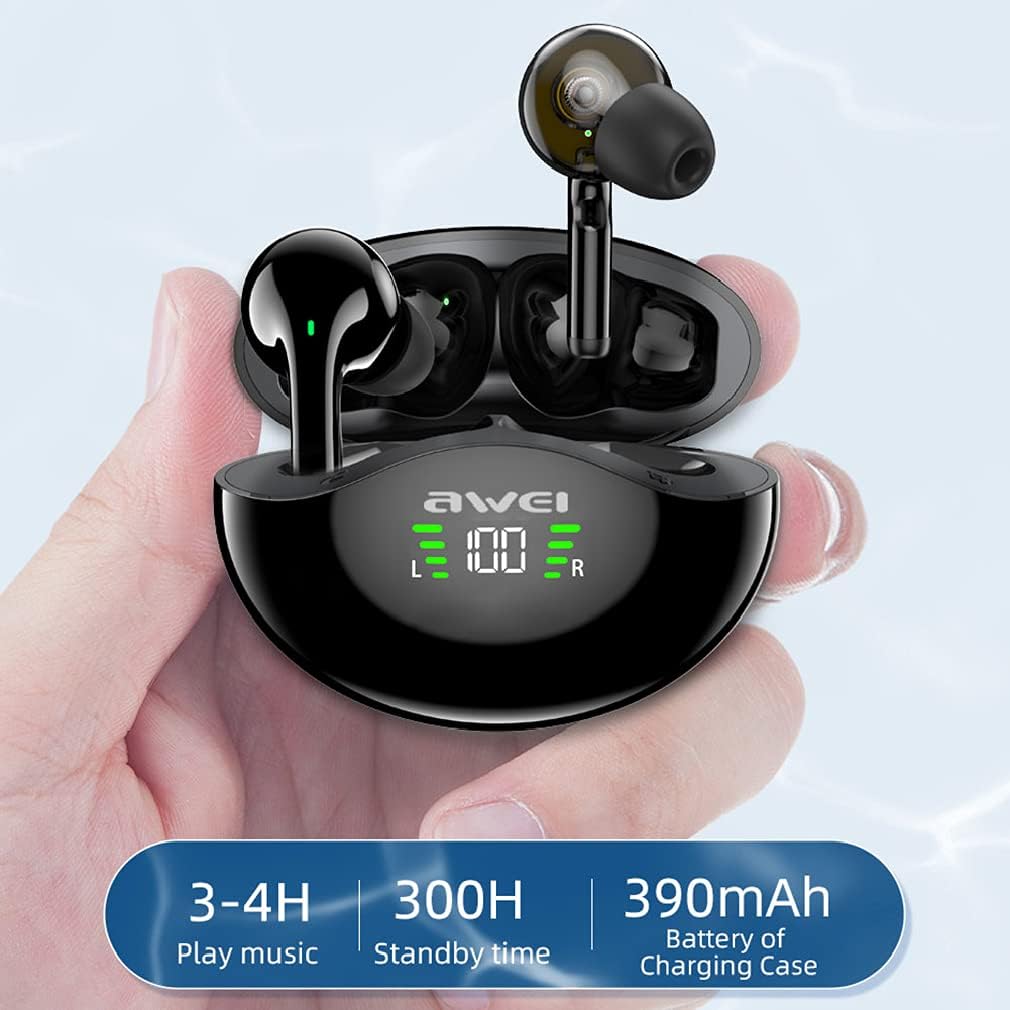
Image: Visual representation of battery life: 3-4 hours play music, 300 hours standby time, and 390mAh battery capacity for the charging case.
Garancija in podpora
Your SXFJF TWS Dual Dynamic Driver Earbuds come with a standard manufacturer's warranty. For specific warranty terms and conditions, please refer to the documentation included with your purchase or contact the seller directly.
For technical support, troubleshooting assistance, or any product-related inquiries, please contact the manufacturer or your point of purchase. Please have your model number (B09BCNMBWB) and purchase details ready when seeking support.