
Uvod
Thank you for choosing the Bytech BYMSWR104BK 3 Button Gaming Mouse. This manual provides essential information for setting up, operating, and maintaining your new gaming mouse. Please read this manual thoroughly before use to ensure optimal performance and longevity of your device.
Lastnosti
- Precizna miška: Designed for accurate tracking and responsive control.
- Nastavljiv DPI: Customize sensitivity for various gaming and productivity needs.
- Three Responsive Buttons: Includes left-click, right-click, and scroll wheel/middle-click for efficient operation.
- Barvita osvetlitev ozadja: Features multi-color LED lighting with 7 distinct color modes for an enhanced aesthetic experience.
- Ergonomska oblika: Shaped to fit comfortably in your palm, reducing fatigue during extended use.
Specifikacije
| Znamka | Bytech |
| Številka modela | BYMSWR104BK |
| Število gumbov | 3 |
| Ločljivost gibanja | 1,000 DPI |
| Barvni načini | 7 Colors (Multi-color Backlight) |
| Dolžina kabla | 5 čevljev |
| Ocena stikala | 1 milijonov klikov |
| Teža predmeta | 4.9 unč |
| Dimenzije paketa | 7.17 x 4.06 x 2.68 palcev |
| barva | Črna |
| Vir napajanja | Žični električni (USB) |
| Platforma strojne opreme | PC |
Vsebina paketa
- 1 x Bytech BYMSWR104BK Wired Gaming Mouse
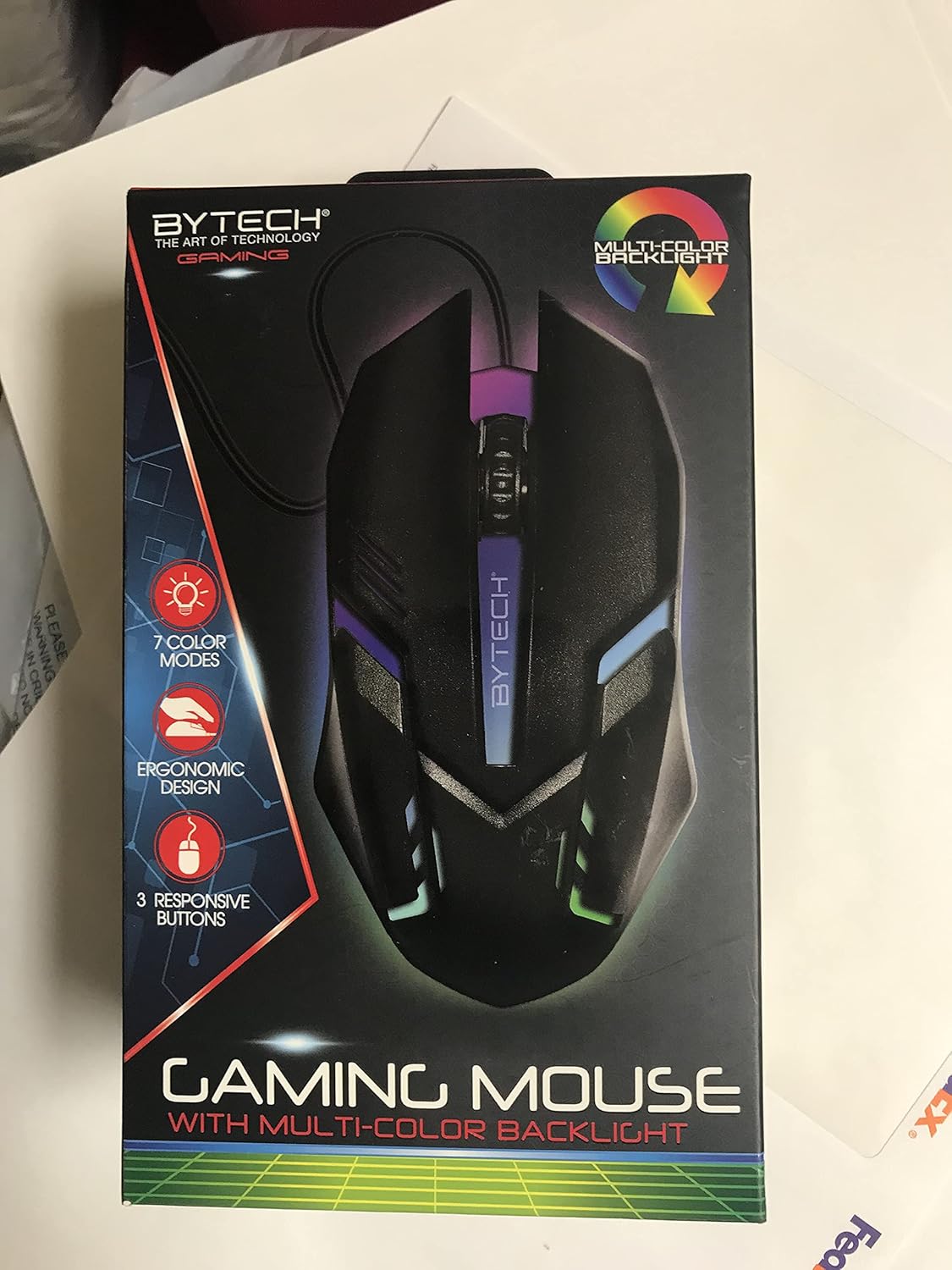
Slika: spredaj view of the Bytech BYMSWR104BK Gaming Mouse in its retail packaging, highlighting its multi-color backlight and ergonomic design.
Nastavitev
- Razpakiraj: Carefully remove the gaming mouse from its packaging.
- Povežite se: Locate an available USB port on your computer (PC, laptop, etc.). Insert the USB connector of the Bytech BYMSWR104BK Gaming Mouse firmly into the USB port.
- Namestitev gonilnika: The mouse is plug-and-play. Your operating system should automatically detect and install the necessary drivers. This process may take a few moments.
- Pripravljeno za uporabo: Once the drivers are installed, the mouse will be ready for immediate use. The multi-color backlight will illuminate.

Slika: Zadaj view of the Bytech BYMSWR104BK Gaming Mouse retail packaging, detailing features, specifications, and universal compatibility.
Navodila za uporabo
Osnovno delovanje
- Levi gumb: Primary click function, typically used for selecting items, opening files, or interacting with software.
- Desni gumb: Secondary click function, usually opens context menus or provides additional options.
- Scroll Wheel (Middle Button): Pomaknite se navzgor ali navzdol za navigacijo po dokumentih in web pages. Pressing the scroll wheel acts as a middle-click button, often used for opening links in new tabs or auto-scrolling.
Prilagoditev DPI
The Bytech BYMSWR104BK Gaming Mouse features adjustable DPI settings. While specific buttons for DPI adjustment are not explicitly listed on the packaging, many gaming mice allow DPI changes through a dedicated button (often located near the scroll wheel) or through software. Refer to your computer's mouse settings or Bytech's official website for advanced customization options if available.
LED osvetlitev ozadja
The mouse features a dynamic multi-color LED backlight with 7 different color modes. These lights will automatically cycle through the modes once the mouse is connected and powered on. There is no manual control for changing modes on the mouse itself.
Vzdrževanje
- Čiščenje: Za brisanje površine miške uporabite mehko, suho krpo. Za trdovratno umazanijo rahlo obrišiteampkrpo obrišite z vodo ali blago čistilno raztopino. Izogibajte se uporabi agresivnih kemikalij ali abrazivnih materialov.
- Skrb za senzor: Optični senzor na spodnji strani miške naj bo čist in brez prahu ali umazanije, da zagotovite natančno sledenje.
- Upravljanje kablov: Izogibajte se ostrim upogibanjem ali prekomernemu vlečenju kabla USB, da preprečite poškodbe.
- Shranjevanje: Ko miške ne uporabljate, jo shranjujte v čistem in suhem okolju, stran od ekstremnih temperatur.

Slika: Stran view of the Bytech BYMSWR104BK Gaming Mouse retail packaging, showcasing the multi-color backlight effect.
Odpravljanje težav
| Težava | Možna rešitev |
|---|---|
| Miška se ne odziva |
|
| Kurzor se premika nepravilno ali ne gladko |
|
| LED osvetlitev ozadja ne deluje |
|
Garancija in podpora
Garancija: This Bytech product comes with a 12-month warranty from the date of purchase. Please retain your proof of purchase for warranty claims.
Kontaktni podatki:
- Naslov: 2585 West 13th Street, Brooklyn, NY 11223, USA
- Webspletno mesto: www.bytechintl.com
⚠ OPOZORILO: Ta izdelek vas lahko izpostavi kemikalijam, vključno z DEHP, za katerega zvezna država Kalifornija ve, da povzroča raka, okvare pri rojstvu ali druge reproduktivne poškodbe. Za več informacij obiščite www.p65warnings.ca.gov.

Slika: Spodaj view of the Bytech BYMSWR104BK Gaming Mouse retail packaging, showing contact information, warranty details, and California Proposition 65 warning.