
1. Uvod
This manual provides detailed instructions for the setup, operation, and maintenance of your Bytech BYMCWC101BLK PC Web Camera. Please read this manual thoroughly before using the product to ensure proper functionality and longevity.
2. Vsebina paketa
Preverite, ali so v paketu izdelka priloženi vsi spodaj navedeni elementi:
- Bytech BYMCWC101BLK PC Web Kamera
- Uporabniški priročnik (ta dokument)
- Integriran USB kabel
3. Nastavitev
Follow these steps to set up your Bytech BYMCWC101BLK PC Web Kamera:
- Umestitev: Postavite webcam on top of your computer monitor, laptop screen, or a flat surface. The adjustable clip allows for secure attachment.
- Povežite se z računalnikom: Vgrajeni kabel USB priključite iz webkamero v razpoložljiva vrata USB na vašem računalniku.
- Namestitev gonilnika: The webcam is typically plug-and-play. Your operating system (Windows, macOS, Linux) should automatically detect and install the necessary drivers. Wait for the installation to complete.
- Preverjanje: Open a video conferencing application (e.g., Zoom, Skype, Microsoft Teams) or your computer's camera application to confirm the webKamera je prepoznana in prikazuje video.
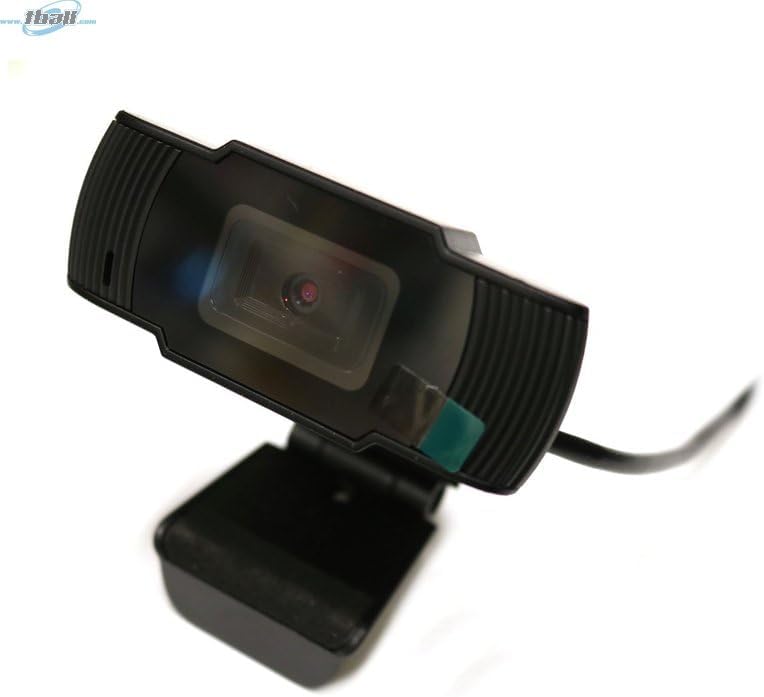
Image: The Bytech BYMCWC101BLK PC Web Camera securely mounted on top of a computer monitor, demonstrating its adjustable clip design.
4. Navodila za uporabo
Once installed, the Bytech BYMCWC101BLK PC Web Camera can be used with various applications:
- Videokonference: Select the Bytech webcam as your video input device within your preferred video conferencing software (e.g., Zoom, Skype, Google Meet).
- Pretakanje: For live streaming platforms, configure the webcam as your primary video source in your streaming software (e.g., OBS Studio).
- snemanje: Use your computer's built-in camera application or third-party software to record video.
- Zmogljivost pri šibki svetlobi: The webcam features BSI CMOS photo sensor technology and is designed to perform effectively in low-light conditions, providing clear video even with limited ambient lighting.
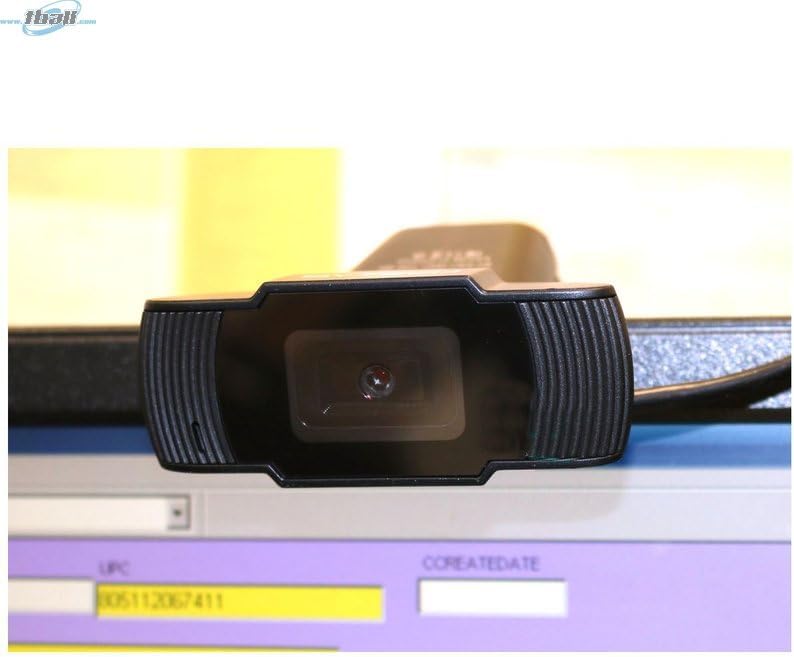
Slika: Bližnji posnetek view of the Bytech BYMCWC101BLK PC Web Camera's lens, highlighting its design and integrated privacy cover (if applicable, otherwise just lens).
5. Vzdrževanje
To ensure optimal performance and extend the lifespan of your webkamera:
- Čiščenje: Lečo nežno obrišite z mehko krpo, ki ne pušča vlaken. Izogibajte se uporabi agresivnih kemikalij ali abrazivnih materialov.
- Shranjevanje: Ko ni v uporabi, shranite webcam in a clean, dry environment away from direct sunlight and extreme temperatures.
- Skrb za kabel: Do not bend or crimp the USB cable excessively.
6. Odpravljanje težav
Če naletite na težave s svojim webkamera, glejte naslednje pogoste težave in rešitve:
- Brez slike/videoposnetka:
- Prepričajte se, da je kabel USB varno priključen na oba webkamera in vaš računalnik.
- Poskusite priključiti webkamero v druga vrata USB.
- Znova zaženite računalnik.
- Check your application settings to ensure the Bytech webKot vhodna video naprava je izbrana kamera.
- Slaba kakovost videa:
- Zagotovite zadostno osvetlitev v svojem okolju.
- Očistite webobjektiv kamere z mehko krpo.
- Check your application's video settings for resolution and frame rate.
- Microphone Not Working (if applicable):
- Preverite, ali je webcam's microphone is selected as the audio input device in your computer's sound settings and within your application.
- Ensure the microphone is not muted in your system or application.
7. Specifikacije
| Funkcija | Podrobnost |
|---|---|
| Ime modela | BYMCWC101BLK |
| Znamka | Bytech |
| Tehnologija povezljivosti | USB |
| Tehnologija foto senzorja | BSI CMOS |
| Format za zajem videa | MP4 |
| Posebna funkcija | Nizka svetloba |
| barva | Črna |
| Teža predmeta | 4.9 unč |
| Dimenzije paketa | 7.76 x 4.65 x 2.44 palcev |
8. Garancija in podpora
For warranty information or technical support, please refer to the documentation included with your purchase or contact your retailer. Keep your proof of purchase for warranty claims.