
Uvod
This manual provides instructions for the setup, operation, and maintenance of your WE Projection Alarm Clock Radio. Please read this manual thoroughly before use and retain it for future reference.
Varnostne informacije
- Naprave ne izpostavljajte ekstremnim temperaturam, neposredni sončni svetlobi ali visoki vlažnosti.
- Napravo hranite ločeno od vode in drugih tekočin.
- Naprave ne poskušajte razstavljati ali popravljati sami. Obrnite se na usposobljeno servisno osebje.
- Uporabljajte samo priloženi napajalnik.
- Napravo očistite z mehko in suho krpo.
Vsebina paketa
- WE Projection Alarm Clock Radio
- Napajalni adapter
- Uporabniški priročnik
Konec izdelkaview
Familiarize yourself with the main components of your alarm clock radio:
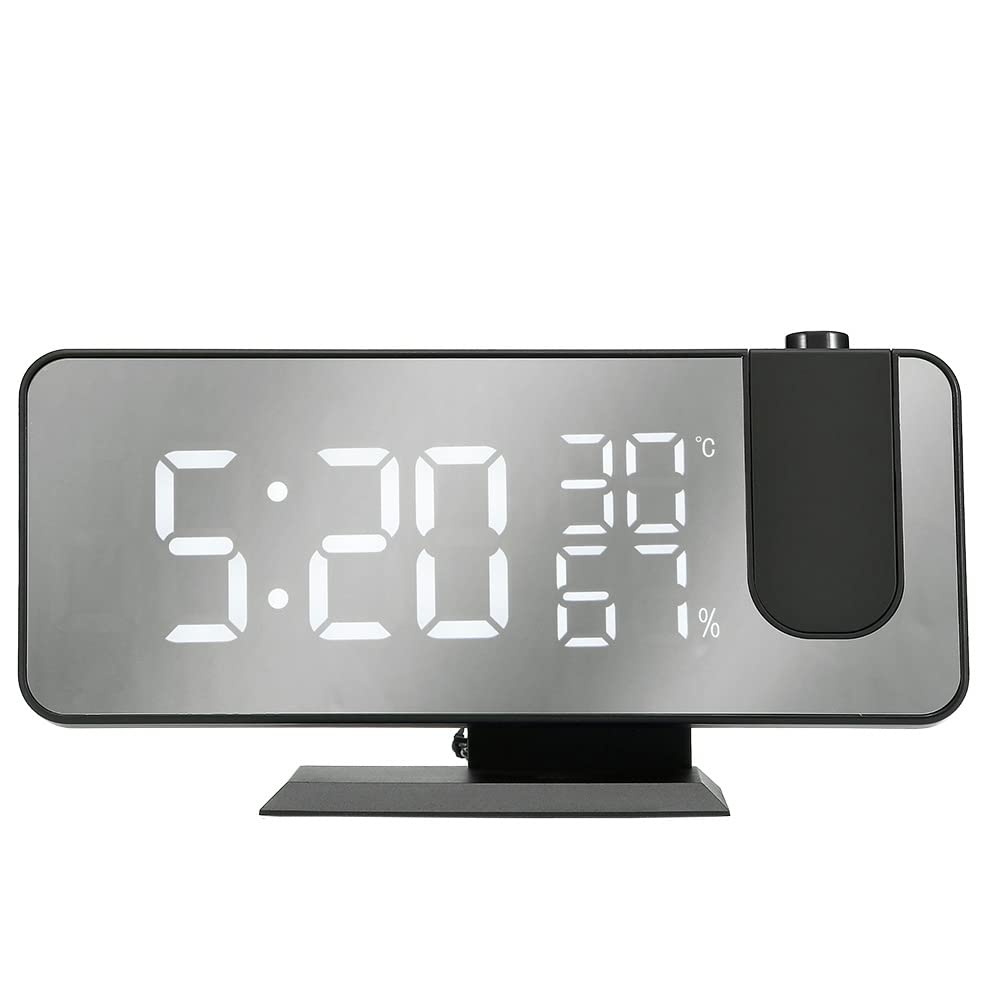
The image shows the WE Projection Alarm Clock Radio from an angled front view. The large mirror-effect LED display shows '22:59' prominently, along with '23°C' and '20%'. Above the clock, a red digital time '22:59' is projected onto a surface, originating from a projector lens on the top right of the clock. A smartphone is connected via a USB cable to the side of the clock, indicating its charging capability.
- Velik LED zaslon: 5-inch ultra-clear screen for easy readability.
- 180° Rotatable Projector: Projects time onto your ceiling or wall.
- Vrata za polnjenje USB: Za polnjenje zunanjih naprav.
- Gumbi za upravljanje: Various buttons for setting time, alarms, radio, and other functions (located on top/back, specific labels may vary).
- FM antena: Raztegljiva antena za boljši sprejem radia.
Nastavitev
- Napajalni priključek: Connect the provided power adapter to the DC input port on the back of the alarm clock and plug it into a standard wall outlet. The display will light up.
- FM antena: For optimal radio reception, fully extend the integrated FM antenna.
Navodila za uporabo
1. Nastavitev časa
- Pritisnite 'NASTAVI' gumb za vstop v način nastavitve časa.
- Uporabite 'UP' in 'DOWN' buttons to adjust the hours and minutes.
- Pritisnite 'NASTAVI' again to confirm the time and exit setting mode.
2. Alarm Setting (Dual Alarms)
- Pritisnite 'ALARM 1' or 'ALARM 2' button to select the alarm you wish to set.
- Uporabite 'UP' in 'DOWN' gumbe za nastavitev želenega časa alarma.
- Select from 5 available alarm sounds: Chord music, bird song, waves, beep, or FM radio.
- Adjust the alarm volume to one of the 3 available levels.
- Pritisnite ustrezno 'ALARM' button again to confirm your settings.
3. Funkcija dremeža
- Ko se oglasi alarm, pritisnite tipko 'SNOOZE' button to temporarily silence the alarm and get an additional 9 minutes of sleep.
4. Delovanje radia FM
- Pritisnite 'RADIO' button to turn the FM radio on or off.
- Uporabite 'SCAN' or 'TUNE' buttons to manually find radio stations within the 87.5-108.0 MHz frequency range.
- Dolgo pritisnite 'SCAN' button to automatically scan and save up to 30 preset FM stations.
5. Sleep Timer (for Radio)
- While the FM radio is playing, press the 'SLEEP' gumb.
- Adjust the sleep timer duration between 5 and 90 minutes. The radio will automatically turn off after the specified time.
6. Funkcija projekcije
- Pritisnite 'PROJECTION' gumb za vklop ali izklop projekcije časa.
- Rotate the projector lens (-90° to 90°) to adjust the projection angle on your ceiling or wall.
- Dolgo pritisnite 'PROJECTION' button to rotate the projected display 180° for optimal viewing.
- Adjust the projection brightness using the dedicated button (4 adjustable brightness levels). Optimal projection distance is 0.5-5 meters.
7. Zatemnilnik zaslona
- Use the dimmer slider or button to adjust the screen brightness from 0% (off) to 100% (brightest). This allows for a brighter display during the day and a softer display at night.
8. Vrata za polnjenje USB
- Connect your smartphone or other USB-powered device to the USB port on the side of the alarm clock for convenient charging.
Vzdrževanje
- Čiščenje: Wipe the device with a soft, dry cloth. Do not use abrasive cleaners, solvents, or chemical sprays.
- Shranjevanje: When not in use for extended periods, store the alarm clock in a cool, dry place, away from direct sunlight and moisture.
Odpravljanje težav
- Brez napajanja:
- Ensure the power adapter is securely connected to both the alarm clock and a functional wall outlet.
- Slab radijski sprejem:
- Popolnoma razširite FM anteno.
- Try repositioning the alarm clock to a different location for better signal reception.
- Ponovno izvedite samodejno iskanje postaj.
- Projection Unclear or Upside Down:
- Adjust the focus of the projector lens.
- Long press the 'PROJECTION' button to rotate the projected display 180°.
- Ensure the projection distance is within the optimal range of 0.5-5 meters.
- Alarm se ne oglasi:
- Verify that the alarm is enabled and the alarm volume is set to an audible level.
- Check that the alarm time is correctly set.
- Polnjenje prek USB-ja ne deluje:
- Ensure your device is properly connected to the USB port.
- Test with a different USB cable to rule out cable issues.
Specifikacije
| Znamka | WE |
| Številka modela | WERADREVPROJECT2 |
| barva | Črna |
| Lastnosti | Large screen, Radio, Snooze |
| Teža predmeta | 450 g |
| Vrsta zaslona | Digitalno |
| Slog | Moderno |
| Posebna funkcija | Large screen, Radio, Snooze |
| Vir napajanja | Električni kabel |
| oblika | Pravokotna |
| Notranja/zunanja uporaba | Notranja |
| Material okvirja | Akrilonitril butadien stiren |
| Baterije priložene | št |
Garancija in podpora
WE products are guaranteed for 2 years from the date of purchase. For any inquiries, technical assistance, or warranty claims, please contact our customer service. Our support team aims to respond to all requests within 24 hours, Monday through Friday.