
EuroFone S2 Black
EuroFone S2 Motorcycle Bluetooth Headset User Manual
Model: S2 Black
1. Uvod
The EuroFone S2 Motorcycle Bluetooth Headset is designed to provide seamless communication and entertainment for motorcycle riders. Featuring Bluetooth 5.1 technology, it offers stable connections, clear audio, and a range of functions including rider-to-rider intercom, hands-free calling, music playback, and FM radio. Its robust IP67 waterproof and dustproof design ensures reliable performance in various weather conditions.
2. Ključne značilnosti
- 2-Rider Full Duplex Intercom: Communicate with a riding partner up to 800 meters away.
- IP67 vodotesen in odporen na prah: Designed to withstand rain, dust, snow, and low temperatures.
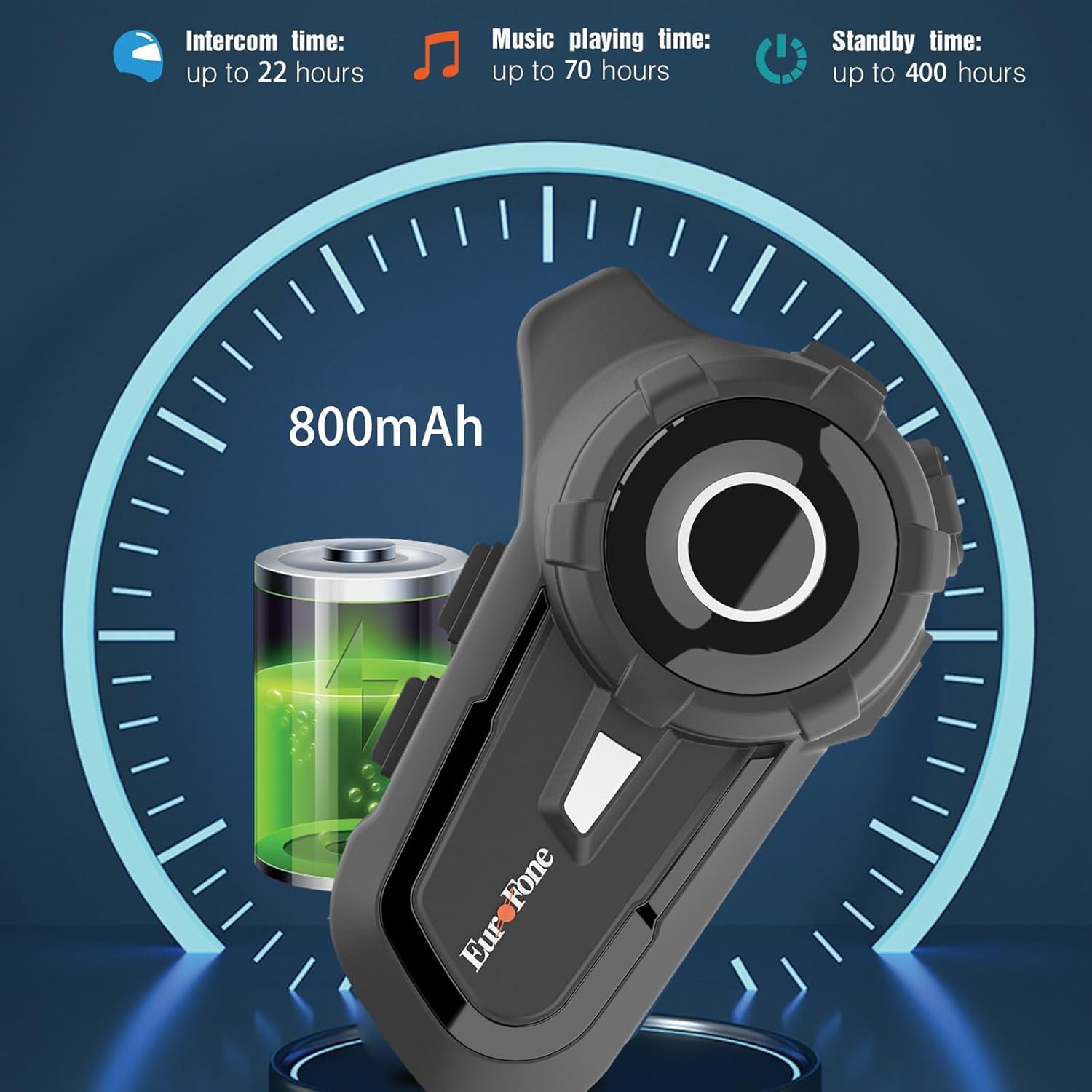
- Dolga življenjska doba baterije: 800 mAh battery provides up to 20 hours of working time and 18 months standby.
- Auto Answer & Voice Control: Automatically answers calls in 10 seconds and supports voice assistant/Siri.
- Noise Reduction & Hi-Fi Stereo Sound: CVC advanced noise cancellation for clear audio and high-fidelity sound quality.
- Bluetooth 5.1: Zagotavlja stabilno in učinkovito brezžično povezavo.
- FM radio: Vgrajen FM radio za zabavo na poti.
- GPS pozicioniranje: Can connect to GPS devices for navigation.
3. Vsebina paketa
Preverite, ali so v paketu vsi elementi:
- EuroFone S2 Bluetooth Headset Unit
- Hard Microphone (Boom Mic)
- Soft Microphone (Wired Mic)
- Set zvočnikov
- USB polnilni kabel tipa C
- Montaža Clamp
- Velcro blazinice za zvočnike
- Uporabniški priročnik

4. Nastavitev in namestitev
4.1 Polnjenje naprave
Before first use, fully charge the EuroFone S2 headset. Connect the provided USB Type-C cable to the charging port on the unit and to a USB power source. The indicator light will show charging status. A full charge takes approximately 2.5 hours.

4.2 Installing into Helmet
Follow these steps to install the headset into your motorcycle helmet:
- Pripravite čelado: Carefully remove the internal padding of your helmet to access the ear pockets and inner shell.
- Priložite zvočnike: Use the provided velcro pads to attach the speakers inside the helmet's ear pockets. Ensure they are positioned directly over your ears for optimal sound quality. Route the speaker wires neatly under the lining.
- Namestitev mikrofona: Choose either the hard boom microphone (for open-face/modular helmets) or the soft wired microphone (for full-face helmets). Attach the microphone to the helmet lining near your mouth using the adhesive base. Route the microphone cable along with the speaker wires.
- Namestite glavno enoto: Secure the main headset unit to the side of the helmet using the mounting clamp. Tighten the screws to ensure a firm attachment.
- Povežite kable: Plug the speaker and microphone cables into the corresponding ports on the main headset unit. Ensure connections are secure.
- Reassemble Helmet: Carefully reinsert the helmet's internal padding, ensuring all wires are tucked away and do not interfere with comfort or safety.

5. Navodila za uporabo
5.1 Nadzor nadview
The EuroFone S2 features intuitive controls for easy operation:
| Nadzor | funkcija |
|---|---|
| Tipka za vklop / izklop | Vklop/izklop |
| Večfunkcijski ključ | Play/Pause music, Answer/End calls, Activate voice assistant |
| Knob (Jog Dial) | Rotate clockwise for Volume Up, Counter-clockwise for Volume Down. Short press rotate for Next/Previous track. |
| Tipka FM | Activate/Deactivate FM Radio |
| Talkback Key (Intercom Button) | Initiate/End intercom communication |
| Charging Port & K-wire Interface | For charging and connecting external devices. |
| Telefonski priključek | For wired audio connection (if applicable). |

5.2 Seznanjanje prek Bluetootha (telefon)
To pair your EuroFone S2 headset with your mobile phone:
- Prepričajte se, da so slušalke izključene.
- Hkrati pritisnite in držite Interkom tipka in Večnamenski gumb for approximately 5 seconds until you hear a "di di" voice prompt indicating factory settings restoration. Release the buttons.
- Turn on the power button until you hear a voice prompt. The indicator light will flash blue and red, indicating pairing mode.
- V mobilnem telefonu pojdite v nastavitve Bluetooth in poiščite razpoložljive naprave.
- Select "S2" from the list of Bluetooth devices.
- Once paired, the headset will confirm with a voice prompt, and the indicator light will show a steady blue light or slow flashes.
5.3 Intercom Pairing (Two Units)
To pair two EuroFone S2 units for intercom communication:
- Prepričajte se, da sta obe slušalki izklopljeni.
- On the first headset, turn on the power button and press and hold the Interkom tipka for approximately 5 seconds until the indicator flashes with a quick blue light. You will hear a "pairing mode" voice prompt.
- On the second headset, turn on the power button and press and hold the Interkom tipka for approximately 5 seconds until the indicator flashes with a quick blue light. You will also hear a "pairing mode" voice prompt.
- Wait for a few seconds. The two headsets will automatically pair with each other. The indicator lights will change to a steady blue or slow flashes once connected.
5.4 Reconnecting Intercom
If the intercom connection is lost or you wish to re-establish it:
- Short click the Večnamenski gumb on either headset to hear the prompt "end intercom".
- Dvokliknite na Interkom tipka on any one of the headsets.
- Nato kliknite na Večnamenski gumb. You will hear the "start intercom" voice prompt again, indicating the connection is re-established.
5.5 Predvajanje glasbe
After pairing with your phone, you can control music playback:
- Predvajanje/pavza: Kliknite na Večnamenski gumb za predvajanje ali zaustavitev glasbe.
- Nadzor glasnosti: Zavrtite Jog Dial clockwise to increase volume, counter-clockwise to decrease volume.
- Naslednja / prejšnja skladba: Short press and rotate the Jog Dial counter-clockwise to play the next song. Short press and rotate clockwise to play the previous song.
5.6 Telefonski klici
Manage phone calls hands-free:
- Sprejmi klic: The headset will automatically answer incoming calls after 10 seconds. You can also click the Večnamenski gumb to answer immediately.
- Končaj klic: Kliknite na Večnamenski gumb to end an ongoing call.
- Zavrni klic: Pritisnite in držite Večnamenski gumb 2 sekunde za zavrnitev dohodnega klica.
- Glasovni pomočnik/Siri: Pritisnite Večnamenski gumb twice to activate your phone's voice assistant (Siri, Google Assistant, etc.).
5.7 FM radio
Za uporabo vgrajenega FM radia:
- Vklop/izklop FM-ja: Kliknite na Tipka FM to activate or deactivate the FM radio.
- Skenirne postaje: While FM is on, press and hold the Tipka FM za samodejno iskanje in shranjevanje razpoložljivih postaj.
- Prestopna postaja: Zavrtite Jog Dial to switch between saved FM stations.
6. Vzdrževanje in nega
- Čiščenje: Slušalke obrišite z mehko krpoamp krpo. Ne uporabljajte močnih kemikalij ali abrazivnih čistil.
- Izpostavljenost vodi: While IP67 waterproof, avoid prolonged submersion. Ensure charging port cover is securely closed when not charging.
- Shranjevanje: Slušalke shranjujte na hladnem in suhem mestu, stran od neposredne sončne svetlobe in ekstremnih temperatur.
- Vzdrževanje baterije: Za optimalno življenjsko dobo baterije napravo redno polnite, tudi če je ne uporabljate pogosto. Izogibajte se dolgotrajnemu popolnemu praznjenju baterije.
7. Odpravljanje težav
| Težava | Možen vzrok | rešitev |
|---|---|---|
| Naprava se ne vklopi. | Nizka baterija. | Napravo popolnoma napolnite. |
| Seznanitev s telefonom ni mogoča. | Headset not in pairing mode; phone Bluetooth off; previously paired device interfering. | Ensure headset is in pairing mode (flashing blue/red). Turn phone Bluetooth off/on. Forget previous pairings on phone. Perform factory reset on headset. |
| Domofon se ne povezuje. | Headsets not in intercom pairing mode; out of range. | Ensure both headsets are in intercom pairing mode. Move closer to each other. Re-initiate intercom connection as per section 5.4. |
| Ni zvoka ali nizka glasnost. | Volume too low; speakers not positioned correctly; loose connections. | Increase volume using the Jog Dial. Adjust speaker position in helmet. Check all cable connections. |
| Poor sound quality/noise. | Microphone not positioned correctly; excessive wind noise; interference. | Adjust microphone position. Ensure microphone foam cover is in place. Reduce speed if wind noise is excessive. |
8. Specifikacije
| Funkcija | Podrobnost |
|---|---|
| Ime modela | S2 Črna |
| Različica Bluetooth | 5.1 |
| Domofon | Up to 800 meters (2-riders) |
| Kapaciteta baterije | 800 mAh |
| Čas polnjenja | 2.5 ur |
| Working Time (Intercom) | Do 22 ur |
| Working Time (Music) | Do 70 ur |
| Čas pripravljenosti | Do 18 mesecev |
| Stopnja vodoodpornosti | IP67 Waterproof & Dustfree |
| Nadzor hrupa | Aktivno odpravljanje šumov (CVC) |
| Dimenzije | 3.35 x 2.17 x 0.98 palcev |
| Teža predmeta | 12.7 unč |
| Proizvajalec | Shenzhen Goldstar Electronics Co., Ltd |
9. Garancija in podpora
For warranty information and technical support, please refer to the official EuroFone webspletno mesto ali se obrnite neposredno na njihovo službo za stranke. Račun shranite kot dokazilo o nakupu za morebitne garancijske zahtevke.
Lahko obiščete EuroFone Store on Amazon za več informacij o izdelku in vire podpore.
Ask a question about this manual
Ask about setup, troubleshooting, compatibility, parts, safety, or missing instructions. Manuals+ will review the question and use this page’s manual context to help answer it.