
1. Uvod
Thank you for choosing the Moultrie MCG-14001 A-900 Game and Trail Camera. This manual provides essential information for setting up, operating, and maintaining your camera to ensure optimal performance. The A-900 camera is designed for outdoor surveillance, featuring a 30 MP resolution, a rapid 0.4-second trigger speed, and 1280x720 HD video recording capabilities. Its Illumi-Night Sensor enhances nighttime image clarity, and the 70-foot flash range ensures clear captures at a distance. Please read this manual thoroughly before use.
2. Nastavitev
2.1 Razpakiranje in komponente
Pred začetkom se prepričajte, da so prisotne vse komponente:
- Moultrie A-900 Game Camera
- Heavy-duty Camera Strap
- 16 GB SD kartica
- 8 AA baterije

Image 2.1: The Moultrie A-900 Game Camera shown with the included 16GB SD card and 8 AA batteries.
2.2 Namestitev baterije
- Odprite zapah ohišja kamere.
- Poiščite prostor za baterije.
- Vstavite 8 AA bateriji in pazite na pravilno polarnost (+/-).
- Varno zaprite predal za baterije.
2.3 Vstavljanje SD-kartice
- Ko je ohišje kamere odprto, poiščite režo za SD-kartico.
- Insert the 16GB SD card into the slot until it clicks into place. Ensure the card is oriented correctly.
- Za odstranitev kartico nežno pritisnite, da jo sprostite.
2.4 Namestitev fotoaparata
The camera can be mounted using the provided heavy-duty strap.
- Thread the strap through the mounting slots on the back of the camera.
- Secure the camera to a tree or post at the desired height and angle.
- Prepričajte se, da je kamera stabilna in usmerjena proti območju, ki ga želite nadzorovati.
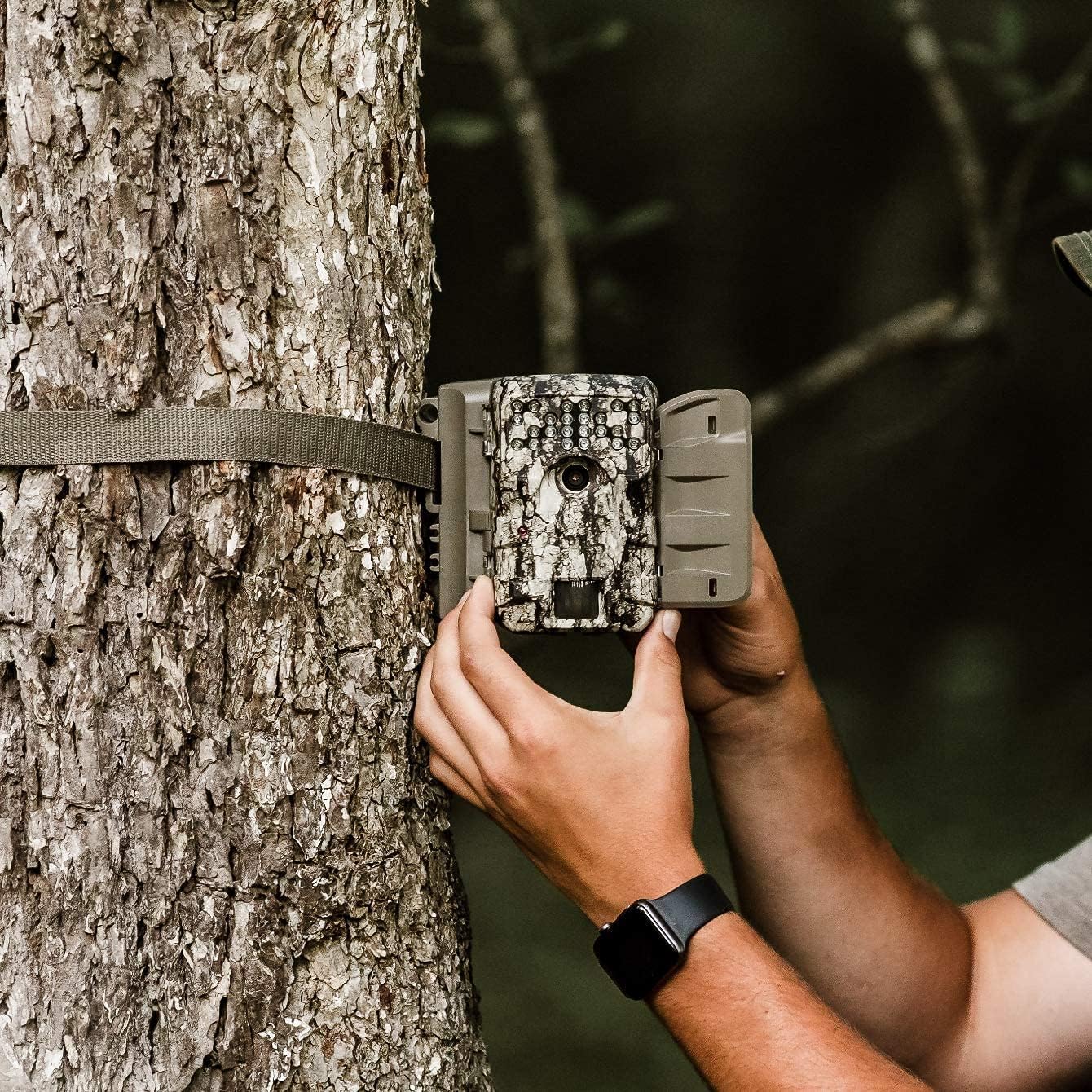
Image 2.2: A user demonstrating the process of securing the camera to a tree.

Image 2.3: The Moultrie A-900 Game Camera shown securely mounted to a tree, ready for operation.
2.5 Začetni vklop
After installing batteries and the SD card, close the camera housing. Power on the camera using the designated power switch. The camera will perform a self-check and enter standby mode.
3. Navodila za uporabo
3.1 Osnovni načini delovanja
The A-900 camera offers several capture options:
- Foto način: Zajame fotografije.
- Video način: Records 1280x720 HD video clips.
- Foto + video način: Posname fotografijo, ki ji sledi videoposnetek.
Refer to the camera's internal menu for selecting and configuring these modes.
3.2 Capture Options
Within Photo Mode, you can configure the number of photos taken per trigger event:
- 1 Fotografija: Takes a single image per trigger.
- 3 Fotografije: Takes three consecutive images per trigger.
Image resolution can also be set to either low or high resolution for both single and multiple photo captures.
3.3 Illumi-Night Sensor and Night Vision
The camera is equipped with an Illumi-Night Sensor to produce bright and clear images during nighttime operation. This feature automatically activates in low-light conditions, utilizing the 70-foot flash range to illuminate subjects.
3.4 Funkcionalnost senzorja gibanja
The integrated motion sensor detects movement within its range, triggering the camera to capture images or videos. The 0.4-second trigger speed ensures that fast-moving subjects are captured effectively. Adjust the sensor sensitivity in the camera settings if needed.
4. Vzdrževanje
4.1 Zamenjava baterije
When the battery indicator shows low power, replace all 8 AA batteries with new ones. Always use high-quality alkaline or lithium batteries for best performance and longevity.
4.2 Upravljanje kartice SD
Regularly check the SD card capacity. It is recommended to format the SD card periodically using the camera's menu function to ensure optimal performance and prevent data corruption. Always back up important files pred formatiranjem.
4.3 Čiščenje fotoaparata
To maintain image quality, periodically clean the camera lens and the motion sensor window with a soft, lint-free cloth. For the camera housing, use a damp cloth to wipe away dirt and debris. Do not use abrasive cleaners or solvents.
5. Odpravljanje težav
| Težava | Možen vzrok | rešitev |
|---|---|---|
| Kamera se ne vklopi | Prazne ali nepravilno nameščene baterije | Zamenjajte baterije, preverite polarnost |
| Slaba kakovost slike | Dirty lens, low light, incorrect settings | Clean lens, check Illumi-Night settings, adjust resolution |
| Senzor gibanja se ne sproži | Obstruction, incorrect sensitivity, out of range | Clear sensor path, adjust sensitivity, reposition camera |
| Napaka kartice SD | Card full, corrupted, or incompatible | Format SD card (backup data first), replace with compatible card |
For issues not covered here, please refer to the Warranty & Support section for contact information.
6. Specifikacije
- Resolucija: 30 milijonov slikovnih pik
- Hitrost sprožitve: 0.4 sekund
- Ločljivost videa: 1280x720 HD
- Domet bliskavice: 70 čevljev
- Senzor: Illumi-Night Motion Sensor
- Shranjevanje: Podpira SD kartico do 16 GB
- moč: 8 AA Batteries (not included in all bundles)
- Uporaba: Na prostem
- Posebne lastnosti: Senzor gibanja, nočni vid
7. Garancija in podpora
Moultrie products are manufactured to high-quality standards. For specific warranty details, please refer to the warranty card included with your product or visit the official Moultrie website. If you encounter any issues or require technical assistance, please contact Moultrie customer support through their official channels. Keep your purchase receipt as proof of purchase for warranty claims.


