
1. Uvod
Hvala za nakupasing the Heayzoki K605 Portable Digital Tuning Radio Receiver. This device combines a multi-band radio with an MP3 player, offering versatility and portability. Please read this manual carefully to ensure proper use and to maximize your enjoyment of the product.

Image: The Heayzoki K605 portable radio, highlighting its compact and lightweight design.
Ključne značilnosti:
- Kompaktna in prenosna zasnova za enostavno prenašanje.
- MP3 playback mode supporting WAV and MP3 formats.
- Memory card support for audio playback.
- FM stereo reception for improved sound clarity.
- High sensitivity and good selectivity for clear reception.
- Simple and intuitive operation, suitable for all ages.
2. Varnostne informacije
To prevent damage and ensure safe operation, please observe the following precautions:
- Naprave ne izpostavljajte ekstremnim temperaturam, neposredni sončni svetlobi ali visoki vlažnosti.
- Izogibajte se padcem ali izpostavljanju naprave močnim udarcem.
- Naprave ne razstavljajte ali poskušajte popraviti sami. Vsa servisna dela prepustite usposobljenemu osebju.
- Napravo hranite ločeno od vode in drugih tekočin.
- Uporabljajte samo predpisano baterijo in dodatke za polnjenje.
- When using earphones, keep the volume at a moderate level to prevent hearing damage.
3. Vsebina paketa
Preverite, ali so v paketu prisotni vsi elementi:
- Heayzoki K605 Portable Radio Receiver
- Polnilna baterija (predhodno nameščena ali ločena)
- USB polnilni kabel
- Slušalke
- Priročnik za lastnika (ta dokument)
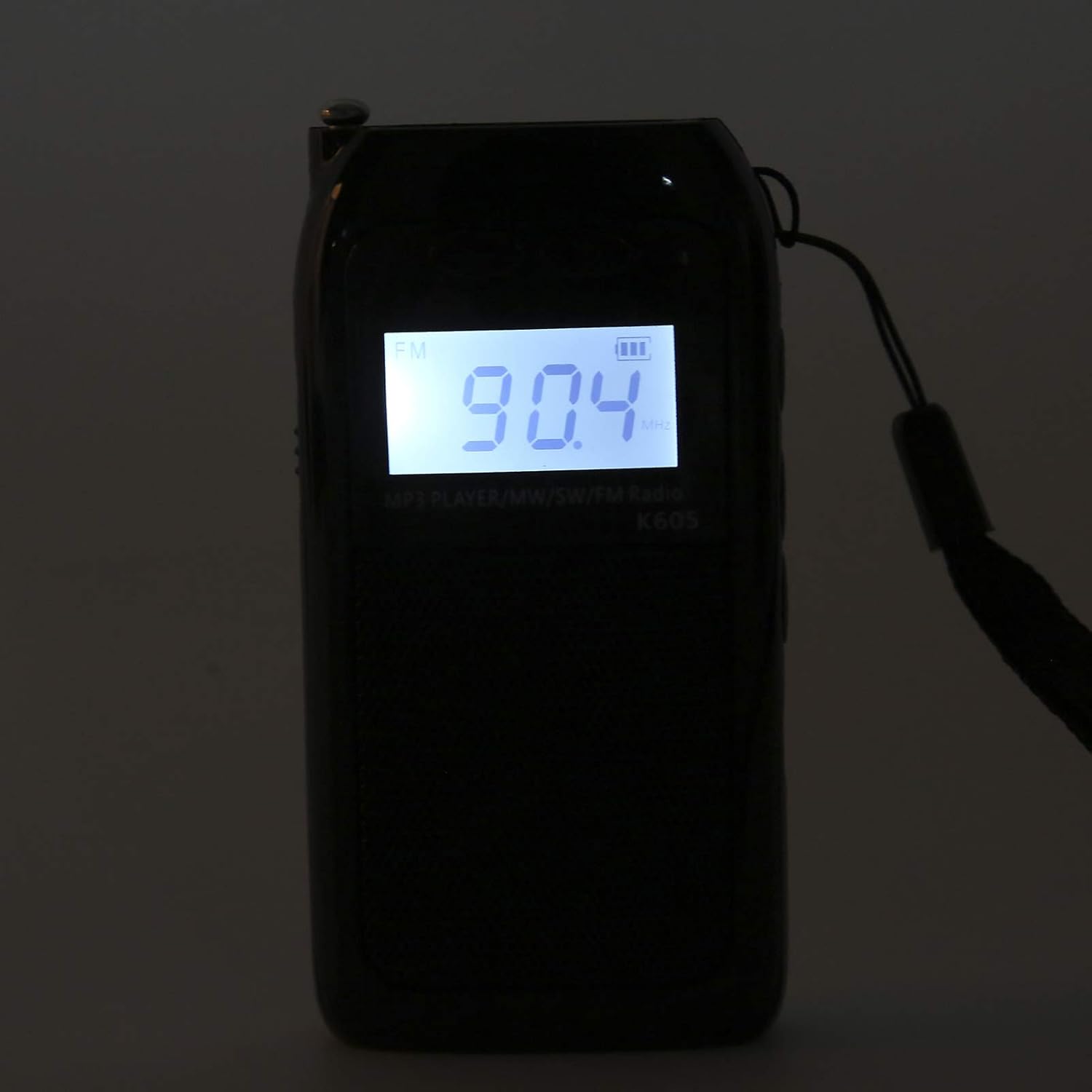
Image: The Heayzoki K605 radio displayed with its accessories, including earphones and a charging cable.
4. Izdelek je končanview
Familiarize yourself with the buttons and ports of your K605 radio.

Slika: spredaj view of the K605 radio, highlighting the LCD screen and speaker.

Slika: Stran view of the K605 radio, illustrating the control buttons for tuning and volume.

Slika: Zadaj view of the K605 radio, showing the battery compartment and additional ports.
Kontrole in vrata:
- LCD zaslon: Shows frequency, time, battery status, and MP3 track information.
- Gumb za vklop: Vklopi/izklopi napravo.
- Gumb za način: Switches between FM, SW, MW radio, and MP3 player modes.
- Gumbi za glasnost +/-: Prilagodi glasnost zvoka.
- Gumbi za uglaševanje +/-: Scans or manually tunes radio frequencies; navigates MP3 tracks.
- Gumb za predvajanje/pavzo: Controls MP3 playback.
- Antena: Raztegljiva antena za boljši sprejem radia.
- Earphone Jack (3.5mm): Za zasebno poslušanje.
- Vrata za mikro USB: Za polnjenje naprave.
- Reža za pomnilniško kartico: For inserting a microSD card with MP3/WAV files.
5. Nastavitev
5.1. Polnjenje baterije
- Connect the small end of the USB charging cable to the Micro USB port on the radio.
- Večji konec polnilnega kabla USB priključite na napajalnik USB (ni priložen) ali na vrata USB računalnika.
- Indikator baterije na LCD-zaslonu bo prikazoval stanje polnjenja.
- Ko je baterija popolnoma napolnjena, odklopite polnilni kabel.
5.2. Inserting a Memory Card (for MP3 Playback)
- Locate the memory card slot on the side or back of the radio.
- Gently insert a microSD card (up to 32GB, not included) with the metal contacts facing down until it clicks into place.
- To remove, push the card in slightly until it clicks out.
6. Navodila za uporabo
6.1. Vklop/izklop
Pritisnite in držite Moč gumb za vklop ali izklop radia.
6.2. Izbira načinov
Pritisnite Način button repeatedly to cycle through the available modes: FM Radio, SW Radio, MW Radio, and MP3 Player.
6.3. Radio Operation (FM/SW/MW)
- Raztegnite anteno: Za optimalen sprejem popolnoma raztegnite teleskopsko anteno.
- Izberite pas: Pritisnite Način button until the desired band (FM, SW, or MW) is displayed.
- Samodejno uglaševanje: Pritisnite in držite Uglaševanje +/- gumbe za samodejno iskanje naslednje razpoložljive postaje.
- Ročna nastavitev: Na kratko pritisnite Uglaševanje +/- buttons to fine-tune the frequency step by step.
- Prilagoditev glasnosti: Uporabite Glasnost +/- gumbe za prilagajanje ravni zvoka.

Image: The K605 radio with its antenna extended, ready for radio reception.
6.4. MP3 Player Operation
Ensure a memory card with MP3 or WAV fileVstavljen je s.
- Select MP3 Mode: Pritisnite Način button until "MP3" or similar is displayed.
- Predvajanje/pavza: Pritisnite Predvajaj/Premor gumb za začetek ali premor predvajanja.
- Naslednja / prejšnja skladba: Uporabite Uglaševanje +/- gumbe za preskok na naslednjo ali prejšnjo skladbo.
- Prilagoditev glasnosti: Uporabite Glasnost +/- gumbe za prilagajanje ravni zvoka.

Image: The K605 radio in MP3 playback mode, showing the MP3 indicator on the display.
6.5. Uporaba slušalk
Plug your 3.5mm earphones into the earphone jack for private listening. The internal speaker will automatically mute.
7. Vzdrževanje
7.1. Čiščenje
- Napravo obrišite z mehko, suho krpo.
- Ne uporabljajte abrazivnih čistil, topil ali močnih kemikalij.
7.2. Shranjevanje
- Radio shranjujte na hladnem in suhem mestu, stran od neposredne sončne svetlobe in ekstremnih temperatur.
- If storing for an extended period, ensure the battery is partially charged and recharge it periodically to maintain battery health.
8. Odpravljanje težav
| Težava | Možen vzrok | rešitev |
|---|---|---|
| Brez moči | Baterija je prazna. | Napolnite baterijo s priloženim kablom USB. |
| Slab radijski sprejem | Antena ni iztegnjena; šibek signal; motnje. | Fully extend the antenna. Try repositioning the radio. Move away from electronic devices causing interference. |
| MP3 filese ne igra | Memory card not inserted correctly; unsupported file format; poškodovan files. | Ensure the memory card is properly inserted. Verify files are in WAV or MP3 format. Try another memory card or re-format the current one. |
| No sound from speaker/earphones | Volume is too low; earphones not fully plugged in; faulty earphones. | Increase the volume. Ensure earphones are fully inserted. Test with another pair of earphones. |
9. Specifikacije
| Funkcija | Podrobnost |
|---|---|
| Model | K605 |
| Znamka | Heayzoki |
| Podprti radijski pasovi | FM, SW, MW (3-Band) |
| FM frekvenčno območje | 76-108 MHz |
| MW Frequency Range | 522-1620 KHz (9KHz) / 520-1710 KHz (10KHz) |
| SW frekvenčno območje | 4.75-21.85 MHz |
| Podprti zvočni formati | WAV, MP3 |
| Tehnologija povezljivosti | 3.5 mm zvok |
| Vrsta zaslona | LCD |
| Vir napajanja | Battery Powered (500mA 3.7V Lithium battery) |
| Največja izhodna moč zvočnika | 2 vatov |
| Material | Akrilonitril butadien stiren (ABS) |
| Dimenzije izdelka | 1 x 1 x 1 cm |
| Teža predmeta | 156 gramov |
10. Informacije o garanciji
Heayzoki products are designed and manufactured to the highest quality standards. This product is covered by a limited warranty against defects in materials and workmanship for a period specified by your retailer or local laws from the original date of purchase. Please retain your proof of purchase for warranty claims. The warranty does not cover damage caused by misuse, accident, unauthorized modification, or normal wear and tear.
11. Podpora strankam
If you encounter any issues or have questions regarding your Heayzoki K605 Portable Digital Tuning Radio Receiver that are not addressed in this manual, please contact your retailer or the Heayzoki customer support team for assistance. Please have your model number and purchase details ready when contacting support.
Za več informacij lahko obiščete Heayzoki Store on Amazon.