
1. Uvod
This manual provides instructions for the setup, operation, and maintenance of your Nixplay 10.1 inch Smart Digital Photo Frame (Model W10J). Please read this manual thoroughly before using your device to ensure proper functionality and longevity.
2. Izdelek je končanview
The Nixplay Smart Digital Photo Frame allows you to display photos and videos from your connected accounts or directly uploaded content. It features Wi-Fi connectivity for easy content management.
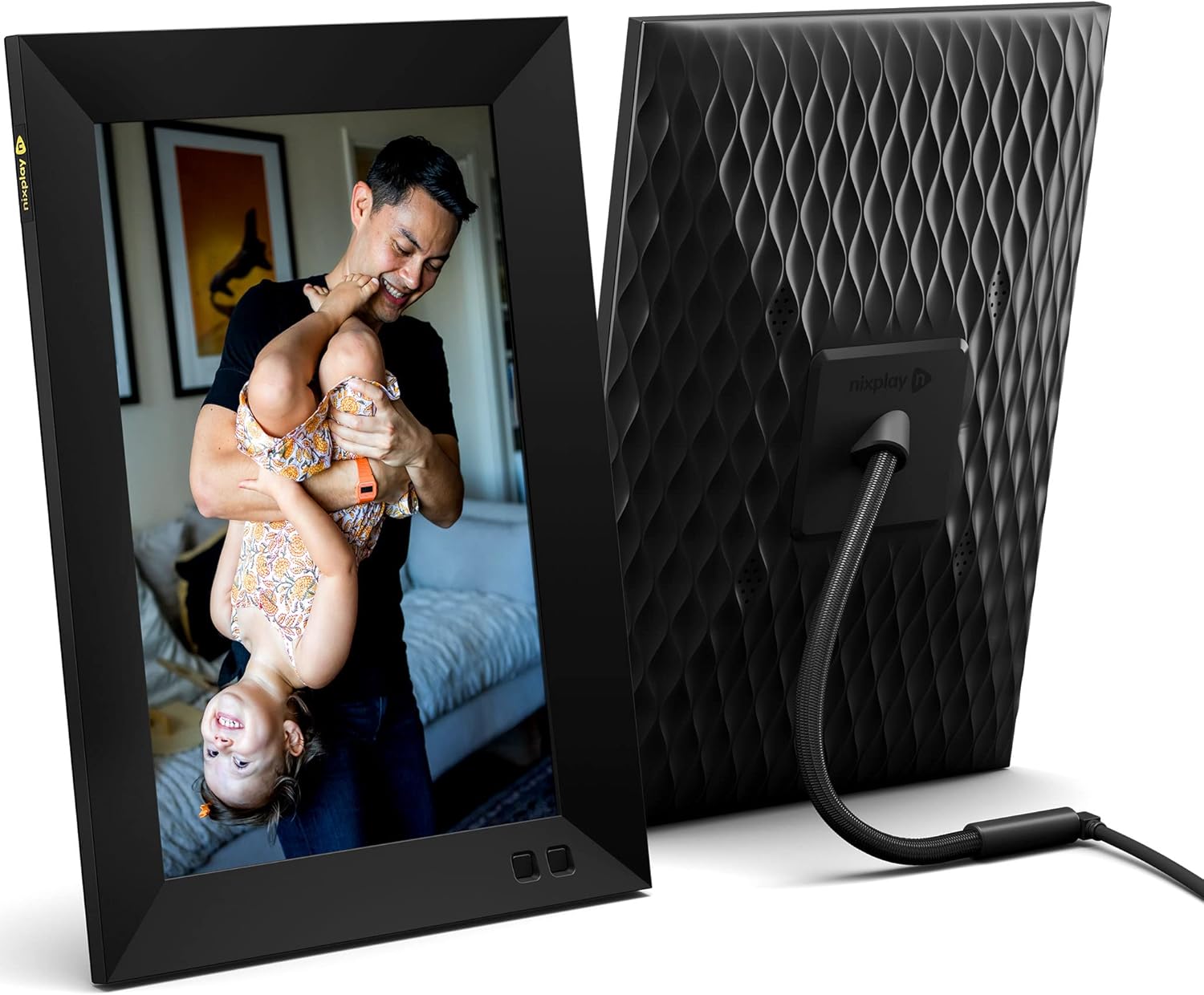
Slika 2.1: Spredaj in zadaj view of the Nixplay 10.1 inch Smart Digital Photo Frame. The front displays an image of a person holding a child, while the rear shows the textured back panel and power cable connection.
2.1 Vsebina paketa

Slika 2.2: Contents of the Nixplay Smart Digital Photo Frame package. Includes the frame, power adapter, remote control, wall mounting guide, screws, and a brief guide.
Po razpakiranju preverite, ali so prisotni vsi elementi:
- Nixplay 10.1 inch Smart Digital Photo Frame
- Napajalni adapter
- Daljinski upravljalnik
- Wall Mounting Guide and Hardware
- Vodnik za hiter začetek
3. Nastavitev
3.1 Vklop okvirja
- Connect the power adapter to the frame's power port.
- Priključite napajalnik v stensko vtičnico.
- The frame will automatically power on and display the Nixplay logo.
3.2 Initial Wi-Fi and Account Setup
Follow the on-screen prompts to connect your frame to a Wi-Fi network and create or log in to your Nixplay account. This process typically involves:
- Selecting your Wi-Fi network and entering the password.
- Downloading the Nixplay app on your smartphone or tablet.
- Pairing your frame with your Nixplay account using the app.

Slika 3.1: The Nixplay app displayed on a smartphone, illustrating how to share photos and videos instantly. The digital frame is shown displaying a family photo.
4. Navodila za uporabo
4.1 Managing Content with the Nixplay App
The Nixplay app is the primary tool for managing your frame's content. It allows you to upload photos and videos, create playlists, and invite others to share content.
- Nalaganje fotografij/videoposnetkov: Use the app to select media from your device or linked cloud services (e.g., Google Photos, Dropbox) and upload them to your Nixplay account.
- Ustvarjanje seznamov predvajanja: Organize your uploaded media into playlists. You can assign specific playlists to your frame.
- Skupna raba: Invite family and friends to contribute photos and videos to your frame via email or the Nixplay app.

Slika 4.1: The Nixplay app interface displaying various playlists, including "Google Photos family," "Christmas Playlist," and "Wedding." This demonstrates the app's content organization features.
4.2 Uporaba daljinskega upravljalnika
The included remote control allows for basic navigation and settings adjustments directly on the frame. Functions typically include:
- Navigating through menus.
- Adjusting volume (for videos).
- Pausing/playing slideshows.
- Accessing frame settings.
4.3 Funkcionalnost senzorja gibanja
The frame features a motion sensor that can be configured to turn the display on when motion is detected and off after a period of inactivity, conserving energy.
5. Vzdrževanje
5.1 Čiščenje okvirja
- Use a soft, dry, lint-free cloth to clean the screen and frame exterior.
- Izogibajte se uporabi abrazivnih čistil, topil ali aerosolnih razpršil, saj lahko poškodujejo površino.
- Za trdovratne madeže na zaslonu rahlo obrišiteampen the cloth with water, then wipe gently.
5.2 Posodobitve programske opreme
Ensure your frame's software is up to date for optimal performance and new features. The frame typically updates automatically when connected to Wi-Fi, or you may be prompted to install updates via the Nixplay app.
6. Odpravljanje težav
| Izdaja | Možna rešitev |
|---|---|
| Okvir se ne vklopi. | Prepričajte se, da je napajalnik varno priključen tako na okvir kot v delujočo električno vtičnico. Poskusite z drugo vtičnico. |
| Ni mogoče vzpostaviti povezave z Wi-Fi. | Verify the Wi-Fi password. Ensure the frame is within range of your router. Restart your router and the frame. |
| Fotografije se ne prikazujejo na okvirju. | Check your Nixplay app to confirm photos are uploaded and assigned to the correct playlist for your frame. Ensure the frame is connected to Wi-Fi. |
| Daljinski upravljalnik ne deluje. | Prepričajte se, da med daljinskim upravljalnikom in okvirjem ni ovir. Po potrebi zamenjajte baterijo daljinskega upravljalnika. |
7. Specifikacije
- Številka modela: W10J
- Velikost zaslona: 10.1 palcev
- Resolucija: 1280 x 800
- barva: Črna
- Dimenzije izdelka: 8.54 x 35 x 0.99 palcev
- Teža artikla: 2.86 funtov
- Združljive naprave: Pametni telefon, tablica
- Baterije: 1 Lithium Metal battery (included, for remote control)
- Proizvajalec: Nixplay
- ASIN: B09364Y1QJ
8. Garancija in podpora
For warranty information and technical support, please refer to the documentation included with your product or visit the official Nixplay support webspletnem mestu. Kontaktne podatke za podporo strankam običajno najdete na proizvajalčevem webmesto.