
Uvod
Thank you for choosing the ThreeH Digital Alarm Clock Radio. This manual provides essential information for setting up, operating, and maintaining your device. Please read it carefully to ensure proper use and to fully utilize all features.
Varnostne informacije
- Naprave ne izpostavljajte vodi, vlagi ali ekstremnim temperaturam.
- Izogibajte se postavljanju ure v bližino virov toplote ali na neposredno sončno svetlobo.
- Use only the provided USB cable for power. Ensure the power adapter (not included) meets the specified voltage (enosmerni tok 5 V).
- Naprave ne poskušajte razstavljati ali popravljati sami. Za pomoč se obrnite na usposobljeno servisno osebje.
- Hraniti izven dosega otrok.
Vsebina paketa
Paket vključuje:
- ThreeH Digital Alarm Clock Radio (Model H-AC55Red)
- USB Power Cable (Note: Power adapter not included)
- CR2032 Button Battery (pre-installed for memory backup)
- Uporabniški priročnik (ta dokument)
Konec izdelkaview
Sprednji zaslon

Slika: spredaj view of the ThreeH Digital Alarm Clock Radio, displaying the time and alarm icons.
The device features a large 7.3-inch LED display for clear time visibility. The curved screen design enhances readability.
Back Panel and Controls

Slika: Podrobna view of the clock's back panel, highlighting control buttons and connection ports.
Ključne kontrole:
- VOL / DOWN: Adjust volume, navigate down in settings.
- RADIO / SLEEP: Activate FM radio, set sleep timer, turn off radio.
- DREMEZ / ZATEMNITEV: Snooze alarm, adjust display brightness (manual/auto).
- NASTAVITEV: Enter settings mode, confirm selections.
- UP: Navigate up in settings, adjust values, increase volume.
- AL1 / AL2: Set and activate/deactivate Alarm 1 and Alarm 2.

Image: Diagram illustrating the functions of the buttons and ports on the back of the alarm clock.
Nastavitev
Napajalni priključek
Connect the provided USB power cable to the DC 5V input port on the back of the alarm clock. Plug the other end into a USB power adapter (not included) or a powered USB port.

Image: Illustration of connecting the USB power cable to the device.
The built-in CR2032 button battery provides memory backup for time and alarm settings during power outages. This battery is pre-installed.
Nastavitev časa
- Pritisnite in držite NASTAVI gumb, dokler ne utripajo številke za uro.
- Uporabite UP or DOL gumbi za nastavitev ure.
- Pritisnite NASTAVI again to confirm the hour and move to minute adjustment.
- Uporabite UP or DOL gumbe za nastavitev minut.
- Pritisnite NASTAVI ponovno za potrditev minut in izhod iz načina nastavitve časa.
12/24-urni format
While the time is displayed, press the UP button briefly to switch between 12-hour and 24-hour formats. In 12-hour format, "PM" will be indicated on the display.
Navodila za uporabo
Prilagoditev svetlosti zaslona
The display has 4 levels of adjustable brightness (Bright, Medium, Dim, Off). You can adjust it manually or set it to adjust automatically based on ambient light.

Image: Visual representation of the four adjustable brightness levels.
- Pritisnite DREMEŽ / ZATEMNILO button repeatedly to cycle through the manual brightness levels: Bright > Medium > Dim > Off.
- To enable automatic brightness adjustment, press and hold the DREMEŽ / ZATEMNILO button. The display will show "AU" to indicate automatic mode. The clock will then adjust its brightness based on ambient light conditions.
- To disable automatic brightness, press and hold the DREMEŽ / ZATEMNILO gumb znova.
Nastavitev alarmov (Alarm 1 in Alarm 2)
The clock supports two independent alarms. The default snooze time is 9 minutes.
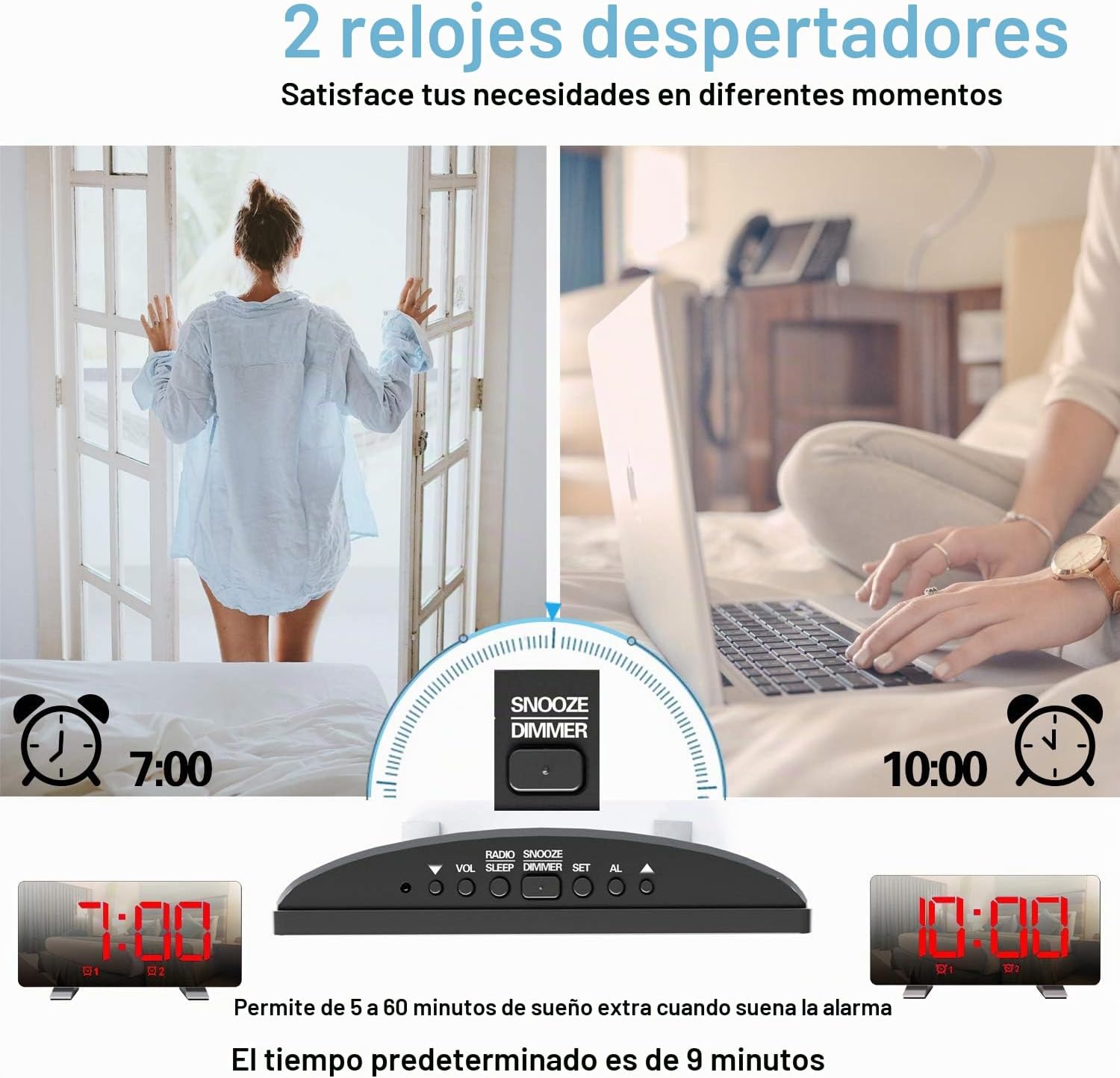
Image: Depiction of setting two separate alarms for different times.
- Pritisnite AL1 or AL2 button to select the alarm you wish to set. The alarm icon and hour digits will flash.
- Uporabite UP or DOL gumbi za nastavitev ure.
- Press the selected alarm button (AL1 or AL2) again to confirm the hour and move to minute adjustment.
- Uporabite UP or DOL gumbe za nastavitev minut.
- Press the selected alarm button (AL1 or AL2) again to confirm the minutes.
- Next, select the alarm sound source: Use UP or DOL to choose between "BU" (Buzzer) or "RA" (Radio).
- If "RA" is selected, use UP or DOL to select a preset radio station (P01-P15).
- Press the selected alarm button (AL1 or AL2) again to confirm the sound source and exit alarm setting mode.
Vklop/izklop alarmov
Pritisnite AL1 or AL2 button briefly to toggle the respective alarm ON or OFF. The alarm icon will appear on the display when active.
Funkcija dremeža
Ko se oglasi alarm, pritisnite DREMEŽ / ZATEMNILO button to activate snooze. The alarm will pause for 9 minutes and then sound again.
Ustavitev alarma
To stop an alarm from sounding (without snooze), press any button other than DREMEŽ / ZATEMNILO.
Delovanje radia FM
The clock features an FM radio with a frequency range of 76-108 MHz and can store up to 15 preset stations.

Slika: Konecview of FM radio features and product dimensions.
- Pritisnite RADIO / SLEEP button to turn on the FM radio. The current frequency will be displayed.
- Automatic Station Scan: Pritisnite in držite RADIO / SLEEP button to automatically scan and save available FM stations. The clock can store up to 15 stations.
- Ročna nastavitev: Na kratko pritisnite UP or DOL gumbe za ročno nastavitev frekvence.
- Izbira prednastavljenih postaj: After an automatic scan, briefly press the RADIO / SLEEP button to cycle through the preset stations (P01, P02, etc.).
- Adjusting Radio Volume: Uporabite VOL / DOWN button to decrease volume and the UP button to increase volume. There are 15 volume levels.
- Turning Off Radio: Pritisnite in držite RADIO / SLEEP button to turn off the FM radio.

Image: Visual representation of FM radio reception and frequency range.
Sleep Timer Funkcija
Časovnik za spanje omogoča, da radio predvaja določen čas, preden se samodejno izklopi.
- Medtem ko se predvaja radio, pritisnite RADIO / SLEEP Večkrat pritisnite gumb , da preklapljate med možnostmi časovnika za spanje (npr. 90, 60, 30, 15 minut, IZKLOP).
- Izbrano trajanje se bo na kratko prikazalo. Radio se bo po nastavljenem času samodejno izklopil.
Vrata za polnjenje USB
The USB port on the back of the clock can be used to charge mobile phones or other USB-powered devices.

Image: The alarm clock actively charging a smartphone via its integrated USB port.
Connect your device's USB charging cable to the USB port on the back of the alarm clock. Ensure the alarm clock is powered on.
Vzdrževanje
- Uro očistite z mehko, suho krpo. Ne uporabljajte abrazivnih čistil ali topil.
- Napravo hranite stran od vode in visoke vlažnosti.
- Avoid exposing the clock to direct sunlight or extreme temperatures.
- If the display becomes dim or unresponsive after a power outage, the internal CR2032 battery may need replacement.
Odpravljanje težav
| Težava | Možen vzrok | rešitev |
|---|---|---|
| Ura se ne vklopi. | Ni napajanja ali ohlapna povezava. | Ensure the USB cable is securely connected to both the clock and a working power source. |
| Alarm se ne oglasi. | Alarm ni aktiviran ali pa je glasnost prenizka. | Check if the alarm icon is displayed. Adjust alarm volume if using radio alarm. |
| Slab sprejem FM radia. | Šibek signal ali antena ni iztegnjena. | Extend the FM antenna fully. Try repositioning the clock for better reception. |
| Ponastavitev časa/nastavitev po izpadu napajanjatage. | CR2032 backup battery depleted. | Replace the CR2032 button battery in the battery compartment on the back. |
Specifikacije
- Model: H-AC55Red
- Znamka: ThreeH
- Zaslon: 7.3-inch LED Digital
- Dimenzije: 17.2 cm (Š) x 3.81 cm (G) x 9.1 cm (V)
- Teža: 290 g
- vir energije: USB Cable (DC 5V input)
- Rezervna baterija: 1 x CR2032 (priložen)
- FM frekvenčni razpon: 76-108 MHz
- Značilnosti alarma: Dual Alarms, Snooze (9 minutes default), Radio/Buzzer alarm sound
- Svetlost: 4 levels (manual) + Auto-dimming
- Izhod za polnjenje USB: Standard USB (for charging external devices)
Garancija in podpora
For warranty information and customer support, please refer to the documentation provided at the time of purchase or contact ThreeH customer service directly. Keep your purchase receipt for warranty claims.