
1. Uvod
This manual provides detailed instructions for the setup, operation, maintenance, and troubleshooting of your UF-TOOLS 7-Inch LCD Digital Microscope. Please read this manual thoroughly before using the device to ensure proper functionality and to maximize its lifespan.
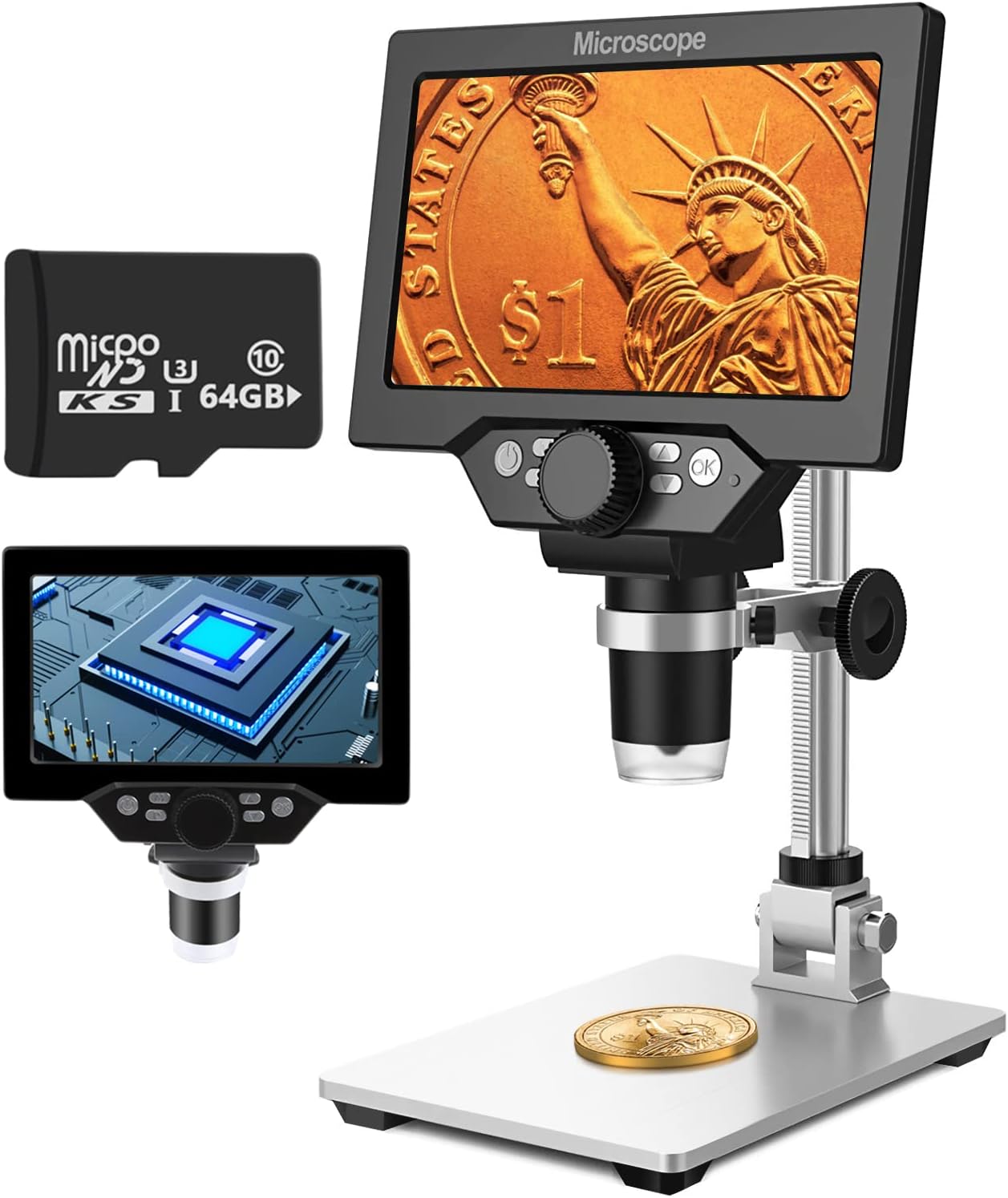
Image 1.1: UF-TOOLS 7-Inch LCD Digital Microscope with included 64GB TF card, showing the main unit and stand.
1.1 Ključne lastnosti
- 7-palčni LCD zaslon: Provides a clear, high-definition display for direct viewing without a computer.
- 10X-1200X Magnification: Continuous zoom capability for observing various objects.
- Kamera 12 MP: Captures high-resolution images and 1080P video.
- 64GB TF kartica: Included for direct storage of photos and videos. Supports up to 128GB.
- 8 nastavljivih LED luči: Ensures optimal illumination for detailed observation.
- Flexible Aluminum Alloy Stand: Allows for 90° angle adjustment and 2-10cm focus distance adjustment.
- Vgrajena baterija 3000 mAh: Offers portability with up to 6 hours of operation on a full charge.
- Povezljivost z računalnikom: Compatible with Windows 7/8/10 for larger display and data transfer.
2. Vsebina paketa
Preverite, ali so v vašem paketu prisotni vsi spodaj navedeni elementi:
- UF-TOOLS 7-Inch LCD Digital Microscope Unit
- Adjustable Aluminum Alloy Stand
- 64GB TF kartica
- USB kabel
- Napajalnik (če je priložen)
- Uporabniški priročnik (ta dokument)

Image 2.1: The microscope package includes a 64GB TF card for storage.
3. Navodila za namestitev
3.1 Sestavljanje mikroskopa
- Previdno razpakirajte vse komponente iz škatle.
- Attach the microscope unit to the adjustable aluminum alloy stand. Ensure it is securely fastened using the provided screws or locking mechanisms.
- Insert the 64GB TF card into the designated slot on the microscope unit.
- Place the assembled microscope on a stable, flat surface.

Image 3.1: Product dimensions and adjustable stand features, including 270° rotation and height adjustment.
3.2 Polnjenje baterije
The microscope has a built-in 3000mAh rechargeable battery. Before first use, fully charge the device.
- Connect the USB cable to the microscope's charge port and the other end to a power adapter or a computer's USB port.
- Indikatorska lučka polnjenja bo prikazala stanje polnjenja.
- A full charge typically provides up to 6 hours of continuous use.

Image 3.2: The microscope features a long-lasting rechargeable battery, charged via USB.
4. Navodila za uporabo
4.1 Naprava končanaview in Kontrole

Slika 4.1: Konecview of the microscope's controls and ports, including charge port, MicroSD slot, light regulation, fixed knob, lifting adjusting bracket knob, and various function buttons.
- Vklop/izklop: Pritisnite in držite gumb za vklop, da vklopite ali izklopite napravo.
- Video/Camera Playback: Use dedicated buttons to switch between video recording, photo capture, and playback modes.
- System Key Programming: Access menu settings for various configurations.
- Object Distance Adjustment: Prilagodite razdaljo med objektivom in predmetom.
- Stran gor/dol: Navigate through menus or captured media.
- Confirm Key/Camera Button: Select options or capture photos/videos.
- Light Regulation: Prilagodite svetlost 8 LED lučk.
- Fixed Knob: Secures the microscope unit to the stand.
- Lifting Adjusting Bracket Knob: Adjusts the height of the microscope unit on the stand.
4.2 Prilagajanje povečave in ostrenja
- Place the object you wish to observe on the base plate.
- Adjust the height of the microscope unit using the Lifting Adjusting Bracket Knob to get a rough focus.
- Use the focus wheel on the microscope lens to fine-tune the focus until the image on the 7-inch LCD screen is clear.
- The magnification range is 10X to 1200X. Adjust the distance between the lens and the object, along with the focus wheel, to achieve the desired magnification.

Image 4.2: The microscope features an adjustable screen, free length adjustment, and precise focus control.

Image 4.3: Digital magnification from 10X to 1200X, demonstrating the zoom capability on small objects.
4.3 Uporaba LED luči
The microscope is equipped with 8 adjustable LED lights to illuminate your subject. Use the Light Regulation control to increase or decrease brightness as needed for optimal viewing.

Image 4.4: The 8 LED lights provide adequate illumination for observing objects in various lighting conditions.
4.4 Zajemanje fotografij in videoposnetkov
With the included 64GB TF card, you can directly save images and videos.
- In photo mode, press the Confirm/Camera button to capture an image.
- In video mode, press the Confirm/Camera button to start recording, and press again to stop.
- Captured media can be reviewed using the playback function.
4.5 PC Connectivity
Za view observations on a larger screen or transfer files, connect the microscope to a Windows PC (Windows 7/8/10) using the provided USB cable.
- Connect the microscope to your PC via the USB cable.
- The microscope should be recognized as a storage device or a webcam, depending on the mode selected on the microscope.
- You can then access the stored images/videos or use the microscope as a live camera feed.

Image 4.5: Connect the microscope to a PC for a larger viewing experience and data management.
5. Vzdrževanje
5.1 Čiščenje
- Objektiv: Use a soft, lint-free cloth specifically designed for optical lenses. For stubborn smudges, a small amount of lens cleaning solution can be applied to the cloth, not directly to the lens.
- zaslon: Wipe the LCD screen gently with a microfiber cloth. Avoid harsh chemicals.
- Telo: Clean the microscope body and stand with a soft, dry cloth. Do not use abrasive cleaners or solvents.
5.2 Shranjevanje
- Mikroskop shranjujte na hladnem in suhem mestu, stran od neposredne sončne svetlobe in ekstremnih temperatur.
- Če baterijo shranjujete dlje časa, jo delno napolnite (približno 50 %), da podaljšate njeno življenjsko dobo.
- Keep the lens covered to prevent dust accumulation.
5.3 Skrb za baterije
- Izogibajte se pogostemu popolnemu praznjenju baterije.
- Baterijo redno polnite, tudi če je ne uporabljate, da ohranite njeno zdravje.
- Baterije ne izpostavljajte visokim temperaturam.
6. Odpravljanje težav
- Brez napajanja:
- Ensure the battery is charged. Connect the microscope to a power source and try again.
- Preverite povezavo napajalnega kabla.
- Zamegljena slika:
- Adjust the focus wheel carefully.
- Adjust the height of the microscope unit on the stand.
- Ensure the object is properly illuminated by adjusting the LED lights.
- Clean the lens if smudges or dust are present.
- Cannot Capture Photos/Videos:
- Ensure a TF card is inserted and properly formatted.
- Check if the TF card has sufficient storage space.
- Verify the device is in the correct photo or video capture mode.
- PC Not Recognizing Device:
- Ensure the USB cable is securely connected to both the microscope and the PC.
- Poskusite druga vrata USB na vašem računalniku.
- Restart both the microscope and the PC.
- Ensure your PC is running Windows 7/8/10.
7. Specifikacije
| Funkcija | Podrobnost |
|---|---|
| Ime modela | SUGON-Digital Microscope |
| Velikost zaslona | 7-palčni LCD |
| Povečava | 10X-1200X |
| Ločljivost kamere | 12 MP |
| Video ločljivost | 1080P |
| Shranjevanje | 64GB TF Card (Max 128GB supported) |
| Osvetlitev | 8 LED luči |
| Kapaciteta baterije | 3000 mAh litij polimer |
| Življenjska doba baterije | Do 6 ur (približno) |
| Združljivost z računalnikom | Windows 7/8/10 |
| Material | Kovina, plastika |
| Teža predmeta | 2.44 funtov (1.11 kg) |
| Dimenzije paketa | 9.8 x 8.19 x 3.35 palcev |
8. Garancija in podpora
UF-TOOLS provides the following warranty and support for this product:
- Obdobje vračila: 45 days limited product return period.
- Menjalni pravilnik: 18 months exchange for product defects.
For technical support or warranty claims, please contact UF-TOOLS customer service through the retailer where the product was purchased or visit the official UF-TOOLS webspletno mesto za kontaktne podatke.
Opomba: Garancijski pogoji se lahko razlikujejo glede na regijo in prodajalca. Prosimo, shranite dokazilo o nakupu.