
OnePlus GM1917
OnePlus 7 Pro Dual SIM Smartphone Instruction Manual (Model GM1917)
Your comprehensive guide to the OnePlus 7 Pro
1. Uvod
The OnePlus 7 Pro (Model GM1917) is a high-performance smartphone designed to deliver a smooth and immersive user experience. It features a 6.67-inch Fluid AMOLED display with a 90 Hz refresh rate and QHD+ resolution, offering exceptional clarity and fluidity. The device is equipped with a versatile camera system, including a 48 MP main camera, an ultra-wide-angle lens, and 3x optical zoom, enhanced by smart scene recognition and Nightscape 2.0 technology. This manual provides essential information for setting up, operating, and maintaining your OnePlus 7 Pro.

Slika 1: Spredaj view of the OnePlus 7 Pro smartphone.
2. Začetna nastavitev
2.1. Vsebina paketa
Before proceeding, ensure all items are present in your package:
- Pametni telefon OnePlus 7 Pro (model GM1917)
- Napajalni adapter
- USB Type-C kabel
- Orodje za izmet kartice SIM
- Vodnik za hiter začetek
- Varnostne informacije
2.2. Vstavljanje kartic SIM
- Poiščite pladenj za kartico SIM na strani naprave.
- Insert the SIM ejector tool into the small hole on the tray and press firmly until the tray ejects.
- Place your Nano-SIM cards into the tray with the gold contacts facing down. The OnePlus 7 Pro supports Dual SIM functionality.
- Pladenj previdno znova vstavite v napravo.
2.3. Vklop in začetna konfiguracija
- Pritisnite in držite gumb za vklop (nahaja se na desni strani), dokler se ne prikaže logotip OnePlus.
- Sledite navodilom na zaslonu, da izberete jezik, se povežete z omrežjem Wi-Fi in nastavite svoj Google Račun.
- You will be guided through setting up security features such as fingerprint unlock and face unlock.
3. Operating Your OnePlus 7 Pro
3.1. Funkcije zaslona
The OnePlus 7 Pro features a 6.67-inch Fluid AMOLED display with a QHD+ resolution (2560 x 1440 pixels) and a 90 Hz refresh rate. This combination provides incredibly smooth scrolling, fluid animations, and vibrant colors. Adjust display settings such as brightness, color mode, and refresh rate (if applicable) in the Settings menu under 'Display'.
3.2. Zmogljivost in shranjevanje
Powered by a Qualcomm Snapdragon 855 processor and 6GB of RAM, the OnePlus 7 Pro delivers robust performance for multitasking, gaming, and demanding applications. The device comes with 128GB of internal storage, providing ampprostor za aplikacije, fotografije in videoposnetke.
3.3. Navigacija
Your device offers various navigation options, including traditional on-screen navigation buttons or gesture navigation. These can be customized in the Settings menu under 'Buttons & gestures'.
4. Sistem kamer
The OnePlus 7 Pro is equipped with a triple rear camera setup and a unique pop-up front camera.
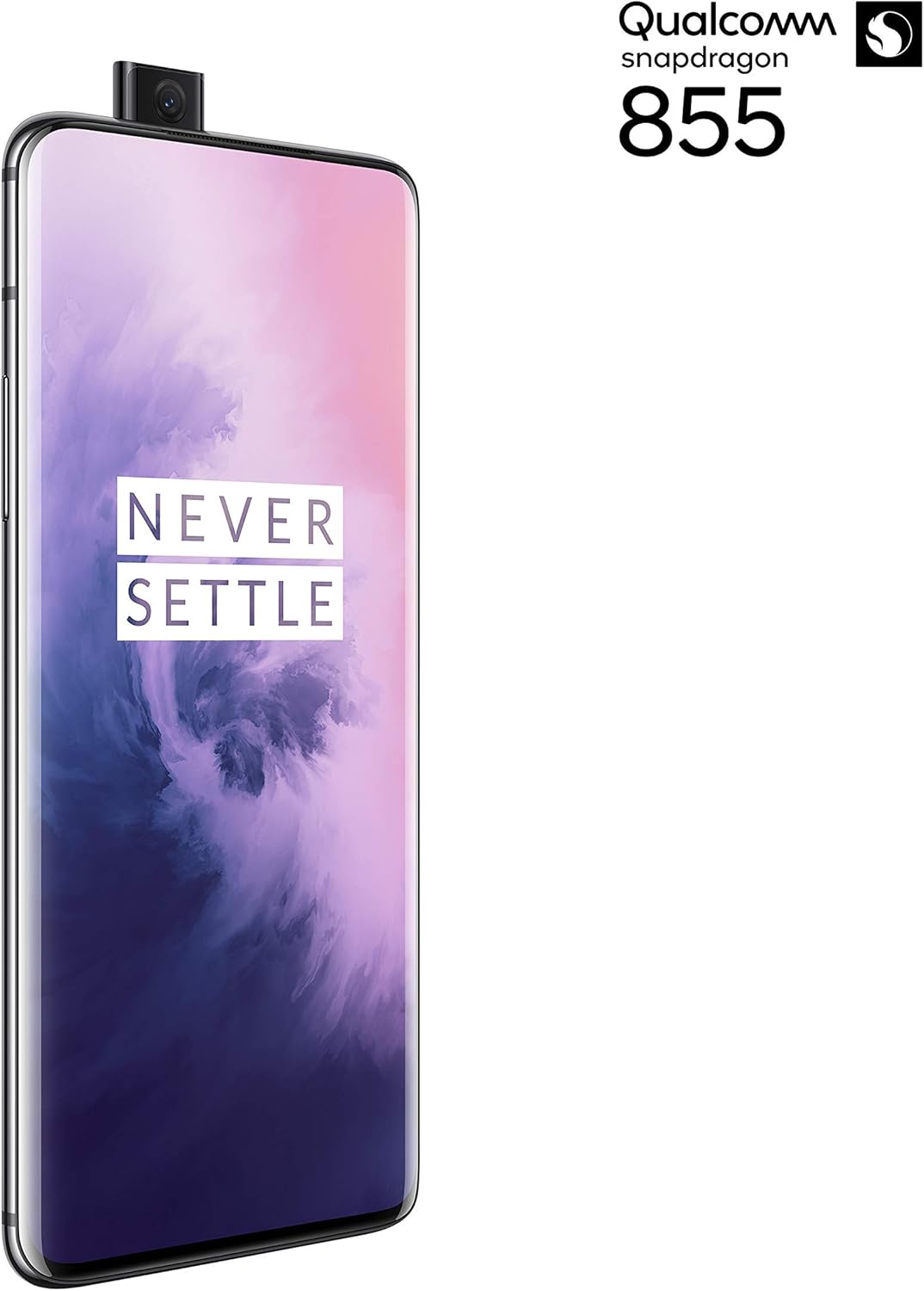
Slika 2: Spredaj view of the OnePlus 7 Pro with its pop-up selfie camera.
4.1. Zadnja kamera
- Glavna kamera: 48 MP sensor for high-resolution photos.
- Ultra-Wide Angle Lens: Zajema širše področje view, idealno za pokrajine in skupinske posnetke.
- Teleobjektiv: Offers 3x optical zoom for clear, detailed shots from a distance.
4.2. Sprednja kamera
The device features a motorized pop-up front camera, ensuring an uninterrupted full-screen display. This camera is designed for high-quality selfies and video calls.
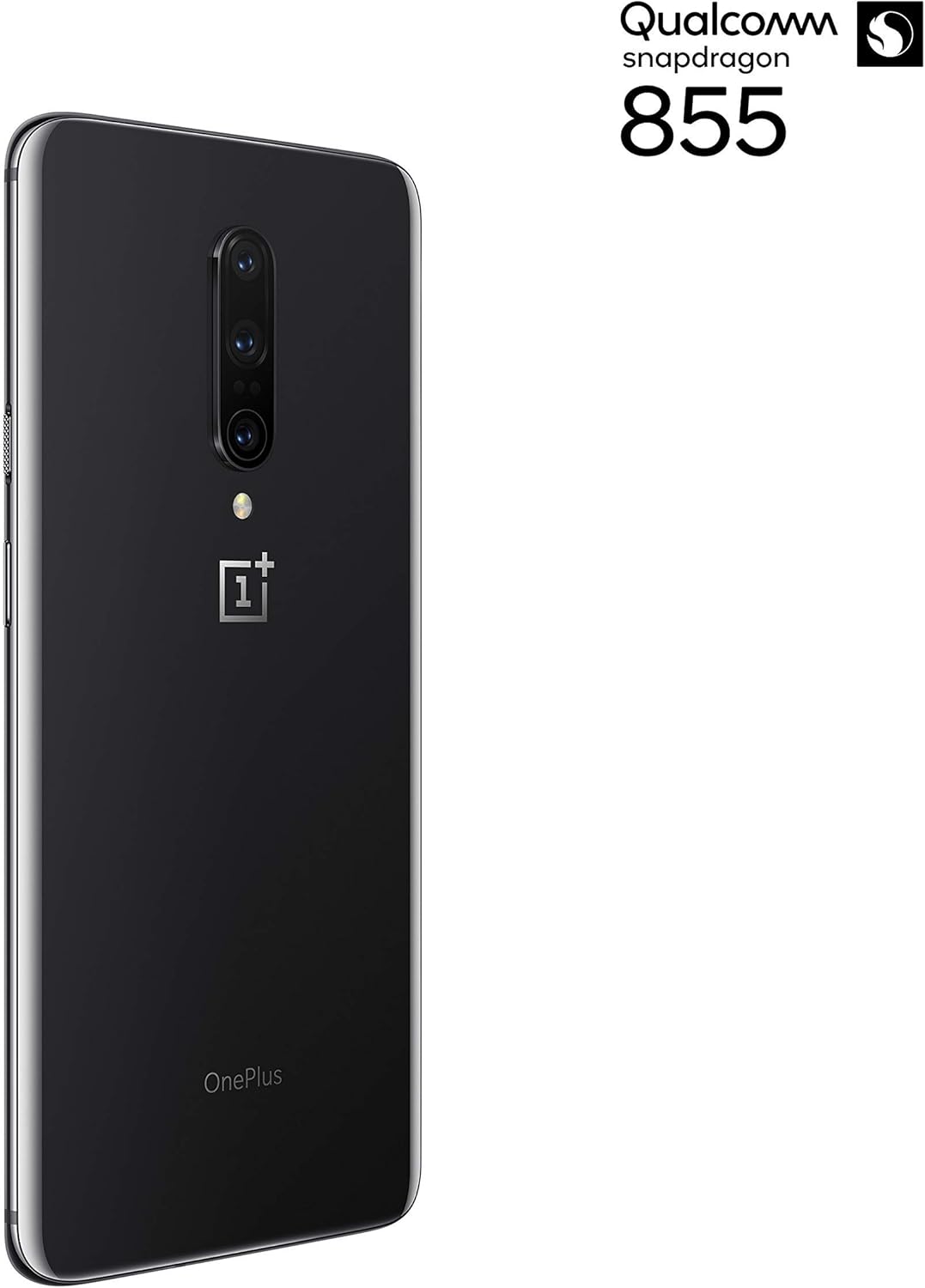
Slika 3: Zadaj view of the OnePlus 7 Pro highlighting the triple camera module.
4.3. Načini fotoaparata
Raziščite različne načine fotoaparata za izboljšanje svoje fotografije:
- fotografija: Standardni način za vsakodnevne posnetke.
- Portret: Ustvari učinek globinske ostrine, ki zamegli ozadje.
- Nočna pokrajina 2.0: Optimizes photos taken in low-light conditions for brighter and clearer results.
- Pro način: Ponuja ročni nadzor nad nastavitvami, kot so ISO, hitrost zaklopa in belina.
- Video: Records high-quality videos.
5. Baterija in polnjenje
The OnePlus 7 Pro is equipped with a 4000 mAh battery, designed to provide extended usage. It supports Warp Charge technology for rapid charging.
5.1. Polnjenje vaše naprave
To charge your device, connect the provided USB Type-C cable to the phone's charging port and the power adapter. Plug the adapter into a wall outlet. For optimal charging speed, use only the official OnePlus Warp Charge adapter and cable.
5.2. Optimizacija baterije
To maximize battery life, consider the following:
- Prilagodite svetlost zaslona.
- Enable Battery Saver mode when needed.
- Zaprite neuporabljene aplikacije, ki se izvajajo v ozadju.
- Limit background data usage for certain apps.
6. Tehnične specifikacije
| Funkcija | Specifikacija |
|---|---|
| Številka modela | GM1917 |
| Zaslon | 6.67-inch Fluid AMOLED, QHD+ (2560 x 1440), 90 Hz |
| Procesor | Qualcomm Snapdragon 855 |
| RAM | 6 GB |
| Notranji pomnilnik | 128 GB |
| Zadnja kamera | 48 MP Main, Ultra-Wide, 3x Optical Zoom Telephoto |
| Sprednja kamera | Pop-up Selfie Camera |
| Kapaciteta baterije | 4000 mAh |
| Operacijski sistem | Android |
| Povezljivost | Wi-Fi, 4G LTE (AT&T, Verizon, T-Mobile compatible) |
| Vrsta kartice SIM | Dvojna Nano-SIM |
7. Odpravljanje težav
If you encounter issues with your OnePlus 7 Pro, try the following steps:
- Naprava se ne odziva: Press and hold the Power button for approximately 10 seconds to force restart the device.
- Težave z aplikacijo: Clear the cache and data for the problematic app in Settings > Apps > [App Name] > Storage. If the issue persists, uninstall and reinstall the app.
- Omrežna povezljivost: Vklop in izklop letalskega načina. Znova zaženite napravo. Preverite, ali je kartica SIM vstavljena.
- Izpraznitev baterije: Review 'Battery Usage' in Settings to identify apps consuming excessive power. Reduce screen brightness and disable unnecessary features.
- Programske napake: Ensure your device's software is up to date via Settings > System > System updates.
- Tovarniška ponastavitev: Kot zadnjo možnost lahko izvedete ponastavitev na tovarniške nastavitve (Nastavitve > Sistem > Možnosti ponastavitve > Izbriši vse podatke). Opozorilo: S tem boste izbrisali vse podatke v vaši napravi. Pred nadaljevanjem varnostno kopirajte pomembne podatke.
8. Nega in vzdrževanje
To ensure the longevity and optimal performance of your OnePlus 7 Pro:
- Keep the device clean using a soft, lint-free cloth. Avoid harsh chemicals.
- Zaslon zaščitite z zaščitno folijo in uporabite zaščitni ovitek.
- Naprave ne izpostavljajte ekstremnim temperaturam, neposredni sončni svetlobi ali vlagi.
- Regularly back up your data to a cloud service or external storage.
- Install software updates to benefit from the latest features and security enhancements.
9. Garancija in podpora
Za informacije o garancijskem kritju, tehnični podpori ali servisu glejte dokumentacijo, ki je bila priložena nakupu, ali obiščite uradno podporo OnePlus. website. As this is a renewed product, specific warranty terms may vary; please consult your seller for details on their renewed product warranty and return policy.
Ask a question about this manual
Ask about setup, troubleshooting, compatibility, parts, safety, or missing instructions. Manuals+ will review the question and use this page’s manual context to help answer it.