
SIMO S018
SIMO Solis Lite 4G LTE Mobile Hotspot User Manual
Model: S018
Blagovna znamka: SIMO
Uvod
The SIMO Solis Lite is a portable 4G LTE mobile hotspot designed to provide reliable internet connectivity in over 140 countries. It eliminates the need for physical SIM cards and contracts by utilizing a virtual multi-carrier network. This device also functions as a power bank, allowing you to charge other devices on the go, making it an ideal companion for travel, RV life, or remote work.
Ključne značilnosti
- Connects to Multiple Carriers: Provides up to 16 hours of reliable and safe WiFi coverage worldwide via a virtual multi-carrier network.
- Globalna pokritost: Connects 10 devices and covers 140+ countries with a network of over 300 carriers, offering a reliable signal with high-speed data.
- Data Included: Includes 1GB of high-speed data per month for the life of the unit, with additional data available for users who need more.
- Mobile Hotspot Charger: Connects up to 10 devices simultaneously with 16 hours of battery life; also functions as a power bank.
- Enostaven za uporabo: Simply download the Solis app and register your device; start using your Lifetime Data plan or add an additional WiFi option.
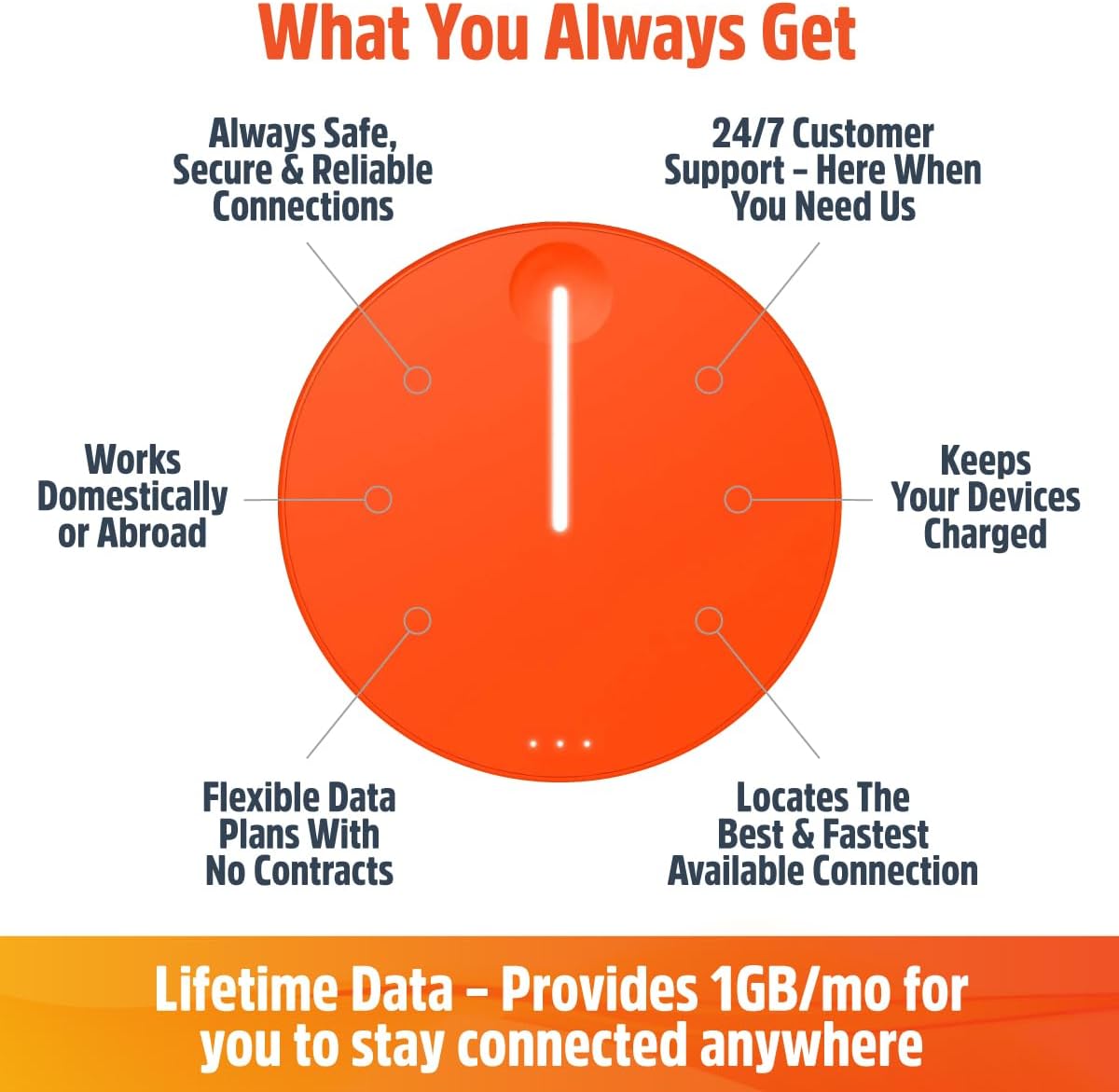
This diagram highlights the core benefits of the Solis Lite, including safe and reliable connections, 24/7 customer support, domestic and international usability, power bank functionality, flexible data plans, and its ability to locate the best and fastest available connection.
Kaj je v škatli
- SIMO Solis Lite Mobile Hotspot (Model S018)
- Polnilni kabel USB-C
- USB-A v USB-C adapter
- Vodnik za hiter začetek
- Lifetime Data (1GB/month)

The SIMO Solis Lite Mobile Hotspot comes in compact packaging, ensuring all components are securely stored.

The Solis Lite device is compact and designed for portability, serving as both a mobile WiFi hotspot and a power bank to keep your gadgets charged.
Nastavitev
Follow these steps to set up your SIMO Solis Lite Mobile Hotspot:
- Download the Solis WiFi App: The app is available on both the App Store (for iOS devices) and Google Play Store (for Android devices).
- Register Your Hotspot: Open the Solis WiFi App and follow the on-screen instructions to create your account and connect to your Solis Lite device.
- Manage Data: Within the app, you can activate your included Lifetime Data plan (1GB/month) and purchase additional data as needed.

The setup process involves acquiring the Solis Lite, registering it through the dedicated Solis WiFi App, and selecting a data plan that suits your needs.
Upravljanje naprave
Vklop/izklop
To power on the Solis Lite, press and hold the main button until the indicator light illuminates. To power off, press and hold the main button again until the light turns off.
Povezovanje naprav
Once powered on, the Solis Lite will broadcast a WiFi network. Use your smartphone, tablet, or laptop to search for available WiFi networks and select the Solis Lite network. Enter the password provided on the device or in the app to connect. The device supports up to 10 simultaneous connections.
Data Plans and Management
The Solis Lite includes 1GB of high-speed data per month for the lifetime of the unit. Additional data can be purchased as needed through the Solis WiFi App. The app allows you to monitor data usage, purchase new plans (monthly, per GB, or day passes), and manage your connectivity options.

The Solis Lite offers flexible data plans, including global or local options, subscription or pay-as-you-go, and unlimited data choices, all managed through the Solis app.

The device comes with a lifetime data plan providing 1GB of free data monthly, which can lead to significant savings over time compared to other data solutions.
Izbira omrežja
The Solis Lite automatically switches to the strongest available 4G LTE carrier in your location, ensuring optimal connectivity without manual intervention. This feature is particularly beneficial for travel across different regions or countries.

The Solis Lite provides extensive global coverage, connecting to over 300 carriers in more than 140 countries, offering seamless internet access without SIM cards or contracts.
Vzdrževanje
Čiščenje
Use a soft, dry cloth to clean the exterior of the device. Do not use liquid cleaners or abrasive materials, as these may damage the device's finish or internal components.
Shranjevanje
Store the device in a cool, dry place away from direct sunlight and extreme temperatures when not in use. Prolonged exposure to heat or cold can affect battery performance and device longevity.
Skrb za baterijo
To prolong battery life, avoid fully discharging the device frequently. Charge the device regularly, even if not in active use, to maintain optimal battery health. The device has a 4700 mAh battery, providing up to 16 hours of usage.
Odpravljanje težav
Ni internetne povezave
- Check the device's indicator lights to ensure it is powered on and has a signal.
- Verify your data plan status and remaining data in the Solis WiFi App.
- Premaknite se na območje z boljšo pokritostjo z mobilnim omrežjem.
- Restart the Solis Lite device.

Ensure you are connected to the correct Solis network and that your device's WiFi is enabled. The Solis Lite provides a private, encrypted network for secure data transmission.
Počasna hitrost povezave
- Prepričajte se, da ste na območju z močnim signalom 4G LTE.
- Reduce the number of connected devices. The device supports up to 10 devices.
- Close bandwidth-intensive applications on connected devices.
- Check for any data throttling if you are on a limited plan and have exceeded high-speed data limits.
Naprava se ne polni
- Use the provided USB-C charging cable and adapter.
- Prepričajte se, da je polnilni kabel varno priključen tako na napravo kot na vir napajanja.
- Poskusite z drugo vtičnico ali vrati USB.
Specifikacije
| Funkcija | Podrobnost |
|---|---|
| Dimenzije izdelka | 5.6 x 4.7 x 1.7 palcev |
| Teža predmeta | 9.9 unč |
| Številka modela | S018 |
| Baterija | 4700 mAh (priložene 2 litij-ionske baterije) |
| Življenjska doba baterije | Do 16 ur |
| Tehnologija povezljivosti | 4G LTE |
| Standard brezžične komunikacije | 802.11a (Wi-Fi) |
| Razred frekvenčnega pasu | Dvopasovni (5 GHz) |
| Največje število povezanih naprav | 10 |
| Globalna pokritost | 140+ countries, 300+ carriers |
| Posebna funkcija | Access Point Mode, Power Bank Functionality |
| Proizvajalec | SIMO |
| barva | Oranžna |
Garancija in podpora
For detailed warranty information, please refer to the official SIMO webspletnem mestu ali v dokumentaciji, ki je priložena vašemu izdelku.
Za tehnično podporo ali dodatno pomoč obiščite SIMO Store on Amazon ali se posvetujte z Uporabniški priročnik (PDF).
Povezani dokumenti - S018
 |
Solis Tag User Manual: Setup, Features, and Specifications Comprehensive user manual for the Solis Tag portable Wi-Fi hotspot. Learn how to set up, connect, manage data plans, understand light indicators, and view Tehnične specifikacije. |
 |
Solis Hero Portable Wi-Fi Hotspot User Manual and Specifications Comprehensive guide to the Solis Hero portable Wi-Fi hotspot by SIMO, covering setup, features like SignalScan and Lifetime Data, technical specifications, and compliance information. |
 |
Solis 5G Mobile Hotspot User Guide and Specifications A comprehensive guide to setting up and using the SIMO Solis 5G mobile hotspot, including step-by-step instructions, technical specifications, support contact information, and FCC compliance details. |
 |
Solis Go Mobile Hotspot User Manual User manual for the Solis Go high-speed mobile hotspot and power bank. Includes setup instructions, charging guide, LED status indicators, and technical specifications. |
 |
Solis Go Power Bank User Manual (SGO24) User manual for the Solis Go Power Bank (Model SGO24/TS-61), a multi-function device featuring a 4G/LTE WiFi router and an 8000mAh power bank. |
 |
SIM0-7610 用户手册:主板安装、配置与BIOS设置指南 获取SIM0-7610主板的详细用户手册,了解包装清单、主板规格、硬件安装、BIOS设置、编程指南及订购信息。 |
Ask a question about this manual
Ask about setup, troubleshooting, compatibility, parts, safety, or missing instructions. Manuals+ will review the question and use this page’s manual context to help answer it.